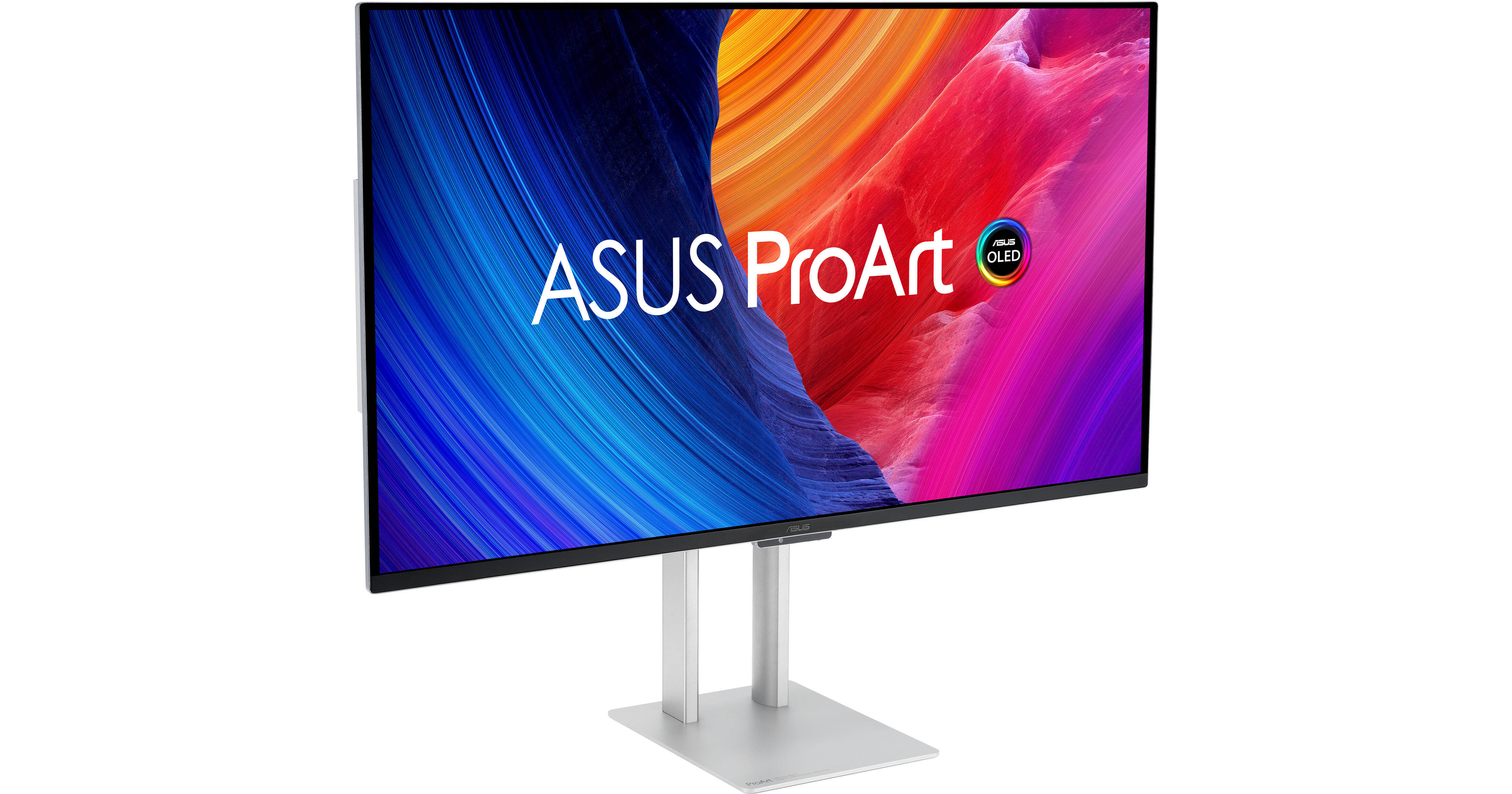
ASUS ProArt Display OLED PA32UCDM 31.5" 4K HDR 240 Hz Monitor (2-Pack)

BH #ASPA32UCDM2K
Print
ASUS ProArt Display OLED PA32UCDM 31.5" 4K HDR 240 Hz Monitor (2-Pack)

2

Pack

Key Features
  • 31.5" 16:9 QD-OLED Panel
  • HDMI | Thunderbolt 4 (96W)
  • 4K UHD 3840 x 2160 at 240 Hz
  • 0.1 ms (GtG) Response Time
Set up a multi-monitor workspace with the ASUS ProArt Display OLED PA32UCDM 31.5" 4K HDR 240 Hz Monitor 2-pack from B&H. Enhance your professional photography, video editing, and color workflow with dual color-accurate OLED 3840 x 2160 resolution 4K UHD monitors.
More Details
In Stock
No Store Display
Free 2-Day Shipping
Protect Your Gear
Add a protection plan from $168.99

Business Financing Options

Savings Available:
Save Up to $5.00
Ask an Expert
800-606-6969

ASUS PA32UCDM Overview

Set up a multi-monitor workspace with the ASUS ProArt Display OLED PA32UCDM 31.5" 4K HDR 240 Hz Monitor 2-pack from B&H. Enhance your professional photography, video editing, and color workflow with dual color-accurate OLED 3840 x 2160 resolution 4K UHD monitors.

QD-OLED Panel
The 31.5" QD-OLED panel delivers rich color with self-illuminating pixels that provide up to 1.07 billion colors, covering 99% of the DCI-P3 and 100% sRGB gamut.
Multiple HDR Support
This monitor supports VESA DisplayHDR True Black 400 certified HDR10, HLG, and Dolby Vision formats with a 1.5 million:1 contrast ratio and 1000 nits peak brightness in HDR mode for true blacks and bright highlights. HLG allows users to view and create material for broadcast and satellite TV platforms such as BBC iPlayer, Japan NHK TV, and DirecTV. HDR10 and Dolby Vision support ensures compatibility with a multitude of streaming video services and HDR-enabled games.
Smooth Visuals
A 240 Hz refresh rate, a 0.1 ms GtG response time, and Variable Refresh Rate (VRR) adaptive-sync support minimizes motion blur as you quickly scroll through content and watch videos.
Multi-Source Viewing
Enhance your multitasking by viewing content from up to two devices simultaneously in picture-by-picture or picture-in-picture mode.
Integrated Audio
The built-in 3W stereo speaker system allows you to listen to music and videos without cluttering your desk.
Ergonomic Design
Use the included ergonomic stand to rotate the display 90° in either direction to view documents in portrait mode. You can also adjust the height, tilt, and swivel to match your comfort. Using the 100 x 100mm VESA mount pattern allows you to attach the display to a wall, swivel arm, or multi-monitor stand. The 178° viewing angles allow you to see the screen clearly from almost any position.
UPC: 197105564688

ASUS PA32UCDM Specs

Key Specs
Display Size
31.5"
Panel Type
OLED
Native Resolution
3840 x 2160
Maximum Brightness
250 nits / cd/m2 (Sustained)
1000 nits / cd/m2 (Peak in HDR Mode)
HDR Support
Yes: HDR10/Dolby Vision/Hybrid Log Gamma
Color Support
1.07 Billion Colors
Color Gamut
100% sRGB
99% DCI-P3
Finish
Anti-Glare
Touchscreen
No
A/V Inputs
HDMI 2.1
USB I/O
USB-A 3.2 Gen 2 / USB-C 3.2 Gen 2 / Thunderbolt 4
Built-In Speakers
Yes: 2x 3 W
Display
Size
31.5"
Panel Type
OLED
Aspect Ratio
16:9
Native Resolution
3840 x 2160
Maximum Brightness
250 nits / cd/m2 (Sustained)
1000 nits / cd/m2 (Peak in HDR Mode)
HDR Support
Yes: HDR10/Dolby Vision/Hybrid Log Gamma
Contrast Ratio
Near Infinite (Black Pixels Emit No Light)
Response Time
0.1 ms (GtG)
Refresh Rate
240 Hz
Variable Refresh Technology
Adaptive-Sync
Color Support
1.07 Billion Colors
Color Gamut
100% sRGB
99% DCI-P3
Viewing Angle (H x V)
178 x 178°
Curved Display
No
Finish
Anti-Glare
Surface
Touchscreen
No
Connectivity
A/V Inputs
1x HDMI 2.1
HDCP Support
Yes: Version 2.3
USB I/O
2x USB-C (Thunderbolt 4) with USB PD 96 W
1x USB-A 3.1/3.2 Gen 2
1x USB-C 3.1/3.2 Gen 2
Multi-Input Support (PIP/PBP)
Yes: Picture-in-Picture (PIP), Picture-by-Picture (PBP)
Speaker
Built-In Speakers
Yes: 2x 3 W
Electrical
Power Consumption
Typical: 31.4 W
Input Power
100 to 240 VAC, 50 / 60 Hz
Power Adapter Type
Internal
General
Certifications
CB, CE, FCC, ICES, VCCI, WEEE, cTUVus
Adjustments
Rotation: 180° (-90 to 90°)
Tilt: 25° (-5 to 20°)
Height: Up to 5.1" / 129.5 mm
VESA Mounting-Hole Pattern
100 x 100 mm
Lock Slot
Yes: Kensington
Dimensions
28.2 x 23.7 x 8.9" / 71.6 x 60.2 x 22.6 cm (with Stand)
28.2 x 16.6 x 1.6" / 71.6 x 42.2 x 4.1 cm (without Stand)
Weight
19.84 lb / 9 kg (with Stand)
14.33 lb / 6.5 kg (without Stand)
Packaging Info
Package Weight
37 lb
Box Dimensions (LxWxH)
32.25 x 22.5 x 10.9"

ASUS PA32UCDM Reviews

I bought two

By George
Rated 5 out of 5
Date: 2026-07-21

My time usualy a way more valuable than to get busy on social media and write reviews. This time I pulled my act together as I have wasted several days try to set these monitors up on my ultra high end custom HP Z workstation systems. Issues and the solution I write down here does not apply to systems lesser tha NVIDIA Blackwell QM-Pro graphic cards. The issues I had with my system: I could not get the an image out of the box hooking up to the monitor and was going around circles as everyone is kicked the ball back HP, and ASUS and the entry level NVIDIA technical help. The monitor worked on my MacBookPro and other Windows laptop. I actually sent the custom HP workstation back for replacement. The replacement did not work it either. What a frustration! A gradual escalation ladder took me up to the highest level of NVIDIA Technical support and they fixed the issue. The problem was that for very high level GPU-s ASUS lacks NVIDIA support (It might had been fixed) . So NVIDIA TS sent me custom executable files to wipe all display drivers off my hard drive and they installed a custom code. I was told also that because this is a high refresh rate (240 Hz Monitor) the data stream is extremely high at 240 Hz and I need to use a special HDMI to Display port adapter to work. Once I solved this issue the monitors work as I expected for the price/performance, not as good as my previous NEC monitors but close and these monitors are ore versatile as I can game on them. Color accuracy is good, the look is good and can game on it. Occasional issues and annoyances: The monitor's built in fan can be loud if the room temperature is above 77F. Easy fix turn the AC down and make sure there is an airflow. The major annoyance for this monitor is the firmware update, which I still have not performed as it takes too long and very cumbersome. Overall: Good performance/price, nice look, versatile and good color accuracy. I am nut sure if there is any computer monitor out there with the blend of features like this.

Concerning Product and Service Quality

By Anonymous
Rated 2 out of 5
Date: 2026-05-12

Design is top notch. However, the screen developed burn-in after 3 months of minimal gaming use. I use a black screensaver and turn off the screen regularly, but the burn-in still appeared. It may have been a panel issue because the burn-in patterns were large and rectangular. This has been very disappointing. I sent the monitor to an ASUS-designated repair shop for burn-in service. During the service and return process, the screen arrived with cracked screen or LED malfunctions on three separate occasions. Each time, I was asked to file a new RMA and return it again. It has now been almost 4 months since I initially sent it in for the burn-in issue, and I still do not have a functional screen.

See any errors on this page?
Whatever You Need, We've Got It