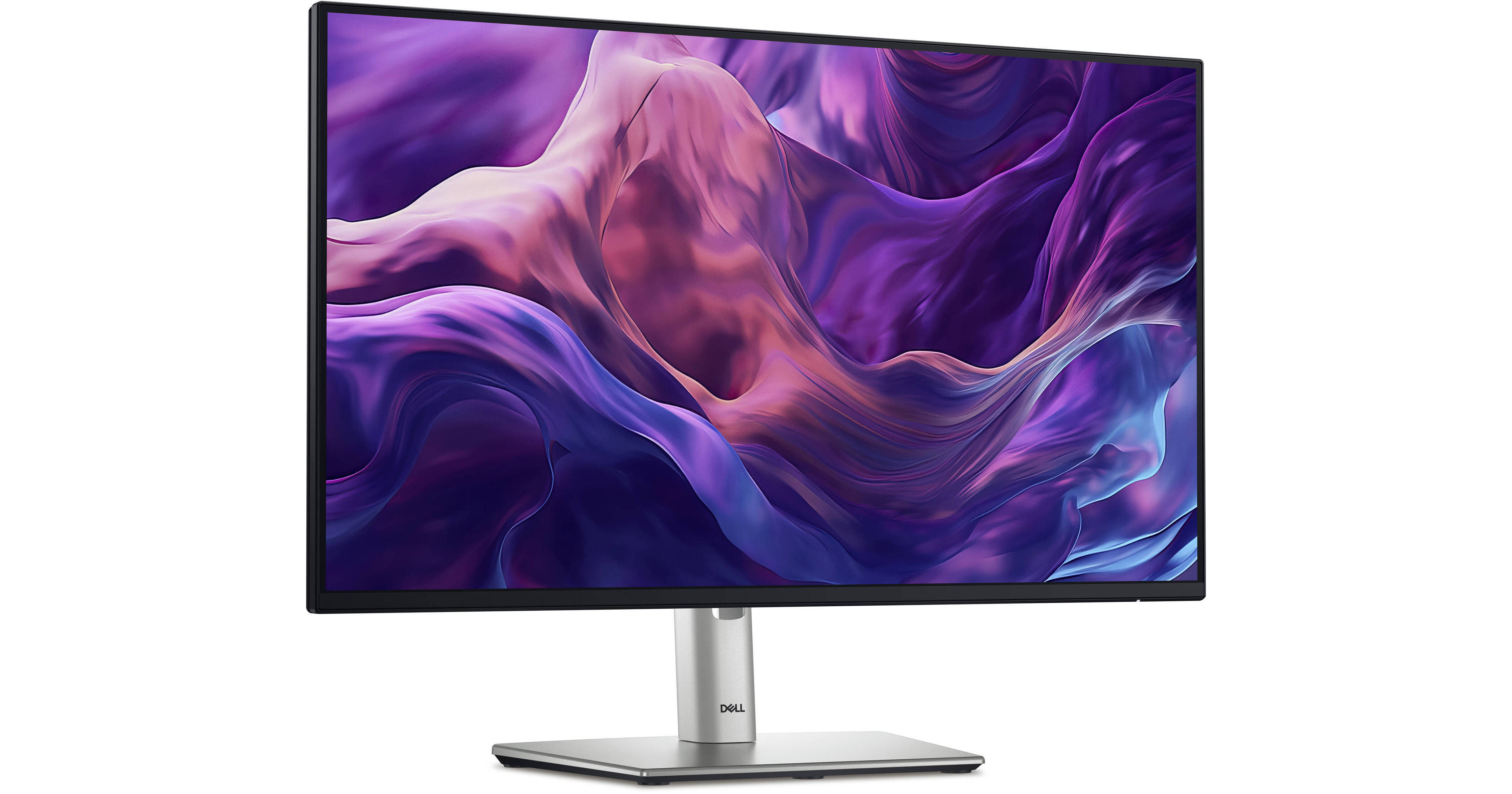
Dell 24" P2425H Monitor (10-Pack)

BH #DEP2425H10K
Print
Dell 24" P2425H Monitor (10-Pack)

10

Pack

Key Features
  • 24" 16:9 IPS Panel
  • HDMI | DisplayPort | VGA
  • 1920 x 1080 at 100 Hz
  • 5 ms (GtG) Response Time
Quickly outfit your office with the 24" P2425H Monitor 10-pack from B&H. This convenient bundle allows you to set up multiple single-display workstations or multi-monitor configurations.
More Details
In Stock
Free 2-Day Shipping
Protect Your Gear
Add a protection plan from $89.99
Ask an Expert
800-606-6969

Dell P2425H Overview

Quickly outfit your office with the 24" P2425H Monitor 10-pack from B&H. This convenient bundle allows you to set up multiple single-display workstations or multi-monitor configurations.

Display I/O
An HDMI 1.4, DisplayPort 1.2, and VGA port can take video information up to 1920 x 1080 in resolution from your device.
USB Connectivity
A USB-B 3.2 Gen 1 port, three USB-A 3.2 Gen 1 ports, and a single USB-C 3.2 Gen 1 port offers transfer speeds up to 5 Gb/s for peripherals and accessories. The USB-C port provides up to 15W of power delivery to charge devices.
Environmentally Forward Thinking
Made from recycled plastics, steel, aluminum, and glass, this monitor has a PowerNap mode to lower energy use and is EPEAT Climate+ and ENERGY STAR 8.0 certified.
UPC: 884116468684

Dell P2425H Specs

Key Specs
Display Size
23.8"
Panel Type
IPS-Type LCD
Native Resolution
1920 x 1080
Maximum Brightness
250 nits / cd/m2
HDR Support
No
Color Support
16.7 Million Colors (8-Bit)
Color Gamut
99% sRGB
Finish
Anti-Glare
Touchscreen
No
A/V Inputs
DisplayPort 1.2 / HDMI 1.4 / VGA
USB I/O
USB-A 3.2 Gen 1 / USB-B 3.2 Gen 1 / USB-C 3.2 Gen 1
Built-In Speakers
No
Display
Size
23.8"
Panel Type
IPS-Type LCD
Aspect Ratio
16:9
Native Resolution
1920 x 1080
Maximum Brightness
250 nits / cd/m2
HDR Support
No
Contrast Ratio
1500:1
Response Time
5 ms (GtG)
Refresh Rate
100 Hz
Variable Refresh Technology
No
Color Support
16.7 Million Colors (8-Bit)
Color Gamut
99% sRGB
Viewing Angle (H x V)
178 x 178°
Curved Display
No
Finish
Anti-Glare
Surface
Touchscreen
No
Connectivity
A/V Inputs
1x HDMI 1.4
1x DisplayPort 1.2
1x VGA
HDCP Support
Yes: Version 1.4
USB I/O
2x USB-A 3.0 / 3.1/3.2 Gen 1
1x USB-B 3.0 / 3.1/3.2 Gen 1
1x USB-C 3.0 / 3.1/3.2 Gen 1 with USB PD 15 W [Charging]
1x USB-A 3.0 / 3.1/3.2 Gen 1
Multi-Input Support (PIP/PBP)
No
Speaker
Built-In Speakers
No
Electrical
Power Consumption
Maximum: 65.0 W
Typical: 11.7 W
Standby: 0.3 W
Input Power
100 to 240 VAC, 50 / 60 Hz at 1.5 A
Power Adapter Type
Internal
General
Operating Conditions
32 to 104°F / 0 to 40°C at 10 to 80% Humidity
Storage Conditions
-4 to 140°F / -20 to 60°C at 5 to 90% Humidity
Certifications
ENERGY STAR, EPEAT GOLD, EPEAT Climate+, RoHS, TCO Certified, TUV
Adjustments
Height Up to 5.9" / 150 mm
Tilt: 26° (-5 to 21°)
Rotation: 180° (-90 to 90°)
Swivel: 90° (-45 to 45°)
VESA Mounting-Hole Pattern
100 x 100 mm
Lock Slot
Yes: Kensington
Dimensions
21.2 x 19.5 x 7.1" / 53.8 x 49.5 x 18 cm (with Stand)
21.2 x 12.3 x 1.9" / 53.8 x 31.2 x 4.8 cm (without Stand)
Weight
6.88 lb / 3.12 kg (without Stand)
Packaging Info
Package Weight
14.43 lb
Box Dimensions (LxWxH)
23.3 x 16.1 x 7.4"

Dell P2425H Reviews

Just right for a small apartment

By Robert
Rated 5 out of 5
Date: 2026-06-01

I live in a small, one bedroom apartment. This monitor replaces my previous monitor which was slightly smaller. It is justalittlelarger but a great monitor.

Great Monitor

By Andrew
Rated 5 out of 5
Date: 2025-10-16

So far, this is a really great monitor. I can tell a difference in the colors from my older Dell monitor. They are brighter and more vibrant. Also the height adjustment is much better than my older Dell monitor as it has a little bit more range and height than the last one so it works perfectly since i'm on the taller side. I have never had a bad Dell monitor. They are solid and reliable in my experience.

See any errors on this page?

What frame rates are supported by this monitor?

What frame rates are supported by this monitor?
Asked by: Josh
The Dell 24" P2425H Monitor supports refresh rates up to 100 Hz.
Answered by: Calvin M
Date published: 2024-08-22

Do you have to reach around the back of the ...

Do you have to reach around the back of the monitor to turn it on/off and to use the on screen settings?
Asked by: Sarah
Yes, the button that's used for powering on/off and navigating the menus of the Dell 24" P2425H Monitor is on the back.
Answered by: Michael S
Date published: 2025-03-02

What accessories are needed for this monitor to ...

What accessories are needed for this monitor to access laptop
Asked by: Heather
You can connect the Dell 24" P2425H Monitor using an HDMI, DisplayPort, or VGA cable connected to your laptop.
Answered by: Elliot
Date published: 2025-07-21

What is the minimum to maximum height when height ...

What is the minimum to maximum height when height is adjusted?
Asked by: Sarah
The Dell 24" P2425H Monitor, B&H # DEP2425H, has a minimum height of 14.33'' when the stand is all the way down; the maximum height when it is at its highest position is 19.55".
Answered by: Miguel M
Date published: 2025-02-27

Is it VESA mountable? If so, what are the holes ...

Is it VESA mountable? If so, what are the holes size (50 or 100 mm)?
Asked by: Bagavathikan
The Dell 24" P2425H Monitor is VESA mountable and has a 100x100mm mounting pattern.
Answered by: Alex D
Date published: 2025-10-02

What is needed to get this to work with a MacBook ...

What is needed to get this to work with a MacBook Air, thanks?
Asked by: dave
A USB-C to DisplayPort cable like B&H # IOG2LU3CDP12 would allow you to connect the Dell 24" P2425H Monitor to a MacBook Air.
Answered by: Alex D
Date published: 2025-07-24
  • y_2026, m_6, d_3, h_11CST
  • bvseo_bulk, prod_bvqa, vn_bulk_3.0.46
  • cp_1, bvpage1
  • co_hasquestionsanswers, tq_6
  • loc_en_US, sid_1933455, prod, sort_[SortEntry(order=HAS_STAFF_ANSWERS, direction=DESCENDING)]
  • clientName_bhphotovideo
Whatever You Need, We've Got It