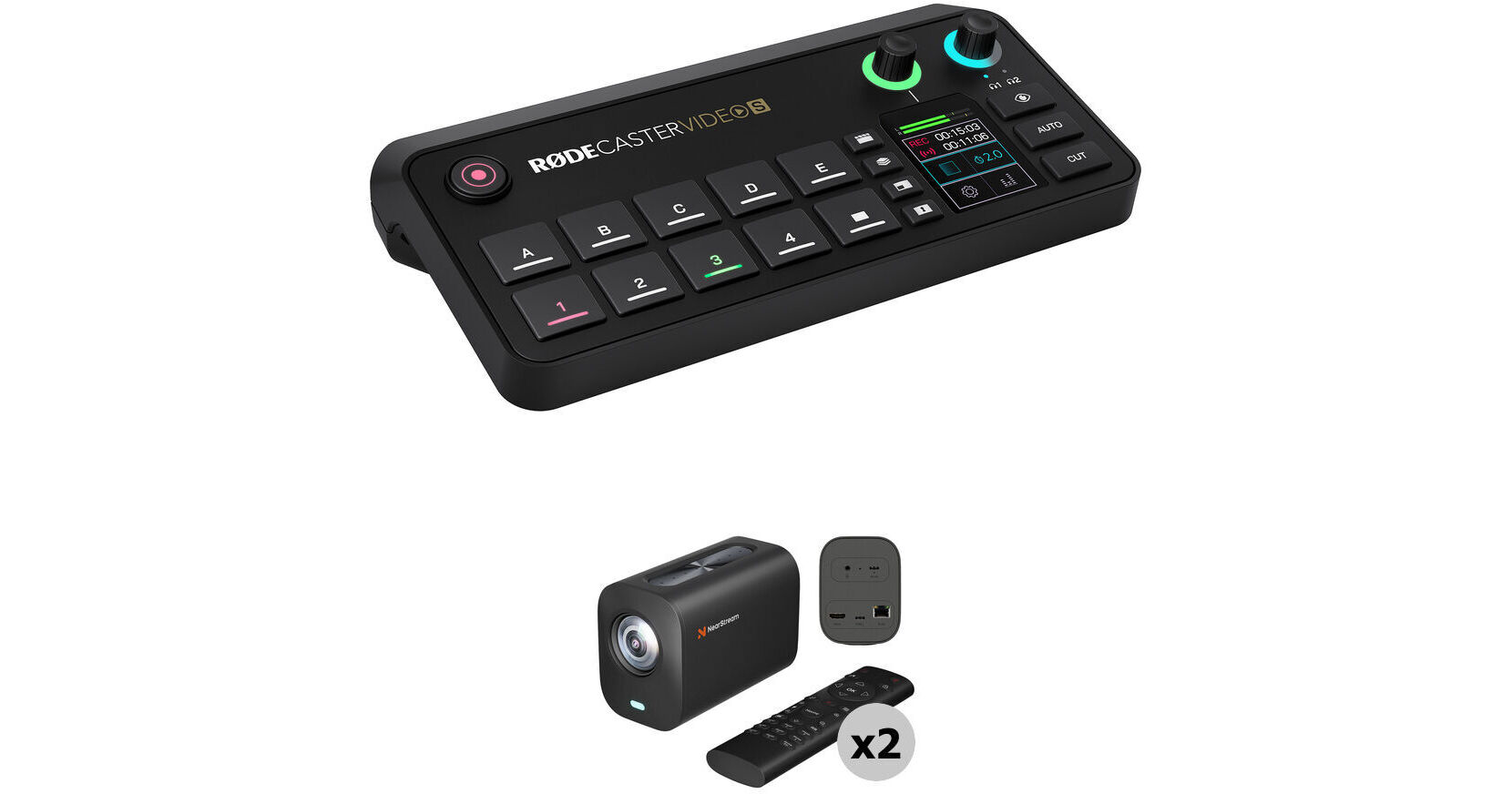
Kit Contains:


RODE RODECaster Video S All-In-One Audio/Video Console
Designed as a streamlined version of its predecessor the RODECaster Video, the RODECaster Video S All-In-One Audio/Video Console offers the same powerful video switching and recording as well as studio-grade audio control for podcasters, streamers, and solo creators. The console offers intuitive control over both video and audio sources with its onboard controls, 2" touchscreen display, and rotary encoder. A variety of connectivity options, including HDMI and USB-C ports, NDI inputs, and both wired and wireless network connections. Add the RODECaster Video S to your preexisting RODE audio ecosystem using the USB-C audio ports or RODE Central software for advanced device configuration. The latest firmware update allows you to capture video in up to UHD 4K30 resolution (3840 x 2160 pixels) with ISO recording and NDI output.
Video Interface
- The RODECaster Video S features nine mix-effect layers that can simultaneously display in both preview and program views. Two downstream keyers toggle overlays and logo, two chroma-keyers toggle different backgrounds, and one luma keyer and two media players can play simultaneous MP4 video, PNG/JPG photos, or WAV audio from a USB SSD or flash drive.
- Multiview allows you to visualize the program and preview, all the live inputs with scene and media thumbnails, the audio mixer and channel status, and recording/network/storage status, as well as runtime, date, and time information. Nondestructive setup means the process can be done live or configured as a saved scene without interrupting the flow of your production.
- Switch between four 1080p60 video sources (three HDMI and one USB-C) and create complex scenes with multiple layers of video, media, and graphics. Save these scenes and recall them with the touch of a button.
- With the latest firmware update, you can now capture up to 4K30 video in 4K Capture Mode.
- You can also input up to four NDI streams such as PTZ cameras for streaming output.
- Configure the single HDMI output to connect displays and view preview, program, and multiview feeds. Use the program feed to see what is being streamed/recorded and the preview feed to view inputs, scenes, graphics, or media sources before they go live.
USB Microphone and Webcam Support
The USB 4 port on the RODECaster support select RODE USB microphones including the RODECaster Pro II and Duo, as well as a compatible webcam for direct video input.
Audio Sources
- Two studio-grade combo XLR-1/4" jacks on the console are equipped with low-noise, high-gain Revolution Preamps with phantom power to ensure pristine audio capture from XLR microphones and instruments.
- Use digital USB-C ports to connect RODE USB microphones, the RODECaster Pro II, or Duo Audio Production Studios. Other USB-C ports support 2-in / 2-out multichannel outputs, mix-minus, and MFi protocols.
- Internal wireless receivers can connect RODE series IV wireless microphones to the console, like the Wireless GO II and Wireless PRO.
- Aphex VoxLab audio processing equips the RODECaster Video S with EQ, compressor, noise gate, high-pass filter, de-esser, Aural Exciter, Big Bottom, and Compellor effects per channel. Integrated preamps provide up to 75 dB input gain and -131.5 dBV equivalent input noise.
- Mix and process audio onboard using the touchscreen and rotary encoder or the software mixer in RODE Central.
Intuitive Controls
- The RODECaster Video S prioritizes scene-based switching with an intuitive control layout. This gives users quicker access to the tools they need to create dynamic content without needing to access complicated settings. The front panel of the device includes a wide variety of controls specific to certain features.
- Automatic chroma keying makes replacing backgrounds with media or live video inputs a breeze. Apply transparency to use the input in scenes or with various backgrounds. Choose between blue and green screen with advanced controls.
- Media buttons load video clips, images, and sounds onto a USB drive for use in your production. Two internal video players allow you to transition from one to another in your scene compositions.
- Graphic buttons load images with transparency. Dynamically trigger graphics to transition over an input or scene.
Intelligent Auto-Switching
Intelligent auto-switching provides seamless and creative hands-free switching between video sources. Any audio input can be linked to any video source, allowing intelligent level detection to automatically trigger switching when your talent is speaking to follow the conversation. Switching priorities and screen time algorithms provides a natural feel, as if a producer or technical director were calling the shots.
Intuitive Streaming and Recording
Stream up to 100 Mb/s directly using RTMP/RTMPS to major platforms like YouTube, Twitch, and Facebook Live via integrated Wi-Fi 6 or Ethernet connection. Real-time signal health reporting is displayed via multiview. Up to four NDI sources, such as PTZ cameras, can be input with a single NDI output via Ethernet streaming. The Video S can also utilize dual-cam streaming using the free RODE Capture app for iOS.
Record directly to an external USB storage device or the internal 24GB media storage, including isolated (ISO) recording for more flexible postproduction workflows. You can record your program feed as an H.264/AVC MP4 file with embedded AAC stereo mix in up to 1080p30 resolution or up to 4K30 in 4K Capture Mode (latest firmware required). Multiple audio tracks can be recorded as nine independent stereo WAV files.
RODE Central
Use the RODE Central companion software when connected to a computer to adjust more advanced features of the RODECaster Video S. Construct scenes using remote control, configure automatic switching based on audio inputs, mix audio, and configure streaming settings and profiles as well as adjust advanced settings and customizations. The software supports macOS and Windows operating systems.
Custom Scene Builder
The scene builder in RODE Central allows you to create a completely customized scene from scratch. Select a RODE preset with default layouts and themes for your keying backgrounds or video borders. A live RTMP feed will update to show your changes in real-time. You can save up to five scenes and switch between them instantly at the press of a button.
Wireless Remote Control
For setups where you can't be close to the console, the RODECaster Video S boasts complete wireless remote control via the RODECaster App, allowing you to switch inputs, adjust settings and configure complex scenes from your computer.
UPC: 698813017393
NearStream VM20 4K Streaming Camera
The VM20 4K Streaming Camera from NearStream is an all-in-one camera designed for vloggers, streamers, and content creators to provide a very easy workflow for live streaming to popular RTMP platforms, including YouTube Live and Facebook Live. It supports up to 4K30 resolution video via RTSP streaming over Ethernet, and it can output video via HDMI and USB-C for streaming via a computer to popular sites such as YouTube, Facebook, Twitch, and OBS.
4K Capture and 40x Zoom
The VM20 streaming camera delivers 40x hybrid zoom (10x optical x 4x digital), allowing you to capture sharp, detailed images from long distances. Powered by a 5MP 1/2.8" CMOS sensor, it excels in low-light settings, ensuring image clarity and fine detail. Ideal for aiming for top-quality 4K webcam footage.
Multiple Output Options
The camera supports three wired connection options: HDMI, USB, and RJ45. This flexibility ensures seamless integration with various devices. Featuring RTSP protocol support, the live stream camera allows you to stream effortlessly to platforms such as YouTube, Facebook, Twitch, and OBS. Additionally, this webcam connects instantly with plug-and-play simplicity, just like any standard webcam, ensuring a smooth and hassle-free streaming or recording experience.
Multicamera Setup and Mounting
The VM20 camera integrates seamlessly into your existing streaming or recording setup, offering expanded capabilities to work alongside other VM20 cameras. There are also multiple mounting options for the compact camera, including a standard 1/4"-20 mounting thread, making it easy to attach to tripods or mounts for landscape, portrait, or overhead shots.
Smart Remote Control and Preset Modes
A remote control is included to adjust the zoom, set preset positions, and customize visual settings in real time. Three customizable preset positions let you quickly switch between scenes with ease, ensuring fast framing and precise control at all times.
Clear Audio Capture
The VM20 features an 8-MEMS microphone array that picks up 360° audio within a 16' radius. Integrated AI noise-canceling technology eliminates unwanted background noise, delivering crisp, clear sound. You can also enhance your audio setup by connecting an external microphone to the 3.5mm audio input, providing even more flexibility for professional streams.
Power Options
The camera can be powered using USB-C or via PoE when connected to a supported Ethernet switch.
EAN: 6972997363281