Ask Our Experts800-606-6969
Hello, Log InAccount & Orders
Video Chat with a Pro Video Expert - Live
90-Second Intro
Key Features
- Optimized Video & Audio Web Streaming
- Record & Stream Social Content
- Wireless GO 2-Person Mic/Recorder System
- 3 x 4K Streaming Cameras
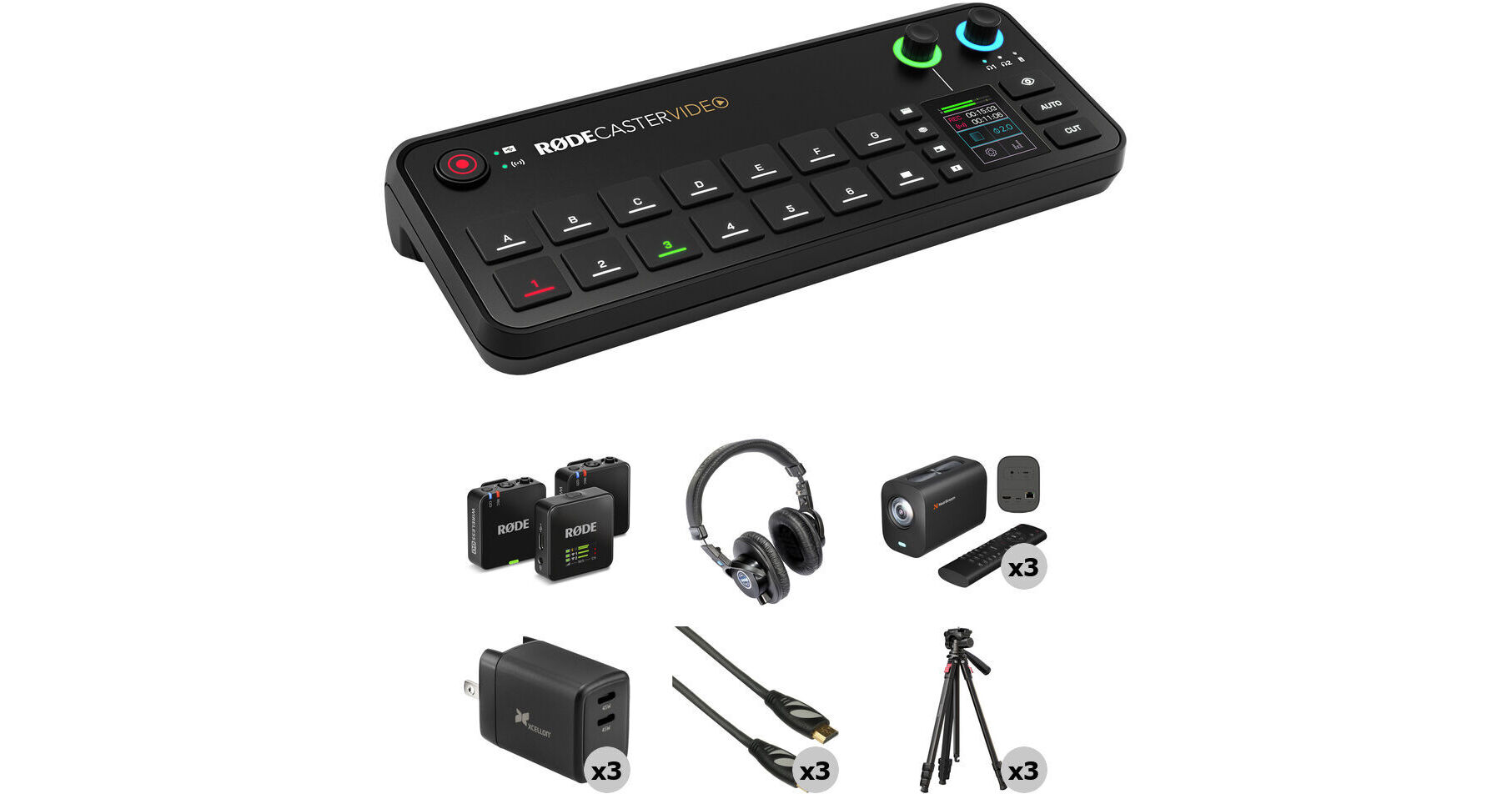
A production suite for out-of-the-box audio and video podcasting, the RODE RODECaster Video All-in-One Production Console 3-Camera Creator Kit put together by B&H combines the RODECaster Video switching console with three NearStream VM20 4K streaming cameras with tripods, the Wireless GO dual-mic system, and headphones, as well as HDMI cables and chargers.
More DetailsIn Stock
$2,136.44
Save $90.00
+
Protect Your Gear
Add a protection plan from $109.99
See Options
See any errors on this page?
Does this have any NDI support?
Does this have any NDI support?
Yes, the RODE RODECaster Video All-in-One Production Console does support NDI.
Date published: 2025-12-11
Is the stream rate VBR or CBR?
Is the stream rate VBR or CBR?
The stream rate of the RODE RODECaster Video All-in-One Production Console is CBR only.
Date published: 2025-01-08
Will USB 4 & 5 on the device recognize audio ...
Will USB 4 & 5 on the device recognize audio coming from a USB audio interface which is receiving input from XLR microphones?
Yes, Thunderbolt 4 and 5 will support standard USB when working with the RODE RODECaster Video All-in-One Production Console Podcasting Kit. You may need a USB-C to A adapter like the model below for USB-A cables.
StarTech USB Type-C Male to USB Type-A Female Adapter Cable (6")
B&H # STUSB31CAADP
Date published: 2025-06-25
Can this be used with smart phone video via the Ro
Can this be used with smart phone video via the Rode app?
You can send the camera feed from a smartphone to the RODE RODECaster Video All-in-One Production Console Podcasting Kit either wirelessly over NDI through the Rode Capture App, or using a USB-C to HDMI adapter.
Date published: 2026-08-17
Do you still need a separate video capture card ...
Do you still need a separate video capture card with the Rodecaster or does it have this function built in?
No, the RODE RODECaster Video All-in-One Production Console acts as an encoder when outputting from the USB-C 1.
Date published: 2025-01-28
I know this device cannot channel a 4K program ...
I know this device cannot channel a 4K program stream, but if the camera outputs 4K can this device downscale video to 1080p?
Yes, the RODE RODECaster Video All-in-One Production Console can see a 4K signal which it down samples to 1080 60p.
Date published: 2025-09-02
Does the RodeCaster Video All in One provides any ...
Does the RodeCaster Video All in One provides any software or templates for lower thirds?
I have also been able to create lower Thirds with Canva and Adobe Photoshop. I exported them as PNG with transparent backgrounds.
Date published: 2024-10-25
What kind of slr works with this. canon 5D mark ...
What kind of slr works with this. canon 5D mark iv works?
The RODE RODECaster is compatible with most cameras that have an HDMI output, including DSLRs.
Date published: 2024-11-19