Video Chat with a Pro Audio Expert - Live

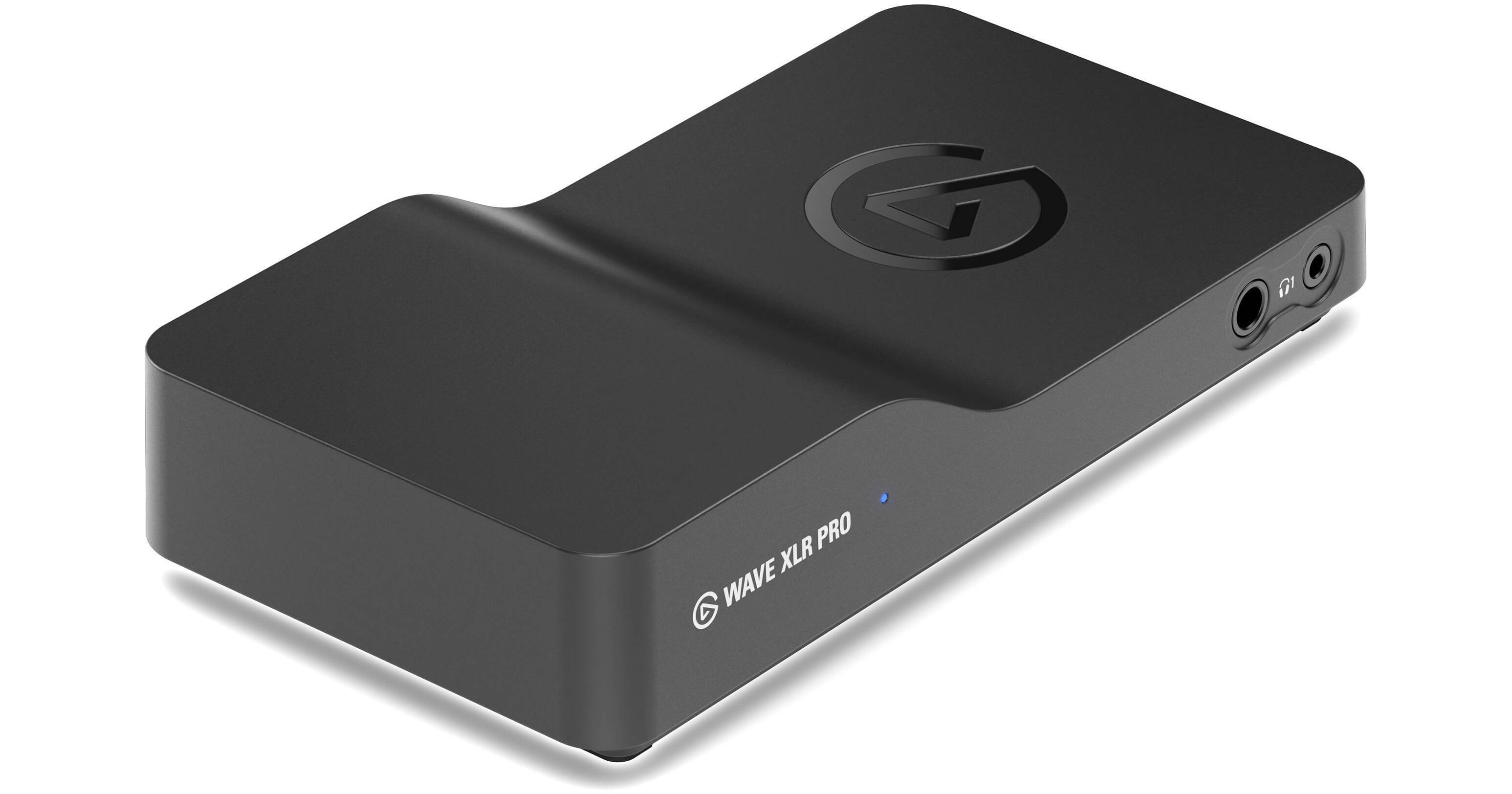
Elgato Wave XLR Pro USB-C Audio Interface

BH #ELWAVEXLRP • MFR #10MAM9901
Print
Elgato Wave XLR Pro USB-C Audio Interface
Key Features
  • For Streaming, Podcasting, and Content
  • 2 XLR Preamps, +80 dB Gain
  • 1/4" and 3.5mm Headphone Output
  • 3.5mm Line Input and Outputs
The Elgato Wave XLR Pro USB-C Audio Interface provides a full feature set when recording for podcasts, streaming, gaming, and other audio applications. Two XLR female inputs provide up to 80 dB of gain and have 48V of power for phantom-powered condenser microphones. For headphones, two 1/4" inputs and two 3.5mm outputs allow for four monitoring paths, while a 3.5mm line input and line output allow you to record and monitor your favorite hardware. Dual USB-C connections on the rear of the unit mean you can connect a second PC, console, or phone—a welcome solution when you need to record a backup.
More Details
New Release
In Stock
No Store Display
Free Expedited Shipping
Protect Your Gear
Add a protection plan from $28.00
Ask an Expert
800-606-6969

Elgato Wave XLR Pro Overview

The Elgato Wave XLR Pro USB-C Audio Interface provides a full feature set when recording for podcasts, streaming, gaming, and other audio applications. Two XLR female inputs provide up to 80 dB of gain and have 48V of power for phantom-powered condenser microphones. For headphones, two 1/4" inputs and two 3.5mm outputs allow for four monitoring paths, while a 3.5mm line input and line output allow you to record and monitor your favorite hardware. Dual USB-C connections on the rear of the unit mean you can connect a second PC, console, or phone—a welcome solution when you need to record a backup.

Audio fidelity isn't an issue with the Wave XLR Pro, thanks to the high-quality 24-bit, 48 kHz sample rate and Clipguard 2.0 technology that prevents the inputs from digitally overloading. The interface is compatible with Stream Decks and Wave Link software for full command over advanced parameters, tactile control, and setup integration.

Powerful Inputs and Outputs
The input section of the interface features two XLR female connections for microphones and a stereo 3.5mm line input connection. Each XLR connector supports 48V for powering condenser microphones.

The output section has a total of four headphone jacks, with 1/4" and 3.5mm connection points, and a stereo 3.5mm line output.

Dual USB-C Connections
On the rear panel are two USB-C connections. This allows you to connect two devices for simultaneous control and recording.
Stream Deck and Wave Link Compatibility
The interface is compatible with Stream Deck control units and can be further configured with the free Wave Link application. With the software, you can enjoy running DSP and VST effects in one signal chain.
UPC: 840440497950

Elgato Wave XLR Pro Specs

Key Specs
Channels of I/O
4 Inputs / 6 Outputs at 48 kHz
Maximum Sampling Rate
48 kHz / 24-Bit
Number of Microphone Inputs
2
Analog Audio I/O
2x XLR 3-Pin Mic Input
1x 1/8" / 3.5 mm TRS Line Input
1x 1/8" / 3.5 mm TRS Line Output
Digital Audio I/O
No
Host Connection
2x USB-C
Power Requirements
USB Bus Power
General
Display
No
Channels of I/O
4 Inputs / 6 Outputs at 48 kHz
Maximum Sampling Rate
48 kHz / 24-Bit
Number of Microphone Inputs
2
Built-In Microphone
No
Input Level Adjustment
4x via Software
Signal Processing
Pad
No
Gain/Trim Range
Mic:
80 dB
Connectivity
Analog Audio I/O
2x XLR 3-Pin Mic Input
1x 1/8" / 3.5 mm TRS Line Input
1x 1/8" / 3.5 mm TRS Line Output
Phantom Power
48 V, Selectable On/Off
Digital Audio I/O
No
Host Connection / USB
2x USB-C
Host Connection Protocol
USB 2.0
USB (Non-Host)
No
Sync I/O
No
Network I/O
No
MIDI I/O
No
Expansion Slots
No
Wireless
No
Performance
Frequency Response
20 Hz to 20 kHz
Maximum Input Level
Mic Inputs:
6 dBV
Line:
10 dBV
Headphone Output Power
1/4":
50 mW
1/8" / 3.5 mm:
50 mW
Dynamic Range
Mic:
135 dB
EIN
Mic:
-130 dBV A-Weighted
Digital Audio
Sample Rates
48 kHz
Sample Rate Conversion
No
Bit Depths
24-Bit
Sync Sources
No
Audio Storage & Playback
Media/Memory Card Slot
No
Compatibility
OS Compatibility
Windows 11 or Later / macOS 14.2 or Later
Power
Power Requirements
USB Bus Power
Power Consumption
5 VA
Physical
Dimensions
7.2 x 3.8 x 1.5" / 18.3 x 9.7 x 3.8 cm
Weight
13.6 oz / 385.0 g
Packaging Info
Package Weight
1.71 lb
Box Dimensions (LxWxH)
9.8 x 5.9 x 2.8"

Elgato Wave XLR Pro Reviews

Needs more time in the oven

By AM0300
Rated 3 out of 5
Date: 2026-06-13

I chose to replace a GoXLR with the Wave XLR Pro and there's things I'm happy about here, though I also have had a lot of problems. The good: The hardware and audio quality is great. On dynamic mics, I found that I needed to use a cloudlifter on other interfaces regardless of how much gain they boasted due to issues with their noise floor - that is not a problem with this unit; it drives an SM7B with no problem. I also use line out with an external amplifier and Elgato has done very well here, with great output level and whisper quiet noise floor - quality improvement there is very noticeable. The unit is also very compact and driven by USB-C power. Controlling it via Stream Deck integration is nice because it becomes very modular, expandable, and flexible, though at the time of writing that is is also a downside (see "the bad" below). The bad: Software woes. I've gotten the unit to a workable state, but Wave Link has been incredibly frustrating and buggy to deal with. On using Stream Deck, having pure modularity is fantastic, yet compared to mixers with hardware faders, using the deck and its accompanying software/plugins I've found extremely slow, and sometimes seems to skip my desired inputs. An example is the dials not adjusting volume in real-time, where they get stuck on a certain percentage (say you adjusted volume to 80% then back to 60%) and it sticks to 80 until either another dial input corrects it, or it will update to what you set the dial to a few seconds later. If you control levels directly in Wave Link, it's real-time without issue. Some specific preset buttons have issues like "Wave Control" when muting/unmuting the mic where it takes two presses before it registers - yet I found that "input Device Control" from "Volume Controller" works 100% of the time. I suppose this might be a gripe with the Stream Deck integration more than the Wave XLR Pro itself, though I consider them the ecosystem part and parcel. As far as issues with the unit itself - the most frustrating aspect of Wave Link is that its DSP and routing in my experience are extremely fragile. First, I had issues getting anything to route properly - mic not detected, line-out not playing audio, added channels not working properly in the mixes. I lost mixing audio several times, both to myself and to out channels. Fixing my own 'personal mix' involved pressing the icon to "listen to this mix on the main output" several times until I would get audio back - sometimes only from one channel (ex: system, but not music, or game). When editing mic settings - compression, equalizer - the input stream would crash, mic would be unresponsive completely - sometimes coming back, sometimes requiring a system reboot - and it would also have issues of being permanently in a state where it flowed right through the interface for direct monitoring. Eventually, after the same inputs of "listen to this mix on the main output" it would "fix" itself, but I've found not changing ANY settings after you have it dialed in is the only way to live with the interface until the software gets ironed out. Overall, the hardware is great and so is the recording and audio output quality. I have faith in Elgato to fix the software issues, though I think it needed a little more time before full release.

Amazing Hardware

By Carpo
Rated 5 out of 5
Date: 2026-06-02

[This review was collected as part of a promotion.] The perfect hardware for Dual PC or console streaming setups, it's simply 1 usb to the gaming PC or console and all the audio routes that way making setups much more simple and just works.

See any errors on this page?
Whatever You Need, We've Got It