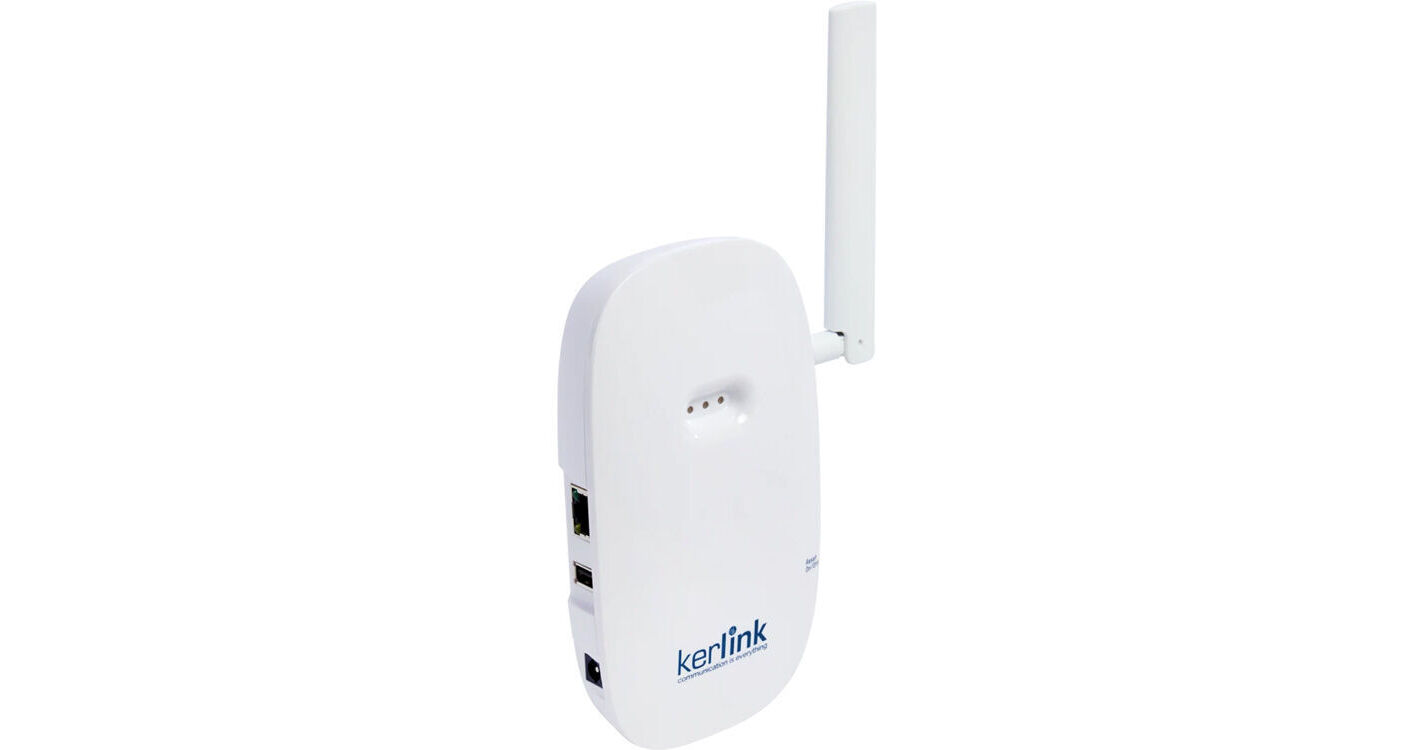
Logitech Kerlink LoRaWAN Gateway for Spot

BH #LO950000122 • MFR #950-000122
Print
Logitech Kerlink LoRaWAN Gateway for Spot
Key Features
  • Connect Hundreds of Spot Sensors
  • Fills in for Absence of CollabOS Device
  • Ethernet, Wi-Fi Connectivity
  • USB Configuration
Connect and monitor hundreds of Spot sensors with the Kerlink LoRaWAN Gateway from Logitech. When a CollabOS device is not available in the sensor area, this compact wireless gateway provides connectivity on a proprietary LoRaWAN wide-area network without the need for Wi-Fi network hubs. LoRaWAN connections provide end-to-end encryption and since it's separate from your Wi-Fi network, it provides secure transmission of sensor data to your Sync control platform.
More Details
Special Order
Expected availability: 7-10 Business Days
No Store Display
Free Standard Shipping
Ask an Expert
800-952-1815

Logitech 950-000122 Overview

Connect and monitor hundreds of Spot sensors with the Kerlink LoRaWAN Gateway from Logitech. When a CollabOS device is not available in the sensor area, this compact wireless gateway provides connectivity on a proprietary LoRaWAN wide-area network without the need for Wi-Fi network hubs. LoRaWAN connections provide end-to-end encryption and since it's separate from your Wi-Fi network, it provides secure transmission of sensor data to your Sync control platform.
Extended Coverage
The Kerlink gateway can connect hundreds of Spot sensors using a long-range, wide area LoRaWAN network with no Wi-Fi or cabling is needed between connections.
Secure Connection
The Kerlink gateway connects to Spot sensors via the secure LoRaWAN protocol, ensuring end-to-end, dual-layer AES-128 encryption, remaining separate from your Wi-Fi network. This enables it to be placed outside your corporate network and securely transmit all sensor data to the Sync platform for monitoring and management.
Sync Management Software
Monitor and manage the gateway and Spot sensors via Sync, the Logitech software platform for managing all your collaboration devices and spaces.
Optimal Placement
The gateway should be placed in the most central/core part of a building or the floor you intend to cover. Mounting the unit high up, near the ceiling, away from metal objects, large machinery, or heating/ventilation ducts is ideal to avoid any obstructions to the radio frequency (RF) signal.

NOTE: The LoRa signal is significantly weakened when passing through dense materials such as concrete walls, reinforced steel beams, elevator shafts, or large water tanks.

Logitech 950-000122 Specs

General
Compatibility
Logitech Spot Sensor / Sync Software
CPU
ARM Cortex A9
RAM
DDRAM 256 MB
8 GB eMMC (6GB for User)
Inputs/Outputs
USB I/O
1 x USB-A 2.0 Female Input
Other I/O
1 x RJ45 Ethernet, 10/100 Mb/s
1 x RP-SMA ANtenna
Wireless
Wireless
Proprietary Wireless / Wi-Fi
*Built-In
Sensitivity
-141 dBm
RF Power Output
5 to 27 dBm
Antenna
Peak Gain: 3 dBi
Wireless Range
Wide-Area Range (LoRaWAN)
Power
Power Source
AC Adapter with Power Brick (Included)
AC Input Power
100 to 240 VAC, 50 / 60 Hz at 0.5 A
DC Input Power
12 VDC
Power Input
1 x 2.5 mm Barrel, Male
Physical
Mounting
2x Wall Mount Holes
Color
White
Environmental Resistance
Solid Object-Resistant (IP30)
Operating Conditions
-4 to 131°F / -20 to 55°C at 5 to 95% Humidity
Dimensions
6.3 x 3.5 x 1.4" / 160 x 90 x 35 mm
Weight
5.7 oz / 162 g

Logitech 950-000122 Reviews

See any errors on this page?
Whatever You Need, We've Got It