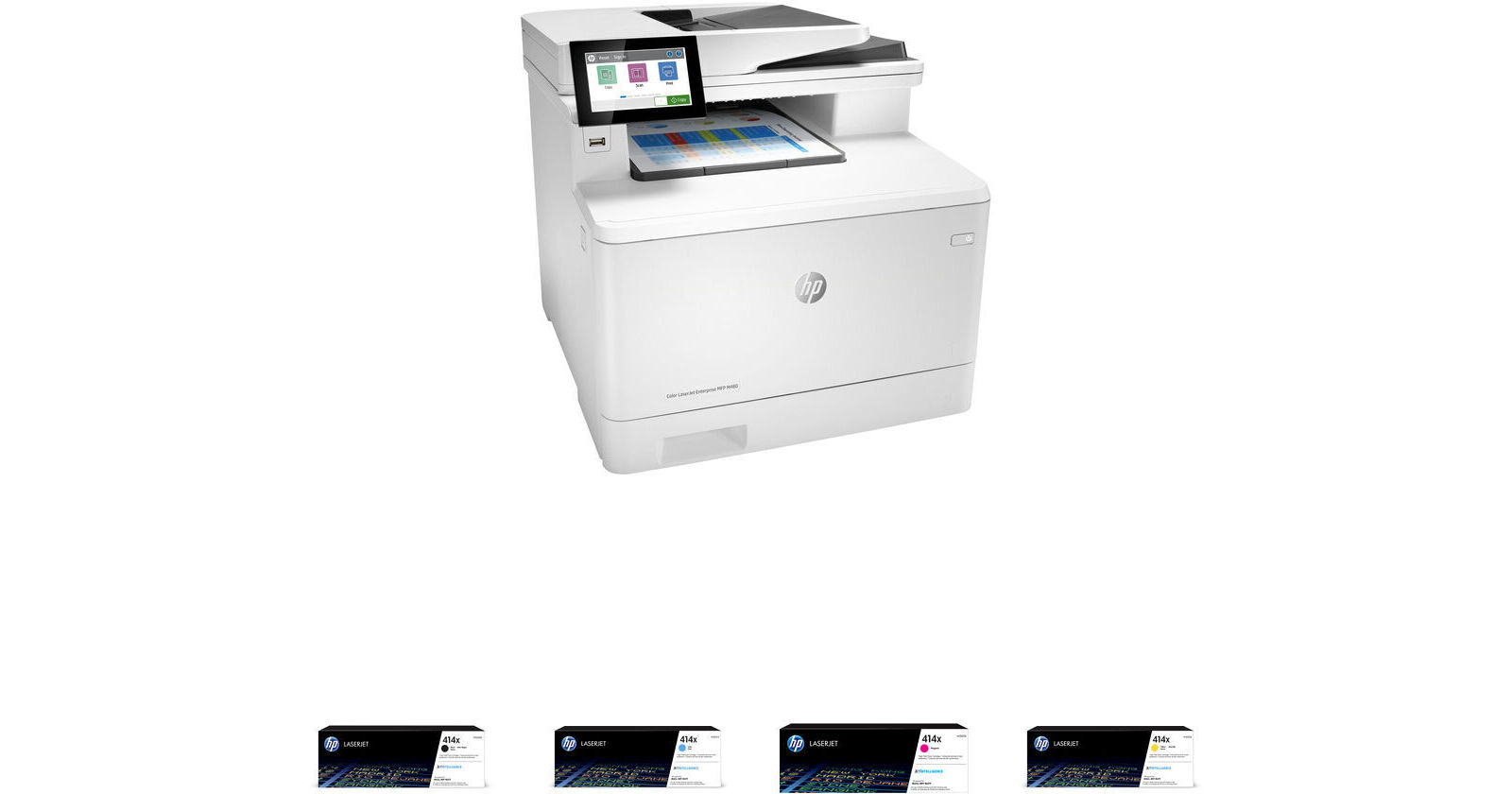
HP LaserJet Enterprise MFP M480f Color Laser Printer with 414X High-Yield Black and Color Toner Cartridges Kit

BH #HEM480FTK (B&H Kit)
Print
HP LaserJet Enterprise MFP M480f Color Laser Printer with 414X High-Yield Black and Color Toner Cartridges Kit
Key Features
  • Print, Scan, Copy, Fax
  • Simplex Print Speed: Up to 29 ppm
  • Duplex Print Speed: Up to 25 ppm
  • Max Print Resolution: 1200 x 1200 dpi
Print, scan, copy, and fax with the HP LaserJet Enterprise MFP M480f Color Laser Printer with HP 414X High-Yield Black and Color Toner Cartridges Kit from B&H. Featuring print speeds up to 29 ppm and a 250-sheet input tray, this kit includes four HP 414X high-yield LaserJet toner cartridges in black, cyan, magenta, and yellow.
More Details
In Stock
No Store Display
Free 2-Day Shipping
Protect Your Gear
Add a protection plan from $109.99
Ask an Expert
866-842-7675
Kit Contains:

Print, scan, copy, and fax with the HP LaserJet Enterprise MFP M480f Color Laser Printer with HP 414X High-Yield Black and Color Toner Cartridges Kit from B&H. Featuring print speeds up to 29 ppm and a 250-sheet input tray, this kit includes four HP 414X high-yield LaserJet toner cartridges in black, cyan, magenta, and yellow.

HP LaserJet Enterprise MFP M480f Color Laser Printer

Work faster and smarter and grow your business with the LaserJet Enterprise MFP M480f Color Laser Printer from HP. Designed to integrate neatly into home offices and small workgroups, this printer features automatic duplex printing and fast print speeds up to 29 ppm for letter-size documents. A 50-sheet multipurpose tray, 50-sheet ADF, and 250-sheet input tray are provided for letter and legal-size paper, and a 150-sheet output bin stores your printed documents. An 8.5 x 11.7" flatbed scanner and 50-sheet ADF enable single and two-sided scanning speeds up to 49 ipm, and scanned files can be sent directly to email, USB, network folders, Microsoft Office 365, and Sharepoint. Copy speeds are impressive as well, and the unit provides black and color copy speeds up to 28 cpm.

A 4.3" color graphic display lets you control and monitor printer functions, and you can even print documents, email, PDFs, and more from smartphones and tablets running iOS, Android, Windows, and Google Chrome operating systems. Mobile users can submit print jobs to the cloud from any device while on the go, then retrieve them from any HP Roam for Business-enabled device simply and securely. Additionally, an easy-access USB port lets you connect a third-party device such as a portable flash drive. And for benefits to the planet and your budget, the M480f is designed for low energy consumption. It utilizes a specially formulated EcoSmart toner, which keeps your productivity up and your energy use down.

  • 4.3" color touchscreen
  • Duplex color printing and color print speeds up to 29 ppm
  • 50-sheet multipurpose tray, 250-sheet input tray, 50-sheet ADF, and 150-sheet output tray
  • 1200 x 1200 dpi print resolution for sharp text on business documents, envelopes, and labels
  • First print out speeds as fast as 9.3 seconds
  • 8.5 x 11.7" flatbed scanner
  • Simplex scan speeds up to 31 ppm for black documents and 21 ppm for color documents
  • Duplex scan speeds up to 49 ipm for black documents and 37 ipm for color documents
  • Simplex copy speeds up to 28 cpm for black and color documents
  • Duplex copy speeds up to 25 cpm for black and color documents
  • Wireless compatibility with Apple AirPrint, HP ePrint, HP Roam for Business, and Mopria
  • High-speed USB 2.0 port for third-party devices
  • Network-ready Ethernet port
  • High monthly duty cycle of 55,000 pages
  • Rated EPEAT Silver and is ENERGY STAR certified
UPC: 193905216864
HP 414X High-Yield Black LaserJet Toner Cartridge

Get vibrant colors while printing at high speeds with the 414X High-Yield Black LaserJet Toner Cartridge from HP. Rated for 7500 pages, this cartridge uses ColorSphere 3 toner that is designed to match the speed of your printer and gives you high-quality results from the first page to the last.

Compatible Printers
  • Color LaserJet Pro M454nw
  • Color LaserJet Pro M454dn
  • Color LaserJet Pro M454dw
  • Color LaserJet Pro MFP M479fdn
  • Color LaserJet Pro MFP M479fdw
UPC: 192018046306
HP 414X High-Yield Cyan LaserJet Toner Cartridge

Get vibrant colors while printing at high speeds with the 414X High-Yield Cyan LaserJet Toner Cartridge from HP. Rated for 6000 pages, this cartridge uses ColorSphere 3 toner that is designed to match the speed of your printer and gives you high-quality results from the first page to the last.

Compatible Printers
  • Color LaserJet Pro M454nw
  • Color LaserJet Pro M454dn
  • Color LaserJet Pro M454dw
  • Color LaserJet Pro MFP M479fdn
  • Color LaserJet Pro MFP M479fdw
UPC: 192018046313
HP 414X High-Yield Magenta LaserJet Toner Cartridge

Get vibrant colors while printing at high speeds with the 414X High-Yield Magenta LaserJet Toner Cartridge from HP. Rated for 6000 pages, this cartridge uses ColorSphere 3 toner that is designed to match the speed of your printer and gives you high-quality results from the first page to the last.

Compatible Printers
  • Color LaserJet Pro M454nw
  • Color LaserJet Pro M454dn
  • Color LaserJet Pro M454dw
  • Color LaserJet Pro MFP M479fdn
  • Color LaserJet Pro MFP M479fdw
UPC: 192018046337
HP 414X High-Yield Yellow LaserJet Toner Cartridge

Get vibrant colors while printing at high speeds with the 414X High-Yield Yellow LaserJet Toner Cartridge from HP. Rated for 6000 pages, this cartridge uses ColorSphere 3 toner that is designed to match the speed of your printer and gives you high-quality results from the first page to the last.

Compatible Printers
  • Color LaserJet Pro M454nw
  • Color LaserJet Pro M454dn
  • Color LaserJet Pro M454dw
  • Color LaserJet Pro MFP M479fdn
  • Color LaserJet Pro MFP M479fdw
UPC: 192018046320
Kit Contains:

HP LaserJet Enterprise MFP M480f Color Laser Printer

Key Specs
Functions
Print, Scan, Copy, Fax
Printing Technology
Laser
Color Type
Color
Configuration
4x Individual Cartridge
Print Resolution
1200 x 1200 dpi
Media Sizes
Input Tray 1
Maximum: 8.5 x 14" / 21.6 x 35.6 cm
Input Tray 2
Maximum: 8.5 x 14" / 21.6 x 35.6 cm
Scanner Type
Flatbed Scanner with Automatic Document Feeder (ADF)
Wireless
Wi-Fi
*Via Optional Adapter
Power Source
AC Power (Cable Built-In/Included)
Functions
Print, Scan, Copy, Fax
Printer
Printing Technology
Laser
Color Type
Color
Configuration
4x Individual Cartridge
Print Resolution
1200 x 1200 dpi
Borderless Printing
No
Duplex Printing
Yes
Printer Language
HP PCL 5, HP PCL 6, HP Postscript Level 3 (Emulation), Native PDF
Print Speed (By Time)
29 ppm (Black)
25 ppm (Black Duplex)
29 ppm (Color)
25 ppm (Color Duplex)
First Print Out Time
9.3 Seconds (Black)
10.9 Seconds (Color)
Monthly Duty Cycle
55,000 Pages
Printer Media Handling
Media Handling
1 x Input Tray, 2 x Input Tray, Output Tray
Media Sizes
Input Tray 1
Minimum: 3 x 5" / 7.6 x 12.7 cm
Maximum: 8.5 x 14" / 21.6 x 35.6 cm
Input Tray 2
Minimum: 3.9 x 5.8" / 9.9 x 14.7 cm
Maximum: 8.5 x 14" / 21.6 x 35.6 cm
Media Weight
Input Tray 1: 60 to 176 gsm / 16 to 47 lb
Input Tray 2: 60 to 163 gsm / 16 to 43 lb
Paper Capacity
Input Tray 1: 50 x Sheet
Input Tray 2: 250 x Sheet
Output Tray: 150 x Sheet
Special Media Support
Envelopes
Scanner
Type
Flatbed Scanner with Automatic Document Feeder (ADF)
Duplex Scanning
Yes
Scan Speed
Simplex Speed
A4 29 ppm in Black & White
A4 20 ppm in Color

Duplex Speed
A4 46 ipm in Black & White
A4 35 ipm in Color
File Formats
PDF
Scanner Media Handling
Scan Sizes
Flatbed
Maximum: 8.5 x 11.7" / 21.6 x 29.7 cm
Paper Capacity
ADF: 50x Sheet
Multi-Feed Detection
No
Copier
Reduction/Enlargement
25 to 400%
Copy Speed
28 cpm
Duplex Copying
Yes
Fax
Modem Transmission Speed
33.6 kb/s
Fax Resolution
300 x 300 dpi
Connectivity
Data I/O
1x USB-B 2.0 Input
1x USB-A 2.0 Input (Flash Drive Only)
1x USB-A 2.0 Input (Peripheral Device Only)
1x RJ45 Input
1x RJ11 Input
1x RJ11 Output
Wireless
Wi-Fi
*Via Optional Adapter
Direct Printing
Apple AirPrint, HP ePrint, Mopria, USB Port
Processor Speed
800 MHz
Internal Memory
2 GB (RAM)
16 GB (Flash)
OS Compatibility
Windows / macOS
General
Display Size
4.3"
Display Type
Color Touchscreen LCD
Power Source
AC Power (Cable Built-In/Included)
Battery
No
Input Power
110 to 240 VAC, 50 / 60 Hz
Power Consumption
581 W (Maximum)
21.9 W (Ready)
1 W (Sleep)
0.08 W (Off)
Max Acoustic Noise
49 dBA (Pressure)
3.6 BA (Power)
Operating Conditions
59 to 91°F / 15 to 32°C at 10 to 90% Humidity
Storage Conditions
-4 to 104°F / -20 to 40°C
Certifications
CAN/CSA, CE, ENERGY STAR, EPEATSilver, FCC-A, GS, RoHS, UL, cUL
Dimensions (W x H x D)
16.4 x 15.7 x 18.6" / 41.7 x 39.9 x 47.2 cm (with Paper Tray Closed)
16.4 x 25.8 x 44.3" / 41.7 x 65.5 x 112.5 cm (with Paper Tray Extended)
Weight
51.2 lb / 23.2 kg
Packaging Info
Package Weight
59.5 lb
Box Dimensions (LxWxH)
23.38 x 19.5 x 19.25"

HP MFP M480f Reviews

Advanced Print, Scan, Fax

By Anthony
Rated 4 out of 5
Date: 2024-02-07

I read that there are several users who purchased this printer and had weird problems with it, and I found the opposite in my daily use. I historically administrated HP laser printers so, this was a familiar on-boarding experience for me. This is an enterprise laser printer with management features designed for multiple user, high-print, and scan environments and as such the setup of this printer will not resemble the setup of an entry-level printer, nor should it. I only recommend getting this printer if you have an I.T. support technician as a consultant or on-staff to configure it correctly. I support both Apple Macintosh and Microsoft Windows users and this works well for each. However, in reply to the Mac user reviews on here that write it does not work for scanning, or wireless printing there is a serious caveat here: the wireless printing for Apple products (i.e. AirPrint for iPhone, iPad, laptop, desktop) as well as the scanner must be set up via the built-in printer management website hosted inside the HP printer itself to work correctly. The scanner feature should be configured to point towards a local network hosted file share using SMB/CIFS that is accessible from office desktops; and the wireless AirPrint and Google Print features need to be enabled correctly as well. The USB connection is of limited use on the Macintosh compared to the Windows version of the Print, Scan, Fax software and HP should seriously release a comparable software for Macintosh. However, after the in-printer website setup is complete, the option to wireless print from iPhone/iPad is available; and the option to scan to a shared network folder is also available from the HP Printers touch-screen interface among a host of other features, including fax management, job logging, scheduled power on/off, firewalls, and firmware updates. Remember to complete a firmware update as the second-step out-of-the box after the touch-screen settings are saved from first power-on. Lastly, a note about wireless printing, this network printer works readily for wireless devices when hosted on the same network tagged VLAN as the wireless access points in your building; there is no need to purchase the optional wireless adapter for the printer as long as you connect the printer network cable to a managed network switch that the wireless network SSID is also configured to share traffic on. I could go on, but it is a good multi-function printer where, yes, the initial setup is non-trivial, and it delivers for advanced enterprise environments requiring the feature set.

Great HP Printer !

By Michael
Rated 5 out of 5
Date: 2022-07-07

We had an older HP Laserjet printer for close to 15 years that worked exceptionally well. It was a true work horse as we do a lot of printing. If not for the transfer roll going bad it would still be in service. Anyway it ran it's course, and it was time for a new one. A computer tech we deal with suggested this new HP printer and we could not be happier. Copies, scans, and prints very quickly, and smoothly. It's extremely quiet and the print quality is excellent. Highly recommend this printer and hoping it delivers for a good many years like our previous machine !

See any errors on this page?

Will this printer copy and print double sided ...

Will this printer copy and print double sided documents?
Asked by: David
Yes. This HP LaserJet Enterprise MFP M480f Color Laser Printer, can print/copy/scan with duplex.
Answered by: Moe
Date published: 2022-02-08

Does this copy double sided with a single pass?

Does this copy double sided with a single pass?
Asked by: Matthew
Thank you for your question regarding the LaserJet Enterprise MFP M480f. That printer can duplex copy/scan through a single pass.
Answered by: HP Team
Date published: 2024-04-24

can this printer print envelopes?

can this printer print envelopes?
Asked by: Jeffrey
You can print envelopes with this printer.
Answered by: HP Team
Date published: 2021-03-04

Is this printer wireless?

Is this printer wireless?
Asked by: Debra
No, but this network printer works readily for wireless devices when hosted on the same network tagged VLAN as the wireless access points in your building; there is no need to purchase the optional wireless adapter for the printer as long as you connect the printer network cable to a managed network switch that the wireless network SSID for your business is also configured to share traffic on.
Answered by: Anthony
Date published: 2024-03-28

Where is the HIP2 on the printer?

Where is the HIP2 on the printer?
Asked by: Laurey
I'm very sorry but we do not sell the HIP2 accessory for the HP LaserJet Enterprise MFP M480f Color Laser Printer BH #HEM480F. It is not included.
Answered by: Miguel M
Date published: 2021-12-02
  • y_2026, m_6, d_5, h_14CST
  • bvseo_bulk, prod_bvqa, vn_bulk_3.0.46
  • cp_1, bvpage1
  • co_hasquestionsanswers, tq_5
  • loc_en_US, sid_1944342, prod, sort_[SortEntry(order=HAS_STAFF_ANSWERS, direction=DESCENDING)]
  • clientName_bhphotovideo
Whatever You Need, We've Got It