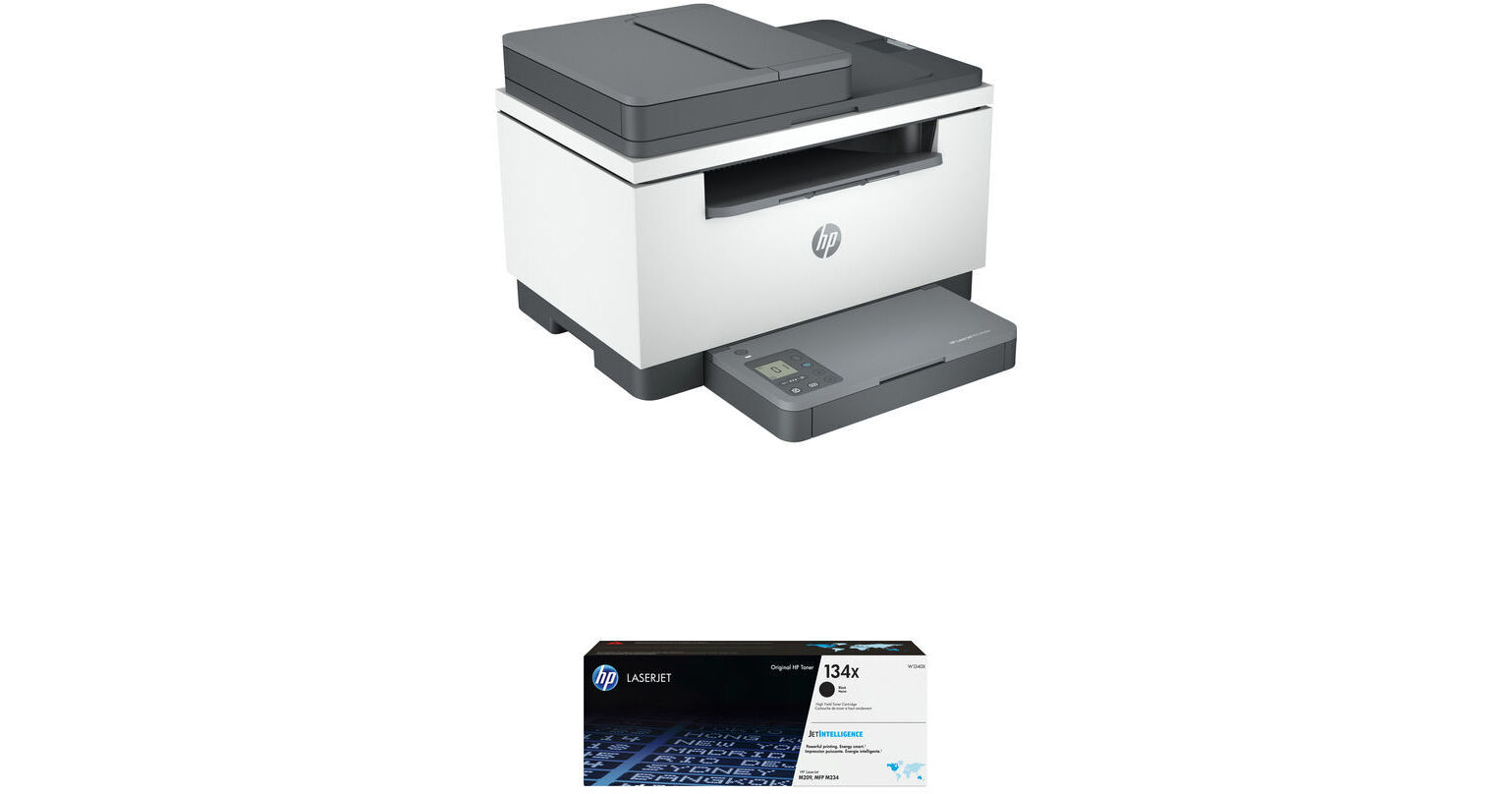
HP LaserJet MFP M234sdw All-in-One Monochrome Laser Printer with 134X High-Yield Black LaserJet Toner Cartridge Kit

BH #HELJM234SDCK (B&H Kit)
Print
HP LaserJet MFP M234sdw All-in-One Monochrome Laser Printer with 134X High-Yield Black LaserJet Toner Cartridge Kit
Key Features
  • Print, Scan, Copy
  • Print Resolution: 600 x 600 dpi
  • Maximum Print Size: 8.5 x 14"
  • Print Speed: 30 ppm
Print, scan, and copy with the HP LaserJet MFP M234sdw All-in-One Monochrome Laser Printer with 134X High-Yield Black Toner Cartridge Kit from B&H. This printer features a 30 ppm print speed and a 150-sheet input tray. A 134X High-Yield Black LaserJet Toner Cartridge is included.
More Details
In Stock
No Store Display
Shipping Charges Apply
Protect Your Gear
Add a protection plan from $26.00
Ask an Expert
800-606-6969
Kit Contains:

Print, scan, and copy with the HP LaserJet MFP M234sdw All-in-One Monochrome Laser Printer with 134X High-Yield Black Toner Cartridge Kit from B&H. This printer features a 30 ppm print speed and a 150-sheet input tray. A 134X High-Yield Black LaserJet Toner Cartridge is included.

HP LaserJet MFP M234sdw All-in-One Monochrome Laser Printer

Print, scan, and copy with the M234sdw All-in-One Monochrome Laser Printer from HP. Compact and fully featured, this multifunction printer is well suited for home and small offices. Its all-in-one design makes it a great choice for space-conscious offices as it fits printing, scanning, and copying within a single unit. The printer comes outfitted with a 150-sheet input tray and a 100-sheet output tray, both of which work with paper up to 8.5 x 14". Printing capabilities are excellent as well with a fine-line resolution of 600 x 600 dpi for sharp text and documents, and black print speeds are as fast as 30 ppm. Additionally, a 40-sheet ADF lets you scan and copy documents with ease. Direct printing is available via USB 2.0 and Ethernet connectivity, and for mobile printing the M234sdw is compatible with Apple AirPrint, HP Smart App, and Mopria. An intuitive 1.6" LCD display enables easy job management, and for handling intensive workflows the printer has an impressive monthly duty cycle of 20,000 pages.

  • All-in-one design for space-conscious offices
  • Works with sheets up to 8.5 x 14"
  • 600 x 600 dpi fine line print resolution for sharp text and documents
  • 40-sheet ADF for scanning and copying
  • Black print speeds as fast as 30 ppm
  • Compatible with Apple AirPrint, HP Smart App, and Mopria
  • 1.6" LCD screen for easy job management
  • 20,000-page monthly duty cycle
  • ENERGY STAR certified and EPEAT Silver
UPC: 194850889608
HP 134X High-Yield Black LaserJet Toner Cartridge

The 134X High-Yield Black LaserJet Toner Cartridge by HP has been designed specifically for the MFP M234dw printer and will provide up to 2400 pages.

UPC: 194850587252
Kit Contains:

HP LaserJet MFP M234sdw All-in-One Monochrome Laser Printer

Key Specs
Functions
Print, Scan, Copy
Printing Technology
Laser
Color Type
Black
Configuration
1x Toner
Print Resolution
600 x 600 dpi
Media Sizes
Input Tray 1
Maximum: 8.5 x 14" / 21.59 x 35.56 cm
Scanner Type
Flatbed Scanner with Automatic Document Feeder (ADF)
Scanner Maximum Resolution
ADF
600 dpi (Optical)
Scanner Color Depth
24-Bit (Internal)
Wireless
Wi-Fi
Power Source
AC Power (Cable Built-In/Included)
Functions
Print, Scan, Copy
Printer
Printing Technology
Laser
Color Type
Black
Configuration
1x Toner
Print Resolution
600 x 600 dpi
Borderless Printing
No
Duplex Printing
Yes
Printer Language
HP PCLm, PWG, URF
Print Speed (By Time)
30 ppm (Black)
19 ipm (Black Duplex)
First Print Out Time
6.9 Seconds (Black)
Monthly Duty Cycle
20,000 Pages
2000 Pages (Recommended)
Printer Media Handling
Media Handling
1 x Input Tray
Media Sizes
Input Tray 1
Minimum: 4 x 6" / 10.2 x 15.2 cm
Maximum: 8.5 x 14" / 21.59 x 35.56 cm
Media Weight
Input Tray 1: 60 to 175 gsm / 16 to 43 lb
Paper Capacity
Input Tray 1: 150 x Sheet
Special Media Support
Envelopes
Scanner
Type
Flatbed Scanner with Automatic Document Feeder (ADF)
Maximum Resolution
ADF
600 dpi (Optical)
Scan Modes
Color, Grayscale
Color Depth
24-Bit (Internal)
Duplex Scanning
No
Scan Speed
Simplex Speed
20 ppm in Black & White

Duplex Speed
11 ipm in Color
File Formats
BMP, JPEG, PDF, PNG, TIFF
Scanner Media Handling
Scan Sizes
Flatbed
Minimum: 1 x 1" / 2.5 x 2.5 cm
Maximum: 8.5 x 11.7" / 21.6 x 29.7 cm

ADF
Minimum: 4 x 6" / 10.2 x 15.2 cm
Maximum: 8.5 x 14" / 21.6 x 35.6 cm
Paper Capacity
ADF: 40x Sheet
Copier
Number of Copies
Up to 99 Copies
Reduction/Enlargement
25 to 400%
Copy Speed
30 cpm (Black)
Duplex Copying
Yes
Copy Resolution
600 x 600 dpi (Black)
Connectivity
Data I/O
1x USB-B 2.0 Input
1x RJ45 Input
Wireless
Wi-Fi
Direct Printing
Apple AirPrint, HP Smart, Mopria
Processor Speed
500 MHz
OS Compatibility
Linux / Windows / macOS
General
Display Size
1.6"
Display Type
LCD
Power Source
AC Power (Cable Built-In/Included)
Battery
No
Input Power
110 VAC, 50 / 60 Hz
Power Consumption
453 W (Maximum)
3.3 W (Ready)
0.6 W (Sleep)
0.04 W (Off)
Max Acoustic Noise
6.6 BA (Power)
Operating Conditions
59 to 91°F / 15 to 33°C at 10 to 80% Humidity
Storage Conditions
-4 to 140°F / -20 to 60°C
Dimensions (W x H x D)
16.5 x 17.8 x 18.4" / 41.9 x 45.2 x 46.7 cm (Maximum)
16.5 x 11.6 x 12.1" / 41.9 x 29.5 x 30.7 cm (Storage)
Weight
21 lb / 9.5 kg
Packaging Info
Package Weight
25 lb
Box Dimensions (LxWxH)
19.2 x 15.9 x 14.9"

HP MFP M234sdw Reviews

B&H is consistently top tier

By Emmett
Rated 5 out of 5
Date: 2024-07-05

As always, B&H’s pre-purchase advice was great in helping me to select the best printer for my needs. Once I made the purchase it was delivered promptly. Set up was hassle free and I’m back to printing, scanning, and copying again.

Printer is consistently offline

By Stephen
Rated 1 out of 5
Date: 2024-02-27

Setup is easy, and the quality of print is good. The problem is that the printer always shows a status of offline. It is beyond frustrating. When I print the configuration page, it shows the wi-fi status as connected and the signal strength as excellent. My laptop and printer are connected to the same network. I consistently have to shutdown, unplug, restart the printer and/or run HP Scan and Print Doctor and/or HP Smart, and even then the problem isn't fixed. I have to go through this ritual several times and every time I need to print. It is completely unacceptable. I have contacted HP Support, no response. I know other HP customers with this printer have the same issues. So, there is an ongoing problem. It seems like most of these printers are fine, but there are a good percentage of these printers that have the same issue as I have with mine. I am thinking of returning the printer to the retailer. The printer is scarcely a month old and is still under warranty.

See any errors on this page?

Can the scanner function save documents in MS ...

Can the scanner function save documents in MS word or PDF format?
Asked by: Jim
When using the HP Smart app with the HP LaserJet MFP M234sdw All-in-One Monochrome Laser Printer, you can save scanned documents in different formats.
Answered by: Michael S
Date published: 2024-11-25

Does the scanner scan color to the computer and ...

Does the scanner scan color to the computer and thumb drives
Asked by: Jack
The scanner of the HP LaserJet MFP M234sdw All-in-One Monochrome Laser Printer would scan in color to a computer, but there is no USB port to connect a thumb drive.
Answered by: Michael S
Date published: 2025-04-23

Is this unit supported on mac os Ventura 13 arm?

Is this unit supported on mac os Ventura 13 arm?
Asked by: Jack
Yes, the HP LaserJet MFP M234sdw All-in-One Monochrome Laser Printer is compatible with macOS.
Answered by: Michael S
Date published: 2024-05-05
  • y_2026, m_7, d_28, h_9CST
  • bvseo_bulk, prod_bvqa, vn_bulk_3.0.48
  • cp_1, bvpage1
  • co_hasquestionsanswers, tq_3
  • loc_en_US, sid_1944344, prod, sort_[SortEntry(order=HAS_STAFF_ANSWERS, direction=DESCENDING)]
  • clientName_bhphotovideo
Whatever You Need, We've Got It