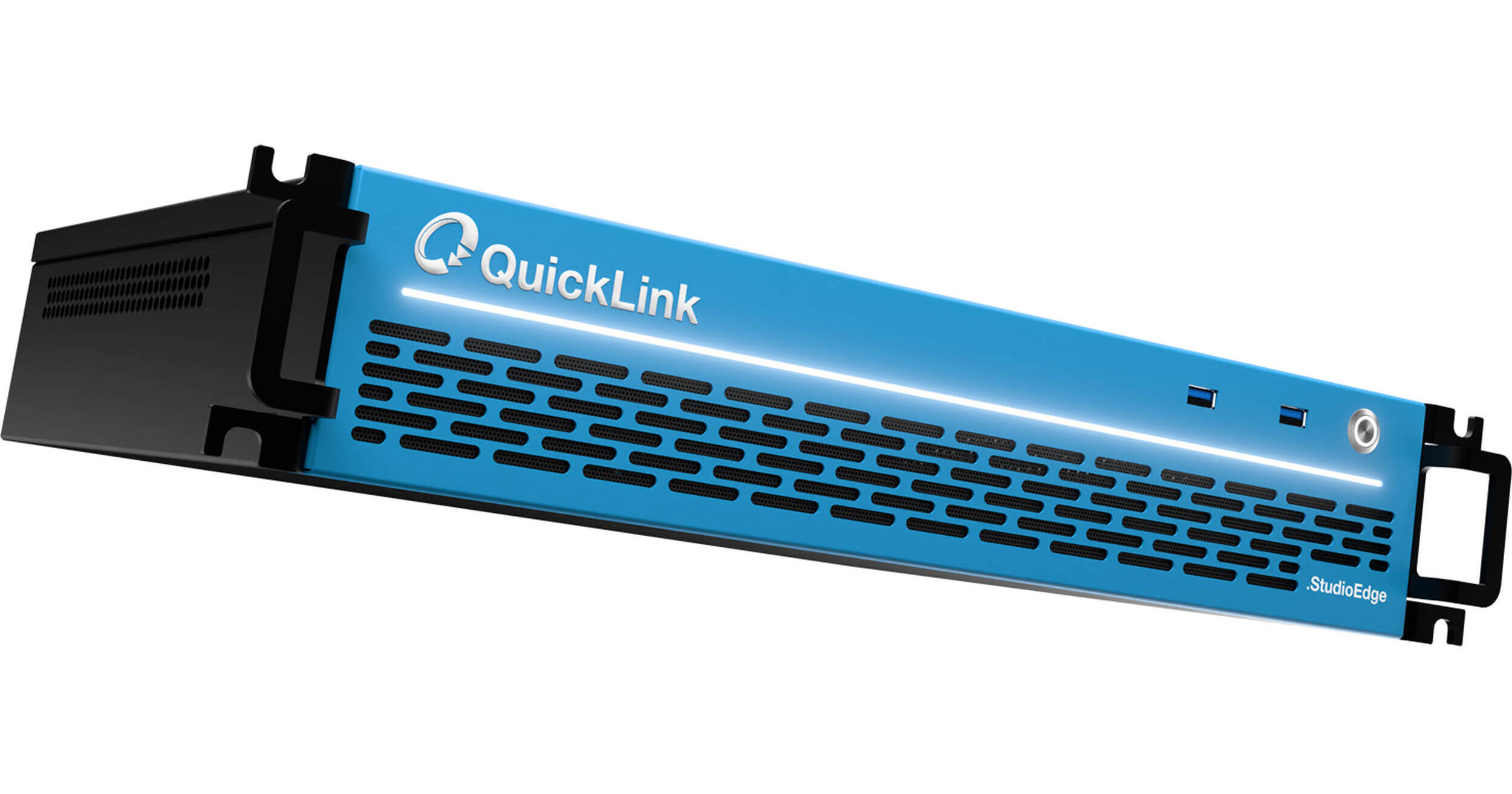
Set up your corporate event space, house of worship, education lecture hall, or government offices with a full-featured video broadcast streaming system with the StudioPro-2110 Professional Multichannel IP-2110 Video Production System from QuickLink. The StudioPro system features a hardware server that provides professional broadcast audio/video input for IP/NDI live streaming, with numerous AI, embedded audio, the ST 2022-7 software codec, PTZ camera control, and multimedia features built right in. The StudioPro-2110 features up to 120 simultaneous external video inputs via NDI/IP, including two SFP28 interfaces that support up to 32-channel 1080p60 I/O and up to 16-channel UHD 4K60 I/O.
AI Features
Incorporating innovative AI technology in NVIDIA Maxine to increase production quality and productivity of productions. Includes Eye Contact, Artifact Reduction, Video Noise Removal, Auto Framing, and more:
- Ensure that your presenters and guests are always looking directly at the camera, even when looking away at notes, teleprompts, or additional monitors.
- Analyze video and identify and remove any noise or interferences caused by background light levels, reflections, shadows, and more, providing a clear, sharp image.
- Detects common background noise and removes echo reverberations using state-of-the-art AI models for clear and precise audio.
- Automatically detect and track your subjects with Auto Framing.
Configuration Options
- Intuitively crop the left, right, top, and bottom crop margins with fine-tune selection or drag crop.
- Custom-label your sources to suit naming conventions and workflow preferences.
- Quickly create or add sources easily with a one-button click, allowing you to build or edit your productions on the fly.
- Easily move, position, crop, rotate, and flip sources with precise and intuitive controls.
- Build your productions with snapping to the edge of the screen, other sources, and horizontal/vertical center.
Audio Features
The StudioPro-2110 features two SFP28 interfaces that each support dual 25 Gb/s ST 2110 I/O ports totaling 100 Gb/s bandwidth that support up to 16 inputs and 16 outputs of 1080p60 video and up to eight inputs and eight outputs of UHD 4K60 video.
- Easily and independently route sources to create a mix-minus, with full balance and audio delay control.
- Fine-tune specific parameters for sources using Compressor and Limiter filters, including Ratio, Threshold, Attack, Release, Output Gain, and Sidechain/Ducking Source.
- Monitor your production audio by listening privately to program or any input source.
- Independently tweak audio levels for each audio device, mix and program audio within the Audio Mixer.
- A professional multichannel audio mixer supporting up to eight channels of audio. Configure and manage audio levels of each individual source, mix outputs, and program.
- Cut off low-level background noise with parameters including Close/Open Threshold, Attach Time, Hold Time, and Release Time.
- Introduce any WDM audio driver-compatible USB audio devices.
- Volume (VU) meter displays are built into the professional Audio Mixer and Program.
Control Options
StudioPro features an intuitive user interface designed with ease-of-use and familiarity in mind.
- Control at your fingertips with separately available high-quality, purpose-built control panels, including the Proton, Fusion, and IP Panel.
- Seamlessly remotely control your StudioPro productions from any global location with zero network configuration required.
- Supports any compatible MIDI devices to control scene selection, audio, media, transitions, and more.
- Customize your user interface with various sources: DSK, DMX, Pre-amp, PTZ, PTZ Elevation, Audio Mixer, and Lower Thirds.
- Touch-friendly user interface for interaction via a touchscreen display.
- Automate sequences and actions with Macros, based on Scene, Source, Media, Video, Streaming, Recording, Transition, Timer, WebSocket, and more.
Integration Options
The StudioPro-2110 unit includes the Advanced Conference Calling feature that integrates remote video guests from virtually any video conferencing platform, including QuickLink StudioCall, Zoom, Microsoft Teams, WhatsApp, FaceTime, Discord, Slack, and more as unique sources.
- Integrated TX channels, allowing the introduction of Microsoft Teams callers into productions with professional management.
- Supports PTZ (pan/tilt/zoom) cameras via RS-232, RS-422, and IP, offering control of pan, tilt, zoom, focus, white balance, speed control, and more, directly from the user interface.
IP Functions
Send and receive video, audio, and data over IP to and from compatible production systems, devices, and applications across networks using Network Device Interface (NDI), Reliable Transport (SRT), Real-Time Messaging Protocol (RTMP), and QuickLink StudioCall technology.
Monitoring Features
Work with higher-quality video output previews, taking advantage of enhanced signal processing and full field-rate deinterlacing, including real-time audio monitoring.
- Monitor multiple video signals from scenes, sources, and program output simultaneously with projectors built into the user interface display, and extend to up to 5 additional dedicated multiviewer displays.
- Send and receive reference signals across the network via NDI to confirm connectivity and enable audio and video calibration.
- View NDI video sources on the system or anywhere on the network from a dedicated window on a compatible computer or device, or designate for display using an array of configuration and control options.
- View the system clock natively within the user interface, useful for precise timing of productions.
Multimedia Features
- Store and display photos, images, and full-screen/partial-screen graphics of virtually any file format.
- Edit and update title text in real time to create new or revise current titles while a live production is in progress.
- Take your live productions to the next level with included NewBlue Captivate for on-air graphics, titles, and animation.
- Load and sequence media player items into storyboard-style playlists with simple, drag-and-drop organization, autoplay setting, and multiple presets.
- Load and play sound files, including internet, YouTube, audio tracks, music beds, and sound effects, individually or in playlist format.
- Manage media playback with familiar controls such as Play, Pause, Stop, and Status Bar.
- Easily insert instant replays from up to eight NDI input recordings.
Operating Features
- Back up all your settings to an external network drive and easily restore them to another system.
- Eliminate signal timing concerns with an internal frame synchronizer enabled with support for the Network Time Protocol (NTP).
- Redundant, removable power supplies included
- Launch sessions in any of the supported resolutions and frame rates
- Maintain signal quality from end to end with video and images processed at their native resolution, with no upconversion or down conversion required.
- Erase the effects of recent actions, returning to prior switcher states with convenient undo and redo commands.
- Utilize the onboard USB-C and USB-A 3.1 connections for high-speed file transfer and external capture workflows.
- Produce video anywhere in the world with comprehensive support for all common NTSC and PAL video standards.
Video Outputs
- Program/preview outputs and eight auxiliary independent UHD 4K outputs via IP.
- Four multiviewer outputs: two HDMI and two DisplayPort.
- Up to 120 individual mixed scene outputs.
- Switch live cameras, play back stored media, apply overlays, and more, then output the composite result as an auxiliary video or primary video mix.
- Output video to local and network destinations at the same time, with video mix outputs configurable for simultaneous NDI/IP video delivery.
- Output live streaming video from productions to the web, with configurable audio and video sources.
Recording Features
- Capture up to 16 external NDI sources over the network to ISO format.
- Enable multichannel AV1/HEVC/H.264 recordings for distribution purposes, with multiple selectable profiles.
- Record up to 16 channels of multichannel ISO video to internal, external, or shared storage simultaneously.
- Record entire programs to video files for upload, archive, or distribution.
- Select a dedicated folder for all completed recordings to save for quick and easy browsing and locating.
- Designate up to 16 individual video sources for capture to acquire raw footage from productions.
- Record up to 16 NDI sources to disk without additional data compression; media is converted directly into files, stored, and fully synchronized to UTC.
Live Streaming
Configure and launch live streaming video to the internet with built-in streaming encoders supporting a choice of connection types, resolutions, and streaming providers, including multiple preset options and custom profile settings.
- StudioPro supports encoding of 5 channels in anything from HD to UHD simultaneously.
- SRT provides low-latency, secure end-to-end transmission for reliable transmission over WAN; ideal for congested networks to help combat video stream jitters and packet loss.
- Use any of a number of default streaming provider presets, including Facebook Live, Livestream, Mixcloud, Restream.io, Twitch, Twitter, Vimeo, YouTube, and more, or configure custom connections and designate them as presets.
Switching Features
- Combine preview/program into a single switcher.
- Independently configure each external input on the switcher for any connected camera, hardware video source, or IP video source.
- Apply titles, graphics, animations, and picture-in-picture video to video programs, layering elements over live cameras and other video sources with downstream key (DSK) and upstream key (KEY) channels.
- Mix multiple live cameras and video feeds with stored media, including video clips, still images, graphics, and animations; plus video over IP, layered compositions, and live virtual sets.
- Sequence and switch between camera angles and other video sources using a choice of transitions; set up and see the composition of the next shot before you take it live to air.
- Configure and preview settings for the switcher or scenes with sandbox-style control on a discrete bus, then take live or apply across multiple buses with copy-and-paste.
- Select and switch between live sources by clicking or tapping once for preview and twice for program view in the multiviewer, rather than pressing switcher buttons.
- Access and mix with all sources from the switcher, including every external input and buffer, with five tabbed button banks and 64 scene presets.
Visual Effects
Transform any location into a simulated studio environment, create and import custom set designs.
- Works with remote workflows, allowing you to add graphics remotely, as operators can also send the alpha channel through one of the MIX outputs.
- Unlimited transition effects from local and cloud libraries: create custom transition effects, embedding branding, logos, and other visuals into full-color animated overlays with sound effects.
- Supports Adobe Creative Cloud and other third-party graphic creation platforms.
- Apply unlimited transitions to video scenes: overlays with multiple effects channels and thousands of industry-standard wipes, dissolves, trajectories, and more.
- Native graphics integrations with cloud-graphic overlay solutions, including Dizplai, Flowics, HYPER, and Singular.
Workflow Features
- Provide a visual indication of on-air status over the network with IP tally for both preview and program.
- Perform custom layout, image, video, and even audio tasks.
- Access video sources connected to a compatible workstation across the network via NDI, including capture cards, audio cards, webcams, and more.
- Receive content directly from the timeline of any compatible Adobe Creative Cloud application, delivered via NDI from any computer on the network for use as a live video input source.
- Expand recording capabilities incrementally, capturing NDI video sources across the network.
- Designate an available NDI source as the video input for popular software applications that support a webcam, including Google Hangouts, GoToMeeting, Microsoft Teams, Zoom, and more.
- Receive input from the VLC media player running on a host computer across the network via NDI and use it as a switchable video source.
- Ultralow throughput latency at approximately one frame.