Please update your browser to take advantage of the latest technology security enhancements to ensure your B&H Shopping experience is as safe as it is enjoyable:
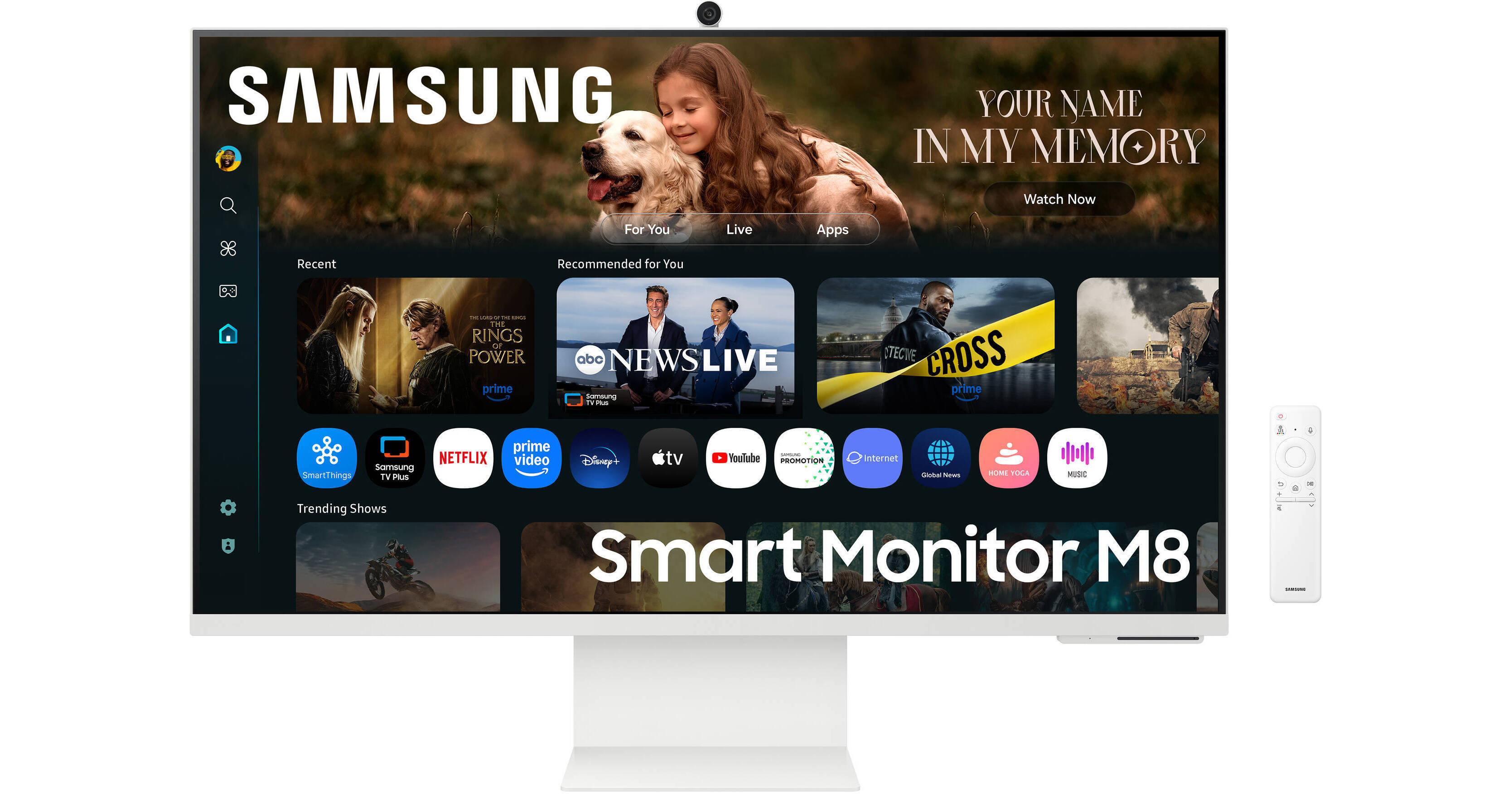
Enhance your multitasking with this Dual 32" Samsung M8 M80F 4K Smart Monitor Kit from B&H. A two Samsung M8 M80F monitor configuration provides more room to organize windows and view content.
Enhance your multitasking with this Dual 32" Samsung M8 M80F 4K Smart Monitor Kit from B&H. A two Samsung M8 M80F monitor configuration provides more room to organize windows and view content.
Vibrant Color
The 32" VA panel delivers up to 1.07 billion colors with HDR10+ support providing bright highlights and deep shadows. Other features include 400 nits brightness, 4 ms response time, and 3000:1 static contrast ratio.
SlimFit Camera
Always look your best during video meetings. Adjust the SlimFit camera to get your best angle while Auto Framing keeps you centered, even when you move.
Smart TV Apps
Stream content from your favorite service directly to the monitor or tune in to the free Samsung TV Plus app for live TV channels and on demand content.
AI Picture Optimizer
Samsung's AI Picture Optimizer adjusts the picture quality to suit your lifestyle, whether working on documents, playing games, or enjoying video content.
4K AI Upscaling
Unlock the full potential of a 4K screen when streaming content on your monitor. AI upscaling, powered by the NQM AI Processor, turns lower resolution content up to nearly 4K, transforming entertainment with new levels of definition.
Hear Every Word Clearly
Active Voice Amplifier Pro uses AI technology to analyze background noise and optimize the dialogue from video content and calls, delivering every word with crystal clear clarity through advanced audio processing.
Built-In Speakers
Integrated 10W stereo speakers fill the room with clear audio
Click to Search
Find your new favorite TV show or movie with ease. Click to Search provides recommended content and related information.
Gaming Hub
Instantly play the biggest games from top game streaming partners, with no PC or console needed.
Multi Control
Using a single mouse and keyboard, seamlessly drag and drop documents and images across compatible Samsung devices while enjoying an enlarged workspace.
Enhanced Productivity
Access and control your PC remotely or work directly on the monitor. Embedded productivity apps like Microsoft 365 let you bypass the PC for a simpler, streamlined working environment.
SmartThings and Knox Security
Simplify the control of all in-home IoT devices and track energy usage with with this monitor. Knox Security features provide enhanced protection.
AirPlay
Wirelessly connect Apple devices to the Smart Monitor to view and mirror your favorite content, including apps, documents, and websites, on a bigger screen.
Multiple Ports
Connect devices through the HDMI, USB-C, and dual USB-A ports.
Ergonomic Design
Adjust the tilt to fit your preferences. The 178° viewing angles allow you to see the screen from almost any position. You can also use the 100 x 100mm VESA mounting pattern to attach the display to a wall, swivel arm, or multi-monitor stand.
UPC: 887276990361
Samsung M80F Specs
Key Specs
Display Size
32"
Panel Type
VA LCD
Native Resolution
3840 x 2160
Maximum Brightness
400 nits / cd/m2
HDR Support
Yes: HDR10/HDR10+
Color Support
1.07 Billion Colors (10-Bit)
Color Gamut
99% sRGB 99% CIE1931
Finish
Anti-Glare
Touchscreen
No
A/V Inputs
1x HDMI 2.0
A/V Outputs
No
Wireless
Wi-Fi 5 (802.11ac) / Bluetooth 5.2
USB I/O
1x USB-C 3.0 / 3.1/3.2 Gen 1 with DP Alt Mode, USB PD 65 W 2x USB-A 2.0
Built-In Speakers
Yes: 2x 10 W
Display
Size
32"
Aspect Ratio
16:9
Electronic Display
Panel Type
VA LCD
Native Resolution
3840 x 2160
Maximum Brightness
400 nits / cd/m2
HDR Support
Yes: HDR10/HDR10+
Contrast Ratio
3000:1
Response Time
4 ms (GtG)
Refresh Rate
60 Hz
Variable Refresh Technology
No
Color Support
1.07 Billion Colors (10-Bit)
Color Gamut
99% sRGB 99% CIE1931
Viewing Angle (H x V)
178 x 178°
Curved Display
No
Finish
Anti-Glare
Touchscreen
Touchscreen
No
Connectivity
A/V Inputs
1x HDMI 2.0
A/V Outputs
No
HDCP Support
Yes: Version 2.2
Wireless
Wi-Fi 5 (802.11ac) / Bluetooth 5.2
USB I/O
1x USB-C 3.0 / 3.1/3.2 Gen 1 with DP Alt Mode, USB PD 65 W 2x USB-A 2.0
Multi-Input Support (PIP/PBP)
No
Hardware
Built-In Mic
Yes
Webcam
Yes: User-Facing 1080p
Speaker
Built-In Speakers
Yes: 2x 10 W
Electrical
Power Consumption
Maximum: 140.0 W
Input Power
100 to 240 VAC, 50 / 60 Hz
Power Adapter Type
External
General
Operating Conditions
50 to 104°F / 10 to 40°C at 10 to 80% Humidity
Adjustments
Rotation: 184° (-92 to 92°) Tilt: 17° (-2 to 15°) Height: Up to 4.7" / 119.4 mm
VESA Mounting-Hole Pattern
100 x 100 mm
Lock Slot
No
Dimensions
28.1 x 24.3 x 7.9" / 713.7 x 617.2 x 200.7 mm (with Stand) 28.1 x 16.7 x 1" / 713.7 x 424.2 x 25.4 mm (without Stand)
Weight
15.4 lb / 7 kg (with Stand) 8.8 lb / 4 kg (without Stand)
Packaging Info
Package Weight
23 lb
Box Dimensions (LxWxH)
36 x 18.75 x 5"
Samsung M80F Reviews
would like it if i could use any of the apps w/out creating a useless samsung account
By MELANIE
Rated 1 out of 5
Date: 2026-11-02
it would be nice to use ANYTHING without a samsung account. You HAVE to create a useless samsung account to be able to then log into any other accounts, like apple tv. I dont feel like giving my email away to yet another thing to get more pointless emails just so i can log into other accounts.
Great monitor/TV combo at a reasonable price point
By Daniel
Rated 5 out of 5
Date: 2026-08-31
This monitor/TV combo is a blast. It has a beautiful display, and the built-in speakers are surprisingly good. For everyday use as a monitor, there is no need for a soundbar. It is best to use the USB-C cable and not the HDMI one. The webcam gives a very good image. It attaches via magnets to the back of the monitor. I believe it works only with the USB-C cable. It took a lttle fiddling around to get the monitor to recognize it for the first time, but it has worked reliably ever since except one instance in which I had to take it off and reseat it on its magnetic connector (a 5-second operation). When thinking of buying a new monitor, I also considered buying a new webcam for it, but the included camera is just fine. The whole unit is easy to set up even though there are very little instructions included with it. You can download two manuals -- one showing the features of the unit and and longer one with complete instructions and explanations. The monitor display is very crisp and legible and is large enough to display two panels side by side. I use it for audio editing with one panel being the editing program and the other being a script. It could even work for certain applications dividing the screen into four panels -- 2 X 2. I always look forward to getting to work using this monitor, and I am thinking of buying a second one as a TV for my bedroom and for occasional computer work there. I seem to have inadvertently become part of the Samsung universe -- first a phone, then a laptop, and now this monitor. Samsung has integrated its products fairly well, maybe not as seamlessly as Apple does, but very workably nonetheless. I certainly recommend a serious look at the Samsung M8 32" monitor if you are considering one this size. It is crisp, with good sound, and with a bonus of a TV thrown in. A real gem.
See any errors on this page?
Can the monitot in TV mode be password locked like
Can the monitot in TV mode be password locked like when using it connected to a computer?
Asked by: Moshe
The Samsung M8 M80F 32" 4K HDR Smart Monitor with Webcam (Warm White) allows you to password-protect certain applications and features. However, it does not have a full device lock function that requires a password to use the monitor itself, as you would find on a PC.
Answered by: Miguel M
Date published: 2026-09-16
The description says the monitor allows for mounti
The description says the monitor allows for mounting on a VESA mount. Please check on this. My M8 monitor does not have such hols on the back. Has the monitor been upgraded to allow such mounting?
Asked by: Daniel
The Samsung M8 M80F 32" 4K HDR Smart Monitor with Webcam (Warm White) includes a 100 x 100 VESA Mounting pattern on the back that's accessible when the stand is removed.
Answered by: Kenneth C
Date published: 2026-08-31
Will this work with my MBP M3? It looks like most ...
Will this work with my MBP M3? It looks like most of the features listed are tv based.
Asked by: Greg
This Samsung M8 M80F 32" 4K HDR Smart Monitor with Webcam (Warm White) can accept connection to a macbook pro using USB-C connection, as it does support DisplayPort alt mode. This monitor would be a great choice for a space where you might also use the screen for casual entertainment when the computer is not connected.
Answered by: Jordan K
Date published: 2025-08-29
Do the TV functions work of Wi-Fi or just ...
Do the TV functions work of Wi-Fi or just ethernet in cable?
Asked by: Stephen
The Samsung M8 M80F 32" 4K HDR Smart Monitor with Webcam (Warm White), B&H # SA32FM803UNX, does not have an Ethernet port; the smart TV functionality would only work over Wi-Fi.
Answered by: Miguel M
Date published: 2025-12-18
Can the color palette be adjusted if used with a m
Can the color palette be adjusted if used with a monitor calibrator?
Asked by: Jerry
The Samsung M8 M80F 32" 4K HDR Smart Monitor with Webcam (Warm White), B&H # SA32FM803UNX, supports color calibrators.
Answered by: Miguel M
Date published: 2026-04-19
Can the 4k AI upscaling be turned off?
Can the 4k AI upscaling be turned off?
Asked by: Emily
The AI upscaling features on the Samsung M8 M80F 32" 4K HDR Smart Monitor with Webcam (Warm White), B&H # SA32FM803UNX, can be disabled.