Please update your browser to take advantage of the latest technology security enhancements to ensure your B&H Shopping experience is as safe as it is enjoyable:
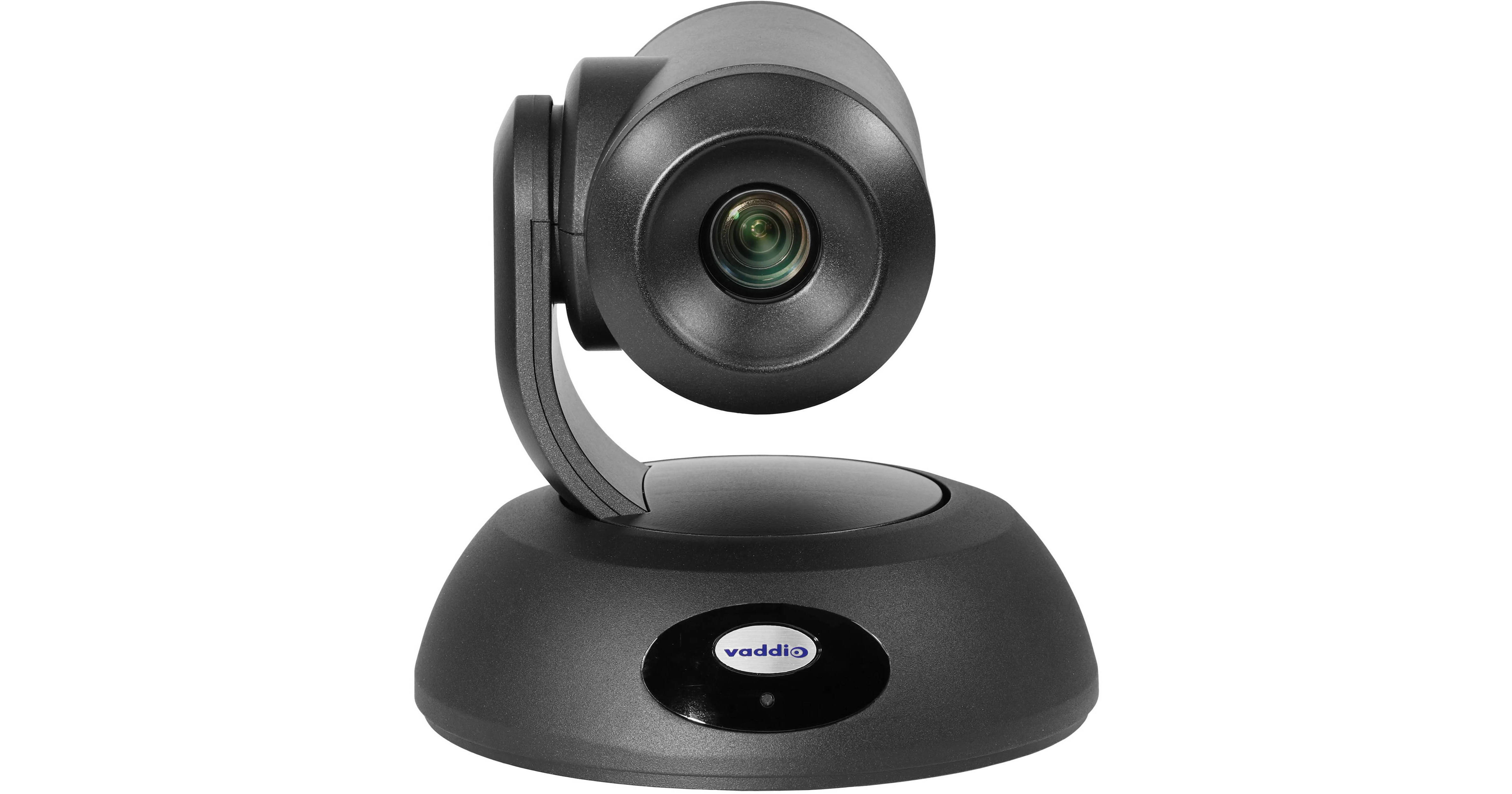
Ideal for corporate, training, and educational use, the black RoboSHOT Elite 4K 12E HDBaseT PTZ Camera from Vaddio uses a 1/2.5" type Exmor R to support up to UHD 4K30 broadcast-quality video. It features 12x optical zoom, simultaneous HDMI and HDBaseT output, and multiple control options.
Simultaneous Outputs
The camera's HDMI and RJ45 outputs are active at all times, so there is no need to select one output over another. This enables you to output to more than one display device or recorder at the same time. The built-in IP streaming simplifies streaming your video over a network.
Excellent Image Quality
Constructed with an 1/2.5-type Exmor R CMOS sensor, this RoboSHOT Elite camera produces excellent video image quality. Its cutting-edge image signal processing produces improved light-gathering capabilities, incredible contrast, and sharp UHD 4Kp30 video, even in lower light levels. Wide dynamic range retains details in both darker and overbright areas.
Smooth Motion
The RoboSHOT Elite 4K 12E camera offers silky-smooth motion along all three axes, thanks to Vaddio's next-generation silent motors paired with Tri-Synchronous motion algorithms.
Optional OneLINK Bridge
Add the separately available OneLINK Bridge receiver to link to a USB stream, add audio, and extend HDBaseT up to 328' via Cat 6 cable.
Control Options
You can control the camera via the included IR remote commander, the RS-232 port, web GUI, or the HDBaseT port.
UPC: 840077508807
Vaddio RoboSHOT 12E Specs
Key Specs
Image Sensor
1/2.5"-Type
Effective Sensor Resolution
8.51 Megapixel (3840 x 2160)
Shutter Speed
1/10000 to 1 Second
Max Optical Zoom
12x
Max Video Output
via HDMI / RJ45 Up to UHD 4K at 29.97 fps
Max Recording Modes
No
Broadcast Output
NTSC/PAL
Supported Protocols
Camera Control IP/IR/RS-232/Telnet
Wireless
IR *Built-In
PoE Support
Yes: PoE+ 802.3at
Mounting
1x 1/4"-20 Female
Imaging
Image Sensor
1/2.5"-Type CMOS
Effective Sensor Resolution
Effective: 8.51 Megapixel (3840 x 2160) Actual: 8.57 Megapixel
Focus Control
Autofocus Manual Focus
Exposure Control
Shutter Speed
1/10000 to 1 Second
Signal-to-Noise Ratio
50 dB
Minimum Illumination
100 Lux at f/1.6 Aperture
Flip / Mirror Support
Image Flip
White Balance
Presets: ATW, Auto, Indoors, Manual, One Push, Outdoors
Lens
Focal Length
4.4 to 88.4mm
Max Optical Zoom
12x
Field of View
70.2 to 6.8°
Maximum Aperture
f/2 to 3.8
Minimum Focus Distance
7.9" / 20 cm (Wide) to 31.5" / 80 cm (Tele)
Video Capture
Video Output
via HDMI / RJ45 3840 x 2160 at 29.97 fps 1920 x 1080p at 25/29.97/50/59.94 fps 1920 x 1080i at 29.97/50/59.94 fps 1080 x 720 at 50/59.94 fps
Embedded Audio
HDMI/IP/LAN (RJ45)
Internal Recording
No
Broadcast Output
NTSC/PAL
Supported Protocols
Camera Control IP/IR/RS-232/Telnet
Control
Presets
256
Tally Light
Yes
Networking
Wireless
IR *Built-In
Max Cable Length
229.7' / 70 m (Cat 5e) 328.1' / 100 m (Cat 6)
Interface
Video I/O
1x HDMI Output 1x RJ45 (HDBaseT) Output
Other I/O
1x RJ45 (RS-232) Control (Shared with Video Output)
Built-In Microphone
Yes
Power
PoE Support
Yes: PoE+ 802.3at
Environmental
Operating Conditions
32 to 104°F / 0 to 40°C at 20 to 80% Humidity
Storage Conditions
32 to 104°F / 0 to 40°C at 20 to 80% Humidity
General
Mounting
1x 1/4"-20 Female
Certifications
CE, FCC, TAA
Dimensions (W x H x D)
7 x 6.9 x 6.8" / 17.9 x 17.6 x 17.2 cm
Weight
4.9 lb / 2.2 kg (Body Only)
Vaddio RoboSHOT 12E Reviews
See any errors on this page?
How long can I run the USB3.1 cable to this ...
How long can I run the USB3.1 cable to this camera?
Asked by: Rj
The USB cable that comes with the camera is 6 feet. You can extend that further with a high quality extender like the ATEN USB 3.1 Gen1 Extender Cable - 32.8' (BH #ATUE3310) but signal degradation may start to occur over some longer runs.
Answered by: Zacky
Date published: 2023-06-21
Is this compatible with the Vaddio ProductionVIEW ...
Is this compatible with the Vaddio ProductionVIEW HD-SDI MV CAM?
Asked by: Kevin
Yes it is. The Roboshot 12E is compatible with the Vaddio ProductionVIEW HD-SDI MV CAM.
Answered by: jabarih
Date published: 2021-12-28
How do I flip the image on the camera if it's ...
How do I flip the image on the camera if it's ceiling mounted
Asked by: Marco
In order to flip camera image go to back of PTZ camera base and locate the
Camera Settings: DIP switches adjust the following features
Ir remote frequency
Baud rate
Image flip
Answered by: hectorm
Date published: 2021-08-19
How to mount the camera?
How to mount the camera?
Asked by: Nicole
This camera can be mounted to walls or ceilings. You will find a few recommended mounts on the "Accessories" page under the "Mounts and Brackets" tab.