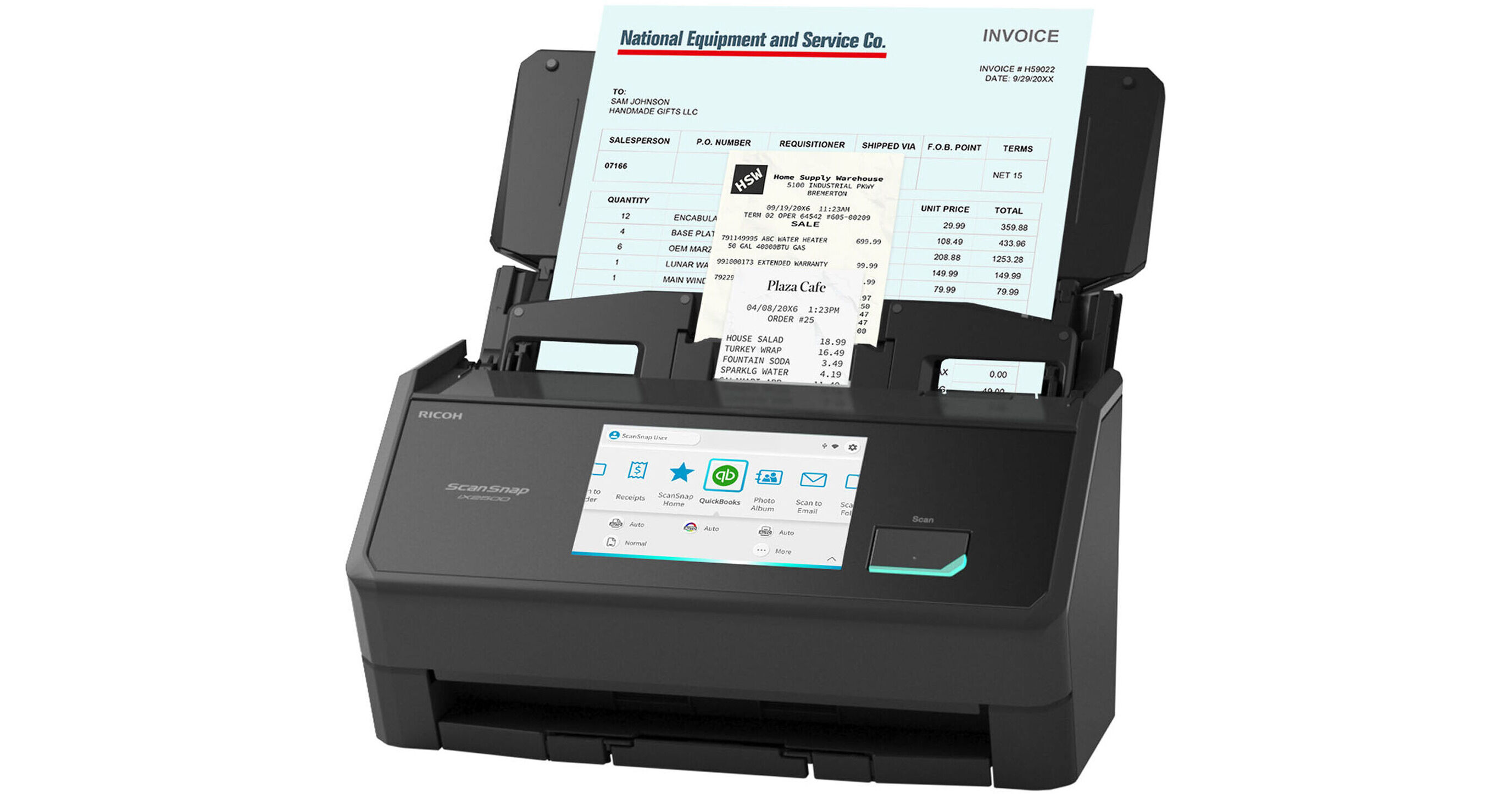
Digitize, organize, and share your documents with the Ricoh ScanSnap iX2500 Document Scanner. This iX2500 edition can also quickly scan and analyze receipts and invoices, and export them to QuickBooks. With a large 5" color touchscreen, you'll be able to select your scanning destination and have your own personalized profile. The iX2500 has a scan speed of up to 45 ppm / 90 ipm. It also has a max optical resolution of 600 dpi, all through its 100-sheet ADF. Connect wirelessly with Wi-Fi 6 (802.11ax) or use a wired connection via USB-C 3.2 Gen 1 (5 Gb/s). Scan documents as small as 2 x 2" and as big as 8.5 x 14". The scanner also scans envelopes, plastic cards, folded A3 documents, and documents with sticky notes in Manual Feed mode.
Ask Our Experts800-606-6969
Hello, Log InAccount & Orders
Video Chat with a Photography Expert - Live
Key Features
- Quickly Scan & Analyze Receipts/Invoices
- Optical Resolution: 600 dpi
- Scan Speed: 45 ppm / 90 ipm
- Minimum Scan Size: 2 x 2"
Digitize, organize, and share your documents with the Ricoh ScanSnap iX2500 Document Scanner. This iX2500 edition can also quickly scan and analyze receipts and invoices, and export them to QuickBooks. With a large 5" color touchscreen, you'll be able to select your scanning destination and have your own personalized profile. The iX2500 has a scan speed of up to 45 ppm / 90 ipm. It also has a max optical resolution of 600 dpi, all through its 100-sheet ADF. Connect wirelessly with Wi-Fi 6 (802.11ax) or use a wired connection via USB-C 3.2 Gen 1 (5 Gb/s). Scan documents as small as 2 x 2" and as big as 8.5 x 14". The scanner also scans envelopes, plastic cards, folded A3 documents, and documents with sticky notes in Manual Feed mode.
More DetailsIn Stock
Protect Your Gear
Add a protection plan from $35.99
See Options
Ricoh iX2500 Overview
Receipt Edition
The Receipt Edition combines all the benefits of the Standard edition to digitize and organize documents with additional features for home and office professionals who scan receipts and invoices and already use QuickBooks Online to manage bills and expenses.
Easy Touchscreen Scanning
Select a profile and the ScanSnap iX2500 does the rest. Intelligent image processing delivers optimal results.
Works for Both Individuals and Teams
Users can select their own profiles from the touchscreen, providing access to their personal shortcuts and destinations. The intuitive 5" color touchscreen makes it easy to select your scanning destination and choose between up to 100 scanning profiles.
Receipt Scanning
Quickly scan and recognize receipts, manage them in ScanSnap Home or export them to your favorite application.
Direct Scan-to-Cloud Functionality
With Wi-Fi 6 connectivity and a ScanSnap Cloud account, the ScanSnap iX2500 can scan directly to popular cloud services where no computer or mobile device is needed.
Easy Document Organization
ScanSnap Home all-in-one software brings together all your favorite functions to help you power through your scans in no time. Easily manage, edit, and use scanned data from documents, receipts, business cards, photos, and more.
Additional Details
UPC: 097564312021
Ricoh iX2500 Specs
Key Specs
| Scanner Type | |
| Scanner Maximum Resolution | |
| Wireless | |
| Power Source |
Scanner
| Type | |
| Maximum Resolution | |
| Scan Modes | |
| Light Source | |
| Image Sensor | |
| Duplex Scanning | |
| Single Pass Duplex | |
| Scan Speed | |
| Automatic Image Corrections |
Scanner Media Handling
| Scan Sizes | |
| Paper Capacity | |
| Multi-Feed Detection | |
| Media Weight | |
| Special Media Support |
Connectivity
| Data I/O | |
| Wireless |
General
| Display Size | |
| Display Type | |
| Power Source | |
| Battery | |
| Input Power | |
| Power Consumption | |
| Operating Conditions | |
| Certifications | |
| Dimensions (W x H x D) | |
| Weight |
Packaging Info
| Package Weight | |
| Box Dimensions (LxWxH) |
Ricoh iX2500 Reviews
office desktop essential equipment. recommended
By John
Rated 5 out of 5
Date: 2026-10-06
if you know you know. this is my third scansnap scanner. a must have part of my office set up. recommended.
scansnap ix2500
By Pennie
Rated 5 out of 5
Date: 2026-07-30
This scanner met every expectation. It's super fast and it scans 50 or even 70 pages at a time. It's very easy to control from the computer and it's very easy to adjust on the touchpad. Highly recommended if you're doing a lot of scanning.
See any errors on this page?
can you scan photos?
Yes, you can scan photos with the Ricoh ScanSnap iX2500 Document Scanner (Receipt Edition, Black).
Date published: 2026-08-22
Can this be used to scan postcards? Or will it cau
Can this be used to scan postcards? Or will it cause a crease?
Yes, the Ricoh ScanSnap iX2500 Document Scanner (Black) can scan postcards.
Date published: 2026-05-03
What is the difference between the ix2500 and the ...
What is the difference between the ix2500 and the ix2500 with premium bundle?
The Ricoh ScanSnap iX2500 Premium Bundle Scanner (B&H# RIIX2500PBDS) has just one difference with the Ricoh ScanSnap iX2500 Document Scanner (Black) (B&H# RIIX2500B) which is just the inclusion of a four-year depot protection plan. That plan allows for mail-in repair and one-way shipment return on scanners that require servicing.
Date published: 2025-11-30
Can the iX2500 scan photos larger than 4x6? Or, ...
Can the iX2500 scan photos larger than 4x6? Or, to ask another way, what other sizes of photos can it scan?
The Ricoh ScanSnap iX2500 Document Scanner (Photo Edition) can scan photos up to 8.5x14 inches when using the included carrier sheets.
Date published: 2026-01-25
