
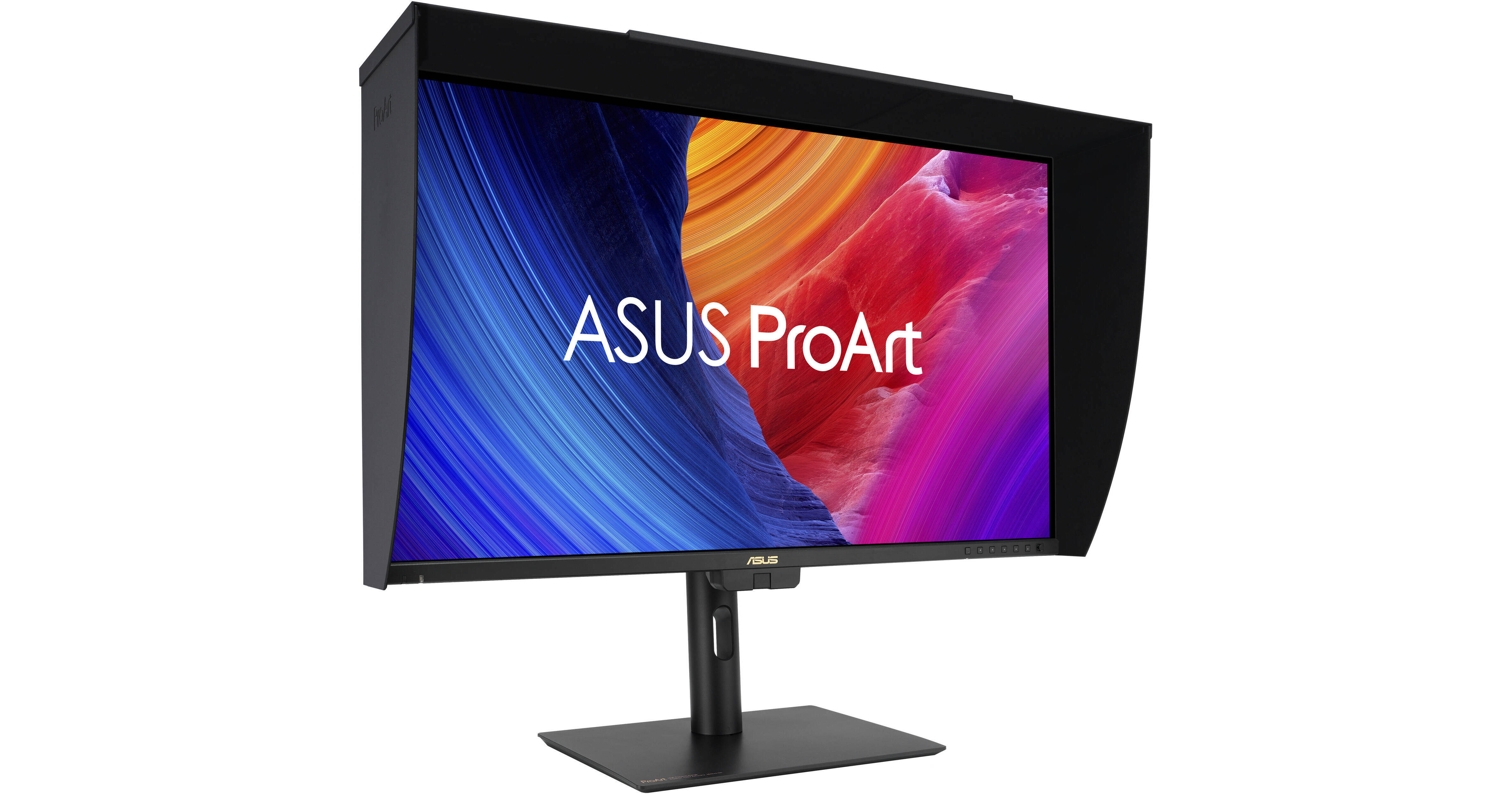
Enhance your multitasking with the Dual 27" ASUS ProArt Display PA27UCGE 4K HDR 160 Hz Monitor Kit from B&H. Two ASUS ProArt monitors provide extra room to organize windows and view content.
Ask Our Experts800-606-6969
Hello, Log InAccount & Orders
Key Features
- 27" 16:9 IPS Panel
- HDMI | DisplayPort | USB-C (96W)
- UHD 4K 3840 x 2160 at 160 Hz
- 1 ms (GtG) Response Time
Enhance your multitasking with the Dual 27" ASUS ProArt Display PA27UCGE 4K HDR 160 Hz Monitor Kit from B&H. Two ASUS ProArt monitors provide extra room to organize windows and view content.
More DetailsIn Stock
$1,598.00
Save $200.00
+
Protect Your Gear
Add a protection plan from $89.99
See Options
Savings Available:
Save Up to $5.00
Build Bundle
ASUS PA27UCGE Overview
True-to-Life Color Fidelity
Featuring a Calman verified 27" IPS panel, this monitor is factory calibrated for Delta E <1 accuracy, providing 10-bit, 1.07 billion colors with 98% DCI-P3 and 100% sRGB coverage.
Intuitive and Intelligent Calibration
Use the built-in colorimeter allows you to activate or schedule self-calibration from the OSD menu without requiring additional software. Or you can us the ASUS ProArt Hardware Calibration software, which saves color parameters to the internal scaler chip, with a supported colorimeter.
Ultra-Vivid HDR
VESA DisplayHDR 600 certified high-dynamic range with a 1000:1 max contrast ratio and 600 nits peak brightness enhances visuals with realistically bright highlights and deep shadows. Support for both HLG and HDR10 formats ensures compatibility for broadcast and streaming platforms. This display also supports PQ Optimized, PQ Optimized, and PQ Basic HDR10 curves.
Clear Imagery with LuxPixel Technology
The LuxPixel anti-glare, low-reflection (AGLR) coating provides a paper-like screen effect by minimizing reflections while maintaining accurate colors and sharp details.
Light Sync Solutions
A backlight sensor eliminates warmup time and brightens the screen on startup by detecting the backlight brightness color temperature to compensate the deviation. Additionally, the front-facing ambient light sensor synchronizes the display's color gamut to match with your environment. Use the ASUS DisplayWidget Center app to fine-tune your screen's settings using a mouse instead of the monitor buttons.
2D/3D Rendering Friendly
Supporting a 160 Hz variable refresh rate (VRR), the ProArt Display is ideal for game developers who need to conduct quality checks.
Enhanced Multitasking
With an integrated KVM switch, you can control up to two devices simultaneously in Picture-by-Picture (PbP) or Picture-in-Picture (PiP) modes using a single mouse and keyboard connected through the monitor. Plug your favorite headphones into the 3.5mm jack for listening privacy.
Ergonomic Design
Rotate the screen in either direction to view content in portrait mode. Then adjust the height, tilt, and swivel to your preferences. The 100 x 100mm VESA mounting pattern allows you to attach the display to a swivel arm or multi-monitor stand.
UPC: 197105788701
ASUS PA27UCGE Specs
Key Specs
| Display Size | |
| Panel Type | |
| Native Resolution | |
| Maximum Brightness | |
| HDR Support | |
| Color Support | |
| Color Gamut | |
| Finish | |
| Touchscreen | |
| A/V Inputs | |
| A/V Outputs | |
| USB I/O | |
| Built-In Speakers |
Display
| Size | |
| Panel Type | |
| Aspect Ratio | |
| Native Resolution | |
| Maximum Brightness | |
| HDR Support | |
| Contrast Ratio | |
| Response Time | |
| Refresh Rate | |
| Variable Refresh Technology | |
| Color Support | |
| Color Gamut | |
| Viewing Angle (H x V) | |
| Curved Display | |
| Finish |
Surface
| Touchscreen |
Connectivity
| A/V Inputs | |
| A/V Outputs | |
| HDCP Support | |
| USB I/O | |
| Multi-Input Support (PIP/PBP) |
Speaker
| Built-In Speakers |
Electrical
| Power Consumption | |
| Input Power | |
| Power Adapter Type |
General
| Adjustments | |
| VESA Mounting-Hole Pattern | |
| Lock Slot | |
| Dimensions | |
| Weight |
Packaging Info
| Package Weight | |
| Box Dimensions (LxWxH) |
ASUS PA27UCGE Reviews
Great for Video Editor and color grading
By Clifford
Rated 5 out of 5
Date: 2025-07-07
I am an editor and occasional colorist and bought this monitor as a reference monitor for 4k color grading. So far I am impressed with the resolution and color of this monitor. I like the factory presets for different color space environments such as Rec 709 and sRGB. I especially like that I can change the gamma in the rec 709 color space between 2.4 and 2.2 as I work on both broadcast and web projects. The built-in color analyzer and calibration gives me confidence that my colors are correct. The light shade took some figuring out to get it secure, but once installed correctly is fairly solid. I would recommend this monitor for editors who also do some color grading.
See any errors on this page?
Does the built-in colorimeter create an on-monitor
Does the built-in colorimeter create an on-monitor hardware calibration where the calibration happens on the display's dedicated chip, and not a software calibration that manipulates color from the desktop/laptop’s video card?
Calibrations with the built-in colorimeter on the ASUS ProArt Display PA27UCGE 27" 4K HDR 160 Hz Monitor can either be done directly through the monitor's OSD menu or through the ASUS ProArt Hardware Calibration software; calibrations from either can be saved directly to the monitor's hardware.
Date published: 2026-07-16
Does this monitor support Adobe RBG? Is it good ...
Does this monitor support Adobe RBG? Is it good for print photography?
$950 for an 8bit + FRC monitor with these specs looks awful to me. I see similar monitors for about half the price. Within $50 of this ProArt model are much better choices.
Date published: 2025-09-08
Can B&H or the manufacturer list the total VRR ...
Can B&H or the manufacturer list the total VRR refresh rate range when using G-Sync compatibility on an NVIDIA card?
When using a compatible NVIDIA card with the ASUS ProArt Display PA27UCGE 27" 4K HDR 160 Hz Monitor, B&H # ASPA27UCGE, the supported variable refresh rate range is 48 Hz ~ 160 Hz.
Date published: 2025-09-25
Can this monitor be calibrated with Calibrite colo
Can this monitor be calibrated with Calibrite colorimeters?
You can use a Calibrite colorimeter with the ASUS ProArt Display PA27UCGE 27" 4K HDR 160 Hz Monitor, though this monitor includes a built-in colorimeter as well.
Date published: 2026-03-16
