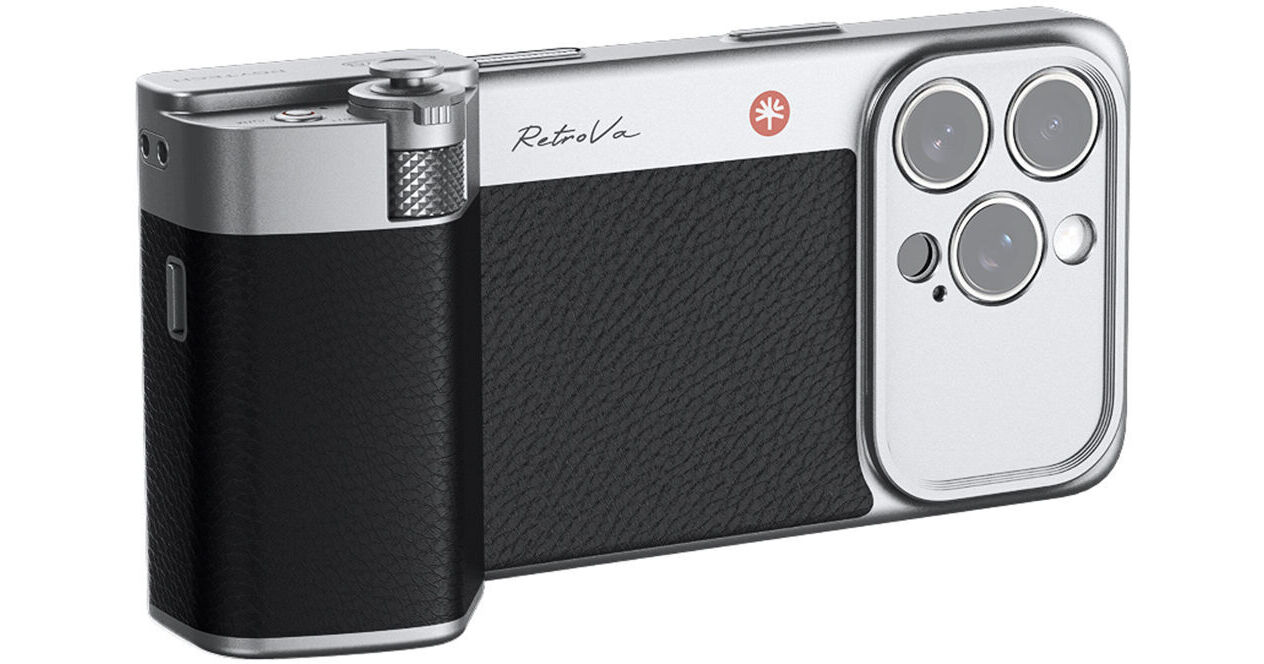
The RetroVa Grip Kit for iPhone 16 Pro from PGYTECH combines a modular grip, accessory lens and filter expansion capabilities, and seamless connection with the PGYTECH app for a film camera-like vintage shooting experience. The grip connects via Bluetooth to the iPhone 16 Pro, enabling photo, focus, video, and parameter control via the PGYTECH Pro Imaging app. The phone grip and case feature a quick release design for fast mounting and removal. The base of the grip has a 1/4"-20 threaded socket for tripods and accessories, plus a leather-like wrap for comfort and a vintage feel. The grip also has a built-in microSD slot that enables external recording without using phone storage, supporting read speeds of up to 312 MB/s.
- Camera-Like Grip for iPhone 16 Pro
- Vintage-Styled Smartphone Case
- Camera-Like Physical Controls
- Camera-Inspired Software and Functions
PGYTECH RetroVa Grip Overview
PGYTECH RetroVa Grip Specs
| Connection Interface | |
| Wireless Capability | |
| Material of Construction | |
| Dimensions | |
| Weight | |
| Certifications |
| Package Weight | |
| Box Dimensions (LxWxH) |
PGYTECH RetroVa Grip Reviews
Great grip for iPhone 16 Pro
The RetroVa grip replaces any other case with a nicely crafted metal slip case that permits the grip to slide and click with it from the USB-C end. Unfortunately I doubt the case would tolerate a drop as well as my silicon case and suspect I will also use a bit of gaffers tape to insure the latch can't be moved by accident. The feel of the grip is excellent! What was not totally expecting was that there are 3 modes of control. 1) If no changes are made to the iPhone but having the grip attached and connected via BlueTooth, only the shutter release functions in Camera mode. 2) If the iPhone Accessibility setting is changed to allow Zoom magnification (3-finger tap to switch) and it is connected by BlueTooth the shutter release and zoom controls function. 3) If one loads an app from PGYTECH (and successfully installs it) it might have additional functions but I could not get the installation to complete and PGYTECH wanted me to made a video of the entire installation process - including all configuration settings - which I will not do and will limit my uses to either #1 or #2. (This is not the first time I've suspected updates by Apple affect add-on apps; i.e., a DJI gimbal on a earlier iPhone became inoperable many moons ago.) Overall I expect this to help me take photos during trips when my Nikon Z is more than I wish to carry but I do not intend to keep the case/grip installed in normal use.
