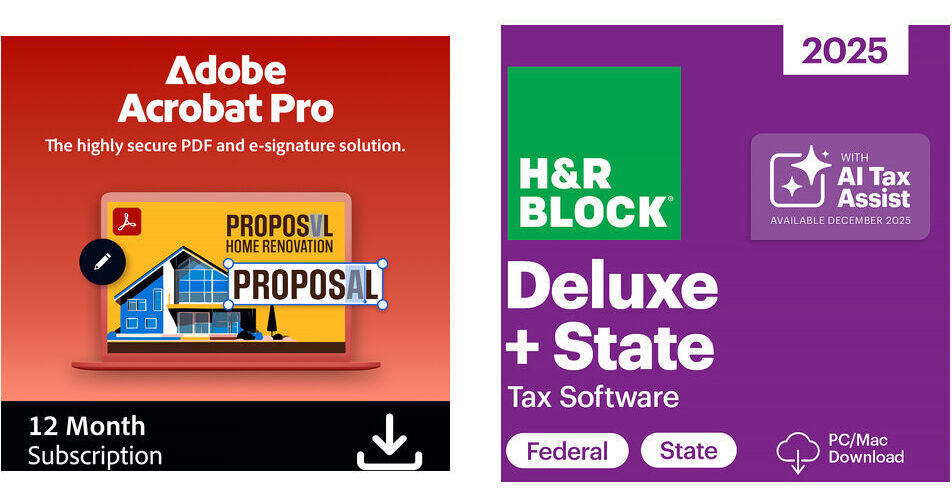
Adobe Acrobat Pro with H&R Block 2025 Deluxe + State Tax Software (Download)

BH #ADAPDC1YSTK (B&H Kit)
Print
Adobe Acrobat Pro with H&R Block 2025 Deluxe + State Tax Software (Download)
Key Features
  • Create, Edit, Export & Scan PDFs
  • Adobe Scan Mobile App
  • Compare Two Versions of PDFs
  • Create Protected PDFs
This B&H Kit bundles Adobe Acrobat Pro with H&R Block 2025 Deluxe + State Tax Software, which is delivered as an electronic download. Create, convert, edit, organize, and sign PDFs with Acrobat Pro, while H&R Block 2025 lets you file federal and state returns in one place and maximize deductions on homes and other investments.
More Details
Digital
Electronic Download
This item cannot be returned.
Emailed within 1-3 Business Days
Ask an Expert
800-606-6969
Kit Contains:

This B&H Kit bundles Adobe Acrobat Pro with H&R Block 2025 Deluxe + State Tax Software, which is delivered as an electronic download. Create, convert, edit, organize, and sign PDFs with Acrobat Pro, while H&R Block 2025 lets you file federal and state returns in one place and maximize deductions on homes and other investments.

Adobe Acrobat Pro (Download, 1-Year Subscription)

Create, convert, edit, organize, and sign PDFs with this downloadable 1-year subscription of Acrobat Pro from Adobe. Acrobat Pro features a familiar point-and-click interface to edit PDF documents intuitively and lets you compare two versions of a PDF. Other notable features include deleting sensitive information permanently, creating protected PDFs, and exporting PDFs to your copy of Word, Excel, or PowerPoint. For mobile devices, there's an Adobe Scan mobile app, so you can take pictures of paper documents and automatically convert them to editable PDFs.

During the 1-year subscription plan, this purchase provides you with downloadable Windows and Mac versions of Acrobat Pro that you can use across all of your systems. In addition to Adobe Acrobat Pro, you're provided with Adobe Document Cloud services, which deliver essential PDF tools to resume tasks utilizing a mobile device, such as a tablet or smartphone. Additionally, Adobe includes the latest features, security updates, and upgrades for Acrobat Pro while the subscription is still active. Note: This product cannot be returned or canceled. It can only be activated in the USA and its territories.

General Features
Stay Productive
Create, convert, organize, and sign PDFs in the office or from your mobile device, and easily edit PDFs on an iPad. With Adobe Document Cloud services, you get instant access to PDF tools across your desktop, browser, tablet, and smartphone - so you can start and resume tasks from almost anywhere.
Use Acrobat Tools
Subscribe to get ongoing access to a growing list of Adobe features, security updates, and upgrades.
Instantly Edit Scanned Documents
Take pictures of paper documents with the Adobe Scan mobile app and automatically convert them to editable PDFs with automatic font matching, so new edits blend right in.
Edit PDF Text and Images
Use a familiar point-and-click interface to intuitively edit PDF documents intuitively from within Acrobat using your desktop or iPad.
Easily Compare Files
Compare two versions of a PDF using an easy-to-scan results summary of all differences.
Export PDFs to Office
Convert PDFs to Word, Excel, or PowerPoint formats while preserving formatting like bulleted lists and tables.
Convert Office to PDF
Create high-quality PDFs in Microsoft Word and PowerPoint in a single click with the Acrobat ribbon, now available on both Windows and Mac.
Complete Forms Quickly & Sign Anything from Almost Anywhere
Fill, sign, and send forms quickly from virtually anywhere with smart autofill.
Work with Dropbox, Box, and OneDrive
Access, edit, and store files in your Dropbox, Box, or Microsoft OneDrive account while working in Acrobat on your desktop or mobile device.
Create Protected PDFs
Create high-quality PDF files from Acrobat or popular Microsoft Office apps. Add restrictions to prevent others from copying, editing, or printing sensitive information.
Delete Sensitive Information
Find and get rid of text, images, or even metadata-permanently.
Tab Between Open PDFs
Open all the PDFs you're working on in one window and easily switch between files with tabbed viewing.
Send and Manage Shared Reviews
Send PDFs for SharePoint-based shared reviews, from Windows or Mac, to get feedback quickly.
Find Tools Fast
Browse the Tools Center to see PDF tools organized by task or use the search box to quickly find the tool you need.
Draw Using DirectInk
Use your finger or a hardware pen to draw and write more smoothly on PDFs on Windows 10 devices.
Other
Adobe Acrobat keeps you connected to your team with simple workflows across desktop, mobile, and web - no matter where you're working
When you buy Acrobat, you will always get the newest features the moment they're released
Convert any Office file to PDF without leaving your Office application, a few clicks is all it takes using the built-in Acrobat ribbon
Change text and images without leaving your PDF. Edit text and images, reorder, delete, rotate PDF pages, fill and sign.
Create PDFs on the go: With Acrobat, it's easy to edit and convert PDF documents from anywhere, on any mobile device.
Enhanced editing with Acrobat Pro: Redact sensitive information from documents
Add audio, video, and interactive objects to PDFs with Acrobat Pro
Open PDFs protected by Microsoft Information Protection solutions, including Azure Information Protection and Office 365
H&R Block 2025 Deluxe + State Tax Software (Download)

File your taxes using this download of 2025 Deluxe + State Tax Software from H&R Block. Compatible with Windows and Mac, this software is designed so you can file federal and state returns in one place and maximize deductions on homes and other investments, thanks to step-by-step guidance on more than 350 credits and deductions, a help center with over 13,000 searchable articles, and free in-person representation in the event of an audit. Also supported is the ability to import your W-2, 1099, 1098, and even last year's personal tax return from TurboTax and Quicken.

Five Free Federal E-Files
Doing taxes always means preparing one federal return. With this software, you get up to five federal e-files.
Free Audit Support
In the unlikely event of an audit, H&R Block provides free in-person audit support. An H&R Block enrolled agent will help and represent you in person at no additional cost.
Easy, Secure Download
  • No CD required
  • Keep your data on your computer
  • Re-download if needed
  • Save your work and complete later
Help Is Just a Click Away
H&R Block's Help Center gives you access to more than 13,000 articles, frequently asked questions, and tips in case you get stuck while preparing your taxes.
Additional Details
  • Tax prep made smarter with AI Tax Assist, so you can get real-time expert answers from start to finish.
  • Step-by-step Q&A and guidance.
  • Quickly import your W-2, 1099, 1098, and even last year's personal tax return, even from TurboTax and Quick software.
  • Itemize deductions with Schedule A.
  • Accuracy Review checks for issues and assesses your audit risk.
  • Five free federal e-files and unlimited federal preparation and printing.
  • Reporting assistance on income from investments, stock options, home sales, and retirements.
  • Guidance on maximizing mortgage interest and real estate tax deductions (Schedule A).
  • H&R Block DeductionPro values and optimizes charitable donations (Schedule A).
  • One state program download included - a $39.95 value.
Minimum System Requirements
  • Windows 10 or higher
  • macOS 12 or higher
  • Edge or Safari browsers
  • 1.5GB of free space for Windows, 150MB for Mac
  • 1024 x 768, SVGA color monitor
  • Internet connection required
UPC: 735290108678
Kit Contains:

Adobe Acrobat Pro (Download, 1-Year Subscription)

Delivery Format
Download
License Type
Standard: 1-Year Subscription
User Support
1 User
System Compatibility/Requirements
Operating System: Windows/macOS

Adobe Pro DC Reviews

See any errors on this page?
Whatever You Need, We've Got It