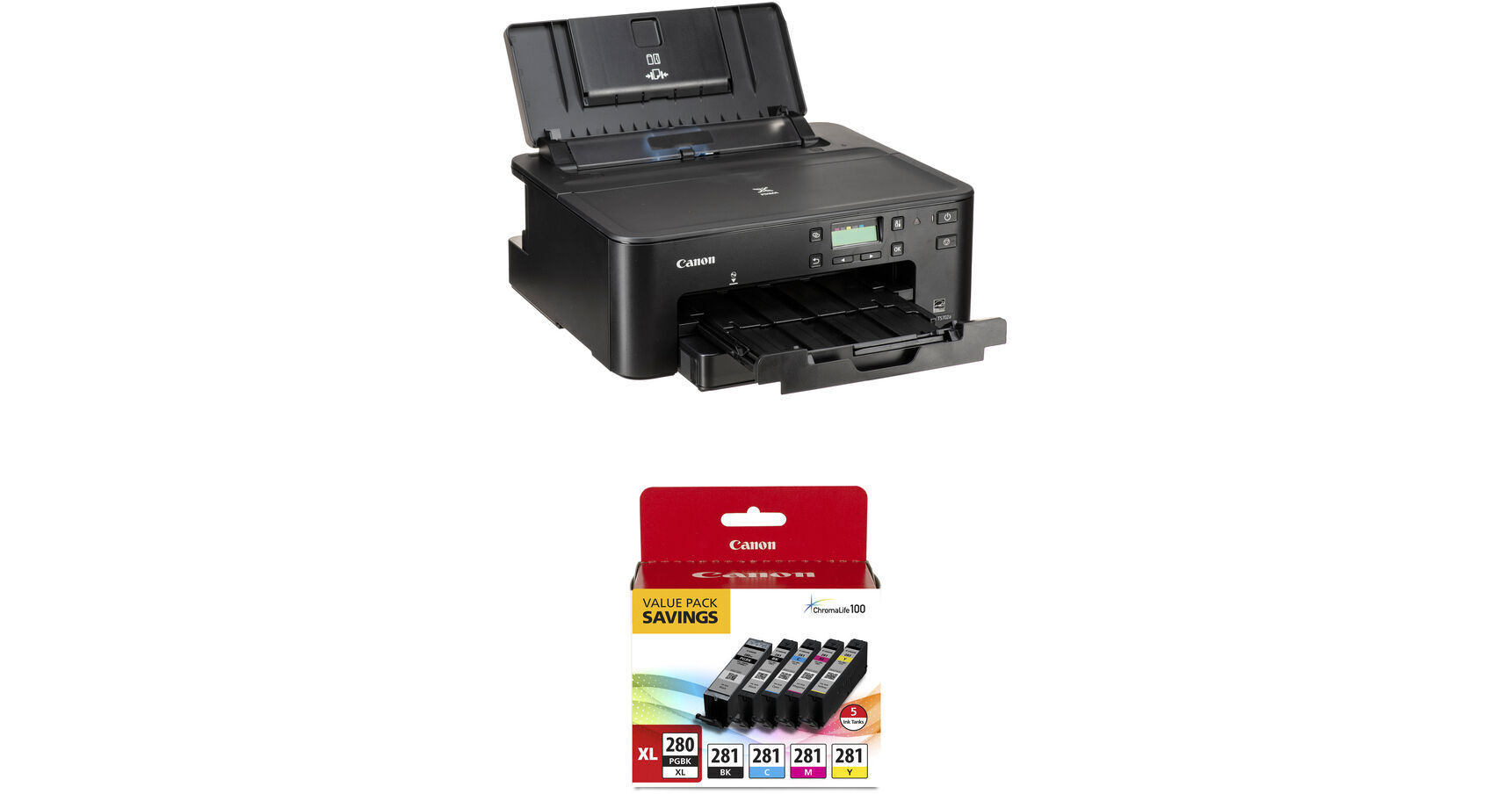
Canon PIXMA TS702a Wireless Photo Printer with PGI-280 XL/CLI-281 5-Color Pack Kit

BH #CATS702AKIT1 (B&H Kit)
Print
Canon PIXMA TS702a Wireless Photo Printer with PGI-280 XL/CLI-281 5-Color Pack Kit
Key Features
  • Max Resolution: 4800 x 1200 dpi
  • Max Printable Area: 8.5 x 14"
  • Print Speed (Black/Color): 15/10 ipm
  • Auto 2-Sided Duplex Printing
Print photos with the Canon PIXMA TS702a Wireless Photo Printer with PGI-280 XL/CLI-281 5-Color Pack Kit from B&H. Print via USB, Ethernet, or Wi-Fi. This kit includes a PGI-280 XL/CLI-281 5-color pack.
More Details
In Stock
No Store Display
Free 2-Day Shipping
Protect Your Gear
Add a protection plan from $17.00
Ask an Expert
800-606-6969
Kit Contains:

Print photos with the Canon PIXMA TS702a Wireless Photo Printer with PGI-280 XL/CLI-281 5-Color Pack Kit from B&H. Print via USB, Ethernet, or Wi-Fi. This kit includes a PGI-280 XL/CLI-281 5-color pack.

Canon PIXMA TS702a Wireless Photo Printer

The PIXMA TS702a Wireless Photo Printer from Canon is designed to handle the basic needs of your home or small office. It has a maximum resolution of 4800 x 1200 dpi and features a 350-sheet capacity when using both the front and rear paper trays. It's compatible with Canon's high yield XL and XXL ink tanks. Utilizing a hybrid ink system, the printer combines dye ink for rich colors and black pigment ink for sharp text. Auto two-sided printing is also offered, allowing you to save up to 50% on paper usage.

The first print out speed for black letter documents is approximately 10 seconds, and the color print out speed is about 8 seconds. Once running at full speed, the printer is rated to produce black letter documents at 15 ipm, and color letter documents at 10 ipm.

With Ethernet and USB 2.0 connectivity, the PIXMA TS702a can easily be set up in workplace environments. But designed with the wireless world in mind, the TS702a allows you to print directly from an iPhone, iPad, or Mac via AirPrint technology. Also, you can use the Canon Print Inkjet/SELPHY app to scan and print documents from an iOS or Android device.

Maximum resolution of 4800 x 1200 dpi
Supports common paper sizes such as 4 x 6", 5 x 7", 8 x 10", 8.5 x 11", with a maximum printable area of 8.5 x 14"
ESAT printing speeds of 15 ipm in black and white and 10 ipm in color
Auto 2-sided duplex printing
Borderless printing at sizes up to 8.5 x 11"
Hybrid ink system helps ensure vivid colors while keeping small text and lines sharp
AirPrint technology allows direct printing from a compatible iPhone, iPad, or Mac
With the Canon Print Inkjet/SELPHY app, documents can be scanned and printed from a compatible iOS or Android device
UPC: 013803348118
Canon PGI-280 XL / CLI-281 5-Color Pack for Select PIXMA Printers

Refill select PIXMA printers with the PGI-280 XL/CLI-281 5-Color Pack for Select PIXMA Printers from Canon. This value pack includes an XL pigment black ink tank for documents, and a set of dye-based inks for printing great looking photos and images. When combined with Canon photo paper these inks protect your photos from fading. Additionally, these genuine Canon inks provide optimal performance for your printer and offer access to Canon's Creative Park Premium, an exclusive content service offering a more robust collection of greeting card templates, 3D paper crafts, calendars, and more.

Compatible Printers
  • PIXMA TS8220 Wireless Printer
  • PIXMA TS9521C Wireless Printer
  • PIXMA TS9520 Wireless Printer
  • PIXMA TS6220 Wireless Printer
  • PIXMA TS9120 Wireless Printer
  • PIXMA TS8120 Wireless Printer
  • PIXMA TS6120 Wireless Printer
  • PIXMA TR8520 Wireless Printer
  • PIXMA TR7520 Wireless Printer
UPC: 660685174283
Kit Contains:

Canon PIXMA TS702a Wireless Photo Printer

Key Specs
Functions
Print
Printing Technology
Inkjet
Color Type
Color
Configuration
5x Individual Cartridge
Ink Type
Pigment-Based (Black)
Dye-Based (Black, Cyan, Magenta, Yellow)
Ink Color
1x Cyan
1x Magenta
1x Yellow
2x Black
Print Resolution
Color: 4800 x 1200 dpi
Media Sizes
Input Tray 1 / Input Tray 2
Maximum: 8.5 x 14" / 21.59 x 35.56 cm
Wireless
Wi-Fi
Functions
Print
Printer
Printing Technology
Inkjet
Color Type
Color
Configuration
5x Individual Cartridge
Ink Type
Pigment-Based (Black)
Dye-Based (Black, Cyan, Magenta, Yellow)
Ink Color
1x Cyan
1x Magenta
1x Yellow
2x Black
Compatible Cartridges
Canon CLI-281 / PGI-280
Number of Nozzles
4096 Nozzles (Total)
Print Resolution
Color: 4800 x 1200 dpi
Borderless Printing
Yes: Up to 8.5 x 11" / 21.59 x 27.94 cm
Duplex Printing
Yes
Print Speed (By Time)
10 ipm (Color)
15 ipm (Black)
First Print Out Time
8 Seconds (Color)
10 Seconds (Black)
Monthly Duty Cycle
1000 Pages
Printer Media Handling
Media Handling
2 x Input Tray
Media Sizes
Input Tray 1 / Input Tray 2
Minimum: 3.5 x 3.5" / 8.89 x 8.89 cm
Maximum: 8.5 x 14" / 21.59 x 35.56 cm
Paper Capacity
Input Tray 1: 250 x Sheet
Input Tray 2: 100 x Sheet
Special Media Support
Envelopes, CDs
Connectivity
Data I/O
1x USB-B Input
1x RJ45 Input
Wireless
Wi-Fi
Direct Printing
Android, Apple AirPrint, Mopria, USB Port, Wi-Fi Direct
OS Compatibility
Windows / macOS
General
Battery
No
Dimensions (W x H x D)
24.8 x 14.7 x 12.7" / 63 x 37.3 x 32.3 cm (Maximum)
14.7 x 14.4 x 6.3" / 37.3 x 36.6 x 16 cm
Weight
14.4 lb / 6.53 kg
Packaging Info
Package Weight
15 lb
Box Dimensions (LxWxH)
18 x 18 x 8.5"

Canon TS702a Reviews

Great printer for edible images!

By Kimberly
Rated 5 out of 5
Date: 2026-09-20

I researched various printers and this one was highly recommended for doing edible images. This was a perfect addition to my bakery business to make high-quality edible images!

Great printer

By Brenton
Rated 5 out of 5
Date: 2026-02-18

Great printer printed out quality pictures

See any errors on this page?

How do I check my ink levels on my Canon Pixma TS7

How do I check my ink levels on my Canon Pixma TS702a?
Asked by: Joyce
You can see the current ink levels on the Canon PIXMA TS702a Wireless Photo Printer, BH #CATS702A, either on the LCD panel on the printer or on the computer using the Canon IJ Status Monitor.
Answered by: Elchanan P
Date published: 2026-08-25

This printer was filled with ink?

This printer was filled with ink?
Asked by: Jose
The Canon PIXMA TS702a Wireless Photo Printer comes with a set of inks tanks that are user installable.
Answered by: Dan W
Date published: 2024-10-27

Is this printer compatible with Mac 10.11.6 El ...

Is this printer compatible with Mac 10.11.6 El Capitan?
Asked by: Barbara
Yes, the Canon PIXMA TS702a Wireless Photo Printer is compatible with macOS X El Capitan version 10.11.
Answered by: Yaakov
Date published: 2022-07-18

Can this printer be set up as wired?

Can this printer be set up as wired?
Asked by: Barbara
The Canon PIXMA TS702a Wireless Photo Printer has Wi-Fi, Ethernet & USB 2.0 connectivity. For a wired connection one can use USB direct to the computer, or Ethernet to a router. These cables would need to be purchased separately as they are not included.
Answered by: Yaakov
Date published: 2023-04-15

is it compatible with OS Montery and Ventura?

is it compatible with OS Montery and Ventura?
Asked by: James
The Canon PIXMA TS702a Wireless Photo Printer is compatible with both macOS Monterey and macOS Ventura.
Answered by: roman
Date published: 2023-04-15

what type of paper can the Canon TS702A print on? ...

what type of paper can the Canon TS702A print on? Sticker paper?
Asked by: JC
The Canon PIXMA TS702a Wireless Photo Printer, B&H # CATS702A, can support sticker paper as long as it is designed for inkjet, doesn't exceed the physical size supported and doesn't exceed the paper weight. The rear tray supports paper up to 8.50 x 26.61 in, the cassette supports paper up to 8.50 x 11.69 in. Paper weight is supported from 17 to 28 lb (64 to 105 g /m2).
Answered by: Miguel M
Date published: 2023-12-26
  • y_2026, m_10, d_3, h_11CST
  • bvseo_bulk, prod_bvqa, vn_bulk_3.0.48
  • cp_1, bvpage1
  • co_hasquestionsanswers, tq_6
  • loc_en_US, sid_1952176, prod, sort_[SortEntry(order=HAS_STAFF_ANSWERS, direction=DESCENDING)]
  • clientName_bhphotovideo
Whatever You Need, We've Got It