
Holiday Headstart

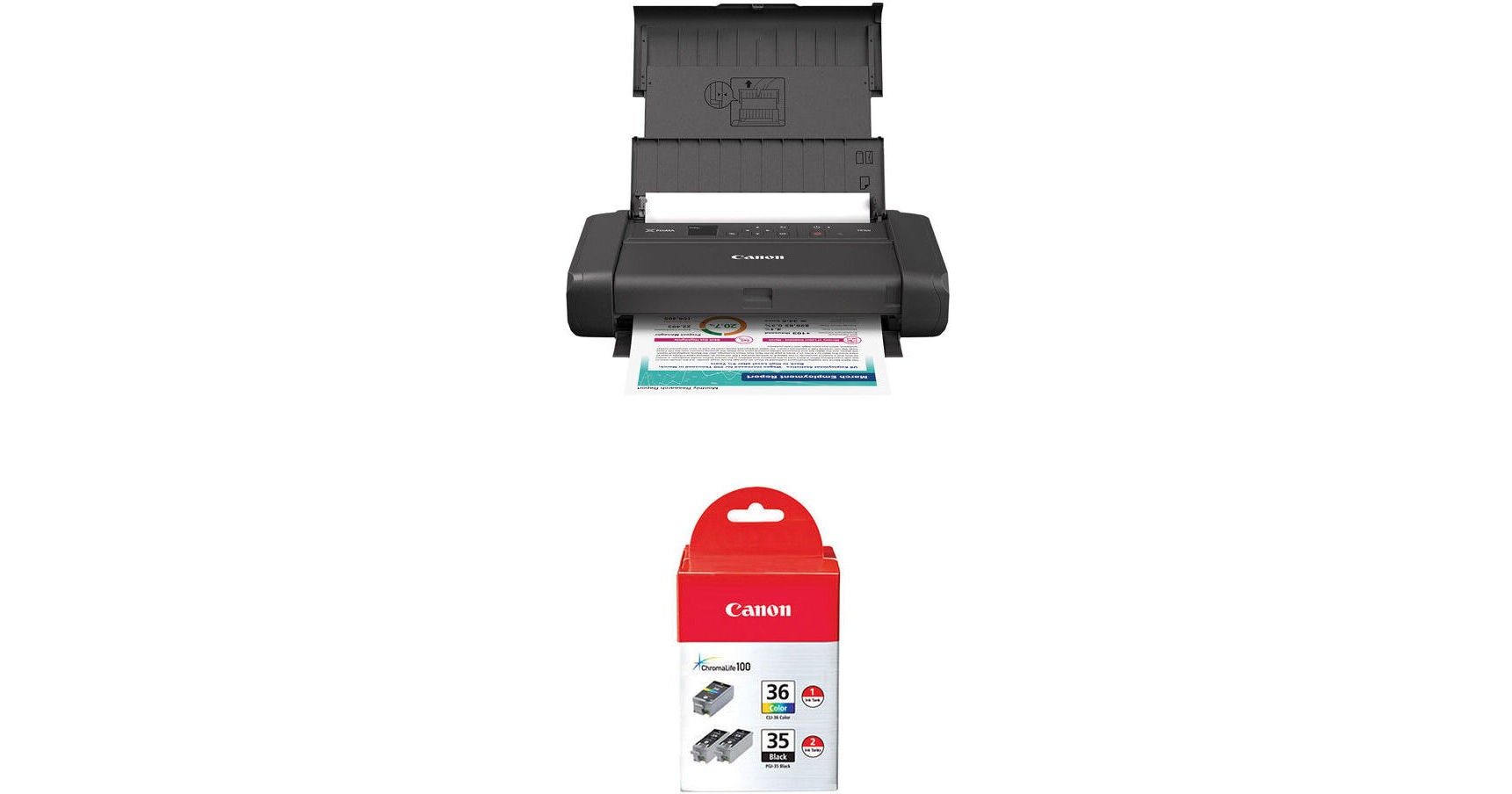
Canon PIXMA TR160 Wireless Mobile Printer with Twin PGI-35 Black and CLI-36 Color Ink Tank Kit

BH #CAPTR160K (B&H Kit)
Print
Canon PIXMA TR160 Wireless Mobile Printer with Twin PGI-35 Black and CLI-36 Color Ink Tank Kit
Key Features
  • Print Resolution: 4800 x 1200 dpi
  • 50-Sheet Capacity
  • 1.44" OLED Display
  • Color Print Speed: 5.5 ipm
Print via USB or Wi-Fi in color or monochrome with the Canon PIXMA TR160 Wireless Mobile Printer with Twin PGI-35 Black and CLI-36 Color Ink Tank Kit from B&H. This kit includes a twin PGI-35 black ink tank and a CLI-36 color ink tank.
More Details
In Stock
Free 2-Day Shipping
Protect Your Gear
Add a protection plan from $26.00
Ask an Expert
800-606-6969
Kit Contains:

From Manufacturer

Print via USB or Wi-Fi in color or monochrome with the Canon PIXMA TR160 Wireless Mobile Printer with Twin PGI-35 Black and CLI-36 Color Ink Tank Kit from B&H. This kit includes a twin PGI-35 black ink tank and a CLI-36 color ink tank.

Canon PIXMA TR160 Wireless Mobile Printer

Experience high-quality printing wherever you go with the PIXMA TR160 Wireless Mobile Printer from Canon. Designed for professionals on the move, this sleek and compact printer fits effortlessly in your bag or backpack so you can print from anywhere. It features fast print speeds including 9 ipm for black and 5.5 ipm for color, plus borderless prints in as little as 53 seconds. Power it with the included AC cable or an optional LK-72 battery pack for ultimate portability. Enjoy hassle-free wireless printing from your smartphone, tablet, or computer via Google Cloud Print, PIXMA Cloud Link, and PictBridge. Plus, the 1.44" OLED display offers an intuitive interface, making printing easier than ever. Enjoy a more secure work environment with the PIXMA TR160's anti-theft locking slot.

Connect and print on the go with this lightweight portable printer - it easily fits in your bag or backpack
Print using the Canon PRINT app, Apple AirPrint, or Mopria Print Service with your compatible device or the cloud
Print without an AC outlet thanks to the optional LK-72 battery pack and charge via USB
Anti-theft locking slot offers a secure work environment
Easily check ink levels, printer status, and other settings via the 1.44" monochrome OLED
Connect your compatible device to the printer without a wireless router
Print documents and photos up to 8.5 x 11" including square and borderless prints
Showcase sharp black text and vibrant colors thanks to the five-color hybrid ink system
UPC: 013803385298
Canon Twin PGI-35 Black and CLI-36 Color Ink Tank

The Twin PGI-35 Black and CLI-36 Color Ink from Canon is designed with FINE (Full Photolithographic Inkjet Nozzle Engineering) technology, adding sharpness, detail, and quality. Created for the PIXMA line of printers, the ink tank produces document quality with crisp, smudge-resistant text and delivers bright colors for great quality on plain and select photo printer.

UPC: 660685004856
Kit Contains:

Canon PIXMA TR160 Wireless Mobile Printer

Key Specs
Functions
Print
Printing Technology
Inkjet
Color Type
Color
Configuration
2x Individual Cartridge
Ink Type
Dye-Based (Black, Cyan, Magenta, Yellow)
Pigment-Based (Black)
Ink Color
1x Tri-Color
1x Black
Print Resolution
4800 x 1200 dpi
Media Sizes
Input Tray 1
Maximum: 8.5 x 14" / 21.59 x 35.56 cm
Wireless
Wi-Fi
Power Source
AC Power (Cable Built-In/Included)
Functions
Print
Printer
Printing Technology
Inkjet
Color Type
Color
Configuration
2x Individual Cartridge
Ink Type
Dye-Based (Black, Cyan, Magenta, Yellow)
Pigment-Based (Black)
Ink Color
1x Tri-Color
1x Black
Compatible Cartridges
Canon CLI-36 / PGI-35
Number of Nozzles
1856 Nozzles (Total)
1536 Nozzles (Per Channel)
Print Resolution
4800 x 1200 dpi
Borderless Printing
Yes: Up to 8.5 x 11" / 21.59 x 27.94 cm
Duplex Printing
No
Print Speed (By Time)
5.5 ipm (Color)
9 ipm (Black)
First Print Out Time
15 Seconds (Color)
11 Seconds (Black)
Monthly Duty Cycle
500 Pages
Printer Media Handling
Media Handling
1 x Input Tray
Media Sizes
Input Tray 1
Minimum: 3.5 x 3.5" / 8.89 x 8.89 cm
Maximum: 8.5 x 14" / 21.59 x 35.56 cm
Media Weight
Input Tray 1: 64 to 105 gsm / 16 to 28 lb
Paper Capacity
Input Tray 1: 50 x Sheet
Special Media Support
Envelopes, Cards
Connectivity
Data I/O
1x USB-C Input
Wireless
Wi-Fi
Direct Printing
Apple AirPrint, Canon PRINT, Mopria, Wi-Fi Direct
OS Compatibility
Windows 7 or Later / macOS 11 or Later / Chrome OS
General
Display Size
1.44"
Display Type
Monochrome OLED
Power Source
AC Power (Cable Built-In/Included)
Battery
No
Input Power
100 to 240 VAC, 50 / 60 Hz
Power Consumption
8 W (Maximum)
1.1 W (Ready)
0.15 W (Off)
Max Acoustic Noise
40.5 dBA
Operating Conditions
41 to 95°F / 5 to 35°C up to 90% Humidity
Certifications
ENERGY STAR Certified, EPEAT Silver
Dimensions (W x H x D)
12.7 x 7.3 x 2.6" / 32.3 x 18.5 x 6.6 cm (with Paper Tray Closed)
12.7 x 12.1 x 9.7" / 32.3 x 30.7 x 24.6 cm (Maximum)
Weight
4.5 lb / 2.04 kg
Packaging Info
Package Weight
7.125 lb
Box Dimensions (LxWxH)
15.1 x 11.8 x 6.4"

Canon TR160 Reviews

Performs as expected, clutch if you need to print on the go

By William
Rated 5 out of 5
Date: 2026-06-03

I am a professional that occasionally needs to print out a few documents while on the go, so I did a little research and purchased this Canon Pixma TR160 from B&H. Fast delivery, easy set up, I also purchased the separate portable battery kit and spare ink. I usually have to travel to an office supply store to print out documents, but today, I simply powered on this printer, inserted paper, and connected my laptop directly to the wireless network to print out an important document I needed to file within minutes. I was literally walking and printing into a department and presented the document which was accepted and filed just in the nick of time. If you are serious about work and need to print on the go, look no further than this printer. Although an inkjet print quality is very good. Not sure about print yield, but huge time saver and prints on regular paper unlike the thermal printers. Definitely a keeper, great product, price and value.

Difficult to Connect, Prints w/Streaks and Crooked Letters

By Ioana
Rated 2 out of 5
Date: 2026-01-28

Disappointed in the high reviews this printer got which led me to buy it. I left the review below on the Epson WF-110, which I ended up keeping instead, which compares them: I first tried the Canon Pixma TR-160, because reviewers said it prints faster and doesn't use as much ink. I know, having had many Epson printers in the past, that the ink is expensive and goes fast with the head cleaning required. Nozzles getting clogged otherwise. It's a pain. However, I had so much trouble and wasted so many hours trying to get the Canon to print, connect to WiFi, be found "online," etc. that I decided to also test out the Epson. The other choice for a portable printer was the HP, but that included scanning I didn't need (already have the Epson ES-65WR). And it was heavier. CONNECTING Canon was a nightmare. First setup was fine actually, but when I needed to print another day, it didn't work. It got stuck communicating, couldn't connect to WiFi for whatever reason. Was worse on phone. Almost impossible to print from phone. And I print things like return labels from the phone. Canon also required downloading a bunch of software, both on phone, and on the desktop, some of which I realized was totally unnecessary, and didn't help print. I wasted so much time with their software thinking it would help print. Epson printed right out of the box. No software needed at all on desktop (PC). Just turn the printer on and be on the same WiFi. It will be found. Same on phone. Very easy. It took me like 1 minute. PRINT QUALITY Canon has strong visible streaks. This is after a head cleaning which looked good. Also, or worse, letters print crooked. See attached, though photo hides a bit of it. Canon prints darker, but not sure that is correct. Epson letters are very straight. It does seem to have some vague muffled streaking, but much less and not very noticeable. This is without a head cleaning. Epson prints lighter, but not sure if that is wrong or correct. This test was on a standard copy sheet. I know Epsons print better on photo paper. But then they use a lot of ink. For my portable printer use, I need the prints to be correct (no angled letters or lines). But I am not printing photos or art for sale (maybe general test prints), so don't care about archival quality. WEIGHT Epson is half the weight of the Canon. It actually doesn't matter much to me, because I'm not constantly carrying it back and forth, but might to someone who does. Both of them seem light enough to be comfortably portable DIMENSIONS The Epson is a tiny bit smaller than the Canon. OVERALL Based on all this, I think the Epson is the best option for a portable printer. I never write long reviews because I'm busy, but I feel the need to because based on the all the reviews I read, Canon was the best option. And I don't think that's true.

See any errors on this page?

Can you print directly from a camera?

Can you print directly from a camera?
Asked by: Henry
The Canon PIXMA TR160 Wireless Mobile Printer, B&H # CAPTR160, does not support printing directly from a camera.
Answered by: Miguel M
Date published: 2025-11-23
  • y_2026, m_11, d_5, h_5CST
  • bvseo_bulk, prod_bvqa, vn_bulk_3.0.48
  • cp_1, bvpage1
  • co_hasquestionsanswers, tq_1
  • loc_en_US, sid_1952182, prod, sort_[SortEntry(order=HAS_STAFF_ANSWERS, direction=DESCENDING)]
  • clientName_bhphotovideo
Whatever You Need, We've Got It