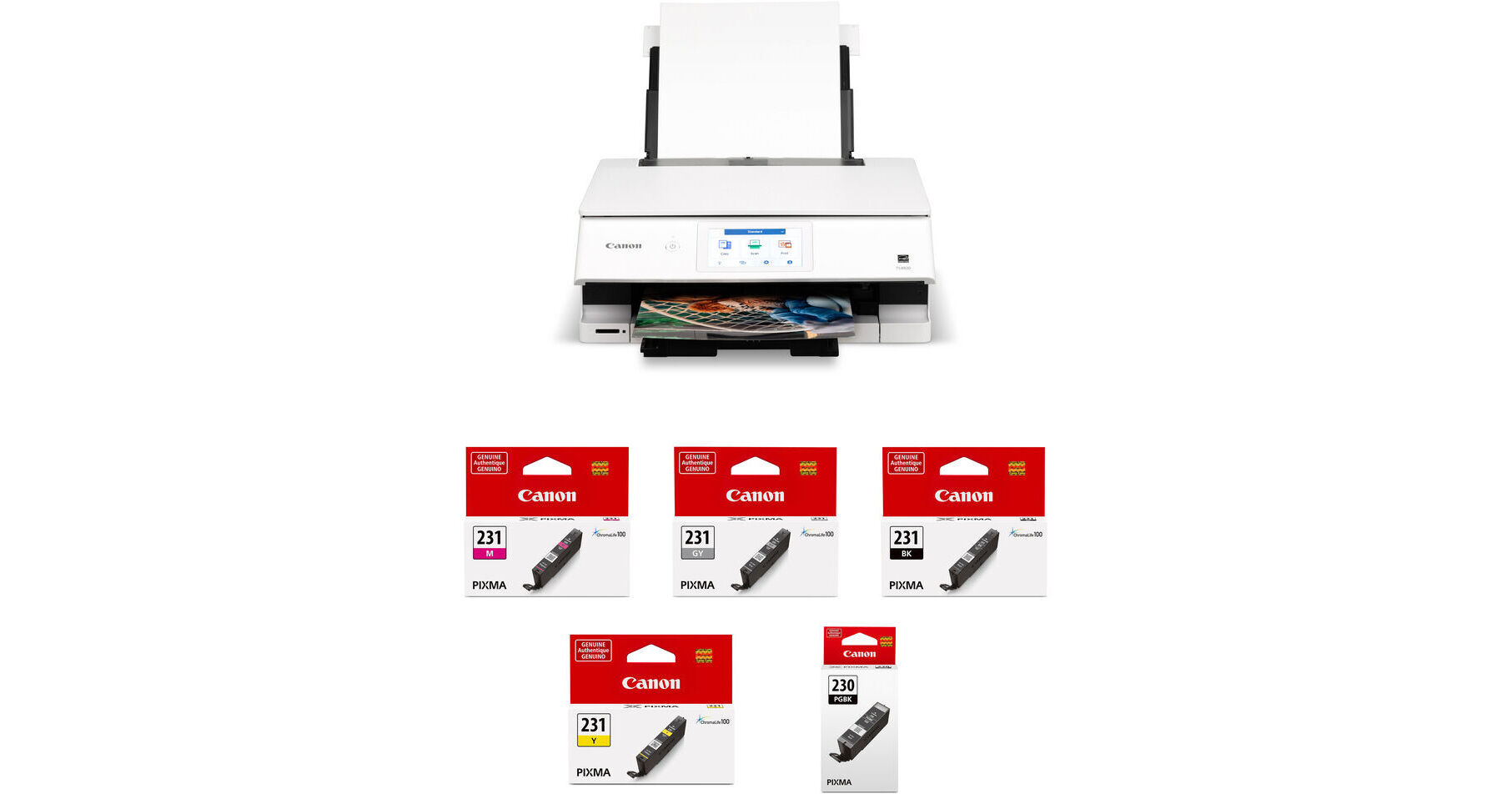
Canon PIXMA TS8820 Wireless All-in-One Inkjet Printer with CLI-231/PGI-230 5-Color Ink Tank Kit

BH #CAPTS8820KT (B&H Kit)
Print
Canon PIXMA TS8820 Wireless All-in-One Inkjet Printer with CLI-231/PGI-230 5-Color Ink Tank Kit
Key Features
  • Includes Canon PIXMA TS8820
  • Print, Copy, Scan
  • Max Resolution: 4800 x 1200 dpi
  • Print Speed (Black/Color): 15/10 ipm
Print, copy, and scan via Wi-Fi and USB using the Canon PIXMA TS8820 Wireless All-in-One Inkjet Printer with CLI-231/PGI-230 5-Color Ink Tank Kit from B&H. The included ink tanks are magenta, gray, black, yellow, and pigment black.
More Details
Temporarily Out of Stock
Expected availability: 7-14 Business Days
No Store Display
Free 2-Day Shipping
Ask an Expert
800-606-6969
Kit Contains:

From Manufacturer

Print, copy, and scan via Wi-Fi and USB using the Canon PIXMA TS8820 Wireless All-in-One Inkjet Printer with CLI-231/PGI-230 5-Color Ink Tank Kit from B&H. The included ink tanks are magenta, gray, black, yellow, and pigment black.

Canon PIXMA TS8820 Wireless All-in-One Inkjet Printer

With a resolution up to 4800 x 1200 dpi, the PIXMA TS8820 Wireless All-in-One Inkjet Printer from Canon is a compact home office printer designed to handle all your work needs. Easy to set up and simple to use, it features a large 4.3" LCD touchscreen for an intuitive user interface, and it offers wireless functionality. Front and rear paper feeding allow you to load up to 200 sheets at a time, so you can scan and copy images quickly and efficiently. An 8.5 x 11.7" flatbed scanner lets you make high-resolution scans up to 2400 x 4800 dpi. Additional copy features include auto exposure copy, document copy, document removal reminder, fit-to-page, photocopy, ID card copy, photo fade restoration, reduction/enlargement, and more.

Print, copy, scan, and navigate the features you need using the clear, brightly-lit 4.3" color touchscreen LCD
Copy and scan multi-page documents fast and easy
Thanks to the built-in Wi-Fi, you can easily print from a laptop, tablet, or smartphone
You can also use the Easy-PhotoPrint Editor app or Canon Creative Park app for creative printing options
Easily print square photos right from your smartphone or social media; choose from either 5 x 5" or 3.5 x 3.5" square Canon photo paper (sold separately)
The hybrid ink system allows you to print in sharp black text for documents and in color for high-quality photos
Front and rear paper trays hold plain and photo papers simultaneously
Create professional posters and flyers with PosterArtist online. Easy-to-use, free, template-driven, poster creation application
Print from your favorite mobile devices using the Canon PRINT app, Apple AirPrint, and the Mopria print service
UPC: 013803379600
Canon CLI-231 Magenta Ink Tank (8.2mL)

The Canon CLI-231 Magenta Ink Tank is compatible with the Canon PIXMA TS8820 inkjet printer. It produces professional quality photos with an expanded color gamut and enhanced density.

UPC: 013803380743
Canon CLI-231 Gray Ink Tank (8.2mL)

The Canon CLI-231 Gray Ink Tank is compatible with the Canon PIXMA TS8820 inkjet printer. It produces professional quality photos with an expanded color gamut and enhanced density.

UPC: 013803380774
Canon CLI-231 Black Ink Tank (8.2mL)

The Canon CLI-231 Black Ink Tank is compatible with the Canon PIXMA TS8820 inkjet printer. It produces professional quality photos with an expanded color gamut and enhanced density.

UPC: 013803380682
Canon CLI-231 Yellow Ink Tank (8.2mL)

The Canon CLI-231 Yellow Ink Tank is compatible with the Canon PIXMA TS8820 inkjet printer. It produces professional quality photos with an expanded color gamut and enhanced density.

UPC: 013803380750
Canon PGI-230 Pigment Black Ink Tank (18.5mL)

Designed for the Canon PIXMA TS8820, this PGI-230 Pigment Black Ink Tank has smudge-resistant ink to produce professional quality documents.

UPC: 013803380675
Kit Contains:

Canon PIXMA TS8820 Wireless All-in-One Inkjet Printer

Key Specs
Functions
Print, Scan, Copy
Printing Technology
Inkjet
Color Type
Color
Configuration
6x Built-In Tank
Ink Type
Pigment-Based (Black)
Dye-Based (Black, Cyan, Gray, Magenta, Yellow)
Ink Color
1x Cyan
1x Magenta
1x Yellow
1x Black
1x Gray
Print Resolution
4800 x 1200 dpi
Media Sizes
Input Tray 1
Maximum: 8.5 x 11.7" / 21.6 x 29.7 cm
Input Tray 2
Maximum: 8.5 x 11" / 21.6 x 27.9 cm
Multipurpose Tray
Maximum: 8.5 x 26.6" / 21.6 x 67.6 cm
Scanner Type
Flatbed Scanner with Manual Feed
Scanner Maximum Resolution
Flatbed
2400 x 4800 dpi (Hardware)
Scanner Color Depth
8-Bit (Internal)
Wireless
Wi-Fi 5 (802.11ac)
Power Source
AC Power (Cable Built-In/Included)
Functions
Print, Scan, Copy
Printer
Printing Technology
Inkjet
Color Type
Color
Configuration
6x Built-In Tank
Ink Type
Pigment-Based (Black)
Dye-Based (Black, Cyan, Gray, Magenta, Yellow)
Ink Color
1x Cyan
1x Magenta
1x Yellow
1x Black
1x Gray
Compatible Cartridges
Canon CL-231 / PG-230
Number of Nozzles
6656 Nozzles (Total)
Print Resolution
4800 x 1200 dpi
Borderless Printing
Yes: Up to 8.5 x 11.7" / 21.6 x 29.7 cm
Duplex Printing
Yes
Print Speed (By Time)
15 ipm (Black)
10 ipm (Color)
Printer Media Handling
Media Handling
1 x Input Tray, 2 x Input Tray, Multipurpose Tray
Media Sizes
Input Tray 1
Minimum: 5.8 x 8.3" / 14.7 x 21.1 cm
Maximum: 8.5 x 11.7" / 21.6 x 29.7 cm
Input Tray 2
Minimum: 3.5 x 3.5" / 8.9 x 8.9 cm
Maximum: 8.5 x 11" / 21.6 x 27.9 cm
Multipurpose Tray
Minimum: 2.5 x 3.5" / 6.3 x 8.9 cm
Maximum: 8.5 x 26.6" / 21.6 x 67.6 cm
Media Weight
Input Tray 1: 64 to 105 gsm
Paper Capacity
Input Tray 1: 100 x Sheet
Multipurpose Tray: 1 x Sheet
Input Tray 2: 100 x Sheet
Special Media Support
Envelopes, Cards
Scanner
Type
Flatbed Scanner with Manual Feed
Maximum Resolution
Flatbed
2400 x 4800 dpi (Hardware)
Scan Modes
Color, Grayscale
Color Depth
8-Bit (Internal)
Grayscale Depth
8-Bit (Internal)
Image Sensor
1x Contact Image Sensor (CIS)
File Formats
HEIF, JPEG, PNG
Scanner Media Handling
Scan Sizes
Flatbed
Maximum: 8.5 x 11.7" / 21.6 x 29.7 cm
Copier
Number of Copies
Up to 99 Copies
Reduction/Enlargement
25 to 400%
Copy Speed
7 cpm (Black)
7 cpm (Color)
Duplex Copying
No
Connectivity
Data I/O
1x USB-B Input
Wireless
Wi-Fi 5 (802.11ac)
Direct Printing
Android, Apple AirPrint, Canon PRINT, Mopria
Media/Memory Card Slot
Single Slot: SD/SDHC/SDXC
General
Display Size
4.3"
Display Type
Color Touchscreen LCD
Power Source
AC Power (Cable Built-In/Included)
Battery
No
Input Power
100 to 240 VAC, 50 / 60 Hz
Power Consumption
27 W (Maximum)
1.1 W (Standby)
0.1 W (Off)
Max Acoustic Noise
44.5 dBA (Pressure)
Operating Conditions
41 to 95°F / 5 to 35°C at 10 to 90% Humidity
Certifications
ENERGY STAR, EPEATSilver
Dimensions (W x H x D)
14.7 x 11.9 x 25.7" / 37.3 x 30.2 x 65.3 cm (with Input Tray Open, Maximum)
14.7 x 5.6 x 13.6" / 37.3 x 14.2 x 34.5 cm (with Paper Tray Closed)
Weight
14.5 lb / 6.6 kg
Packaging Info
Package Weight
18.73 lb
Box Dimensions (LxWxH)
18.8 x 17.4 x 9.1"

Canon TS8820 Reviews

Very Nice Printer

By Gregory
Rated 5 out of 5
Date: 2026-05-19

No issues connecting to my devices. Clear and easy to use interface. Fast prints and nice quality. Closing the front panel manually is a bit unnerving as it takes a bit of pressure to close. I would recommend this printer.

Excellent Printer

By Gil
Rated 5 out of 5
Date: 2025-09-09

this is an excellent printer ! set-up was easy PROVIDED you are on the phone with Canon Technical Support during your set-up !

See any errors on this page?

How durable are the dye based inks?

How durable are the dye based inks?
Asked by: The Finer Image
The dye-based inks used by the Canon PIXMA TS8820 Wireless All-in-One Inkjet Printer, B&H # CAPTS8820, use Canon's ChromaLife 100 ink, which is estimated to produce prints that can last up to 100 years when kept inside of an album and away from direct sunlight. Keep in mind that your results may vary depending on the printed image, drying time, display/storage conditions, and environmental factors.
Answered by: Miguel M
Date published: 2026-03-09
  • y_2026, m_9, d_7, h_9CST
  • bvseo_bulk, prod_bvqa, vn_bulk_3.0.48
  • cp_1, bvpage1
  • co_hasquestionsanswers, tq_1
  • loc_en_US, sid_1952600, prod, sort_[SortEntry(order=HAS_STAFF_ANSWERS, direction=DESCENDING)]
  • clientName_bhphotovideo
Whatever You Need, We've Got It