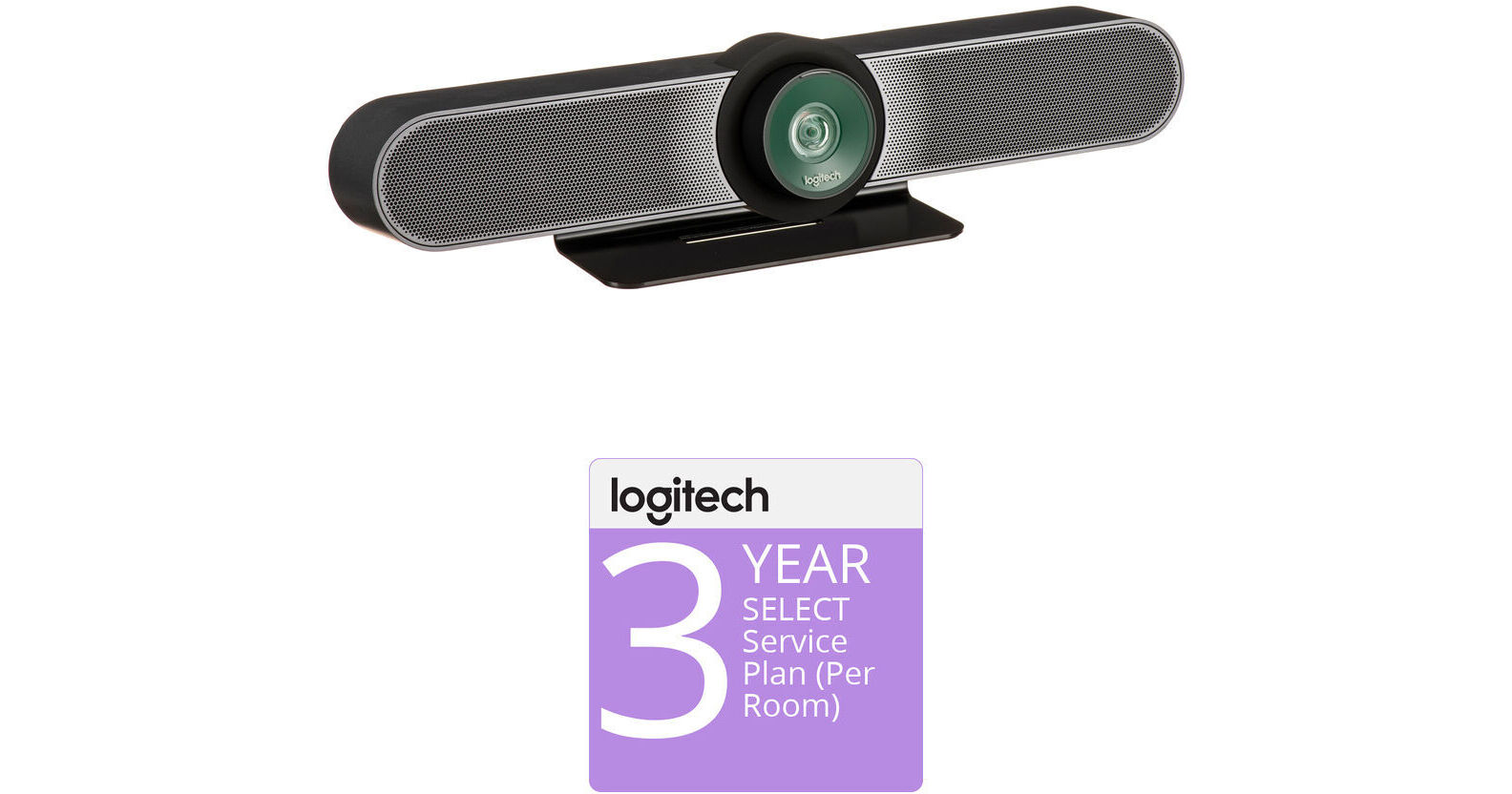
Logitech MeetUp All-in-One 4K ConferenceCam with 3-Year Extended Warranty (per Room)

BH #LOMUCC1203YK (B&H Kit)
Print
Logitech MeetUp All-in-One 4K ConferenceCam with 3-Year Extended Warranty (per Room)
Key Features
  • MeetUp All-in-One 4K ConferenceCam
  • 3-Year Manufacturer Extended Warranty
  • Up to UHD 4K Video, 120° Lens
  • For Small Conference Rooms
Add the Logitech MeetUp All-in-One 4K ConferenceCam with 3-Year Extended Warranty put together by B&H to your small conference room for a full video conferencing solution. This kit includes the MeetUp 4K ConferenceCam all-in-one video bar and an extended 3-year warranty.
More Details
Kit Contains:
Logitech MeetUp All-in-One 4K ConferenceCam with 120° FOV Lens
Add the MeetUp All-in-One 4K ConferenceCam from Logitech to your small conference room to capture audio and video of everyone in the room. The compact design keeps wiring to a minimum and can be easily mounted on a table or on the wall. Its pan, tilt, zoom, volume, mute, and answer/hang-up functions can be controlled by the included RF remote control or by the ConferenceCam Soft Remote app for Android and iOS over Bluetooth. You can also connect your smartphone via Bluetooth to use the MeetUp speaker for rich, clear sound.
Super-Wide 120° Field of View
MeetUp features camera optics that capture a wide field of view without distorting faces and furniture with a fisheye effect. Faces look natural, whiteboard writing remains legible, and straight lines stay straight.
5x Zoom Lens
Zoom in on whiteboards and objects so remote participants can see what you see. Thanks to its advanced 4K image sensor, video remains sharp and clear, even when you zoom in on the details.
UHD 4K Image Sensor
Supports multiple resolutions, including UHD 4K, 1080p (Full HD), and 720p (HD) to best support the quality offered by your application and monitor.
Camera Operation
The camera features three presets and motorized pan/tilt operation. Expand your field of view even further, up to 170°, to pan to the white board or view other areas of interest. Select up to three preset locations for the camera view and return to any of them with the push of a button on the remote control.
Built-In Microphone, Optional Expansion Mic
MeetUp's built-in beamforming mics are optimized for up to 8'. To extend that range up to 14', add an optional Expansion Mic. Whether people are seated at a table, sitting against the wall, or walking around the room, the Expansion Mic for MeetUp means everyone will be heard.
Bluetooth Speakerphone
If you're already connected on your smartphone or dialing into an audio conference, pair MeetUp with your smartphone or tablet to enjoy outstanding audio clarity, volume, and range that handheld devices can't match.
Remote Control
With a multi-directional remote control, you can easily operate camera controls, adjust volume, and mute/unmute from anywhere in the room. Featuring a low-profile design, durable materials, and a non-slip base, the MeetUp Remote Control feels as good on the tabletop as it does in your hand.

The ConferenceCam Soft Remote app for Android and iOS (available on Google Play and iTunes) replicates every function of the physical MeetUp remote on your smartphone or tablet.

Wall Mount or Optional TV Mount
The MeetUp includes a mounting kit with the hardware you need to mount the unit on a wall or mount onto a table. The optional Logitech TV Mount for MeetUp lets you mount the MeetUp ConferenceCam either above or below a flat-panel monitor, and attaches to the industry-standard VESA mounting points available on most TVs and monitors.
Kensington Security Slot
Secure the MeetUp when not in the conference room with a Kensington-compatible security slot.
Software Compatibility
  • MeetUp works with most any video conferencing application or meetings service
  • Skype for Business certified
  • Microsoft Cortana certified
  • Cisco Jabber and WebEx compatible
  • Enhanced integration with Logitech Collaboration Program (LCP) members, including BlueJeans, Broadsoft, LifeSize Cloud, Vidyo, and Zoom
System Requirements
Windows 7, Windows 8.1, or Windows 10
macOS 10.10 or higher
Chrome OS Version 29.0.1547.70 and higher
USB 2.0 port (USB 3.0/3.1 Gen 1 required for 4K video)
UPC: 097855130037
Logitech 3-Year Extended Warranty for SELECT Service Plan (per Room)

Stay protected longer with the 3-Year Extended Warranty for SELECT Service Plan from Logitech. Providing 3 years of coverage, this manufacturer extended warranty protects against defects in material and workmanship. Included are access to multiple Logitech service portals and a Dedicated Service Manager for 24/7 support.

Please note, this extended warranty must be purchased at the same time or within 30 days of the applicable product.

Kit Contains:

Logitech MeetUp All-in-One 4K ConferenceCam with 120° FOV Lens

Key Specs
Resolution and Frame Rate
UHD 4K at up to 30 fps
Image Sensor
CMOS
System Connection
USB-A 2.0
Sensor
Resolution and Frame Rate
UHD 4K at up to 30 fps
Image Sensor
CMOS
Field of View
120°
Zoom
5x (Digital)
General
System Connection
USB-A 2.0
Focus Type
Auto
Bluetooth
No
Wi-Fi
No
Power Source
AC Adapter
Low-Light Correction
Yes
OS Compatibility
Windows 7 or Later / macOS 10.11 or Later
OS Compatibility
Windows 7
Windows 8.1
Windows 10
macOS 10.10 or Later
Chrome OS 29 or Later
Microphone
Microphone
3
Polar Pattern
Omnidirectional
Frequency Range
90 Hz to 16 kHz
Microphone Features
Beam Forming, Noise Cancellation
Physical
Privacy Shutter
No
Dimensions (W x H x D)
15.8 x 4.1 x 3.4" / 400.0 x 104.0 x 85.0 mm
3.3 x 3.3 x 0.4" / 83.0 x 83.0 x 10.0 mm (Remote)
Weight
2.3 lb / 1 kg
Packaging Info
Package Weight
5.25 lb
Box Dimensions (LxWxH)
18.65 x 7.95 x 5.4"

Logitech MeetUp 4K ConferenceCam Reviews

See any errors on this page?

I'm mounting this to a mobile cart with the TV ...

I'm mounting this to a mobile cart with the TV Mount XL. I also want to mount a sound bar below the TV. Does the MeetUp function well when it is above the TV?
Asked by: John
Thank you the replies. In my case the sound bar would be to enhance TV audio other than the conferencing. I don't believe there is a way to connect other inputs, streaming sources, OTA audio, etc., to the Meetup. Correct?
Answered by: John
Date published: 2021-08-04

Does this come with a wall mount in the box?

Does this come with a wall mount in the box?
Asked by: Tyler
Yes, it does.
Answered by: Kenneth B
Date published: 2022-06-23

Are these compatible with m1 macs running ...

Are these compatible with m1 macs running Ventura? How about HP Elitebook 840 G8 on Win 10?
Asked by: Nathan
Logitech MeetUp 4K ConferenceCam + Expansion Mic Bundle BH #LOMUCCBM will be compatible with both of these computers.
Answered by: Mark S
Date published: 2023-03-28

Best way to connect to a macbook that's hosting ...

Best way to connect to a macbook that's hosting the meeting and show on a TV for the whole room to see?
Asked by: Corey
Logitech MeetUp All-in-One 4K ConferenceCam with 120° FOV Lens (BH # LOMUCC120) will connect to the computer via USB and from the computer to the TV via an HDMI cable.
Answered by: Mark S
Date published: 2025-03-11

Can this camera mount on a tripod?

Can this camera mount on a tripod?
Asked by: Melissa
I do not think so.
Answered by: Brian
Date published: 2022-03-25

Can I hook this up to my IPad Pro?

Can I hook this up to my IPad Pro?
Asked by: Ian
MeetUp is compatible with these platforms Windows® 7, Windows 8.1, or Windows 10, and macOS® 10.10 or higher
Answered by: Logitech
Date published: 2020-05-18

Can I be connected on the phone and video ...

Can I be connected on the phone and video conference and display my computer simultaneously?
Asked by: Edward
Hello Edward. You can connect your phone via Bluetooth to the Meetup to use it as a speakerphone. This will not engage the camera or video conferencing. You will need the computer to do video conferencing through the Meetup.
Answered by: Logitech
Date published: 2024-08-05

is it compatible for 220V?

is it compatible for 220V?
Asked by: Jay
The Logitech MeetUp 4K ConferenceCam + Expansion Mic Bundle BH #LOMUCCBM includes a power supply that is 120V AC only.
Answered by: Mark S
Date published: 2022-08-04
  • y_2026, m_8, d_24, h_9CST
  • bvseo_bulk, prod_bvqa, vn_bulk_3.0.48
  • cp_1, bvpage1
  • co_hasquestionsanswers, tq_12
  • loc_en_US, sid_1953576, prod, sort_[SortEntry(order=HAS_STAFF_ANSWERS, direction=DESCENDING)]
  • clientName_bhphotovideo
Whatever You Need, We've Got It