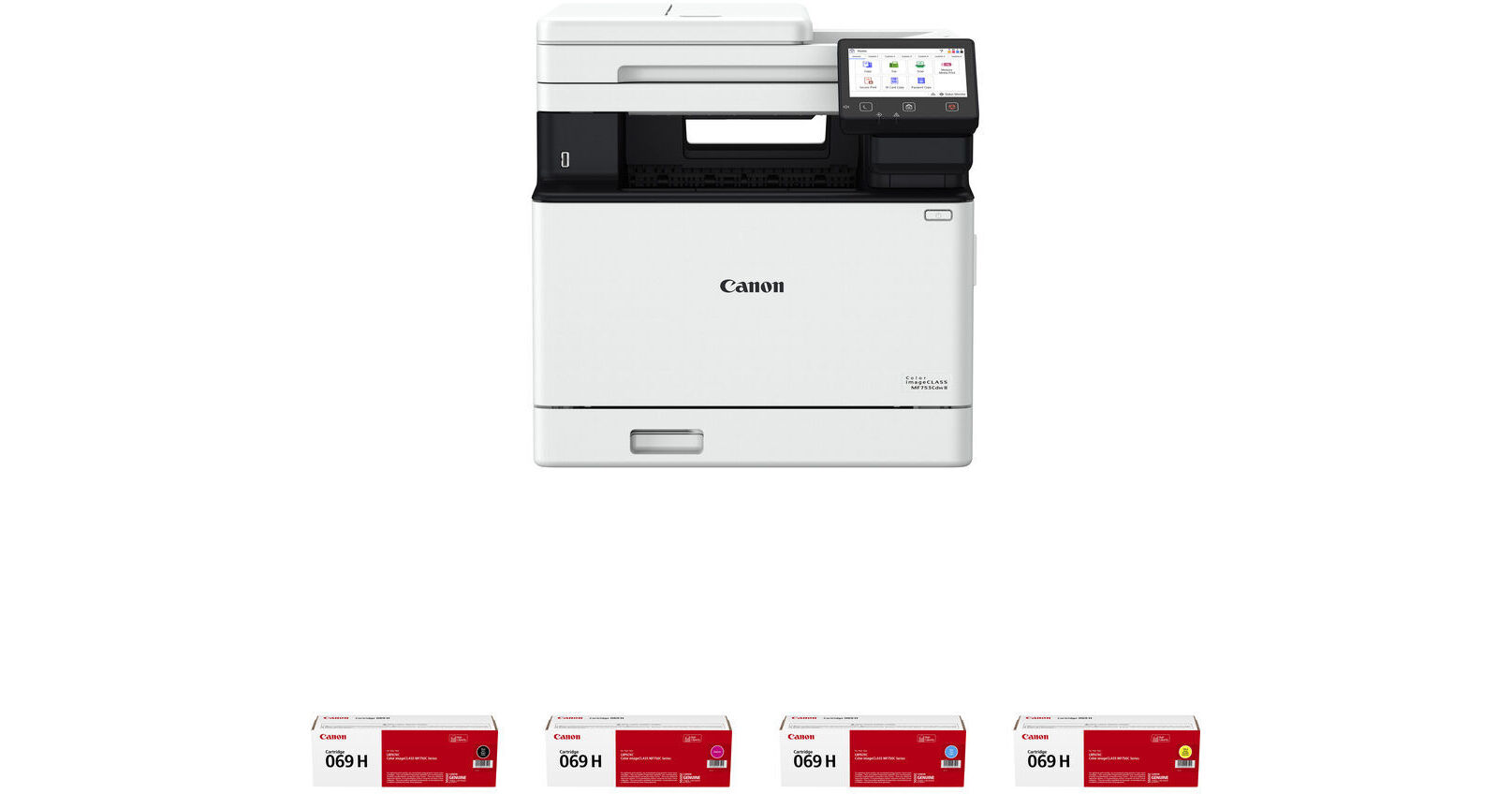
Canon imageCLASS MF753Cdw II Multifunction Wireless Color Laser Printer with Four 069 High-Capacity Toner Cartridges Kit

BH #CAIMF753CDK1 (B&H Kit)
Print
Canon imageCLASS MF753Cdw II Multifunction Wireless Color Laser Printer with Four 069 High-Capacity Toner Cartridges Kit
Key Features
  • Print, Scan, Copy & Fax Functions
  • Automatic Dual-Sided Printing
  • Print Speed: 35 ppm
  • Print Resolution: 1200 x 1200 dpi
Print, scan, copy, and fax with the Canon imageCLASS MF753Cdw II Multifunction Wireless Color Laser Printer with Four 069 High-Capacity Toner Cartridges Kit from B&H. Connect via USB, Ethernet, or Wi-Fi. This kit includes four 069 high-capacity toner cartridges in black, cyan, magenta, and yellow.
More Details
In Stock
No Store Display
Free 2-Day Shipping
Protect Your Gear
Add a protection plan from $89.99
Ask an Expert
800-606-6969
Kit Contains:

Print, scan, copy, and fax with the Canon imageCLASS MF753Cdw II Multifunction Wireless Color Laser Printer with Four 069 High-Capacity Toner Cartridges Kit from B&H. Connect via USB, Ethernet, or Wi-Fi. This kit includes four 069 high-capacity toner cartridges in black, cyan, magenta, and yellow.

Canon imageCLASS MF753Cdw II Multifunction Wireless Color Laser Printer

A compact Canon imageCLASS model, the imageCLASS MF753Cdw II Multifunction Wireless Color Laser Printer is a multifunction color laser printer designed for small and mid-size businesses. In a small footprint, it provides print, copy, scan, and fax functions. It features a print resolution of 1200 x 1200 dpi and supports automatic two-sided (duplex) printing. The MF753Cdw has a 250-sheet paper tray and a 50-sheet multipurpose tray for printing. These both support up to 8.5 x 14" legal-size paper. For copying and scanning, the printer has a 50-sheet single-pass duplex automatic document feeder (ADF) that supports up to legal-size paper and a flatbed that fits up to 8.5 x 11" letter-size paper. The copy resolution is 1200 x 1200 dpi, and the scan resolution is 600 x 600 dpi. Scanned documents can be sent to an email or file server.

The ISO average print speed rating is 35 pages per minute (ppm) for color duplex prints in 8.5 x 11" letter size. The first page printout time is 7 seconds. The recommended monthly duty cycle is 4000 pages.

Multiple connection interfaces allow for different ways to connect and use the MF753Cdw. The printer has built-in Wi-Fi for a wireless workflow, a USB port for connecting directly to a computer, and an Ethernet port for connecting to a network. The Wi-Fi interface allows using the Canon PRINT Business mobile app or the Apple AirPrint, Mopria, and Wi-Fi Direct mobile print services to wirelessly control the printer. You can send print commands from your smartphone or tablet and print material that you have on your mobile device.

Additionally, the imageCLASS MF753Cdw provides a USB-A port for connecting flash drives to print from. Documents in JPG, TIFF, and PDF file types can be printed directly off the flash drive. For onboard navigation, the MF753Cdw has a customizable, 5" color touchscreen that's designed to provide an intuitive user experience.

Key Features
  • Print, copy, scan, and fax functionality
  • 1200 x 1200 dpi print resolution
  • 600 x 600 dpi copy and scan resolution
  • Automatic two-sided (duplex) printing
  • 250-sheet paper tray and 50-sheet multipurpose tray support up to legal size paper
  • 50-sheet single-pass duplex ADF for copying and scanning supports up to legal size paper; flatbed supports up to letter size
  • Wi-Fi, USB, and Ethernet interfaces
  • USB-A port for flash drives
  • 5" color touchscreen navigation
  • 35 ppm ISO print speed for letter-size color duplex prints
  • 7-second first page printout
  • 4000-page recommended monthly duty cycle
Network Security
  • IP/MAC address filtering
  • IPSEC
  • TLS 1.3
  • SNMP V3.0
  • IEEE 802.1X
  • IPv4/IPv6
  • SMTP authentication
  • POP3
UPC: 013803387438
Canon 069 High-Capacity Black Toner Cartridge

The Canon 069 High-Capacity Black Toner Cartridge is compatible with the Canon imageCLASS LBP674Cdw, MF751Cdw, and MF753Cdw printers. It produces a yield of approximately 7600 pages.

UPC: 013803347395
Canon 069 High-Capacity Magenta Toner Cartridge

The Canon 069 High-Capacity Magenta Toner Cartridge is compatible with the Canon imageCLASS LBP674Cdw, MF751Cdw, and MF753Cdw printers. It produces a yield of approximately 5500 pages.

UPC: 013803347371
Canon 069 High-Capacity Cyan Toner Cartridge

The Canon 069 High-Capacity Cyan Toner Cartridge is compatible with the Canon imageCLASS LBP674Cdw, MF751Cdw, and MF753Cdw printers. It produces a yield of approximately 5500 pages.

UPC: 013803347388
Canon 069 High-Capacity Yellow Toner Cartridge

The Canon 069 High-Capacity Yellow Toner Cartridge is compatible with the Canon imageCLASS LBP674Cdw, MF751Cdw, and MF753Cdw printers. It produces a yield of approximately 5500 pages.

UPC: 013803347364
Kit Contains:

Canon imageCLASS MF753Cdw II Multifunction Wireless Color Laser Printer

Key Specs
Functions
Print, Scan, Copy, Fax
Printing Technology
Laser
Color Type
Color
Configuration
4x Individual Cartridge
Print Resolution
1200 x 1200 dpi
Media Sizes
Input Tray 1
Maximum: 8.5 x 14" / 21.6 x 35.6 cm
Multipurpose Tray
Maximum: 8.5 x 14" / 21.6 x 35.6 cm
Scanner Type
Flatbed Scanner with Automatic Document Feeder (ADF)
Scanner Maximum Resolution
600 x 600 dpi (Hardware)
Wireless
Wi-Fi 4 (802.11n)
Power Source
AC Power (Cable Built-In/Included)
Functions
Print, Scan, Copy, Fax
Printer
Printing Technology
Laser
Color Type
Color
Configuration
4x Individual Cartridge
Compatible Cartridges
Canon 069
Print Resolution
1200 x 1200 dpi
Borderless Printing
No
Duplex Printing
Yes
Printer Language
UFR II
Print Speed (By Time)
Letter: 35 ppm
First Print Out Time
7 Seconds (Color)
7 Seconds (Black)
Monthly Duty Cycle
4000 Pages (Recommended)
Printer Media Handling
Media Handling
1 x Input Tray, Multipurpose Tray
Media Sizes
Input Tray 1
Minimum: 3.9 x 5.8" / 9.8 x 14.8 cm
Maximum: 8.5 x 14" / 21.6 x 35.6 cm
Multipurpose Tray
Minimum: 3 x 5" / 7.6 x 12.7 cm
Maximum: 8.5 x 14" / 21.6 x 35.6 cm
Media Weight
Input Tray 1, Multipurpose Tray: 16 to 53 lb
Paper Capacity
Input Tray 1: 250 x Sheet
Multipurpose Tray: 50 x Sheet
Output Tray: 150 x Sheet
Special Media Support
Envelopes
Scanner
Type
Flatbed Scanner with Automatic Document Feeder (ADF)
Maximum Resolution
600 x 600 dpi (Hardware)
Duplex Scanning
Yes
Single Pass Duplex
Yes
Scan Speed
1.9 Seconds per A4 Page in Color
1.8 Seconds per A4 Page in Black & White

Simplex Speed
40 ipm at 300 dpi in Color
50 ipm at 300 dpi in Black & White

Duplex Speed
80 ipm at 300 dpi in Color
100 ipm at 300 dpi in Black & White
File Formats
JPEG, PDF, TIFF
Scanner Media Handling
Scan Sizes
Not Specified by Manufacturer
Paper Capacity
ADF: 50x Sheet
Multi-Feed Detection
Yes
Media Weight
13 to 28 lb
Copier
Number of Copies
Up to 999 Copies
Reduction/Enlargement
25 to 400%
Copy Speed
35 cpm (Color)
35 cpm (Black)
Duplex Copying
Yes
Copy Resolution
600 x 600 dpi
Fax
Modem Transmission Speed
33.6 kb/s
Fax Resolution
400 x 400 dpi
400 x 200 dpi
200 x 200 dpi
200 x 100 dpi
Duplex Support
Yes
Fax Memory
512 Pages
Speed Dial Capacity
281 Numbers
Connectivity
Data I/O
1x USB-B 2.0 Input/Output
2x USB-A 2.0 Input/Output
1x RJ45 Input
1x RJ11 Input
1x RJ11 Output
Wireless
Wi-Fi 4 (802.11n)
Direct Printing
Apple AirPrint, Canon PRINT Business, Mopria, Wi-Fi Direct
Internal Memory
1 GB (RAM)
OS Compatibility
Windows 8.1 or Later / Windows Server 2012 or Later / macOS 10.12 or Later
General
Display Size
5"
Display Type
Color Touchscreen LCD
Power Source
AC Power (Cable Built-In/Included)
Battery
No
Input Power
110 to 127 VAC, 60 Hz at 6.6 A
Power Consumption
1610 W (Maximum)
24 W (Standby)
1 W (Sleep)
Operating Conditions
50 to 86°F / 10 to 30°C at 20 to 80% Humidity
Certifications
ENERGY STAR, EPEAT Silver
Dimensions (W x H x D)
16.8 x 17 x 18.2" / 42.7 x 43.2 x 46.2 cm
Weight
48.5 lb / 22 kg
Packaging Info
Package Weight
61.2 lb
Box Dimensions (LxWxH)
22 x 21 x 20.75"

Canon MF753cdw II Reviews

FANTASTIC Printer

By Ed
Rated 5 out of 5
Date: 2026-07-08

I can't begin to express how happy I am with my Canon MF763Cdw II printer. It does a great job printing in both black & white and color. It is much faster and QUIETER than the older Canon printer we replaced. Also, it is so easy to copy and print on both sides of the paper which saves money on paper. I have seen so many complaints about how expensive the toner refills are, but if you look at the number of copies they make it is actually one of the cheapest copiers to operate. It is a very large and heavy printer that I take as being very well made. All in all I am very satisfied with my new printer. Also a big thanks to B&H for the very fast shipping of this printer. Highly recommend this printer as well as B&H.

Don't buy - printing quality is great. Mechanical is great. Setup and ongoing IT issues make it a non-starter

By Andrew
Rated 2 out of 5
Date: 2025-12-23

This is an update to an earlier review. The longer I have this printer, the lower I keep rating it. First, the printing is excellent. The quality of print is A+. Speed is A+. Latency is A+. The mechanical paper feed and scanning operation is A+. So why the 2-star review (and falling) ? Everything about the printer firmware is terrible. It took me an hour and multiple reboots of the printer and my PC to initially get this thing printing on Windows 11. A week later when I needed to scan to a USB drive it took another hour and eventually help from Chat GPT to get all the settings right to scan to a USB drive (HP printers work out of the box for this). After getting that working, now none of our PCs can print to the printer. Some setting change to get the scan-to-USB drive broke all of the wireless printing. I'm a diagnosing that problem now. My last HP laser printer was the other extreme - plug it in, enter our WIFI password and presto - I can print from every Mac and Windows 11 computer in the house. The main downside of the HP MFP printer was that the scanner paper feed mechanism was junk. If I could just get HP firmware and the Canon hardware I'd be set. Another complaint on the Canon MF753: the default JPG compression on scanning to USB is terrible. With the cheap price of memory and enormous memory cards, there is no reason the default quality settings shouldn't be higher. When I changed to the higher quality setting I get a much better result. One surprising negative - when I scanned to TIFF using the default quality setting, I also got the terrible JPG artifacts. The printer must be creating JPG and then converting that to TIFF when you specify TIFF as the output format for the scan-to-USB. Another usability problem is how this printer handles the auxiliary paper feed. With HP, you just open the auxiliary paper feed door, put in the paper (like card stock for a Christmas card) and the printer automatically switches to it. This is exactly what you want. That door is normally closed and the only reason you open it and put paper in it is if that's what you want to print to. Not so with the Canon. You have to click through some menus to switch.

See any errors on this page?
Whatever You Need, We've Got It