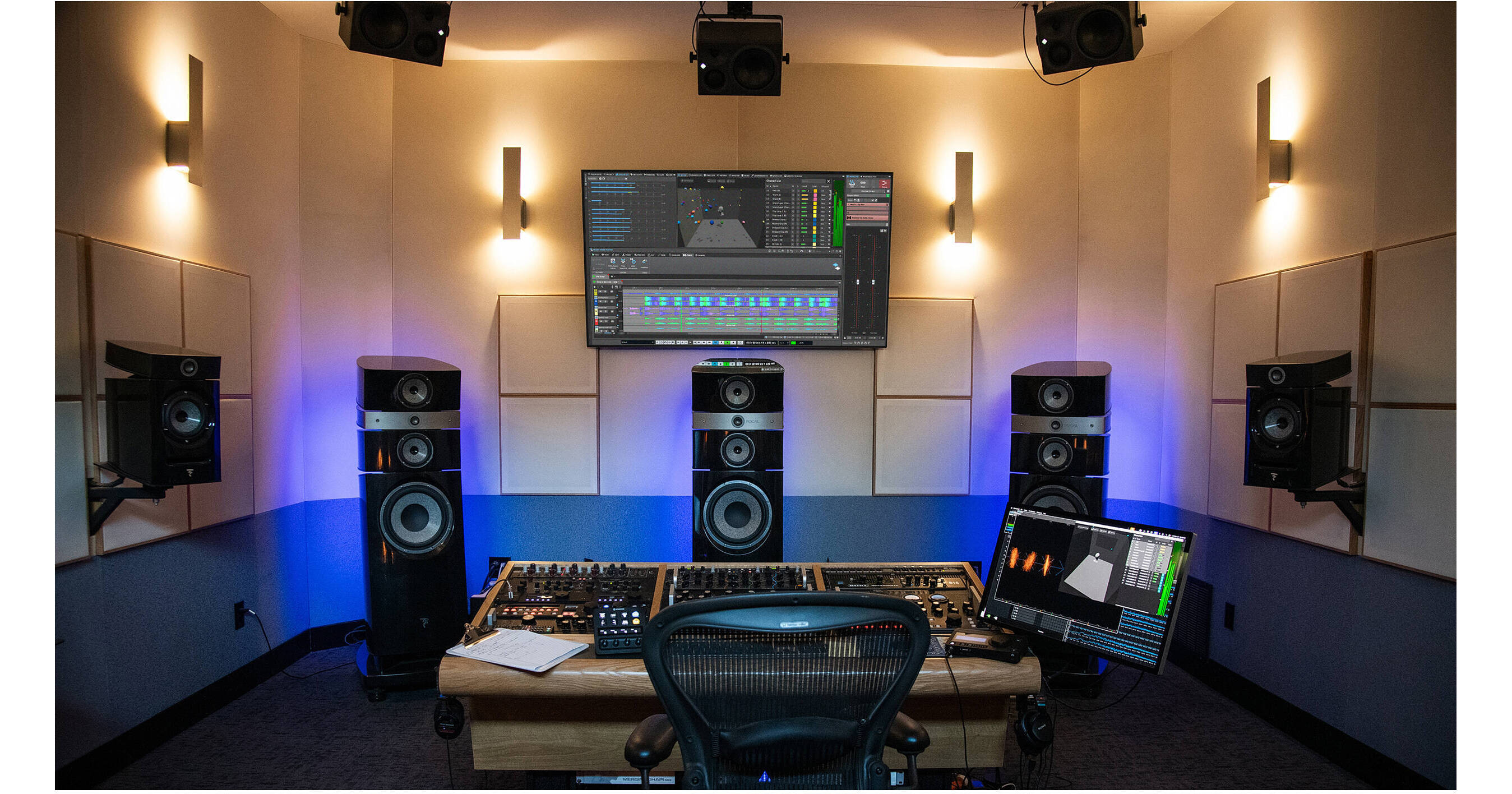
Steinberg WaveLab Pro 13 is a professional Swiss-army-knife-type solution for audio processing, well suited for any kind of creative work, including mastering, restoring, and prepping audio for distribution to the world, as well as forensic extraction, sound design, and recording, for podcasts, audiobooks, interviews, and more. New additions to version 13 include Dolby Atmos mastering, with intuitive tools for ADM file editing, loudness control, and album assembly. New plug-ins like MasterRig 2 and Vocal Chain expand creative possibilities, while multicore rendering and streamlined editing features ensure faster, more efficient production for immersive and stereo projects alike.
With over 30 new features and improvements, WaveLab Pro 13 is equally effective for mastering engineers, audio archivists, and pro-level content creators. Its advanced and precise editing, easy-to-use modules, and fast workflow make WaveLab Pro 13 the perfect final step for polishing audio before its release. It is compatible with macOS and Windows systems, and it provides improved utilization of multicore CPUs for more efficient processing of audio montages.
- The next-generation mastering plug-in suite has undergone a major update, introducing a sleek modern design, fully scalable user interface, and side-chain support. It includes new and enhanced modules for EQ, compression, limiting, and stereo imaging.
VocalChain
- A state-of-the-art multi-effect tailored for vocal and speech processing, VocalChain integrates essential tools like EQ, compression, and reverb in a streamlined interface. It delivers polished, studio-quality results while simplifying complex vocal production tasks.
Underwater
- Adding a distinctive tonal effect for creative sound design, Underwater simulates the acoustic characteristics of submerged environments. Perfect for film, games, or experimental music, it delivers authentic textures with adjustable depth and resonance.
UltraShaper
- UltraShaper is a dynamic processor, which merges advanced compression with powerful transient shaping. Ideal for adding punch or smoothing dynamics, it provides detailed control for sound character shaping at both the mixing and mastering stages.
PitchShifter
- Harness the power of enhanced real-time pitch manipulation for both creative and corrective purposes. Whether adjusting vocal intonation or creating experimental effects, the PitchShifter delivers transparent processing with minimal artifacts for natural results or bold transformations.
MixerDelay
- Designed for surround and immersive formats, the MixerDelay aligns speaker channels by individually adjusting delay times. Essential for Dolby Atmos workflows, it ensures accurate spatial imaging and phase coherence throughout complex setups.
Bass Manager
- By managing bass routing and crossover points in multichannel monitoring environments, this tool optimizes low-frequency distribution, enhancing clarity and consistency in immersive mixes. It’s indispensable for Dolby Atmos production.
- Apply an entire plug-in chain to all selected clips in one step, saving time and ensuring consistent processing across a project.
Automatically Add Audio Reference Clips
- Files related to a reference track can be automatically added when inserting multiple audio files in an audio montage.
Synchronize Clips on Reference Tracks
- Reference clips will now stay aligned to their related main clips, maintaining timing and consistency during album assembly.
Customizable Clip and Track Color Palette
- The color palette can be customized by choosing the number of hues and brightness levels, creating a personalized editing environment.
Range Selection: Cover All Tracks Option
- A new selection range, which spans all tracks makes multitrack editing faster and more efficient.
Apply Random Colors to All Tracks
- Random colors can be assigned to all tracks with a single command, adding visual variety to the montage.
New Clip Selection Visualization
- Color contrast and clarity for selected clips is improved, making editing more intuitive and precise.
Easier Active Track Identification
- A clear visual indicator highlights the active track and optionally selected tracks for improved navigation.
- All stock plug-ins now support user-defined interface scaling, with adjustments such as +25% or +50%.
Plug-In removal
- Plug-ins can be quickly removed from a slot by dragging them outside it, no additional commands required.
Range Selection via Marker Ruler
- Time ranges can be directly selected from the marker ruler in both the Audio Editor and Montage.
Audio Processing Load Bar
- The load bar now displays a percentage value, providing clearer insight into processing activity.
Open or Paste Files from Text-Based File Paths
- Full file paths can be copied from any text source, opening or pasting the corresponding files into a WaveLab montage, audio file, or batch processor using standard commands.
Reporting in Audio File Comparer
- Residual peak levels between two signals are now reported when minor differences exist, improving accuracy and usability in null tests.
Improved Outlines on HDPI Screens
- Waveform outlines have been refined for better clarity and precision on high-resolution displays.
- WaveLab has an entire workspace dedicated to batch processing, which can be a huge time-saver for audio professionals. With a vast array of plug-in effects and high-quality processors from which you can select, you can create many different plug-in collections and render many files in different formats in one go.
- You can also create watch folders with predefined processes, formats, plug-ins or any other kind of audio file handling and, without even having to open WaveLab, you can drag files into that folder on your desktop to process them all automatically and in one go.
- WaveLab’s advanced batch processing is the best way to create professional sound libraries, knowing that all files will have the same characteristics, like level, format, pitch, length, and much more.