
Holiday Headstart

BenQ InstaShow WDC15 Button Kit

BH #BE5JK0E28A2A • MFR #5J.K0E28.A2A
Print
BenQ InstaShow WDC15 Button Kit
Key Features
  • Part of WDC15 Wireless System
  • Plug-and-Play Button, No Apps/Drivers
  • USB-C Plug with USB-A/HDMI Adapter
  • Simple One-Tap Button Presentation
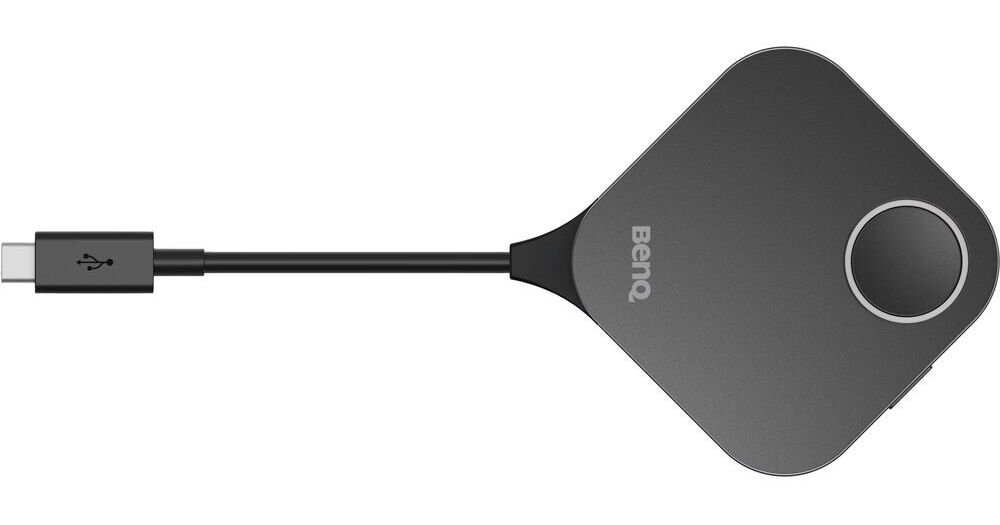
Share your laptop presentation quickly and easily in a classroom or conference room with the InstaShow WDC15 Button Kit from BenQ. This kit includes a quick presentation button with a USB-C connector for your laptop, and a USB-A/HDMI adapter that lets you connect to just about any computer for presentations when using the BenQ WDC15 Wireless System.
More Details
In Stock
No Store Display
Free 2-Day Shipping
Ask an Expert
800-606-6969

BenQ InstaShow WDC15 Overview

Share your laptop presentation quickly and easily in a classroom or conference room with the InstaShow WDC15 Button Kit from BenQ. This kit includes a quick presentation button with a USB-C connector for your laptop, and a USB-A/HDMI adapter that lets you connect to just about any computer for presentations when using the BenQ WDC15 Wireless System.

The plug-and-play button connects to your laptop without requiring any drivers or software, and it connects to the separately available WDC15 receiver to present video with up to 4K30 resolution from your screen. A one-tap button makes it easy to share and present from any Windows, macOS, or Chromebook device.

UPC: 840046052904

BenQ InstaShow WDC15 Specs

General
Compatibility
BenQ Wireless Presentation System WDC15
Inputs/Outputs
USB I/O
1 x USB-C Integrated Male Input/Output
1 x USB-A Integrated Male Input/Output
Video I/O
1x HDMI Output
Wireless
Wireless
Wi-Fi 5 (802.11ac)
Max Transmission Distance
49.2' / 15 m
Power
Power Source
USB
Packaging Info
Package Weight
0.685 lb
Box Dimensions (LxWxH)
9.7 x 5.3 x 2.2"

BenQ InstaShow WDC15 Reviews

See any errors on this page?
Whatever You Need, We've Got It