Video Chat with a Photography Expert - Live

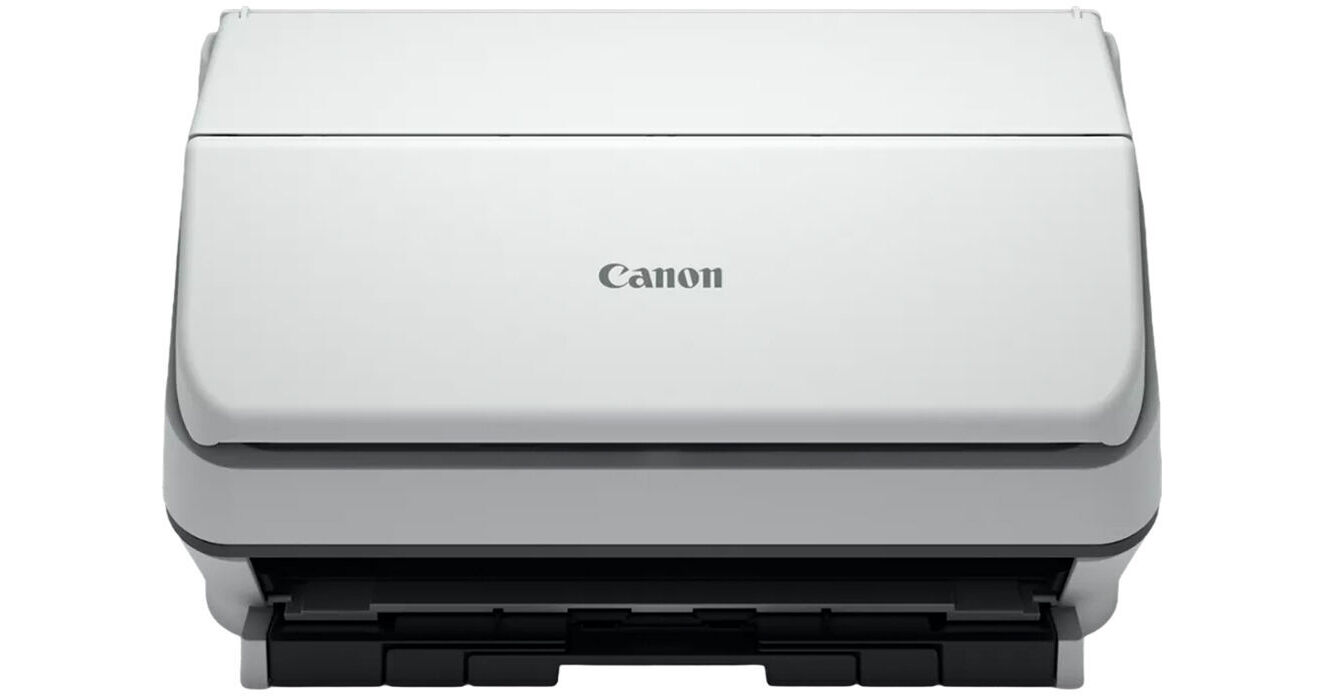
Canon imageFORMULA R40II Office Document Scanner

BH #CAIFR402 • MFR #7292C002AA
Print
Canon imageFORMULA R40II Office Document Scanner
Key Features
  • Scans Business-Related Documents
  • Scan Speed: 45 ppm / 90 ipm
  • Optical Resolution: 600 dpi
  • Color Depth: 24-Bit
Quickly convert paper documents into searchable digital files with the Canon imageFORMULA R40II Office Document Scanner. This scanner is simple to set up and easy to use and will help you increase productivity and organization at home or in the office. Featuring a 60-page automatic document feeder and a top scanning speed of 45 ppm and a duplex scanning speed of 90 ppm, the R40II allows you to scan large stacks of paper quickly and easily.
More Details
In Stock
No Store Display
Free Expedited Shipping
Protect Your Gear
Add a protection plan from $28.00
Ask an Expert
800-952-1815

Canon R40II Overview

Quickly convert paper documents into searchable digital files with the Canon imageFORMULA R40II Office Document Scanner. This scanner is simple to set up and easy to use and will help you increase productivity and organization at home or in the office. Featuring a 60-page automatic document feeder and a top scanning speed of 45 ppm and a duplex scanning speed of 90 ppm, the R40II allows you to scan large stacks of paper quickly and easily.

One-click scanning features make it simple to scan receipts, contracts, photos, business cards, and almost any other document you might have, and if you find yourself doing the same task over and over, you can program up to nine shortcuts to simplify your actions. The R40II offers a compact body style and features a foldable paper feed tray to help optimize your desk space. By utilizing PDF and Optical Character Recognition (OCR) software, you can quickly convert many types of paper documents into searchable digital files.

  • Converts paper documents into searchable digital files
  • 60-page automatic document feeder and a top scanning speed of 45 pages per minute
  • One-click scanning for receipts, contracts, photos, business cards, and more
  • Programs up to nine shortcuts to simplify your actions
  • Scans documents into almost any digital format, including PDF and JPG
  • Scans documents directly into third-party cloud services like Google Drive, QuickBooks Online, Dropbox, OneDrive, SharePoint, and more
  • Long Document Mode for scans up to 240" long
  • Other features include Auto Color Detection, Auto Page Size Detection, Auto Resolution Setting, Background Smoothing, Batch Separation, Character Emphasis, Color Dropout/Enhance Color, Deskew, Double-Feed Detection, Edge Emphasis, Folio Scan, Image Rotation, Moiré Reduction, MultiStream, Pre-Scan, Prevent Bleed-Through/Remove Background, Skip Blank Page, Text Enhancement, Text Orientation Recognition, Three-Dimensional Color Correction, Ultrasonic Double-Feed Detection, and User Preferences
  • Works with both Windows and Mac computers
  • CaptureOnTouch for Windows or Mac, and Readiris PDF Software and Cardiris business card software for Windows is bundled with this scanner
  • ENERGY STAR compliant
UPC: 013803388121

Canon R40II Specs

Key Specs
Scanner Type
Automatic Document Feeder (ADF)
Scanner Maximum Resolution
600 dpi (Optical)
Scanner Color Depth
24-Bit (Internal)
Power Source
AC Power (Cable Built-In/Included)
Scanner
Type
Automatic Document Feeder (ADF)
Maximum Resolution
600 dpi (Optical)
Scan Modes
Color, Grayscale, Monochrome
Color Depth
24-Bit (Internal)
Grayscale Depth
8-Bit (Internal)
Light Source
LED
Image Sensor
1x Contact Image Sensor (CIS)
Duplex Scanning
Yes
Single Pass Duplex
Yes
Scan Speed
Simplex Speed
45 ppm in Color/Grayscale/Black & White

Duplex Speed
90 ipm in Color/Grayscale/Black & White
Automatic Image Corrections
Yes
File Formats
JPEG, PDF
Scanner Media Handling
Scan Sizes
ADF
Minimum: 2 x 2.1" / 5.08 x 5.33 cm
Maximum: 8.5 x 118" / 21.59 x 299.72 cm
Paper Capacity
ADF: 60x Sheet
Multi-Feed Detection
Yes
Media Weight
40 to 205 gsm / 7 to 56 lb
Daily Duty Cycle
4000 Scans
Special Media Support
Business Card, Check, Envelope
Connectivity
Data I/O
1x USB-C 2.0 Input
Scanner Drivers
TWAIN
OS Compatibility
Windows / macOS
General
Power Source
AC Power (Cable Built-In/Included)
Battery
No
Input Power
120 VAC, 60 Hz
Power Consumption
15.6 W (Maximum)
0.6 W (Sleep)
Dimensions (W x H x D)
11.2 x 6.3 x 6.3" / 28.4 x 16 x 16 cm (with Paper Tray Closed)
Weight
7.05 lb / 3.2 kg
Packaging Info
Package Weight
9.72 lb
Box Dimensions (LxWxH)
14.9 x 11.9 x 9.6"

Canon R40II Reviews

Quickest scanner on the road....with great results and usage.

By Stephen
Rated 5 out of 5
Date: 2026-06-01

Easy to install software package...very great software, easy to work around with.

Great Addition to Your Home Office!!!

By Caligirl
Rated 4 out of 5
Date: 2026-05-29

I received a Canon imageFormula R40II Scanner in exchange for my honest review. It took a minute to get everything set up for me and I am pretty equipment savvy. For the life of me I couldn’t get my Windows 11 laptop to recognize to scanner and that was quite frustrating. I eventually just installed it on a computer with an older version of Windows and everything went smoothly. If it wasn’t for the computer issue, the setup would have been straightforward and completed without any issues. I used the scanner in my home office to help me organized paperwork, receipts, miscellaneous documents, and business cards I had lying around. They needed to be scanned into my computer to be accessible when needed and this was the perfect scanner for the job. It was very quick and very efficient with the capability of scanning both sides at the same time. I loved that. The CaptureOnTouch software is easy to use. The automatic feeder was able to accommodate about 50 documents at a time, which made the process go quickly. I love the compact size of the scanner, the automatic feeder, and the ease of storage. You can easily fit this into an corner, a cubby hole, under your desk; virtually anywhere.. The one thing I didn’t like that it had to be connected via USB. I would have preferred wireless connection because it is so much easier. I would have thought that any new scanner would at least have the option of being connected either way. Overall, I feel that the R40II is a great addition to any home office. It is compact, easy to use, fast, and efficient. It will help you keep paperwork, business cards, and important documents organized and allow you to get rid of PAPER!!!!! 😀 If you need a scanner-grab this one….

See any errors on this page?
Whatever You Need, We've Got It