Please update your browser to take advantage of the latest technology security enhancements to ensure your B&H Shopping experience is as safe as it is enjoyable:
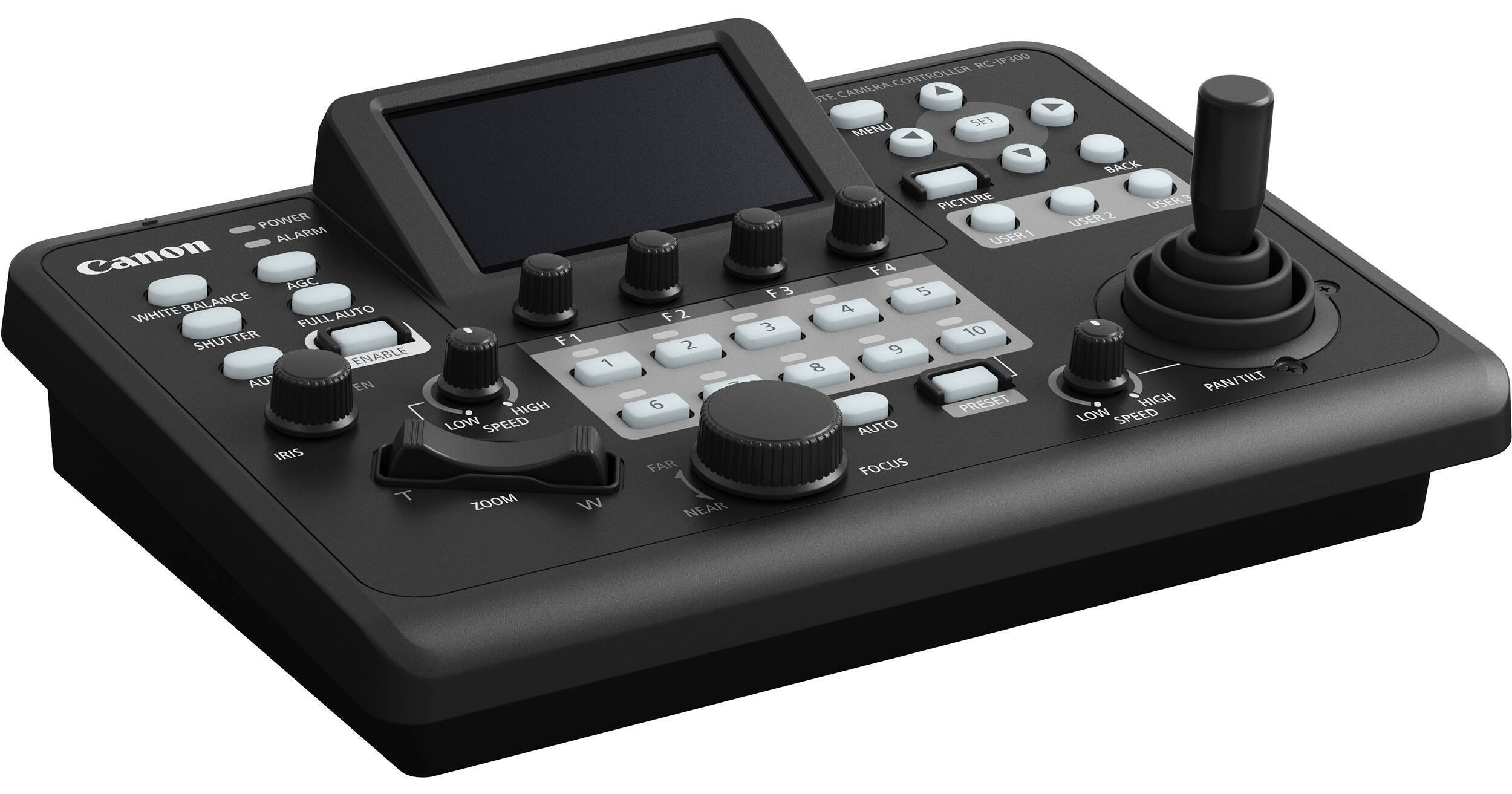
The RC-IP300 PTZ Camera Controller provides quick, tactile IP control for up to 200 supported Canon PTZ cameras. This compact controller features a 3.5" touchscreen display offering OSD menus for compatible cameras, camera configurations, live views, and touch autofocus. Power the RC-IP300 via PoE (power over Ethernet) or the included power supply.
The RC-IP300 PTZ Camera Controller provides quick, tactile IP control for up to 200 supported Canon PTZ cameras. This compact controller features a 3.5" touchscreen display offering OSD menus for compatible cameras, camera configurations, live views, and touch autofocus. Power the RC-IP300 via PoE (power over Ethernet) or the included power supply.
3.5" Touchscreen Panel
The 3.5" touchscreen at the center of the RC-IP300 controller provides operations menus, live feeds for up to nine cameras per page, and multiview displays in both 2x2 and 3x3 layouts.
Designed for easy multicamera control, the RC-IP30 supports Canon's auto-tracking, autofocus, auto loop, and crop control for supported cameras.
Indexed, single-page menu tabs let users easily navigate the system.
Joystick, Zoom Rocker, and Customizable Buttons
The RC-IP300 incorporates a joystick, zoom rocker, focus dial, 7 knobs, and 12 programmable user buttons for tactile camera control.
Clear Operation Layout
The easy-to-navigate layout provides a dual-pixel autofocus guide for supported cameras.
Thumbnail images for preset positions and trace routes.
Waveform, vectorscope, and area markers are clearly displayed.
Power Options
PoE compatibility enables control, video, and power for your RC-IP300 via a single Ethernet cable. You can also power the RC-IP300 using the included AC adapter.
UPC: 013803394139
Canon RC-IP300 Specs
Key Specs
Number of Supported Cameras
200 Channels via IP (10 Per Group) 1 Channels via Serial
Is it possible to record ISO cams of each Canon PT
Is it possible to record ISO cams of each Canon PTZ camera utilizing this controller? And if not, how would that be possible?
Asked by: Ben
No, the Canon RC-IP300 PTZ Camera Controller is not a recording device. Outputting the video to an encoder or something like Blackmagic Design hyperdecks will allow for such.