Ask Our Experts800-606-6969
Hello, Log InAccount & Orders
Video Chat with a Pro Video Expert - Live
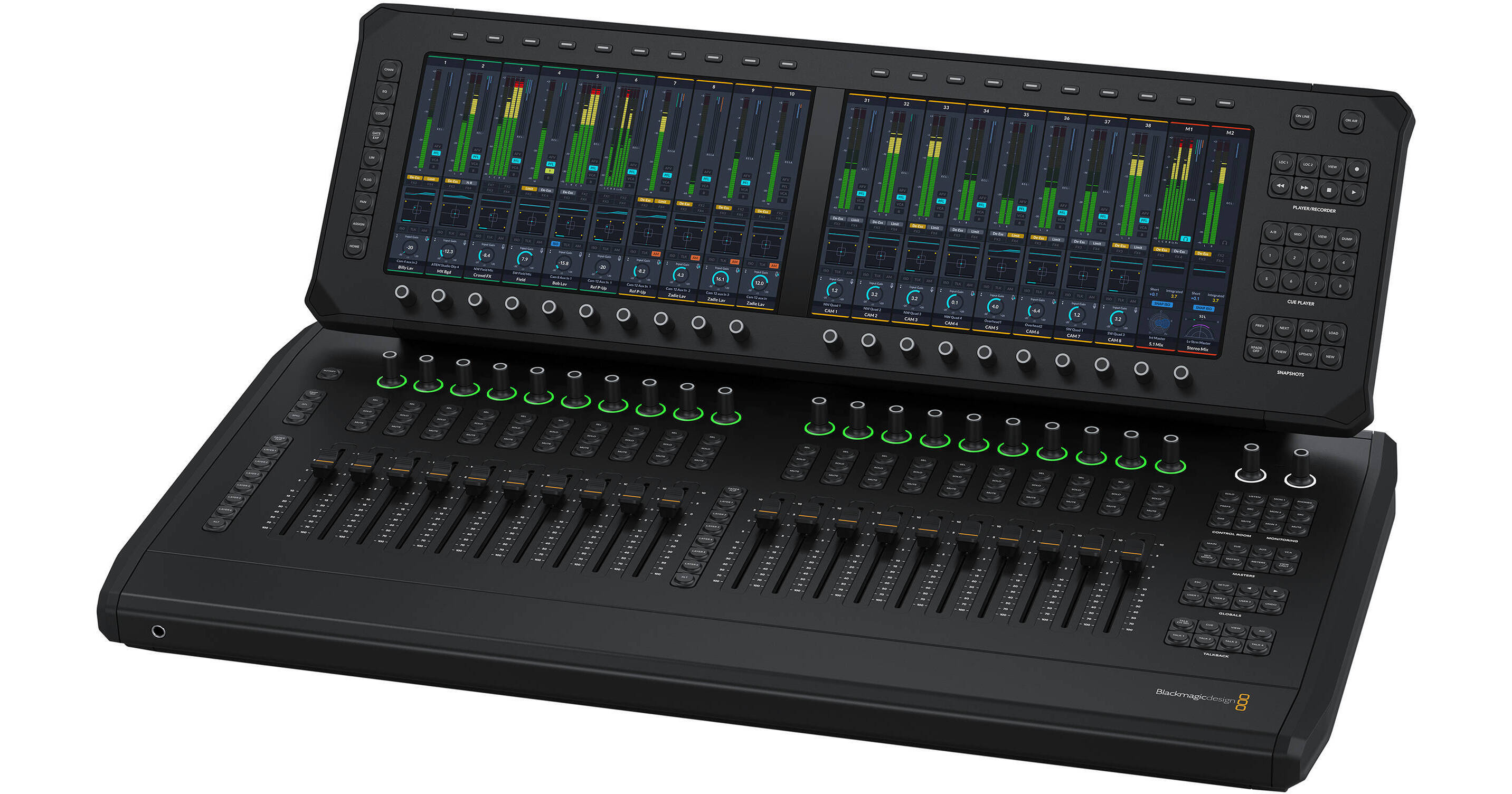
Key Features
- For Audio Mixing with Fairlight Live
- 20 x Motorized Faders and LED Ring Knobs
- 2 x 11.6" Color 1080p Touchscreens
- Layer, Bus, Matrix, Aux, VCA Controls
Enjoy comprehensive control over Fairlight Live during mid-size productions with the Blackmagic Design Fairlight Live Audio Panel 20, a desktop control surface sporting 20 motorized faders, a plethora of buttons and knobs, and two 11.6" color 1080p touchscreens. With the screens, you can easily view channel strips, levels, EQ, dynamics, and plug-in interfaces at a glance.
More DetailsNew Release
New Item - Coming Soon
Protect Your Gear
Add a protection plan from $168.99
See Options
Business Financing Options
See any errors on this page?
Hello, I have a question about the Blackmagic Desi
Hello, I have a question about the Blackmagic Design Fairlight Live Audio Panel 20. Does this control surface work only with the new Fairlight Live software, or is it also fully compatible with the Fairlight page inside DaVinci Resolve Studio?
The Blackmagic Design Fairlight Live Audio Panel 20 Desktop Control Surface is specifically designed and optimized for Fairlight Live, Blackmagic Design's software-based live audio mixing application. Unlike traditional studio hardware control surfaces designed for post-production (such as the Fairlight Studio Consoles that integrate with the Fairlight page in DaVinci Resolve Studio), these new Live Audio Panels are built explicitly around the live mixing workflows, routing architecture, and features unique to Fairlight Live.
Date published: 2026-07-27
Is there a compatible I/O device to bring in analo
Is there a compatible I/O device to bring in analog inputs?
When using an ATEM switcher as the I/O engine connect analog audio to the ATEM and it will be available. Some ATEM models support MADI. If not using an ATEM you could use computer system audio which supports a wide variety of audio I/O connections.
Date published: 2026-04-30
Will this control the built in Fairlight Audio mix
Will this control the built in Fairlight Audio mixer in the ATEM 2 M/E Constellation 4K ? and if so, does it only work with USB connection or if both devices are on a network will it control through the network?
The Fairlight Live audio and panel do not control any ATEM mixer. They use the ATEM I/O through USB for audio processing in the computer. The panel only controls the Fairlight Live software running on the computer.
Date published: 2026-07-31