
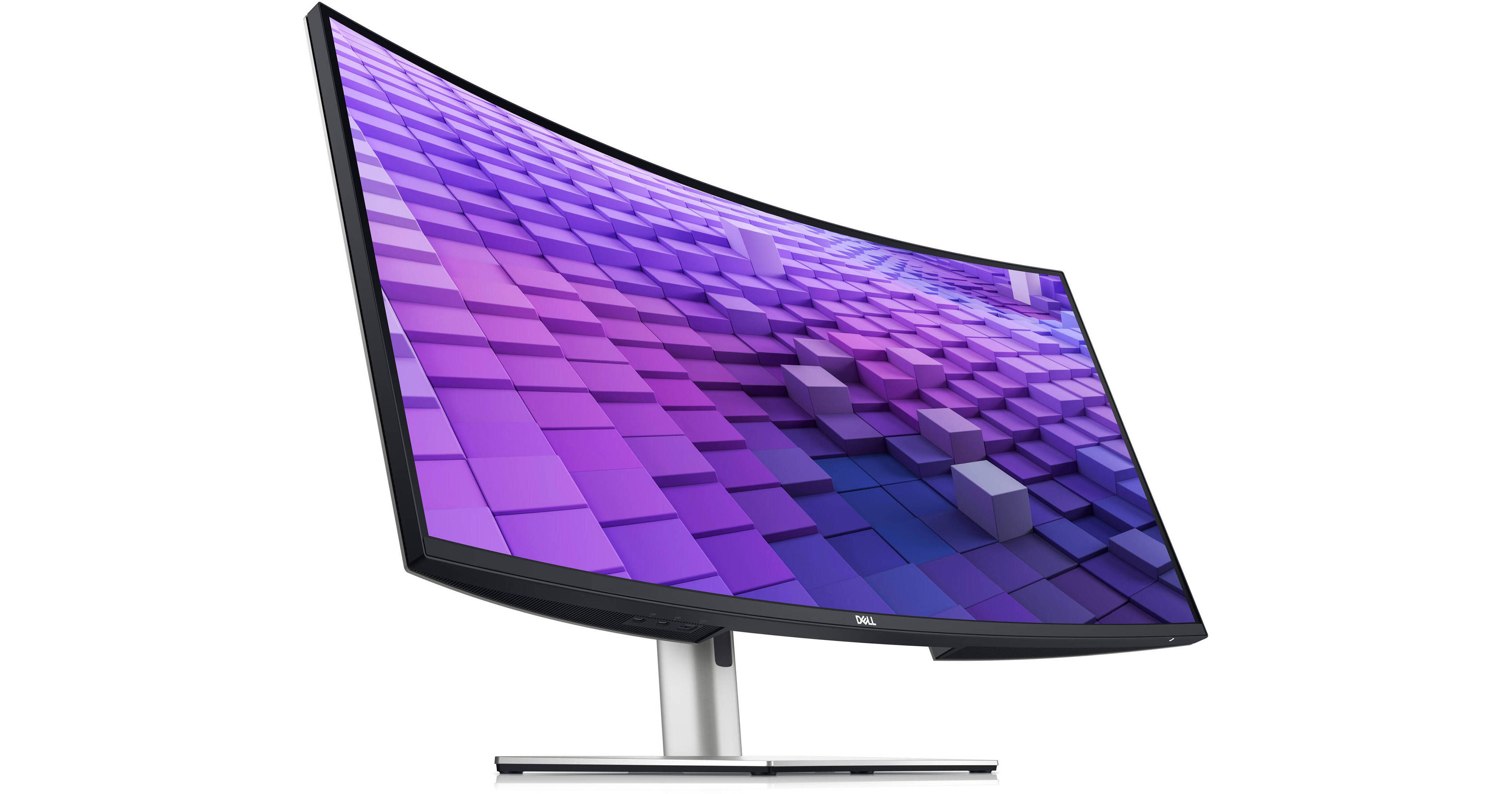
Enhance your multitasking with this Dual Dell UltraSharp 38" 1600p Curved Monitor Kit from B&H. It includes two curved 38" Dell UltraSharp 3840 x 1600 resolution displays, which allows you to set up a dual-monitor configuration for more room to organize windows and view large projects.
A New World of Productivity
Productivity has never been so vibrant. Introducing the world's first 37.5" WQHD+ monitor with IPS Black panel technology. The curved screen improves field of view while reducing reflection and eye fatigue to give you a comfortable, immersive experience.
Invigorating Color
Admire the extraordinary world of your work through vibrant colors and deep blacks with this monitor that offers IPS Black panel technology with a 2000:1 contrast ratio and 100% sRGB, 100% REC.709, 98% DCI-P3, and 98% Display P3 color coverage. Experience enhanced eye comfort with ComfortView Plus, an always-on, built-in low blue light screen that reduces potentially harmful blue light emissions without compromising color.
Extensive Connectivity
- Streamline your workflow with a single cable USB-C that transmits data and video signals while delivering up to 90W of power.
- Connect to a wide variety of devices with USB-A and USB-C ports and expand connectivity with DP 1.4 and HDMI 2.1 ports.
- Get a fast and stable connection with up to 2.5GbE provided by RJ45 with PXE boot, Mac Address pass-thru, and Wake on Lan features. RJ45 lock feature gives you the flexibility to lock the wired Ethernet to a chosen PC while continuing to work from dual PC inputs.
- Conveniently located USB-C (up to 15W power) and USB-A quick access ports make it easy to plug in external devices, and built-in dual 9W speakers save you the hassle altogether.
- Dive right into your project with the built-in Dell Power Button Sync that wakes up and powers on your laptop.
Multitask Seamlessly
Connect to two PC sources and Auto KVM (keyboard, video, mouse) will seamlessly switch control to the second connected PC. Use the KVM feature to control both PCs with a single keyboard and mouse. The KVM wizard makes setup a breeze.
Built for Comfort
Work comfortably all day long by tilting, swiveling, and adjusting your monitor height to however best fits you.
Dell Display Manager — Easy Management, Next-Level Productivity
Improved Multitasking:
Organize your screen with Easy Arrange and save profiles with Easy Arrange Memory.
Easy Navigation:
Share a single keyboard, mouse, and monitor between multiple PCs with the USB KVM wizard. Quickly switch between PCs with the quick-access menu or hot keys.
Smooth Deployment:
Manage your fleet of monitors with features that are automatic, comprehensive, and compatible with several tools.
Convenient Customization:
Quickly access your favorite features and functions with the menu launcher and hot keys.
Organize your screen with Easy Arrange and save profiles with Easy Arrange Memory.
Easy Navigation:
Share a single keyboard, mouse, and monitor between multiple PCs with the USB KVM wizard. Quickly switch between PCs with the quick-access menu or hot keys.
Smooth Deployment:
Manage your fleet of monitors with features that are automatic, comprehensive, and compatible with several tools.
Convenient Customization:
Quickly access your favorite features and functions with the menu launcher and hot keys.
Green Thinking for Today and Tomorrow
Environmental Standards:
This monitor uses 85% PCR (Post-consumer Recyclable) plastic in the design, 90% recycled aluminum, and meets the latest environmental standards such as EnergyStar, and TCO Certified Edge, and is EPEAT Gold registered.
Eco-Conscious Packaging:
Designed with the environment in mind, Dell commercial monitors come in up to 90% recyclable cardboard packaging.
Energy Conversation:
Save energy with PowerNap, a feature that dims or puts your monitor to sleep when not in use.
Advanced Sustainability:
Dell Technologies is committed to reducing environmental impact throughout the product lifecycle and has set both sustainability and carbon footprint goals.
This monitor uses 85% PCR (Post-consumer Recyclable) plastic in the design, 90% recycled aluminum, and meets the latest environmental standards such as EnergyStar, and TCO Certified Edge, and is EPEAT Gold registered.
Eco-Conscious Packaging:
Designed with the environment in mind, Dell commercial monitors come in up to 90% recyclable cardboard packaging.
Energy Conversation:
Save energy with PowerNap, a feature that dims or puts your monitor to sleep when not in use.
Advanced Sustainability:
Dell Technologies is committed to reducing environmental impact throughout the product lifecycle and has set both sustainability and carbon footprint goals.
Operating System
This monitor is compatible with multiple operating systems, including Windows and macOS.
UPC: 884116442417