Featured:
Found in: Work Laptops
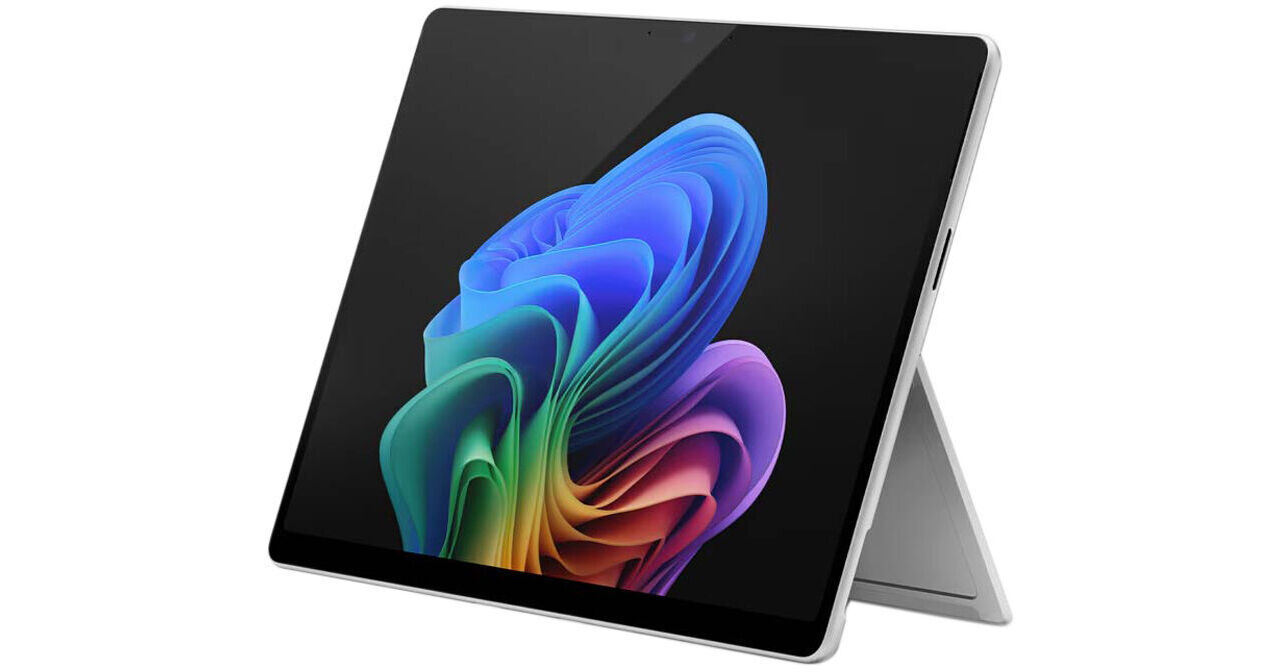
With the Microsoft 13" Surface Pro for Business Copilot+ PC, you get laptop performance and tablet flexibility. Optimized to take full advantage of Microsoft Copilot, the Surface Pro is powered by an Intel Core Ultra 7 366H (Series 3) 16-Core processor. Utilizing the integrated Intel AI Boost NPU, the Surface Pro can handle up to 50 TOPS, allowing for seamless AI integration throughout Windows 11. Add a 13" PixelSense Flow touchscreen, 64GB of RAM, a 512GB SSD, Wi-Fi 7, Bluetooth 5.4, two USB-C ports, and more, and the Surface Pro is ready to handle your workflow with ease. The Surface Pro is also compatible with optional Surface keyboards and the Surface Slim Pen for even more versatility.
Copilot+ PCs
Microsoft Copilot+ PCs are all designed to deliver power, performance, and intuitive AI experiences. Tuned to deliver optimal processing and response times, the Surface Pro features an Intel Core Ultra 7 (Series 3) processor with a built-in Intel AI Boost NPU, which can deliver 50 trillion operations per second (TOPS).
Copilot+ PCs are focused on delivering both performance and power efficiency, as well as AI-accelerated experiences.
The AI Experience
With the Intel Core Ultra 7 (Series 3) processor as the centerpiece of its build, the Surface Pro can take full advantage of AI features in Windows and supported third-party apps to enhance and streamline your workflow.
The CPU also has an integrated Intel AI Boost NPU providing local AI processing with up to 50 TOPS. Visuals are handled by the integrated Intel Graphics.
13" PixelSense Flow Touchscreen
The 13" PixelSense Flow 10-point touchscreen features a 2880 x 1920 screen resolution (267 ppi) and a dynamic refresh rate of up to 120 Hz. The display features Dolby Vison IQ support. The OLED panel provides vibrant colors and deep black levels for a high contrast ratio. The strengthened glass display has an anti-reflective finish.
AI-Enhanced Surface Studio Camera
The ultra-wide 1440p front-facing Surface Studio camera features AI-powered Windows Studio Effects, such as Automatic Framing, which keeps you in focus, even as you move around your space. Eye contact teleprompter helps you maintain eye contact while reading your screen. Improvements to voice focus and portrait blur help ensure you're always in focus. The 10MP Ultra HD rear-facing autofocus camera supports 4K video so you can capture and edit all on one device.
Work Smarter with the Copilot+ PC Experience
Recall
Searching for a document, email, or web page on your PC can be time-consuming. Now, just describe how you remember something and Recall will find it, instantly.
Cocreator
Become an artist by describing or drawing your vision with text or image prompts, and watch Cocreator generate it.
Microsoft OneNote
Get help from Copilot to summarize your handwritten notes in Microsoft OneNote.
Adobe Photoshop
With simple text prompts in everyday language, you can create, edit, transform, and bring your imagination to life with the power of generative AI.
Live Captions
Whether video calls or dialogue in a streaming video, get accurate subtitles in real-time with automatic Live Captions. Translate 44 languages to English.
Windows Studio Effects
Improve lighting, cancel noises, and blur distractions during video calls. When presentation matters, turn on Windows Studio Effects.
Searching for a document, email, or web page on your PC can be time-consuming. Now, just describe how you remember something and Recall will find it, instantly.
Cocreator
Become an artist by describing or drawing your vision with text or image prompts, and watch Cocreator generate it.
Microsoft OneNote
Get help from Copilot to summarize your handwritten notes in Microsoft OneNote.
Adobe Photoshop
With simple text prompts in everyday language, you can create, edit, transform, and bring your imagination to life with the power of generative AI.
Live Captions
Whether video calls or dialogue in a streaming video, get accurate subtitles in real-time with automatic Live Captions. Translate 44 languages to English.
Windows Studio Effects
Improve lighting, cancel noises, and blur distractions during video calls. When presentation matters, turn on Windows Studio Effects.
Build Your Ideal Setup
Adjust the built-in kickstand to use the Surface Pro as a tablet or as a laptop. The Surface Pro is compatible with optional Microsoft accessories, which can help enhance your experience.
Use the Surface Pro Flex Keyboard with a Precision Haptic touchpad and a dedicated Copilot key. Store, charge, type, and write with the Surface Pro Keyboard with Slim Pen.
Keyboard and Pen are sold separately.
Windows 11
Microsoft simplified the design and user experience with Windows 11. It has a modern, clean design with a new Start Menu position. Snap Layouts, Groups, and Desktops allow you to multitask with ease. Microsoft also has their own apps, such as Microsoft Teams. The redesigned Microsoft Store makes it easier to look for supported apps. The Pro version of Windows 11 includes all the features that Windows 11 Home offers plus many designed specifically for business users, including Hyper-V virtualization, BitLocker disk encryption, and remote desktop access.
UPC: 196388689408