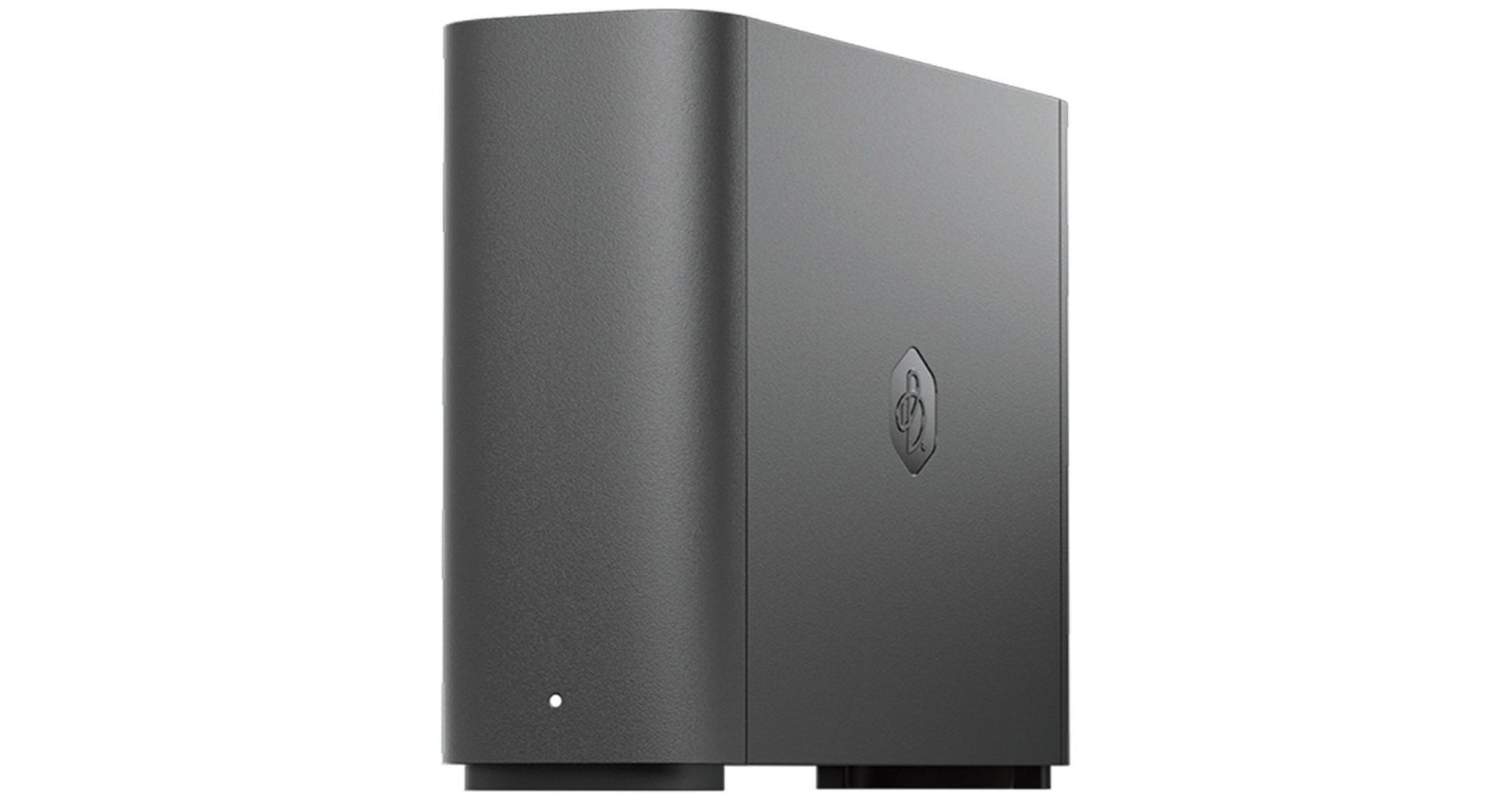
Synology 4TB BeeStation Personal Cloud NAS Server

BH #SYBST1514T • MFR #BST151-4T
Print
Synology 4TB BeeStation Personal Cloud NAS Server
Key Features
  • 4TB Storage Capacity
  • Realtek RTD1619B CPU
  • 2GB of DDR4 RAM
  • 1 x Gigabit Ethernet Port
Designed for people who want to store, sync, and share personal files and photos with minimal setup, the 4TB BeeStation Personal Cloud NAS Server from Synology centralizes your data from phones, tablets, computers, external drives, and cloud services, allowing you to access them from virtually anywhere, without any subscription fees. This personal storage device plugs directly into your network using its Gigabit Ethernet port so you can access, upload, and share photos and videos using the BeeStation apps for mobile, desktop, and web platforms. Using the USB-C and USB-A 3.2 Gen 1 ports, you'll be able to import photos, videos, music, documents, and more from other devices, such as USB flash drives and external hard drives.
More Details
In Stock
No Store Display
Free 2-Day Shipping
Protect Your Gear
Add a protection plan from $31.99
Ask an Expert
800-606-6969

Synology BST151-4T Overview

Designed for people who want to store, sync, and share personal files and photos with minimal setup, the 4TB BeeStation Personal Cloud NAS Server from Synology centralizes your data from phones, tablets, computers, external drives, and cloud services, allowing you to access them from virtually anywhere, without any subscription fees. This personal storage device plugs directly into your network using its Gigabit Ethernet port so you can access, upload, and share photos and videos using the BeeStation apps for mobile, desktop, and web platforms. Using the USB-C and USB-A 3.2 Gen 1 ports, you'll be able to import photos, videos, music, documents, and more from other devices, such as USB flash drives and external hard drives.

This NAS is powered by a Realtek RTD1619B processor and 2GB of DDR4 RAM. It includes an Ethernet cable and an AC adapter. It is compatible with Windows 10 (64-bit), Windows 11, macOS 12.3 or later, iOS 16 or later, and Android 10 or later.

Highlights
  • Scan a QR code to get started in minutes, no complex setup required
  • Bring files from computers, tablets, phones, external drives, and supported cloud accounts into one place, then access and manage them remotely
  • Back up photos from your phone and iCloud Photos, then use local AI to look for people or subjects
  • Edit files on your desktop while keeping changes synced across your computers
  • Protect data by default with snapshot based restore points to help recover from ransomware
  • Share files and photos publicly, or share privately with BeeStation shared users
  • Includes 3 months of BeeProtect, a privacy first cloud backup that helps protect BeeStation against physical damage
Set Up in Minutes
Scan a QR code, plug in the power and Ethernet cables, and press a button to confirm - that's all you need to do after unboxing. After that, you're all set to start transferring files or photos to your private cloud storage, and focus on what truly matters.
Store Everything Here, Access Anywhere
With 4TB of storage space, you can store all your work and personal files here. Once they're on BeeStation, you can reach them from any web browser, as well as from the desktop or mobile apps. Also, since you can use your Google Account, Apple ID, or Synology Account to sign in, you won't have to remember any extra logins.
Never Max Out Phone Storage Again
Backing up photos to BeeStation is as simple as opening the app. Just got back home from a trip? Turn on Focus Backup, and let thousands of photos upload overnight while you rest. Once backed up, your photos will be securely stored and accessible wherever you go.
Gather Your Scattered Photos Under One Roof
Managing photos across cloud storage and external drives can be a hassle. With BeeStation desktop app, you can transfer images from Google Photos, USB drives, or local folders on your computer to manage them in one place. You can also connect your iCloud Photos for automatic downloads, ensuring a local backup is available to protect against accidental deletions.
Photo Organizer Driven by Local AI
Powered by its built in NPU, BeeStation helps you quickly find people, subjects, and places. Browse photos by location on a world map and rediscover memories without manual sorting.
Keep Your Cloud and USB Files in One Place
Got files all over the place? BeeStation can sync files from Google Drive, OneDrive, Dropbox, including their collaborative workspace, as well as back up any connected external and flash drives. That way, if you ever lose access to a cloud account or can't find a physical external drive, you can rest easy knowing you've got a backup.
Got Room to Spare? Share the Storage with Others
Share storage with up to 8 users on one BeeStation. Send an invitation link to give each person their own private cloud space, completely separate from others. Users on the same BeeStation can also share files and folders, whether working on the same project or collecting family photos, allowing everyone to view, upload, or remove files directly from the BeeStation interface.
Comprehensive PC Protection with Acronis True Image
Back up the entire Mac or PC with Acronis True Image to BeeStation for peace of mind. Every BeeStation includes a 3-year Acronis True Image license, supporting full-system backups, one-click recovery, and ransomware protection to ensure fast system restoration and data safety.
One Copy Is Not Enough - Back up your BeeStation
Following the 3-2-1 backup principle, BeeStation allows you to create an additional copy of your data by backing up to another Synology NAS or an external drive. This ensures your files remain safe and recoverable even if your BeeStation is lost or damaged.
BeeProtect - Affordable, Set-and-Forget Cloud Backup
Every BeeStation includes a complimentary 3-month BeeProtect subscription, a privacy-first cloud backup service featuring client-side AES-256 encryption. This ensures all your data is encrypted with your password before being uploaded. With your files stored off-site, you can retrieve them anytime through a web browser if your BeeStation is no longer accessible due to theft, damage, or loss.
UPC: 846504006809

Synology BST151-4T Specs

Key Specs
Storage Capacity
4 TB
Included Drives
1x 4 TB 3.5" HDD
RAID
No
Number of Bays
1x 2.5"/3.5"
Inputs/Outputs
1x RJ45 Gigabit Ethernet
1x USB-C 3.0 / 3.1/3.2 Gen 1
1x USB-A 3.0 / 3.1/3.2 Gen 1
Computing
Processor
Realtek RTD1619B
GPU
Mali G57
Memory
2 GB DDR4
Drives
Storage Capacity
4 TB
Included Drives
1x 4 TB 3.5" HDD
RAID
No
General
Number of Bays
1x 2.5"/3.5"
Inputs/Outputs
1x RJ45 Gigabit Ethernet
1x USB-C 3.0 / 3.1/3.2 Gen 1
1x USB-A 3.0 / 3.1/3.2 Gen 1
Media Card Slots
No
PCI Expansion
No
Networking
Link Aggregation and Failover Support
No
iSCSI Support
No
Software
Installed Operating System
No
OS Compatibility
Windows 10 or Later (64-Bit Only)
macOS 12.3 or Later
Mobile App Compatible
Yes: Android & iOS
Security
Encryption
No
Security Features
No
Electrical
Input Power
100 to 240 VAC, 50 / 60 Hz
Power Consumption
7.84 W (Typical)
1.66 W (Standby)
Physical
Operating Conditions
32 to 95°F / 0 to 35°C at 8 to 80% Humidity
Storage Conditions
-5 to 140°F / -20 to 60°C at 5 to 95% Humidity
Certifications
BIS, BSMI, CCC, CE, EAC, FCC, KC, RCM, RoHS, UKCA, VCCI
Cooling
No
Dimensions
7.7 x 5.8 x 2.5" / 196.3 x 148 x 62.6 mm
Weight
1.8 lb / 820.0 g
Packaging Info
Package Weight
3.375 lb
Box Dimensions (LxWxH)
10.4 x 10.2 x 4.6"

Synology BST151-4T Reviews

Not bad

By Jim
Rated 4 out of 5
Date: 2026-06-30

I’m using this with an M4 MacBook Pro - the software from Synology isn’t the best in my opinion. So I don’t use it - I use Apple Time Machine and it works very well.

See any errors on this page?

can i ask it to backup files at particular times f

can i ask it to backup files at particular times from pc at remote locations?
Asked by: ALLEN
The Synology 4TB BeeStation Personal Cloud NAS Server includes a 3-year license to Acronis True Image that can be used to schedule automatic backups from your PC.
Answered by: Kenneth C
Date published: 2026-06-18
  • y_2026, m_8, d_2, h_9CST
  • bvseo_bulk, prod_bvqa, vn_bulk_3.0.48
  • cp_1, bvpage1
  • co_hasquestionsanswers, tq_1
  • loc_en_US, sid_1975195, prod, sort_[SortEntry(order=HAS_STAFF_ANSWERS, direction=DESCENDING)]
  • clientName_bhphotovideo
Whatever You Need, We've Got It