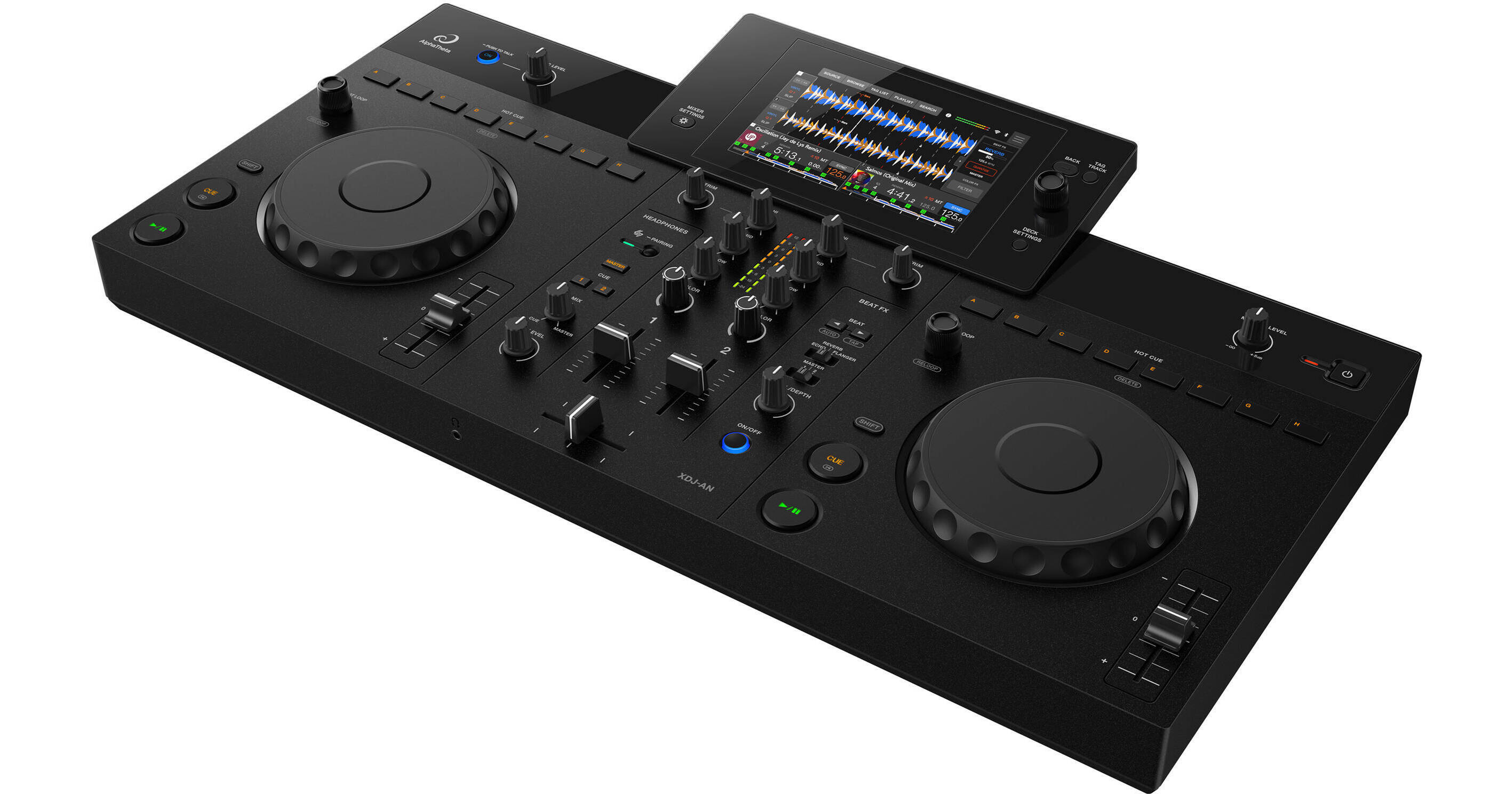
Designed to help DJs smoothly transition from home setups to club and professional DJ booths, the AlphaTheta XDJ-AN is the latest 2-channel, all-in-one DJ system that was created to bridge this gap by making it easy to perform using multiple music sources in a familiar club-style workflow. The XDJ-AN supports playback from USB drives, DJ applications on mobile devices and Windows/Mac, and streaming services, giving you the freedom to perform with the music sources that suit you best.
With StreamingDirectPlay compatibility, you can easily access and play tracks from supported streaming services in your sets. The system also supports rekordbox Cloud Library Sync, enabling you to synchronize tracks and playlists prepared on Windows/Mac to the cloud. Using rekordbox CloudDirectPlay, you can then directly access and play tracks from your cloud-based libraries from the XDJ-AN without needing to transfer files manually. Featuring a layout inspired by club-standard setups, including the CDJ-3000X multiplayer and DJM series mixers, the XDJ-AN delivers an intuitive experience that helps you feel comfortable when progressing to professional environments.
- With StreamingDirectPlay, you can access tracks from streaming services directly on the XDJ-AN and mix them seamlessly with music from other sources. This removes one of the traditional barriers to DJing by reducing the need to individually buy, download, and manage large music collections before performing. It also makes discovering and testing new music faster and more accessible for DJs at every level.
- The feature is ideal for playing songs directly from Apple Music, Beatport Streaming, Tidal, and Spotify (coming soon) in your sets. The Info Search feature even finds tracks related to the one you’re playing, based on the artist name or album information, making music discovery across vast catalogs of streaming services smooth and intuitive. And, with support for rekordbox CloudDirectPlay, you can access your rekordbox library stored in Dropbox or Google Drive and instantly play your cloud-based music directly on the XDJ-AN.
- Create and edit playlists directly on the XDJ-AN for a more seamless workflow, from preparation to performance—there’s no need to use a Windows/Mac. You can make new playlists and edit existing ones, browse and select single or multiple tracks to add or delete from your playlists, reorder songs, and rename playlists.
- Using Cloud Library Sync (Cloud Library Sync features require a compatible rekordbox subscription plan), it’s easy to manage your cloud-based music library directly from the XDJ-AN, with no need to switch to your laptop. The changes you make on the unit, such as adding Hot Cues and editing playlists, are automatically synchronized with the cloud. This means you can seamlessly use the library prepared on your Windows/Mac while keeping it up to date across devices, so you’ll see the changes the next time you view them on your computer. And, thanks to the cloud-connected Playlist Bank function, your playlists can now be stored in the cloud. So, even after powering off the XDJ-AN, you can get straight back to mixing when you turn the unit on again.
- With a layout based on the professional CDJ and DJM series gear, the XDJ-AN helps ensure a smooth transition from DJ controllers to club-standard setups. Its compact design offers a simple and intuitive DJ experience that includes must-have functions. Beginners can get started easily and people who are used to playing on controllers can step up to the next level with confidence.
- Connect a laptop to the XDJ-AN and you can use it with DJ software such as rekordbox for Mac/Windows, Serato DJ Lite, or djay Pro. The unit also supports playback of music stored on USB drives.