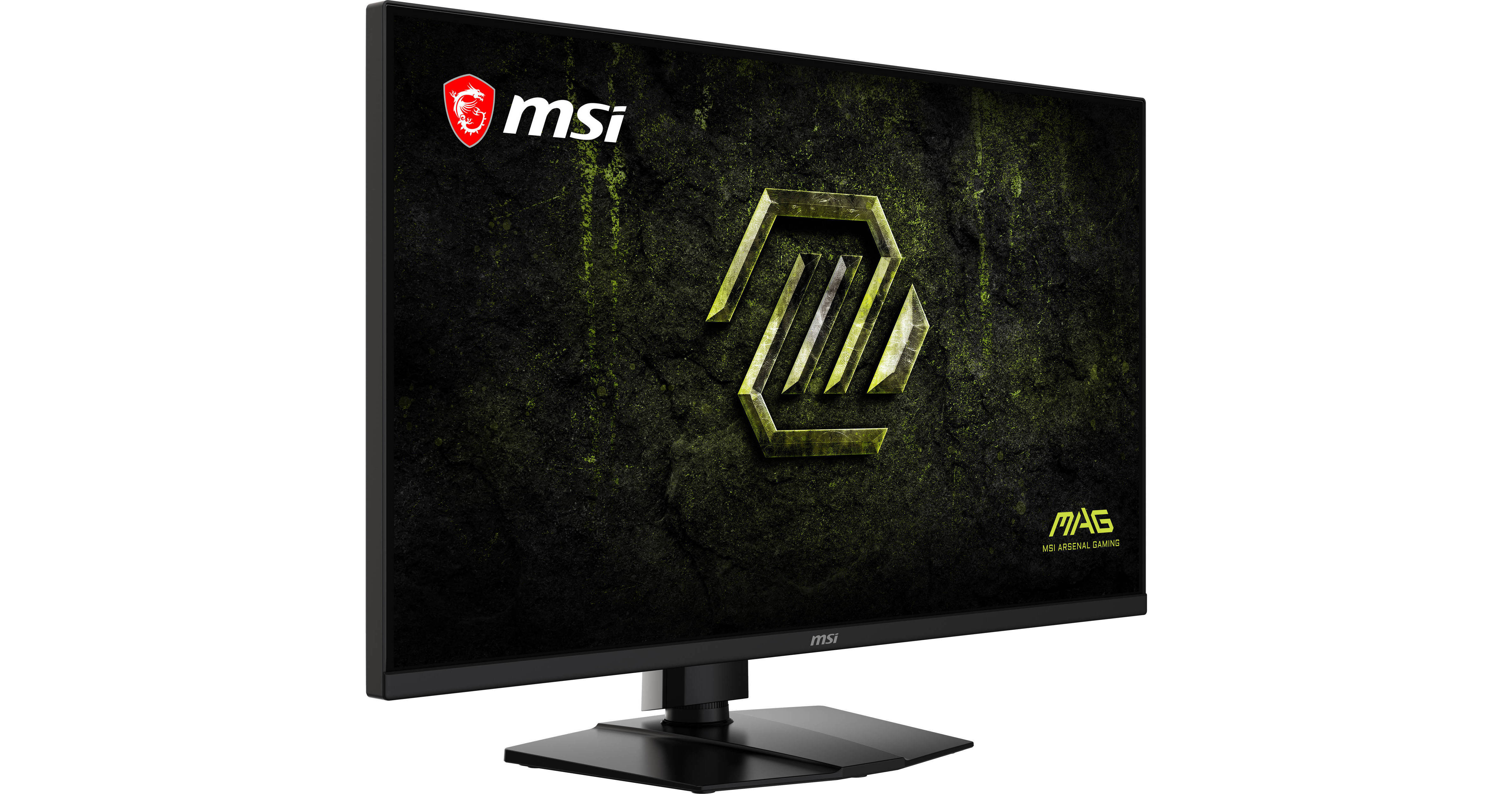
MSI MAG 321UPD E14 31.5" 4K HDR 144 Hz/Full HD 288 Hz Dual-Mode Gaming Monitor

BH #MSM321UPDE14 • MFR #MAG321UPDE14
Print
MSI MAG 321UPD E14 31.5" 4K HDR 144 Hz/Full HD 288 Hz Dual-Mode Gaming Monitor
Key Features
  • 31.5" 16:9 IPS Panel
  • HDMI 2.1 | DisplayPort 1.4a
  • UHD 4K 3840 x 2160 at 144 Hz
  • Full HD (1080p) 1920 x 1080 at 288 Hz
Fully immerse yourself in fantastic worlds with the MSI MAG 321UPD E14 31.5" 4K HDR 144 Hz/Full HD 288 Hz Dual-Mode Gaming Monitor. This UHD 4K (3840 x 2160) display delivers rich visuals, while the 144 Hz refresh rate and 1 ms response time provide smooth graphics. Switching to Full HD mode enables a 288 Hz refresh rate for exceptional performance for fast-paced action games.
More Details
Temporarily Out of Stock
No Store Display
Free 2-Day Shipping
Ask an Expert
800-606-6969

MSI 321UPD E14 Overview

Fully immerse yourself in fantastic worlds with the MSI MAG 321UPD E14 31.5" 4K HDR 144 Hz/Full HD 288 Hz Dual-Mode Gaming Monitor. This UHD 4K (3840 x 2160) display delivers rich visuals, while the 144 Hz refresh rate and 1 ms response time provide smooth graphics. Switching to Full HD mode enables a 288 Hz refresh rate for exceptional performance for fast-paced action games.

The MAG 321UPD also delivers deep color with HDR support, providing realistically bright highlights and deep shadows. Connect your compatible devices through the dual HDMI 2.1 ports and DisplayPort 1.4a input, and attach a pair of headphones to the 3.5mm jack for listening privacy.

Stunning Visuals
Framed inside thin bezels, the 31.5" IPS panel delivers rich visuals with support for 1.07 billion colors covering 94% of the DCI-P3 gamut. This HDR-ready display enhances visuals with a 1500:1 static (100 million:1 dynamic) contrast ratio and 300-nit brightness.
Dual Mode
Use the monitor's integrated switch to toggle between 4K 144 Hz mode and Full HD 1920 x 1080 resolution at 280 Hz to adapt to different games.
MSI AI Dual Mode
This AI-powered feature automatically optimizes the refresh rate when switching resolutions.
AI Crosshair
AI Crosshair places an aim dot at the center of the screen whose color dynamically changes to stand out from the background colors.
AI Vision
AI Vision technology reveals details in darkened environments while enhancing the brightness and color saturation.
Optix Scope
Optix Scope magnifies a screen area at the touch of a shortcut key, allowing you to easily snipe distant opponents.
AMD FreeSync Premium
AMD FreeSync Premium technology eliminates screen tearing and stuttering by syncing the monitor's refresh rate with that of your compatible graphics card.
Console Mode
The monitor supports Variable Refresh Rate (VRR) technology with a 120 Hz refresh rate so you can enjoy smooth visuals while playing your favorite games using your compatible console system. Built-in HDMI CEC support allows you to automatically wake the display with game controllers and enables different settings for each device.
Eye Care
Anti-flicker and low blue light technologies help reduce eyestrain during extended viewing.
Ergonomics
Rotate the screen in either direction to view content in portrait mode. You can also adjust the display's height, tilt, and swivel for an optimal view. The 100 x 100mm VESA mounting pattern lets you attach the display to a wall, swivel arm, or multi-monitor stand. The 178° horizontal and vertical viewing angles allow you to see the screen clearly from almost any position.
UPC: 824142451533

MSI 321UPD E14 Specs

Key Specs
Display Size
31.5"
Panel Type
IPS-Type LCD
Native Resolution
3840 x 2160
Maximum Brightness
300 nits / cd/m2 (SDR Mode)
HDR Support
Yes
Color Support
1.07 Billion Colors (8-Bit+FRC)
Color Gamut
91% Adobe RGB
94% DCI-P3
132% sRGB
Finish
Anti-Glare
Touchscreen
No
A/V Inputs
DisplayPort 1.4 / HDMI 2.1
A/V Outputs
3.5 mm
USB I/O
No
Built-In Speakers
No
Display
Size
31.5"
Panel Type
IPS-Type LCD
Aspect Ratio
16:9
Native Resolution
3840 x 2160
Maximum Brightness
300 nits / cd/m2 (SDR Mode)
HDR Support
Yes
Contrast Ratio
1500:1
Response Time
1 ms (MPRT)
Refresh Rate
288 Hz
Variable Refresh Technology
FreeSync Premium
Color Support
1.07 Billion Colors (8-Bit+FRC)
Color Gamut
91% Adobe RGB
94% DCI-P3
132% sRGB
Viewing Angle (H x V)
178 x 178°
Curved Display
No
Finish
Anti-Glare
Surface
Touchscreen
No
Connectivity
A/V Inputs
1x DisplayPort 1.4a
2x HDMI 2.1
A/V Outputs
1x 1/8" / 3.5 mm (Headphone)
HDCP Support
Yes
USB I/O
No
Multi-Input Support (PIP/PBP)
Yes: Picture-in-Picture (PIP), Picture-by-Picture (PBP)
Speaker
Built-In Speakers
No
Electrical
Input Power
100 to 240 VAC, 50 / 60 Hz
Power Adapter Type
Internal
General
Certifications
CEC
Adjustments
Rotation-12 to °
Swivel-30 to °
Tilt-5 to °
Height: Up to 3.9" / 100 mm
VESA Mounting-Hole Pattern
100 x 100 mm
Lock Slot
Yes
Dimensions
28.11 x 22.2 x 10.31" / 713.94 x 563.85 x 261.89 mm (with Stand)
28.11 x 16.54 x 2.41" / 713.94 x 420.15 x 61.09 mm (without Stand)
Weight
18.19 lb / 8.25 kg (with Stand)
12.13 lb / 5.5 kg (without Stand)
Packaging Info
Package Weight
26.6 lb
Box Dimensions (LxWxH)
37 x 20 x 5.75"

MSI 321UPD E14 Reviews

Great 4kmonitor for the price!

By Randy
Rated 5 out of 5
Date: 2026-08-19

This is a really interesting 4K monitor. It’s actually has a switch where you can just jump from UHD which is full 4K at 144 Hz which is 1920 x 1080P with 288hz. I’m playing battlefield six at the moment and I’m running on a little minutes for um 890 with an RTX 5060 I don’t really have the horsepower graphically to run this full-blown with outrageous frame rates but this little this little unit that I got does take advantage of the full 4K at 144 Hz BATTLEFIELD 6 Here is the exact, comprehensive optimization guide for Battlefield 6 configured explicitly for your Minisforum UM890(Ryzen 9 RTX 5060 mobile eGPU) running on your MSI 32 4K dual-mode display. This configuration treats Exclusive Fullscreen at 1080p as the absolute performance baseline. This forces your setup into the monitor’s native 288Hz high-refresh mode while dramatically reducing VRAM overhead down the OCuLink pipeline. Step 1: System-Level Pre-Flight Setup Before booting the game, you must ensure the eGPU bandwidth is fully utilized and latency is optimized: Enable Resizable BAR (ReBAR): Open NVIDIA Profile Inspector. Find the Battlefield 6 profile and ensure Resizable BAR is set to Enabled. This lets your Ryzen 9 access your eGPU's memory pool efficiently. Nvidia Control Panel Settings: Set Low Latency Mode to Ultra. (Crucial for syncing the Ryzen 9 with an eGPU over OCuLink) Set Power Management Mode to Prefer Maximum Performance. Step 2: The Core Display & Upscaling Profile Launch the game and navigate to your Video/Display settings menu. Apply these settings to initiate the monitor's 288Hz hardware downscale bypass: Fullscreen Mode: Exclusive Fullscreen. (Do not use Borderless; it blocks the MSI monitor from entering 288Hz hardware mode). Resolution: 1920 x 1080. Refresh Rate: 288 Hz. NVIDIA DLSS: Quality. (Since you are outputting at 1080p, running DLSS Quality reconstructs an ultra-sharp, anti-aliased image while lowering your internal render buffer to save immense VRAM). DLSS Frame

See any errors on this page?
Whatever You Need, We've Got It