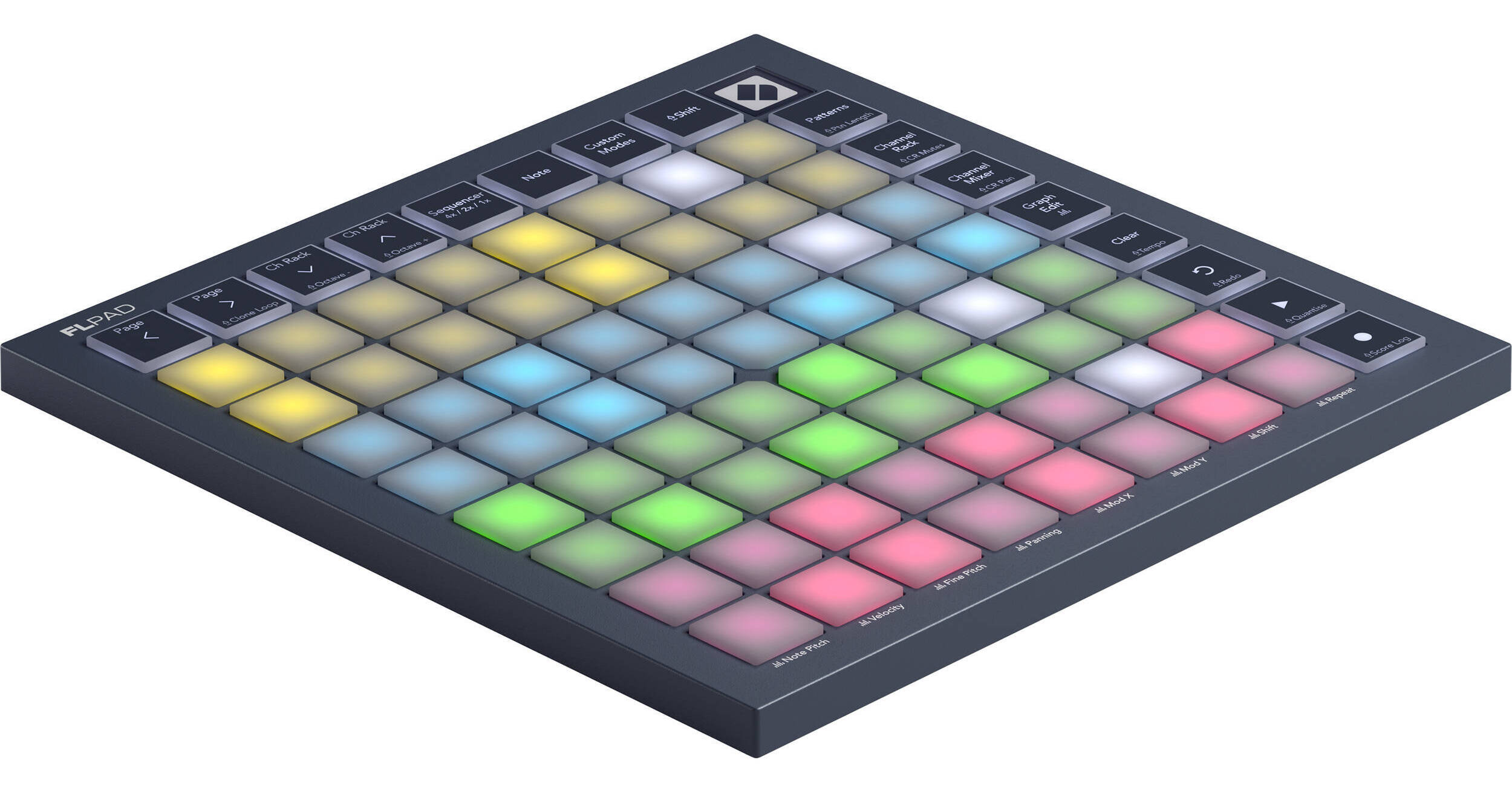
Designed in collaboration with Image-Line, the Novation FLpad Mini is a dedicated USB pad controller that provides a fast, portable way to make beats in FL Studio. The unit triggers samples in the Channel Rack, can step sequence up to four instruments at once, play drums and melodies on the velocity-sensitive pads, and create and edit Patterns.
Create up to four melodies, basslines, chord sequences, and drum patterns at once using FLpad Mini’s color-coded grid. And with direct access to the Graph Editor, you can edit velocity, pitch, note repeats, and more without breaking your flow. The velocity-sensitive pads are great for finger drumming, as well as playing melodies. You can play the grid like a keyboard, lock everything to a particular scale, or load dedicated layouts for FPC, Slicex, and Fruity Slicer. The dedicated transport buttons allow you to start and stop playback, undo/redo, quantize, and more with FLpad’s buttons. You can also navigate your sequencer and Channel Rack, access the Score Log, and turn the grid into a row of faders with Channel Rack Mixer mode. The FLpad Mini includes a USB cable, a free trial of FL Studio Producer, and a ton of software instruments and effects.
- Get hands-on in the Channel Rack, sequence drums and melodies, play parts live, and create Patterns directly from FLpad.
Make beats in the Channel Rack
- Select and trigger your samples directly from FLpad Mini’s 64 velocity-sensitive pads.
Step-sequence your ideas
- Quickly create and edit melodies, basslines, chord sequences, and drum patterns for up to four instruments at once.
Play drums live
- FLpad’s velocity-sensitive pads are ideal for finger drumming with dedicated layouts for FPC, Slicex, and Fruity Slicer.
Perform basslines and melodies
- Note mode allows you to play and sequence melodic instruments—either locked to your chosen scale or chromatically.
Build tracks with Patterns
- Develop your ideas directly from FLpad. A dedicated view makes it easy to create, select, clear, and duplicate Patterns.
- Get hands on with FL Studio’s Graph Editor, directly from the grid.
Control the Channel Rack mixer
- Turn FLpad Mini’s grid into a row of faders with Channel Rack Mixer mode.
Dedicated transport controls
- Stop and start playback and recording, undo actions, and more from FLpad Mini’s buttons.
Make it your own
- With Novation Components, it’s easy to make your custom layouts for FL Studio—or your other software and hardware.
Everything you need to make beats
- FLpad Mini comes with six months of FL Studio Producer Edition, a selection of instruments and effects, and finger-drumming lessons from Melodics.
- Kickstart your creativity with a six-month trial of the most popular FL Studio collection. The Producer Edition gives you everything you need to make music in any genre, including more than 100 individual instruments and effects, unlimited audio clips, stem separation, and a wide selection of loops, samples, and presets.
Melodics
- Melodics is a unique desktop and mobile app that helps you learn to play the music that you love on pads. Explore a bundle of bespoke lessons for Novation users, included free with FLpad.
GForce Oberheim SEM
- The Oberheim SEM emulates the classic Oberheim Synthesizer Expander Module, a powerful yet simple monophonic synth that delivers a massive punch, allowing you to craft incredible sounds instantly.
GForce Oberheim OB-EZ
- A polyphonic synth with an iconic 80s sound, the Oberheim OB-EZ offers eight-voices of rich, captivating leads, basses, pads, and more. Use the Stereo Delay control to thicken your sound, add a spatial dimension, or apply lush reverb to achieve that signature Oberheim tone.
GForce AXXESS
- The Axxess synthesizer is ideal for crafting sounds across genres, from cinematic scores to hip-hop, offering extensive modulation options for diving deeper into sound design, along with an onboard sequencer for rhythmic patches.
Klevgrand LUXE
- Compresses and saturate your sound in subtle-yet-musical ways with two selectable algorithms and a slider to set the desired strength. LUXE is an easy-to-use tool that simply makes your audio sound better.
Klevgrand Slammer
- Slammer is a multi-sample drum plugin with 30 hard-hitting kits. Choose from a variety of natural and distorted drums, as well as percussive sounds, perfect for creating highly distinctive and instantly gratifying beats.
UVI Prime 8+
- Inspired by the most iconic drum machine in the world, Prime 8+ captures the authentic drum sounds heard on countless hit records across a wide range of genres. Each sound has been carefully sampled through a high-end signal chain and pristine-sounding convertors for maximum polish, presence, and clarity.