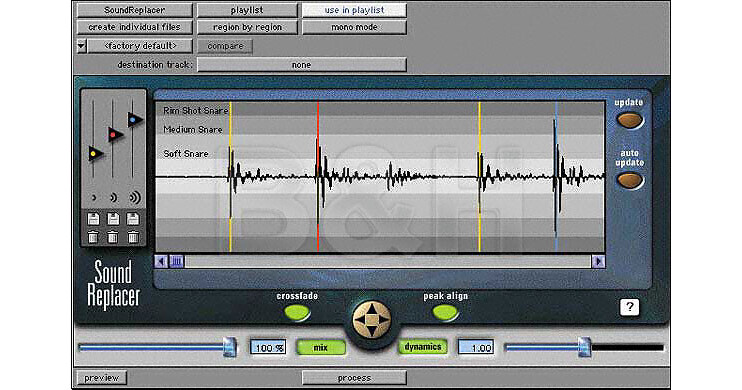
There are times when a great performance is marred by bad recording or an indifferent source. Drum replacement has traditionally been done using audio triggers and samplers, a process that required a lot of setting up. SoundReplacer is a Digidesign AudioSuite plug-in that allows the user to replace or blend up to three different samples to three independent adjustable amplitude threshold zones within an existing audio file with a minimum of set-up. It does this by referencing sound files on the host computers hard drive, and these can be any kind of sound, not just drum hits.
SoundReplacer retains the feel of the original performance by automatically adjusting the dynamics of the replacement sound to match the changing levels within the performance. It further replaces or blends up to three different samples to three different adjustable amplitude threshold zones in the audio file. Variations in amplitude within the performance determine which sample is triggered at a given time. Performances can be further adjusted with a mix slider, dynamics slider and a peak align feature.
Although SoundReplacer is perfect for repairing weak mixes, it also has enormous creative potential for sound design and post production. Sound effects designers can morph three different characteristics to a single source file, thereby adding a sense of realism to any audio track.