Sony Global

Video Chat with a Photography Expert - Live

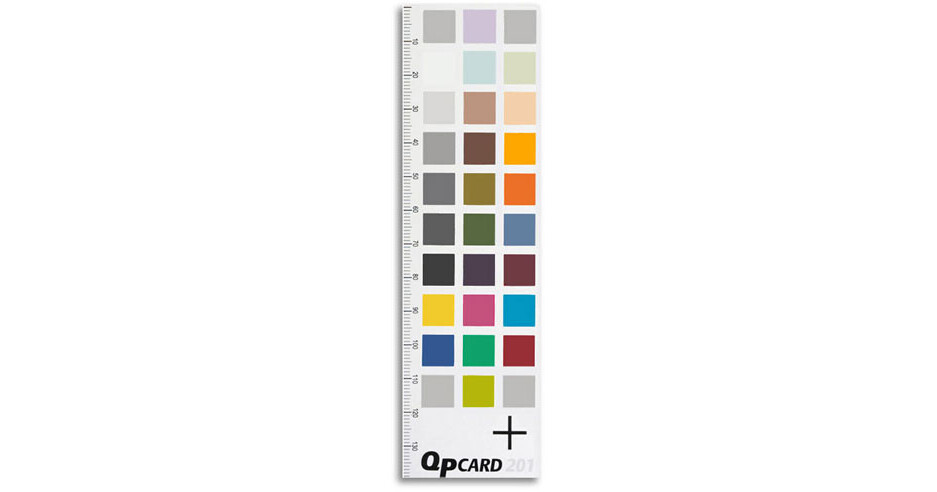
QP Card QP Color Correction Card (2 Cards)

BH #QPGQP201 • MFR #GQP201
Print
QP Card QP Color Correction Card (2 Cards)
Key Features
  • Self-Adhesive
QP Color Card - Digital cameras, like film cameras, have problems with color accuracy. Now there is a solution for accurate color from digital cameras.

Easy to Use Applications:
1. Shoot the first picture with QPcard in frame
2. Shoot the rest of the pictures, under the same lighting conditions, without the QPcard in the frame
3. Open the first picture (containing the QPcard) in QPcolorsoft 501
4. Mark the card with the marking tool
5. Click "Create Profile" icon to create color correction profile
6. Correct colors in the picture by clicking "Convert Image" icon
7. Save the profile
8. Batch process the rest of the pictures automatically

More Details
No Longer Available
No Store Display
Ask an Expert
800-606-6969

QP Card GQP201 Overview

QP Color Card - Digital cameras, like film cameras, have problems with color accuracy. Now there is a solution for accurate color from digital cameras.

Easy to Use Applications:
1. Shoot the first picture with QPcard in frame
2. Shoot the rest of the pictures, under the same lighting conditions, without the QPcard in the frame
3. Open the first picture (containing the QPcard) in QPcolorsoft 501
4. Mark the card with the marking tool
5. Click "Create Profile" icon to create color correction profile
6. Correct colors in the picture by clicking "Convert Image" icon
7. Save the profile
8. Batch process the rest of the pictures automatically

Easy-to-follow instruction manual

QP Card GQP201 Specs

Size
5.6 x 1.6" (142 x 40mm)
Packaging Info
Package Weight
0.05 lb
Box Dimensions (LxWxH)
7.1 x 3.4 x 0.05"

QP Card GQP201 Reviews

See any errors on this page?
Whatever You Need, We've Got It