Video Chat with a Pro Video Expert - Live

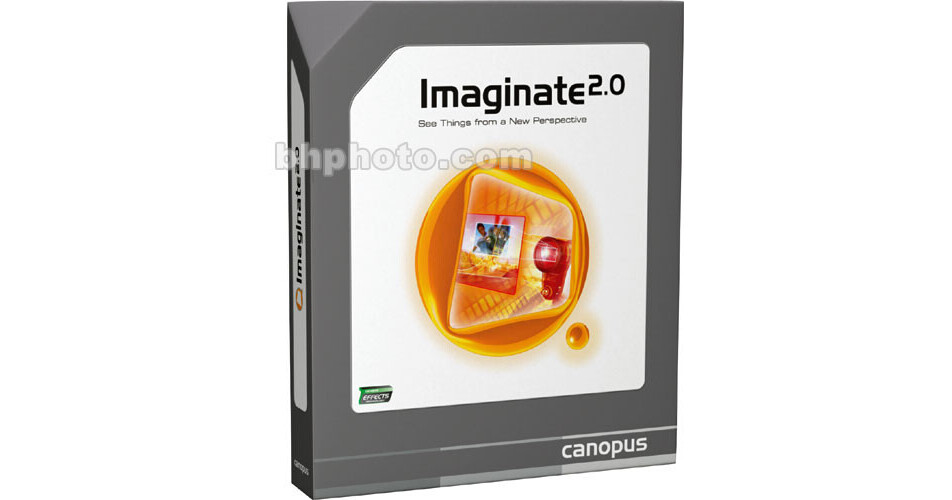
Grass Valley Imaginate 2.0 Software for Windows

BH #GRI2 • MFR #706239
Print
Grass Valley Imaginate 2.0 Software for Windows
Key Features
  • Still-Image Animation Software
Imaginate 2.0 is a stand-alone application that enables users to create still image animations and montages. Start in either Scene Wizard or Storyboard modes to lay out and time your compositions in an intuitive interface that features realtime preview and detailed keyframing options. Import and add music to your timeline; perform panning, zooming, scaling and 3D camera positioning; and export your animations to broadcast, CD and DVD video formats. Imaginate offers plug-in support for Canopus EDIUS, Canopus Edit, Canopus Let's EDIT and Adobe Premiere (6.0+ or Pro).
More Details
No Longer Available
No Store Display
Ask an Expert
866-264-7509

Grass Valley Imaginate2.0 Overview

Imaginate 2.0 is a stand-alone application that enables users to create still image animations and montages. Start in either Scene Wizard or Storyboard modes to lay out and time your compositions in an intuitive interface that features realtime preview and detailed keyframing options. Import and add music to your timeline; perform panning, zooming, scaling and 3D camera positioning; and export your animations to broadcast, CD and DVD video formats. Imaginate offers plug-in support for Canopus EDIUS, Canopus Edit, Canopus Let's EDIT and Adobe Premiere (6.0+ or Pro).

Pan, Zoom and Rotate in 3D Space
Pan, zoom, rotate, scale, and skew your high-resolution stills in 3D space, all without losing image quality.
Fast and easy Project Set Up
Use either Imaginate's Scene Wizard or Storyboard modes to set up your compositions within minutes. Enjoy detailed keyframing of pans, zooms, rotation, scaling, and skew all in a real-time preview.
Blur Filter
Imaginate features a keyframeable blur filter for photorealistic camera effects.
Anchor and Spline Controls
Achieve precise motion control, like ease-in and ease-out, with Imaginate's anchor and spline controls.
Audio Import Support
Import virtually any audio format, including WAV and MP3, to add music and narration to your animation.
Video Export for Broadcast, CD, and DVD
Export your composition in a variety of video formats suitable for inclusion in your editing application timeline, VideoCD, or DVD. Numerous AVI and DV codecs are supported.
Plug-In Support for Editing Applications
Import your Imaginate compositions directly into Canopus EDIUS, Canopus Edit, Canopus Let's EDIT and Adobe Premiere (6.x or Pro) with Imaginate Plug-Ins.

Grass Valley Imaginate2.0 Specs

Supported Host Applications
Canopus EDIUS
Canopus Edit
Canopus Let's EDIT
Adobe Premiere (6.x or Pro)
Video System
NTSC
PAL
Supported File Types
Audio File Formats:
  • Wave (.wav)
  • MP3 (.mp3)
  • Windows Media Audio (.wma)
  • Windows Media Video (.wmv)
  • AIFF (.aif, .aiff)
  • AVI (.avi)
  • MPEG (.mpg, .mpeg, .mpa)
  • MPEG-2 (.m2p, .mp2)
  • ASF (.asf)
Image Formats:
  • Bitmap (.bmp)
  • JPEG (.jpg, .jpeg)
  • Targa (.tga)
  • Photoshop (.psd)
  • JPEG Network Graphic (.jng)
  • Portable Network Graphics (.png)
  • Tagged Image File Format (.tif, .tiff)
  • Amiga IFF Format (.iff, lbm)
  • Multiple Network Graphic (.mng)
  • Kodak PhotoCD (.pcd)
  • PCX Bitmap Format (.pcx)
Video Export Formats:
  • Uncompressed RGB AVI (PAL/NTSC, 16:9/4:3)
  • Microsoft DV (PAL/NTSC, 16:9/4:3)
  • Any DirectShow AVI codec
  • Microsoft DV (PAL/NTSC, 16:9/4:3)
  • Any DirectShow AVI codec
Hardware Support
Not specified by manufacturer
System Requirements
Windows
Processor: Intel Celeron, Pentium III+, AMD Athlon, AMD Athlon XP or AMD Duron, 800MHz+
OS: Windows 2000 Professional, XP (Professional and Home Edition)
Hard Drive: 80MB
Memory: 256MB
Display Card: Not specified by manufacturer

Recommended
Processor: Intel Pentium 4 multiprocessor
OS: Windows XP Professional
Hard Drive: 80MB+
Memory: 256MB+
Display Card: Not specified by manufacturer
Software: DirectX 9.0+
Packaging Info
Box Dimensions (LxWxH)
8 x 9.5 x 2"

Grass Valley Imaginate2.0 Reviews

See any errors on this page?
Whatever You Need, We've Got It