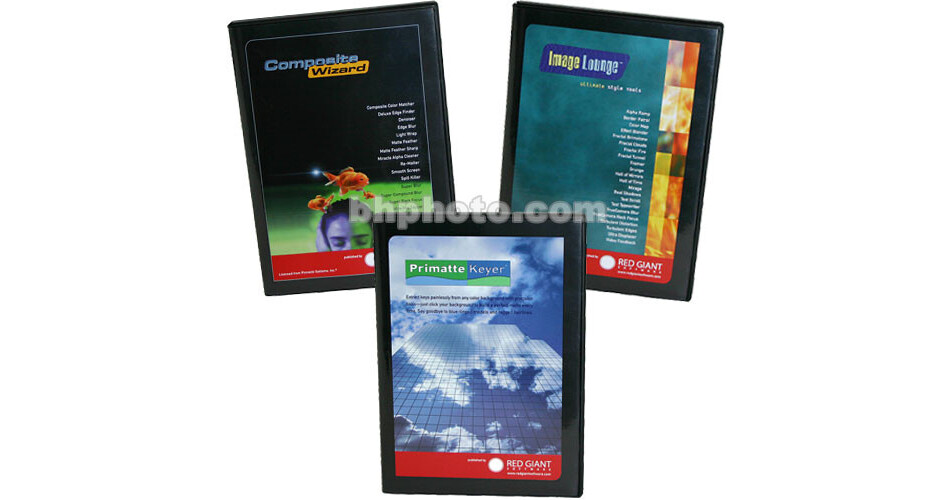
Primate Plug-In Pack Keying Software Plug-in for After Effects is a collection of powerful compositing plug-in sets including Composite Wizard, Image Lounge and Primate Keyer. Composite Wizard includes filters like Composite Color Matcher, Denoiser, Light Wrap and Spill Killer, which all enable easier matte extractions and better blending of foreground elements into background plates. Image Lounge contains twenty effects filters such as Color Map, Fractal Fire, Mirage, Real Shadow, Text Typewriter and True Camera Blur. These filters enable the creation of animatable text effects, photo-realistic shadows, organic effects like clouds, smoke and fire, and photo-real camera blurs. Primate Keyer enables users to pull clean, exact mattes from blue and green screened elements every time. The Primate Plug-In Pack is an important addition to the digital toolbox of post-production professionals.
Ask Our Experts800-606-6969
Hello, Log InAccount & Orders
No Longer Available
We're still working on getting you the best possible price for this item.
Red Giant PRIMPACKFD Overview
Primate Keyer
Pull perfect color-keyed mattes easily by sampling both foreground and background areas, suppressing color spill and adjusting matte transparency. Primate Keyer 1.5 now supports 16-bit mode and 8-bit mode within After Effects 5.0 and later (16-bit mode available only in After Effects Production Bundle).
Composite Wizard Composite Color Matcher
Automatically color-correct a composited element to match a background plate with just a few clicks of the mouse.
Composite Wizard Deluxe Edge Finder
Use this filter to create a controllable border along a composite element's alpha channel. The border can then be used as a control layer that can, in turn, affect another layer's sharpness, color, transparency, etc.
Composite Wizard Denoiser
Denoiser effectively removes noise, grain and background "chatter" from video and film sequences. This is an especially useful filter for compositors that need to add computer generated elements into their projects.
Composite Wizard Edge Blur
Gently blend and fix sharp or tattered alpha channel edges of foreground elements with this blurring filter.
Composite Wizard Light Wrap
Light Wrap simulates "backlighting" from a background plate onto the edges of a foreground element, creating much more photo-realistic composites.
Composite Wizard Matte Feather
Matte Feather enables gradual feathering and softening of hard or tattered alpha edges. This is especially useful when compositing harsh, computer generated elements into projects.
Composite Wizard Matte Feather Sharp
Sharp Feather specializes in feathering alpha edges of elements with sharp corners and geometric shapes.
Composite Wizard Miracle Alpha Cleaner
Clean grain and fix "holes" in your alpha mattes in one easy step.
Composite Wizard Re-Matter
This filter enables users to create a "stack" of various mattes (based on Luma, R, G, B, alpha, etc.) which can then be combined into one "super matte" that can be applied to other layers.
Composite Wizard Smooth Screen
Use this filter to smooth out lighting irregularities on blue or green screens, thereby making matte-pulling an easier and cleaner process.
Composite Wizard Spill Killer
Use this filter to eliminate blue or green screen spill that can sometimes appear on the edges of your composite elements.
Composite Wizard Super Blur
Users can achieve the quality of a Gaussian blur but with renders up to five times faster.
Composite Wizard Super Compound Blur
Super Compound Blur enables blur intensity to be affected by a control layer (i.e., luminance, R,G,B or alpha channels, etc.).
Composite Wizard Super Rack Focus
Simulate a photo-realistic camera rack-focus effect with this animatable filter. Simply import a depth or Z buffer map from a 3D application and then set Super Rack Focus's parameters.
Composite Wizard Wire/Rig Zapper
Remove wires, rigs, scratches and video drop-outs from footage by selecting and cloning pixels from either a part of a current frame or from a previous frame.
Composite Wizard Zone HLS
This filter enables precise control and adjustment of an element's Hue, Lightness and Saturation.
Image Lounge Alpha Ramp
Create text transitions, wipes and gradations to a layer with this filter. Alpha Ramp enables creating an animatable, controllable transparency ramping effect to a layer's alpha channel.
Image Lounge Border Patrol
Create dynamic outlines and borders to the alpha edge of your layer.
Image Lounge Color Map
Apply stylized duo- and tri-tone color treatments to your footage with this filter's animatable color ramping capabilities.
Image Lounge Effect Blender
Blend a series of several effects together and apply them all at once to a specified region of a layer.
Image Lounge Fractal Brimstone
Use this filter to simulate fire, smoke, tornadoes and various other organic effects.
Image Lounge Fractal Clouds
Use this filter to create clouds, gas, fog, water and various other photo-real organic effects.
Image Lounge Fractal Fire
Use this filter to create solar flares, napalm explosions, smoky oil fires, infernos and other combustion-related effects.
Image Lounge Fractal Tunnel
This filter creates animatable fractal "tunnel" effects that can be customized as whirlpools, wormholes, etc. The virtual camera can even be animated to travel through the tunnel.
Image Lounge Framer
Framer literally creates a frame or border with customizable color, thickness, etc.
Image Lounge Hall of Mirrors
Create a successive trail of mirror images from your footage that extends into the distance. Adjust scale, rotation and transparency.
Image Lounge Hall of Time
"Cascade" images from your clip into a corridor of time. Animate the amount time echo, along with the cascading rotation, scale and opacity.
Image Lounge Mirage
Mirage simulates mirages, heat waves, jet washes and other thermal-distortion effects.
Image Lounge Real Shadows
Generate photo-real drop shadows with true 3D perspective.
Image Lounge Text Scroll
Text Scroll enables users to easily generate traditional end credit text scrolls. Simply create a text file of the scrolling credits and then import it when using this filter.
Image Lounge Text Typewriter
Create animated "type-on" text effects complete with controllable leading, font, color, size, width, grundge and even dot pitch or scan lines.
Image Lounge TrueCamera Blur
TrueCamera Blur simulates photo-real camera blur.
Image Lounge Turbulent Distortion
Turbulent Distortion generates animatable distortions to layers. This filter is great for creating water distortion, heat waves and many other effects over text or images.
Image Lounge Turbulent Edges
Turbulent Edges generates animatable distortions to the alpha edges of layers. This filter is great for underwater and ghosting effects.
Image Lounge Ultra Displacer
Ultra Displacer is great for simulating water, heated air, steam, and interference and distortion effects that make your images look like they are being seen through a distortion field.
Image Lounge Video Feedback
Video Feedback does exactly what the name implies: it creates a blown-out, video feedback effect on footage.
Image Lounge Grunge
Grunge enables users to add a noise pattern effect to layers or text. This filter is great adding a sand-blasted or acid-eaten look.
Red Giant PRIMPACKFD Specs
| Supported Host Applications | |
| Video System | |
| Supported File Types | |
| Hardware Support | |
| System Requirements |
Red Giant PRIMPACKFD Reviews
See any errors on this page?