Boris FX Motion Graphics Pack for Premiere Pro

BH #BOMGPPS • MFR #MGP
Print
Boris FX Motion Graphics Pack for Premiere Pro
No Longer Available
No Store Display
Ask an Expert
800-606-6969

Boris FX MGP Overview

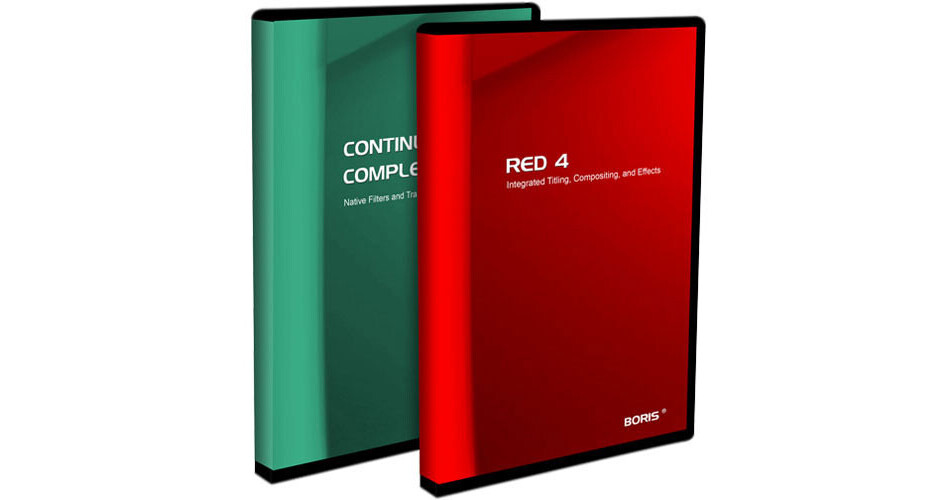
Motion Graphics Pack for Premiere Pro includes two powerful compositing and motion graphics applications: Boris Continuum Complete and Red.

Continuum Complete is a set of over 150 powerful and diverse filters that Adobe Premiere users can apply right within their timelines. Continuum includes filters for keying, creating and controlling mattes, motion tracking tools, advanced blurring, motion effects, color-correction tools, transitions and even film simulation effects. Most filters feature Continuum's unique PixelChooser control, for creating truly powerful, customized effects.

Red is an application designed specifically for editors. Boris Red offers 2D and 3D compositing, advanced titling, digital paint, rotoscoping, tools to create and extrude vector objects, 3D animation capabilities and powerful software digital video engine technology all at the video professional's fingertips.

Continuum Advanced Keying Capabilities
Boris Continuum Complete offers users the capability of creating chroma, luma and color keys. The resulting mattes can be choked and cleaned by subtracting, adding, or blending pixels.
Continuum Sophisticated Layer-Blending Filters
Achieve advanced layer-blending effects with Composite, RGB Blend and Boost Blend filters. Continuum's Apply Modes can also be combined and animated back and forth. PixelChooser enables users to create a matte between filtered and unfiltered pixels (choose a geometric region in the image or use it's luma or color information).
Continuum Motion Blurs and Motion Effects
Composite, RGB Blend and Boost Blend provide image blending effects based on Create realistic motion blurs and slow motion effects by using the Optical Flow filter, which uses motion vectors to analyze the image and create new intermediate frames.
Continuum Intuitive Motion Tracking
Motion Track the position of elements in the video image.
Continuum Correct Selected Color and Other Color Effects
Correct Selected Color enables users to adjust a specified range of colors in the source image, leaving colors outside the range unaffected. This is a great tool for video color-correction. Other Color effects include Colorize, Tritone and Multitone.
Continuum Several Blurs
Continuum features several animatable blurs including Gaussian Blur, Radial Blur and Spiral Blur. Continuum's PixelChooser control can be used to mask the blurs.
Continuum 2D Particle Simulators, Distortion and Perspective
2D Particles and 3D Image Shatter simulate image "shatters" and explosions. Users can animate gravity, velocity and particle wipe parameters. Continuum also features distortion effects including Ripple, Wave, Twirl, Bulge, or Displacement Map. Each filter features controls for speed, wave height and light. There are also 3D Shape/Distortion Effects such as Cylinder, Sphere, Cube and Page Turn.
Continuum Film Effects Filters
Film effects filters enable users to give their video the ubiquitous "film-look" by performing frame blending, 3:2 pulldowns and simulating a variety of film stocks. Grain, flicker, hair and scratches can then be added using either Film Grain and Film Damage. Compositors can use Match Grain to sample the grain from one source and apply a similar grain to the filter clip.
Continuum Three Different Glows
Continuum offers three different glows including Colorize Glow, Glow and Glow Alpha Edges. Colorize Glow creates a glow that can consist of a gradient of up to six color values. Glow generates a glow based on the chroma, luma, or alpha channels of the image. Glow Alpha Edges produces a glow around the alpha edges in an image.
Continuum Particle and Texture Generators
Particle generators include Comet, Rain, Snow, Sparks, and Particle System. Comet is an auto-animating, particle-emitter that flies through 3D space. Rain and Snow simulate precipitation which can bounce or accumulate, based on an interactive layer. Particle System is a full-fledged 3D particle system that offers the user advanced control over particle behavior with tools such as particle attractors, alternate layer alpha or luma-based production boundaries or interaction layers.

Texture Generators include Rock, Wood Grain, Steel, Brick, Granite and Cloth. All textures feature advanced parameter controls including bump maps to simulate a realistic 3D look and lighting.
Continuum Light Rays Filters
Simulate volumetric light rays using Continuum's built-in Light Rays filters. Each filter filters or masks the light source differently. Rays Radiant Edges masks the effects based on an image's luma. Rays Cartoon produces an outline around the image edges. Rays Ring and Rays Wedge create ring and wedge-shaped lighting effects. Light rays can even have auto-animating shimmering textures that are generated based on a ripple or noise map.
Continuum Lens Flare and Lighting Effects
Generate realistic Lens Flares and other lighting effects. Simulate Glints and Glares in the highlights of the video. Use Continuum's built-in motion tracking to apply these lighting effects to a moving light source. The Glitter filter generates moving and twinkling patterns of color or monochromatic stars. Other light effects include Edge Light, Light Sweep and Spotlight.
Continuum Easy-To-Use Wipe Transitions
Achieve a variety of wipe transitions easily, without the need to set any keyframes. Advanced parameter controls enable animating patterns and noise that can modify the shape of the wipe edge. Multiple borders can be applied to the transition with controls for softness and bias. Luma or chroma values of a shot can also influence the shape of the wipe edge, resulting in unique, organic transitions.
Red Open GL Playback
Utilize the power of OpenGL inside of Premiere Pro. Preview 3D animations, transitions and effects in real-time.
Red 2D and 3D Animated Charts
Use Red's powerful vector-based graphics engine to create pie, bar, line and area charts using data generated from spreadsheets or input directly using the built-in Chart Editor.
Red Advanced Title Animation
In addition to Red's regular text controls, new controls have also been added for the generation and animation of values such as timecode including drop-frame, date, time and random characters. These features are applicable to both 2D and 3D text.
Red Over 110 Effects Filters
Boris Red effects filters include Dust and Scratches, DeNoise, Fast Blur, Glow Edges, Match Grain, DeGrain, Light Wrap, Motion Blur, Radial Blur, Spiral Blur and Wire Removal.

Boris FX MGP Specs

Application
Adobe Premiere Pro 1.5 (Premiere version 7.5)
Video System
NTSC, PAL
Tools
Not Specified by Manufacturer
Supported File Types
Import
All file types supported by Adobe Premiere Pro.
Output/Export
All file types supported by Adobe Premiere Pro.
Hardware Support
ATI FireGL, Radeon (9000 and newer), nVidia GeForce (any version above GeForce 2), Quadro OpenGL card, OpenGL cards
System Requirements
Windows
Processor: Intel Pentium III
OS: Microsoft Windows 2000, XP (Professional and Home Edition)
Hard Drive: 800MB
Memory: 512MB
Display Card:
  • ATI FireGL, Radeon (9000 and newer)
  • nVidia GeForce (any version above GeForce 2), Quadro


Recommended
Processor: Intel Pentium 4 multiprocessor
OS: Microsoft Windows XP Professional
Hard Drive: 800MB or larger
Memory: 512MB or more
Display Card:
  • ATI FireGL, Radeon (9000 and newer)
  • nVidia GeForce (any version above GeForce 2), Quadro

Boris FX MGP Reviews

See any errors on this page?
Whatever You Need, We've Got It