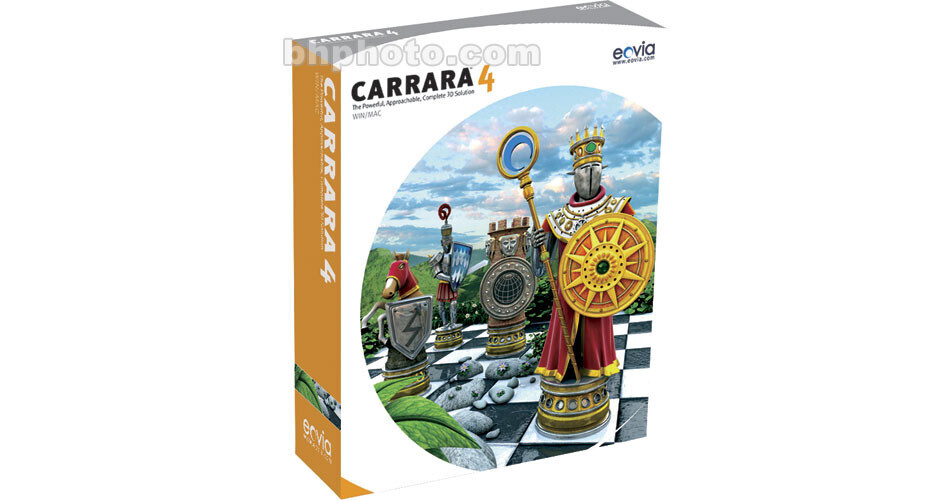
Eovia Carrara 4 Pro Software - Mac/Win

BH #EOC4P • MFR #CCP0400F01DU
Print
Eovia Carrara 4 Pro Software - Mac/Win
No Longer Available
No Store Display
Ask an Expert
800-606-6969

Eovia CCP0400F01DU Overview

Take the affordable power of Eovia's Carrara 4 Standard, sprinkle in top-of-the-line features that make productions sparkle and mix in preloaded plug-ins that increase versatility and productivity. And what do you get? Eovia's Carrara 4 Pro. Take your animation to the next level with advanced features like motion blurring, sound support and additional importing capabilities. You still get the intuitive user interface and workflow that makes Carrara 4 Standard so easy to use, but you also get the added tools that professional users require.

Support and hints are available online through an active user community. Also available are a wide range of add-ons that take Carrara 4 Pro even farther. There's just no need to pay more for fancier tools: Carrara 4 Pro gives you everything you need without breaking your budget. Be creative, productive, and cost-effective. Get it done in Carrara 4 Pro.

Top-end 3-D Illustrations
Carrara 4 Pro's lighting, texturing and rendering capabilities let you take 3-D illustrations to a new level. You can import artwork from other applications, apply the features of Carrara 4 Pro to give them greater depth and life and export them to a variety of other applications for final layout, production or for use in animations and other digital art.
Includes Amapi Designer 7
Carrara 4 Pro's complete 3-D solution includes the Amapi Designer 7 modeling application, so you can create and animate objects with the detail that makes them lifelike, all within a single application. Advanced workflow features, including Network Rendering and new import tools, accelerate the creative process and help increase your creativity and productivity.
Multimedia Tools
Use art created in Carrara 4 Pro in slideshows, movies and other computer-generated multimedia presentations to add interest and life for your audience. Sample applications include corporate videos, training materials, even DVD and application menus. And you do all of this in-house, without spending time and money on outside artists, so you get a break on deadlines and budgets too.
Bring CAD Images to Life
With Carrara 4 Pro, you can convert CAD models into realistic renderings that you can use in brochures, pitches, and presentations. Its CAD importers let you bring in your existing designs, then apply treatments including lighting and texturing to create true-to-life illustrations. You can cut a step out of the workflow from drawing board to production and help others visualize your ideas as clearly as you do.

Eovia CCP0400F01DU Specs

Application
Stand-Alone: Yes
Tools
Animation, terrain modeler, spline model, polygonal modeler, text modeler, metaball modeler, tree modeler, formula modeler, environments, sky simulation, cameras, sound support, scene building and navigation, bones and skinning, lights, lights special effects, physics engine, particle system, interactivity and previews
Supported File Types
Import
3-D File Import
  • BVH - MoCap Files
  • COB - TrueSpace
  • LWO - Lightwave
  • FBX
  • 3DMF
  • 3DS
  • Amapi 3D (a3d/a3p)
  • DXF In.ni-D
  • OBJ
  • RDS
  • VET: Viewpoint Experience Technology (Windows only)

    2-D File Import
  • Adobe Photoshop
  • Illustrator v8 (as cross-sections in Spline Modeler) - import
  • AVI (Win)
  • BMP (Win)
  • Corel Photo-Paint (Win)
  • GIF
  • JPEG
  • PICT (Mac)
  • PCX (Win)
  • PNG
  • QuickTime
  • Targa TGA (Mac)
  • TIFF
  • TrueType Fonts (in Text Modeler)
  • Output/Export
    3-D File Import
  • 3DMF
  • 3DS
  • DXF
  • OBJ
  • RDS
  • Shockwave 3-D
  • VRML 2
  • VET: Viewpoint Experience Technology (Windows only)

    2-D File Import
  • Adobe Photoshop
  • Animated GIF
  • AVI (Win)
  • BMP (Win)
  • Corel Photo-Paint (Win)
  • EPSF (Mac)
  • GIF
  • JPEG
  • PICT (Mac)
  • PCX (Win)
  • PNG 3
  • QuickTime
  • Targa TGA (Mac)
  • TIFF
  • System Requirements
    Minimum
    Windows:
  • Pentium II 300Mhz or better
  • Windows 98/2000/XP/ME/NT 4.0 (with SP3 or later)
  • 128 MB of physical RAM
  • 16-bit color display, 24-bit color display recommended
  • 3D graphics accelerator card recommended
  • CD-ROM drive
  • 300 MB free hard drive space

    Mac:
  • Power Macintosh G3 266Mhz or better
  • Mac OS X 10.1 or later
  • 128 MB of physical RAM
  • 24-bit color display
  • CD-ROM drive
  • 300 MB free hard drive space
  • Eovia CCP0400F01DU Reviews

    See any errors on this page?
    Whatever You Need, We've Got It