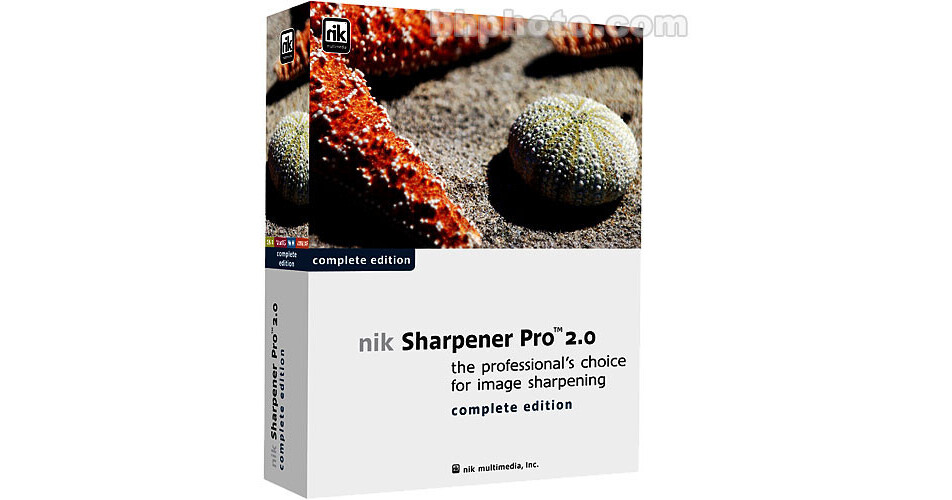
Sharpening an image enhances the overall visual impression of that image, and is an essential step in creating a good digital print. nik Sharpener Pro 2.0 offers features and controls necessary to achieve optimal sharpness in any image. This tool simplifies the process by providing you with controls that are both easy to use and understand.
nik Sharpener Pro 2.0 Complete Edition contains all of the nik Sharpener Pro 2.0 tools for complete optimal image sharpening. It provides you with the ability to sharpen images:
- For Continuous tone printers
- For Halftone printers
- For Inkjet printers
- For Electronic display devices such as projectors and monitors
nik Sharpener Pro 2.0 Complete Edition also includes the RAW Presharpening filter for RAW files.
16-Bit Support
Now you can work on 16-bit images and sharpen them without having to reduce the image to 8-bits.
nik Sharpener Pro 2.0 Selective Tool
Use the nik Sharpener Pro 2.0 Selective tool to apply any of the sharpening filters selectively to your images. Use a mouse, Pen Tablet, or any other input device to paint sharpening into the image, controlling the amount and location of the effect quickly and easily. The Selective tool is located within either the Automate or Automation Tools menu in Adobe Photoshop and Adobe Photoshop Elements. Access to all of the sharpening filters is provided by default, and filters can be excluded from the Selective Palette by modifying the nik Sharpener Pro 2.0 Selective settings.
Advanced Panel for More Control
The Advanced Panel provides you with additional controls to set the amount of sharpening both to the entire image, as well as to specific areas within the image. The Advanced Panel consists of five sliders that can control the amount of sharpening applied to specific areas within the image.
RAW Presharpening
The RAW Presharpening filter is a new sharpening tool within nik Sharpener Pro 2.0 that was designed to enhance images converted from a RAW file format.
Large Preview
The preview area allows you to see how the sharpening alters the image. With the large preview area you see more of the image and get a better understanding of the results.
Analysis Modes
The two different overlay modes enable you to see a visual representation of the sharpening that will be applied to the image.
Interface Features
For the user, a program is only as good as its user interface. nik Sharpener Pro 2.0's controls are easy to understand and easy to use.
- Multiple Previews - The multiple preview modes enable you to view the image using a single large preview, two side-by-side landscape previews, or two side-by-side portrait previews. All preview windows contain multiple zoom levels for reviewing image detail.
- Analysis Modes - The Analysis Mode button enables you to choose between no overlay mode (the default mode) and one of two unique overlay modes. The two different overlay modes enable you to see a visual representation of the sharpening that will be applied to the image.
- Quick 100% View / Full View - To view the preview at 100% (1:1) in a single click, simply click on the preview ratio, ex.(1:7), to jump directly to a full 100% (1:1) preview. To view the entire image in the preview window again, click on the preview ratio to zoom back out to the full view.
- Show More - The Show More button expands the interface to display the Quick Save Slots.
- Single-Click Presets - Each nik Sharpener Pro 2.0 filter offers four Single-Click Presets that enable you to save and access frequently used settings quickly and easily.
- Cancel - Cancel the filter without applying the filter to the image.
- OK - Apply the filter using the existing settings.
- Basic - The basic tab contains the core controls for nik Sharpener Pro 2.0 and is used to choose your output device settings.
- Sliders - The parameters of the nik Sharpener Pro 2.0 filters are set by moving the small triangular sliders for each setting.
- Advanced - The Advanced tab provides you with additional controls to set the amount of sharpening to the entire image, as well as to specific areas within the image.
- Advanced Slider - Each advanced slider contains both an Eye Dropper as well as a Color Patch. Clicking on the Eye Dropper enables you to select a color from anywhere in the image and to base the amount of sharpening on the area which contains the color you chose.