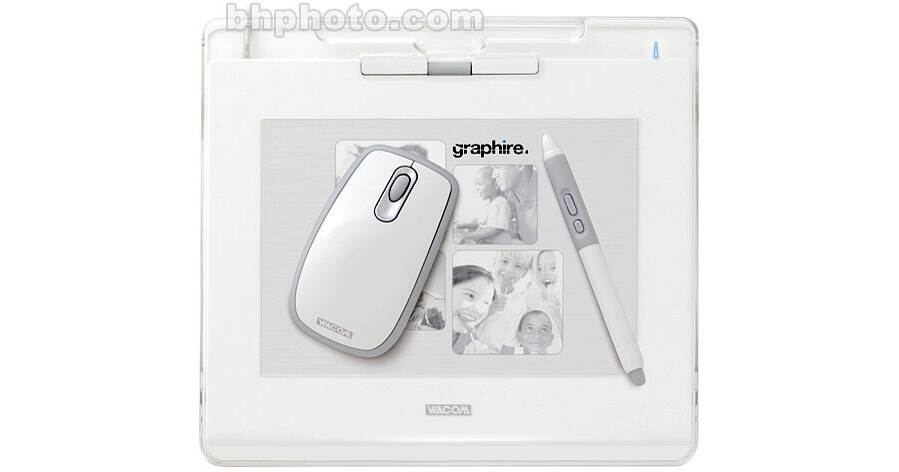
The Wacom Graphire4 tablet gives you the control you need to quickly and easily edit your digital photos. It works great with any software your mouse does and runs on both PCs and Macs. Draw, paint, and create fun artwork for scrapbooks, craft projects, and slide shows. Comfortably jot notes, annotate documents, sign your name, sketch quick diagrams, and communicate more personally. With both a Wacom pen and mouse you'll have the right tool for any task. Using them alternately reduces repetitive motion. Get the control of Graphire and join millions of satisfied Wacom tablet users.
Pressure Sensitive and Easy To Use
The Graphire pen is pressure sensitive so you can control the amount of a software tool's effect by varying how firmly you press the pen tip to the tablet. The pen is easy to use because every point on the tablet has a matching point on the screen. When you move your pen over the tablet the cursor moves in precisely the same way on the screen. Where you touch your pen tip to the tablet is where you click.
The Graphire4 Tablet
The precision Graphire4 tablet has two programmable ExpressKeys for convenient mouse clicks and keyboard shortcuts, and a scroll wheel for handy navigation through long web pages and documents. It's transparent photo frame makes for easy personalization with photos and artwork (fun samples and template included). The tablet also has an integrated pen compartment and a separate pen stand for two great ways to keep your pen handy
The Graphire4 Pen with Eraser
The Graphire4 Pen has 512 levels of pressure sensitivity for natural brush control, and a pressure-sensitive eraser for easy fixes. Combined with the patented cordless, battery-free technology, the Graphire4 pen has a natural feel and superior performance - Just like drawing on paper. In addition, there are two programmable side buttons for efficiency right at your fingertips
The Graphire4 Cordless Mouse
Patented cordless, battery-free technology in the Graphire4 cordless mouse means it is entirely hassle-free. A Scrolling finger wheel provides for easy web page or menu navigation, and also functions as a third programmable button. The patented technology used in the Graphire4 cordless mouse means that there is no ball to gum up, so you always have smooth, accurate tracking
Valuable Software Included
The Graphire4 Software Bundle includes some great software for editing images and creating illustrations and photo art. You'll get Adobe Photoshop Elements 3, Corel Painter Essentials 2, nik Color Efex Pro 2 GE, Evernote Plus, and JustWrite Office 4.
- Enhance Photos
Quickly and easily edit your digital photos using the control of the Graphire pen and your included copy of Adobe Photoshop Elements 3. Selectively apply high-quality photographic enhancements using the included nik Color Efex Pro 2 GE filter collection. - Draw and Paint
Create great looking artwork with the natural feel of your Graphire pen and the amazing capabilities of Corel Painter Essentials 2 (included). When used with a Wacom pen, Painter Essentials 2 looks and feels like just about any natural art tool your heart desires. - Jot Notes, Mark-up, and Sign
The Graphire pen makes it easy to annotate documents and communicate more personally. Use your Graphire4 pen on a PC with the included software to mark-up Microsoft Office documents (JustWrite Office 4) and to jot instantly retrievable notes (EverNote Plus). On a Mac, use your Graphire pen to enjoy all the digital-inking capabilities of Apple Inkwell
Graphire Privileges
Be sure to register your tablet so you can take advantage of Graphire Privileges! As the owner of a registered Graphire tablet you'll be eligible for great savings on graphics software, Graphire accessories, and more. Furthermore, Wacom wants you to have a wonderful experience with your new Graphire tablet from the moment you open the box. To help make this happen, free technical support is available on the web and on the phone.