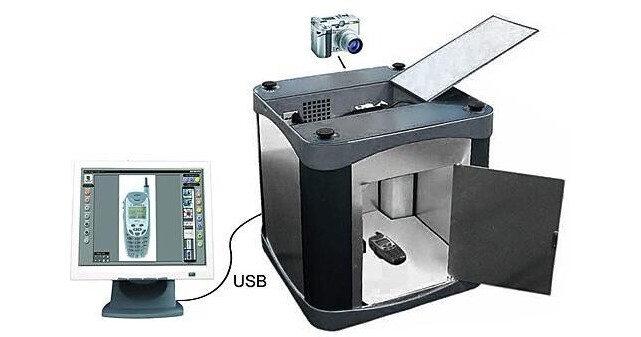
- 17.5 x 17.5 x 20" (44.5 x 44.5 x 51cm)
- PC-Controlled
- Real-Time Tabletop Studio
The Photosimile software works with a compatible digital camera to simplify and automate image capture and processing (See Specifications for System Requirements). Compatible digital cameras include: the Canon PowerShot A and G series and the Olympus C series.
As a PC-controlled photography studio, camera settings are pre-set for obtaining optimal results when shooting items inside the light box. You can preview, crop and compose images on your PC monitor screen in real-time.
For creating websites, there is a "Save for Web" button which batch saves, names, watermarks and re-sizes images at 72 dpi for the web. . With the "Direct Image Export" feature you can set up your Saving Parameters before taking the picture so that captured images are automatically named, sized and saved to a selected network or local folder on the computer. For Quality Control and Product Development users there is an extreme "Close Up" button and "Annotate and Send" features that allow the user to take full resolution close up pictures, annotate them with text and drawings then immediately send them via email directly from the program.
Images can be batch "Edited" inside the Photosimile software, however you can also use the "Application Link" feature automatically export captured images directly into Photoshop or the image editor of their choice.