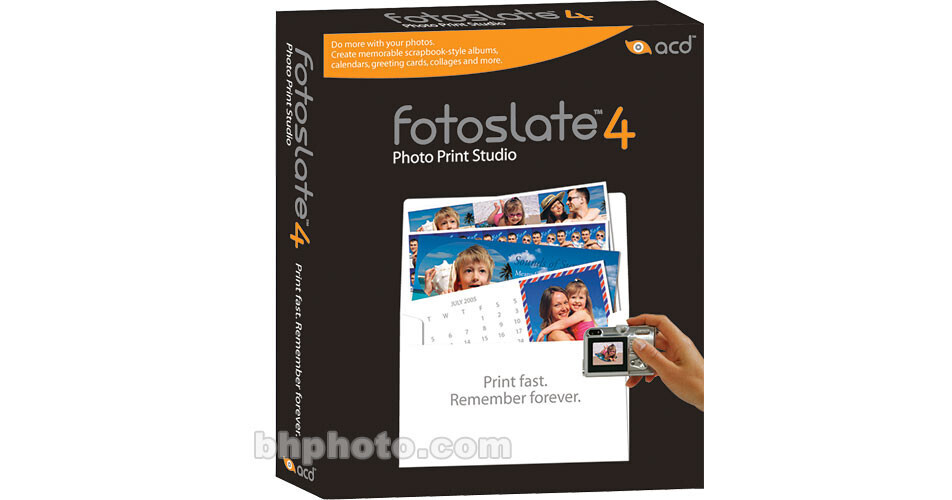
ACDSee FotoSlate 4 Photo Print Studio Software

BH #ACFSPP • MFR #FS4RTL
Print
ACDSee FotoSlate 4 Photo Print Studio Software
No Longer Available
No Store Display
Ask an Expert
800-606-6969

ACDSee FS4RTL Overview

FotoSlate 4 Photo Print Studio Software from ACD Systems is easy-to-use software that is perfect for home users and digital enthusiasts alike, putting you on the fast-track to creative photo calendars, photo albums, scrapbooks, contact sheets, CD and DVD covers, and even T-shirt transfers.

Jam-packed with all the customizable templates you need, FotoSlate 4 prints to a variety of popular paper sizes including 4x6 and 5x7. You can make print sheets, albums, calendars, and greeting cards, simple brochures and scrapbooks, and contact sheets using your personal photo collections. You can also use handy wizards to reduce your workload and streamline your workflow. Create customized calendars with special holidays included, contact sheets with handy thumbnail previews of your photos, and greeting cards with illustrated borders. Catalog a picture photo shoot into contact sheets in no time. Alter page templates with your own design ideas, or create your own page from scratch to maximize creative output.

Create Professional Photo Albums
Use the Photo Album Wizard to create eye-pleasing photo albums for your loved ones. You have the freedom to choose from a wide range of photo album style templates, to which you simply add your own photos. You can easily add text with drop shadows to your projects, re-order the pages in a project using a simple drag and drop operation, or frame your pictures before printing with super-stylish templates included for free. For added convenience and speed, duplicate your pages within and across projects with handy copy and paste functionality.
Create Greeting Cards, Invitations and Calendars from Simple Templates
Create calendars you can put on your fridge or office wall. Add standard and personalized holidays with local settings for language and country, so you can include birthdays, anniversaries, and other special days in your calendars. Having a birthday party, anniversary, wedding, or office get-together? Just pull together some of your digital photos, style them up in FotoSlate 4 and print a greeting card invitation that looks and feels store-bought.
Create Dazzling Scrapbooks
FotoSlate 4 gives you the opportunity to make simple scrapbooks out of your photos using a variety of thoughtfully designed, fast and easy project templates. In the Wizards framework simply open the Scrapbook Wizard and choose from a number of multi-page template files with relevant backgrounds, including Snowy Days, Summer Days, Autumn Leaves, Birthday, Vacation, and many more. Then apply textures and images as page backgrounds in your customized projects. That means you alone determine the look and feel of your work, right down to the last detail. If you're in a rush, just choose from a variety of template backgrounds, then drag and drop one onto your page. All of the available background templates print easily and to high-quality standards.
Page Designer Collage Layout Tool
You can use the improved Page Designer to make eye-catching collages from your personal photo collection.
Create Music CD Artwork
Want to make a great-looking cover for a mixed CD? No problem. Work with much improved templates to create stylish customized CD covers at a fraction of what it would cost to have them done professionally.
Powerful Photo Printing Templates
Instantly add speed to your digital photo printing process with FotoSlate 4's range of powerful templates. Get accurate color prints with ICM 2.0 and ICC color profiles. Plus, the Paper Saver will make a complex print job easy by automatically fitting as many pictures as possible onto a page. For added convenience, you can print multiple photos or the same photo many times on a single page.
Clear IQZ Digital Image Resampling
Improve the quality of your low-resolution digital photos with just the click of a button, thanks to FotoSlate's "Clear IQZ" digital image resampling technology. You can also re-use existing projects for maximum efficiency and convenience.
Easy Index Prints
Easily create index prints by linking pictures to text that appears beside it. Each time you add photos to the page, FotoSlate 4 automatically places the text you specify, such as photo metadata or a filename, beside the designated photo.
Stylized Image Cropping
Stylize your pictures by "cutting" them into different shapes for variety and visual appeal. FotoSlate 4 offers many shapes such as 5-point star, heart, ellipse, and circle in the preset shapes drop-down list in the Image Properties dialog box.
Save Your Projects in PDF Format
The PDF file format automatically compresses your files for easier, glitch-free storage. Having access to this universal file format makes it easy for you to share your project across platforms or over the Internet.
Sort Thumbnails Option
Use the convenient Sort Thumbnails option under the View menu (which supports the most common Windows sorting options: Name, Size, Type, and Modified) to sort through your images in record time. FotoSlate 4 also supports 3 thumbnail sizes (Small, Medium and Large) - simply adjust the thumbnail size in the Preferences dialog to best suit the destination of your project data.
Choose From an extensive Library of Photo Frames
Get a perfect finishing touch for your print projects with frames that come in a variety of themes including family, wedding, travel, sports and many more. All you have to do is pick a frame that suits your project, then print to your heart's content.

ACDSee FS4RTL Specs

System & Software Requirements
Windows System ONLY
  • Pentium processor or equivalent (Pentium4 or higher recommended)
  • Windows 98SE, ME, 2000, XP
  • 128MB RAM (256MB recommended)
  • 30MB free hard drive space (60MB recommended)
  • 256-color or higher display adapter at supporting 1024x768 resolution
  • Microsoft Internet Explorer 5.0.0 (6.0.0 recommended)

ACDSee FS4RTL Reviews

See any errors on this page?
Whatever You Need, We've Got It