Video Chat with a Pro Audio Expert - Live

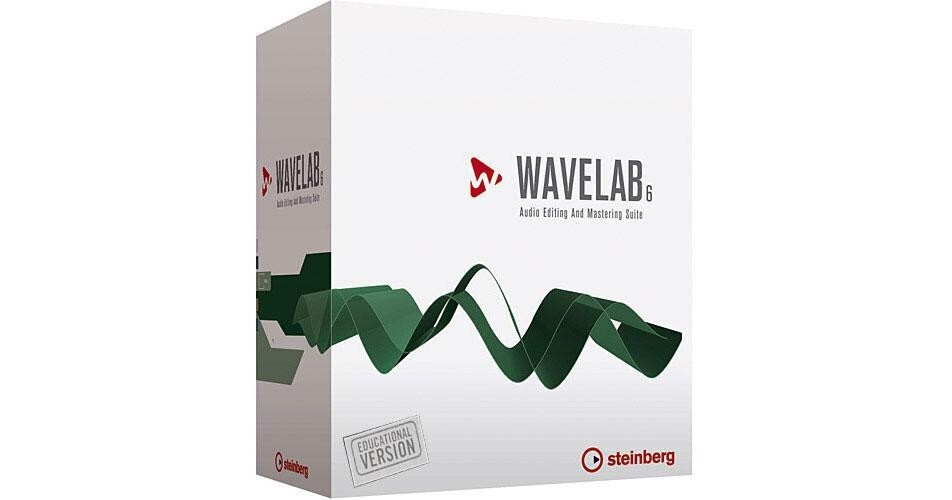
Steinberg WaveLab 6 - Professional Audio Editing Software - Educational Discount

BH #STWL6E • MFR #502020871
Print
Steinberg WaveLab 6 - Professional Audio Editing Software - Educational Discount
Key Features
  • Stereo or Multi-Channel Editing
  • CD Mastering
  • DVD-Audio Authoring
  • Audio for Video
WaveLab 6 from Steinberg is the all-in-one solution for professional mastering, high resolution multi-channel audio editing, audio restoration, sample design and radio broadcast work, right through to complete CD/DVD-A production.

The software features sample-accurate stereo or multi-track audio editing combined with impressive effects for sound design. Depending on the editing task, users may chose between a destructive stereo editor and the powerful non-destructive, clip-based Audio Montage for stereo or multi-track projects.

The Audio Montage allows real-time fades and cross fades, clip-based effects with effect morphing between adjacent clips and track-based effects through the Master Section. Unlimited undo/redo and powerful batch processing and archiving features are included. In addition, WaveLab 6 supports any surround format with up to eight channels, as well as surround plug-ins like the Steinberg Surround Edition.

Version 6 extends the WaveLab concept by including a Spectrum Editor, intergration of external effect hardware, support for MIDI remote controllers, SmartBypass system with automatic loudness compensation, DIRAC time-stretching and pitch-shifting, support for Bob Katz' K-System metering and more.

More Details
No Longer Available
No Store Display
Ask an Expert
877-717-9890

Steinberg 502020871 Overview

WaveLab 6 from Steinberg is the all-in-one solution for professional mastering, high resolution multi-channel audio editing, audio restoration, sample design and radio broadcast work, right through to complete CD/DVD-A production.

The software features sample-accurate stereo or multi-track audio editing combined with impressive effects for sound design. Depending on the editing task, users may chose between a destructive stereo editor and the powerful non-destructive, clip-based Audio Montage for stereo or multi-track projects.

The Audio Montage allows real-time fades and cross fades, clip-based effects with effect morphing between adjacent clips and track-based effects through the Master Section. Unlimited undo/redo and powerful batch processing and archiving features are included. In addition, WaveLab 6 supports any surround format with up to eight channels, as well as surround plug-ins like the Steinberg Surround Edition.

Version 6 extends the WaveLab concept by including a Spectrum Editor, intergration of external effect hardware, support for MIDI remote controllers, SmartBypass system with automatic loudness compensation, DIRAC time-stretching and pitch-shifting, support for Bob Katz' K-System metering and more.

Note:
This package is an educational discount that requires proof of current educational status.
CD Mastering
CD Mastering is more than just squeezing maximum loudness out of music tracks and putting these into the right order for creating a CD. A mastering studio has to match and adjust levels, equalization, spatial integration and many other audio aspects between different audio tracks in order to creates a coherent acoustic experience across the entire CD.
Allows the creation of complex transitions and cross fades between titles very easy. Intuitive track assembly, audio editing and applying effects or cross fades down to accurate CD marker and PQ editing is very fast and intuitive.
Ability to create a CD image file or burn the project directly to CD and optionally compares the final CD to the master image for error checking and repair. Creates CD reports and export track sheets. One can even create full colour CD covers and labels right out of the project.
DVD-Audio Authoring
DVD-Audio is acknowledged to be the standard for high resolution audio media, combining uncompressed or lossless compressed multi-channel audio with video, text and DVD-ROM content.
Offers DVD-Audio authoring support on top of its powerful audio processing and Mastering capabilities. It combines all of its graphical editing and processing features with full DVD-Audio authoring, including graphic menus, DVD Text, multiple track groups and import/burning of DVD Video content in one intuitive window.
Audio Restoration
DeNoiser plug-in is based on acoustic fingerprint analysis and analyzes recorded audio in real-time to remove unwanted background noise while maintaining the ambience of the recording.
DeClicker plug-in also operated in real-time by analyzing the original material, detecting clicks and then removing those clicks. For offline and manual restoration the software includes a fast and flexible interface to detect and navigate to disturbances. The extremely powerful interpolation algorithms replace problems like clicks, clipping or drop-outs intelligently with appropriate material from other parts of the audio files.
Fully supports Algorithmix' renovator plug-in for the highest demands of restoration.
Audio-for-Video
Allows for accurate and detailed audio editing from trimming and editing audio clips to complex sound design, using a "smart" video thumbnail track.
Offers the full spectrum of audio editing and processing tools needed to turn a flat-sounding movie soundtrack into a powerful and impressive sonic experience. The software can be used to create sound effects, looped background music beds, impressively clear and "in-the-face" dialog or even complex multi-track edits using the Audio Montage window.
With up to eight audio channels, WaveLab 6 can also serve as a soundtrack mastering tool for all popular surround formats, including 5.1 and 7.1.
Can edit the audio track of a video clip extracted from the video file or be run as the audio editing front-end of a preferred video editor. With XSend and XReceive, WaveLab 6 can be integrated seamlessly into any AV workstation.
Broadcast Production
Besides outstanding sound quality and data integrity, workflow optimization and system integration are some of the key requirements in professional broadcast facilities. WaveLab 6 offers state-of-the-art 24-bit/384 kHz resolution and 32-bit floating-point precision, which results in exceptional sound quality and processing accuracy.
Supports the MPEG 1 Layer 2 (M.U.S.I.C.A.M.) file format, which is commonly used in digital broadcast systems, as well as Broadcast WAV, the extended WAV format that includes additional information in the file header.
Includes scripting capabilities in combination with user presets and batch processing functions, that allow for perfect integration of WaveLab 6 into the existing workflow, including automated file import, format conversion and signal processing. Using the new API scripting interface the software can run even difficult processing tasks in the background without even being touched.
Editing for Samplers
Many studios still rely on MIDI hardware samplers and their extensive sound libraries. Editing samples on small LCD displays can be tedious and time-consuming. WaveLab 6 supports more than thirty popular samplers and sample formats. It can communicate directly with hardware samples via MIDI and SCSI, send and receive samples and convert between different formats.
Multimedia Sound Design
Supports major multimedia audio file formats like Windows Media, WMA Pro and various MPEG formats. Instead of inconvenient importing or exporting, WaveLab 6 natively supports all of these formats and allows for direct opening and saving of files in any of its supported formats. In combination with the powerful batch processing functions, WaveLab 6 becomes the tool of choice for any file-conversion task.
Institutional Applications
Powerful recording and processing features have made it a popular choice for scientific audio archiving and restoration, as well as more sophisticated laboratory applications including forensic analysis. Known for its reliability and its ease-of-use, its highly customizable workflow and the powerful user-preset and batch processing features, plus its compatibility with many different file formats provides enough room for a perfect integration into practically any thinkable audio laboratory environment.

Steinberg 502020871 Specs

Type
Audio editing, Red Book-compatible CD mastering and DVD-A authoring
File Support
WAV, AIFF, AU, MP3, MP2 (M.U.S.I.C.A.M.), RAW, Windows Media 9, AES-31 Import and Export
I/O Support
Windows MME
ASIO
System Requirements
Intel/AMD 1.4GHz minimum
Windows XP or Vista (32-bit only)
512MB RAM
Windows MME compatible audio hardware is required (ASIO compatible audio hardware required for low latency operation)
DVD drive for installation
USB port required for Steinberg Key
Internet connection required for license activation
Specialties
Spectrum Editor with a sonogram view allows ultra-fine surgical editing of the audio file's frequency information

Steinberg 502020871 Reviews

See any errors on this page?
Whatever You Need, We've Got It