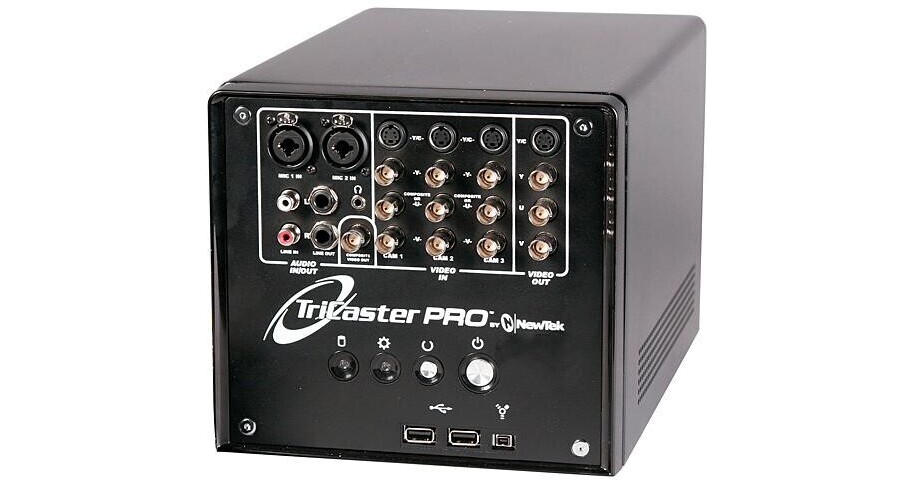
The Newtek Tricaster Pro (Educational Package) Live Production Studio is a live switcher, titler, media streamer, media capture device and media storage device all in one. This device comes in a very manageable housing with keyboard, mouse and some cables. It can be used to create a three camera shoot with roll in video, titles and special effects then stream it as live media through a network connection. Standard video outputs allow a live shoot to be recorded to tape, disk or presented to a large DLP, Projector or monitor. The Tricaster Pro is a step up from the regular Tricaster offering more input and output options and more production tools.
Live Production
The Tricaster Pro offers standard component, composite and Y/C camera input connections along with Mic and standard audio inputs to actualize a three camera live production. The output can be recorded, presented or streamed.
Live Internet Streaming
Internet or intranet streaming is accomplished using the same input as live productions and outputting through an Internet connection. The GUI offers an easy set up with an IP address for easy user access and viewing.
Professional Titling
An internal titler allows the user to create titles of many sizes, colors and styles; the titles can roll, crawl or utilize a special effect. Titles can be stored and recalled for user convenience.
Media Editing
Media can be captured and edited into a clip for roll in capability.
File Formats
The Tricaster can store and utilize many formats including:
- Video: DV, AVI, WMV, MPEG-1
- Images: png, bmp, jpg, tga, psd
- Audio: wav, mp3
Camera Set Up
Each camera input has set up features such as Brightness, Contrast, Hue and Saturation for image enhancement and compatibility.
Audio Mixer
Each audio input has level and equalization controls.
Keying
The Tricaster has high quality keying features allowing for Chroma Keying and Luminance Keying with image adjustments.
Video Capture
Video clips can be captured and stored for recall and roll in during the live production.
VGA Projector Output
This high resolution output allows connection to a presentation projector or multisync monitor.
iVGA
One of the collaborative tools in TriCaster allows you to actually bring in
desktop imagery from other computers across a local network. iVGA
is a groundbreaking technology integrated for the first time into live switching.
Step Up From Tricaster
- High Resolution Component Video
- Camera Auto Calibration
- WXGA Projector Output
- 10 Hours of AVI Storage
- Balanced Audio
- Phantom Mic Power
- Waveform Monitor and Vectorscope
- Mac iVGA Capable
- Timed Picture Playback
- Simultaneous Stream and Record