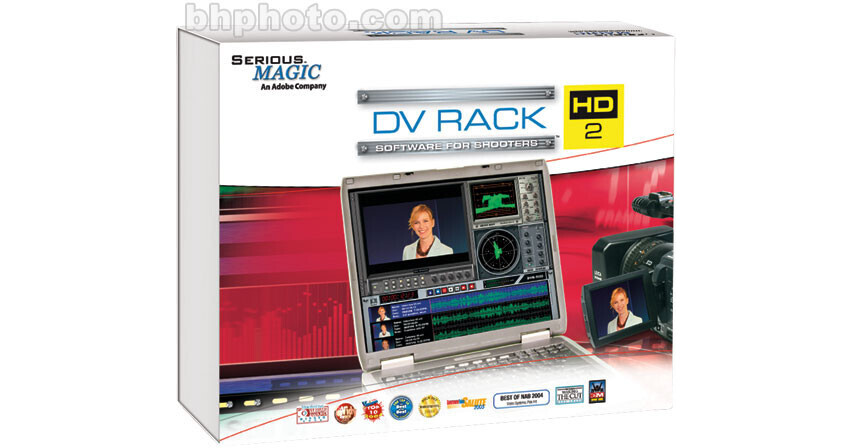
Adobe DV Rack 2.0 HD Software for Windows

BH #ADDVR2HD • MFR #38040105
Print
Adobe DV Rack 2.0 HD Software for Windows
Key Features
  • Video Recording and Monitoring Software
The DV Rack 2.0 HD Software for Windows from Adobe is a suite of video recording and monitoring tools that turns videographers' laptop computers into portable digital video recorders, field monitors and video signal evaluation processors.
More Details
No Longer Available
No Store Display
Ask an Expert
866-264-7509

Adobe 38040105 Overview

The DV Rack 2.0 HD Software for Windows from Adobe is a suite of video recording and monitoring tools that turns videographers' laptop computers into portable digital video recorders, field monitors and video signal evaluation processors.

Users utilize these powerful software modules simply by plugging their miniDV cameras into a laptop computer via a standard FireWire cable, up to 50 meters in length, when shooting on-set or in the field. The DV Rack 2 software features a camera-controlled DVR module that captures footage directly to the hard drive, a SureShot Module that aids in the set-up and calibration of cameras prior to shooting via three custom calibration charts (focus, dynamic range, white balance) and the Professional Field Monitor module which enables videographers to view footage exactly as it is being recorded. This is a great upgrade for owners of DV Rack.

HD Support
DV Rack 2.0 HD offers support for monitoring and recording of a variety of HD video formats. These formats include DV, HDV, DVCPro 50 and DVCPro HD. It also supports automatic pulldown removal for 24p video and DVCPro HD MXF file conversion.
Digital Video Recorder
While shooting on-set or in the field, users can plug in their miniDV camera via FireWire (up to 50 meters) to their laptop computer and capture footage directly to their hard drive. This direct recording provides higher reliability than tape and fast, on-the-spot, clip review. The DVR is controlled by the user's camera and, using the automatic pre-buffer, it even starts recording before the camera does.
Professional Field Monitor
The Field Monitor module enables users to plug their miniDV camera into their laptop computer and view footage exactly as it is being recorded. This digital monitor features underscan, safe area display, 16:9, and video evaluation tools such as freeze, zoom, dual zebra patterns and split-screen. The split-screen feature allows videographers to see a split screen between any pre-recorded clip and their live video. This makes it much easier to match camera settings between shots or maintain continuity.
SureShot Module
The SureShot camera setup module guides users through a simple four step, wizard-like process to objectively calibrate their camera to achieve the best possible quality in their shooting environment. Prior to shooting, users hold up each of the three custom calibration charts (focus chart, dynamic range chart and white balance chart) printed on the camera setup cards in front of the camera. SureShot then displays immediate feedback to aid in adjusting the camera and lighting for optimal results.
DV Waveform Monitor and Vectorscope
Pro videographers and engineers can truly determine white purity, saturation, etc., by monitoring the actual post-compression signal as it will be recorded. The DV Waveform Monitor/Vectorscope also features Luma, Parade, Y-only, R-Y, B-Y modes, full screen or sweepable line modes, as well as gain, trace illumination, scale and position.
Automated Quality Monitor
The DV Rack Automated Quality Monitor tracks and evaluates every video and audio frame, and marks the location of potential problems on the DVR display. Users can review and assess problem areas in their footage with just a mouse-click.
Audio Spectrum Analyzer
The Audio Spectrum Analyzer generates precise visual representation of the audio signal, enabling subtle microphone and gain adjustments during shooting.
Spectra 60 Video Analyzer
The Spectra 60 video is capable of monitoring and evaluating any of five color spaces (including RGB, HSV and CMYK) on a pixel-by-pixel basis to provide precise readouts.
DV Grabber
Users can capture and save high-resolution video stills direct from live DV video or DVR clips via the DV Grabber module. Video stills can then be saved as JPG, BMP or PNG files or copied to the Windows clipboard for emailing and transfer into a graphics program.
Shot Clock Timer/Clock Module
The ShotClock Timer/Clock Module features a stopwatch/event timer that displays video frames (drop frame and non-drop frame) and a time-of-day clock, which can be automatically calibrated online to the atomic clock at the U.S. Naval Observatory when users are connected to the internet.

Adobe 38040105 Specs

Supported Host Applications
Stand Alone
Video System
NTSC
Supported File Types
DV, HDV, DVCPro 50, DVCPro HD
Hardware Support
FireWire Camcorders
System Requirements
Computer: 2.0 GHz Single Core or faster; 1.8 GHz Dual Core or faster
Operating System: Windows 2000, XP
Memory: 256 MB
Hard Drive: 5400 RPM drive with 39 MB available for software installation; 13 GB per hour for DV or HDV video, 26 GB per hour for DVCPro50, 52 GB per hour for DVCProHD
Graphics: 32 MB AGP/PCI Express graphics card with Direct3D (ATI Radeon or nVIDIA GeForce recommended)
Hardware: CD-ROM Drive, FireWire-400 Port, Ethernet Card or IDE/ATA Hard Drive required for product activation

Adobe 38040105 Reviews

See any errors on this page?
Whatever You Need, We've Got It