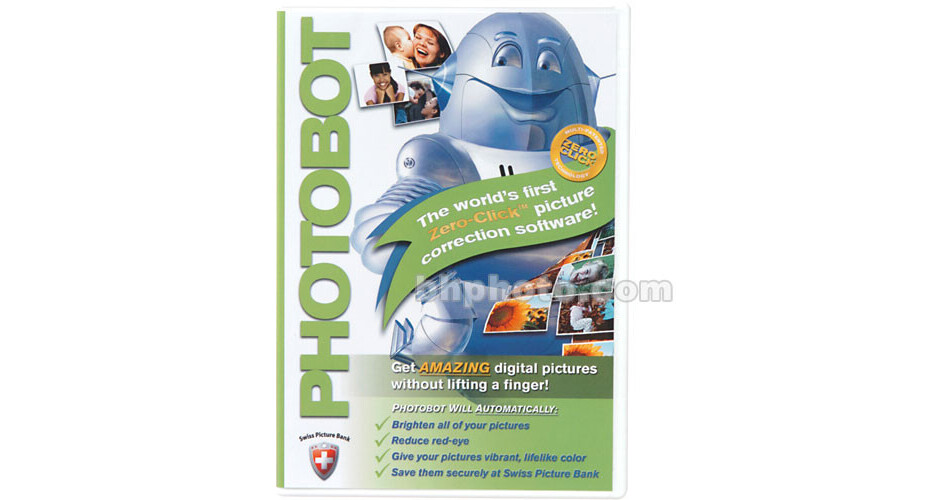
Tribeca Imaging Laboratories Photobot, Automated Image Enhancement Software

BH #TRPBPI • MFR #837101291729
Print
Tribeca Imaging Laboratories Photobot, Automated Image Enhancement Software
No Longer Available
No Store Display
Ask an Expert
800-606-6969

Tribeca Imaging Laboratories Photobot Overview

Photobot from Tribeca Imaging Laboratories is a unique software product that provides a Zero-Click picture correction process. Once installed, the Photobot software launches when you start your computer and is always on, searching your computer for photos from your digital camera, or any other source of images that are in JPEG format. You can set Photobot to scan your entire hard drive or only specific folders. Whenever it detects new images, Photobot immediately applies award-winning, adaptive image correction technologies that automatically brighten dark pictures, reduce red-eye and improve color. Photobot's multi-patented Zero-Click technology means that you will never need to read a manual, never need to open software, and never even need to hit a button to make all your pictures look amazing. It all happens automatically - you don't have to do a thing!

Photobot also sends all of your pictures to Swiss Picture Bank where they will remain safe and accessible for generations to come. Swiss Picture Bank is located in the same high-security data facility Swiss banks use to store billions of dollars in electronic assets. With Photobot and a Swiss Picture Bank account, you will never lose a picture, again, and a three month trial Swiss Picture Bank account comes FREE with every copy of Photobot.

Improve Your Images with the Latest Automation Technology
Photobot uses state of the art Real Color Technologies to automatically make all your pictures look amazing, including Athentech Technology's Perfectly Clear to brighten dark pictures, Tribeca Labs' Full Spectrum RGB for lifelike color in every shot, and Red-Eye by FotoNation to automatically remove red-eye.
Choose Which Files to Fix
Set Photobot to process pictures on your entire computer, or specify what pictures you want Photobot to process. User-customized search includes a complete Scan to correct all the pictures found on your computer, a Lite Scan to only process pictures found in your "My Pictures" folder or a Custom Scan where you specify folders for Photobot to process, including external drives.
Swiss Picture Bank Keeps Your Photos Safe
Photobot includes a Free, three month trial Swiss Picture Bank account. Photobot automatically uploads all your pictures to your very own password-protected, private Swiss Picture Bank account.

Tribeca Imaging Laboratories Photobot Specs

System & Software Requirements
Windows System ONLY
  • 233MHz processor (300 MHz or higher recommended)
  • Windows 2000, or XP ONLY
  • 64 MB of RAM (128 MB or higher recommended)
  • 20 MB available disk space
  • Monitor resolution of 1024x768 or higher
  • Internet connection required for Swiss Picture Bank (broadband recommended)

Tribeca Imaging Laboratories Photobot Reviews

See any errors on this page?
Whatever You Need, We've Got It