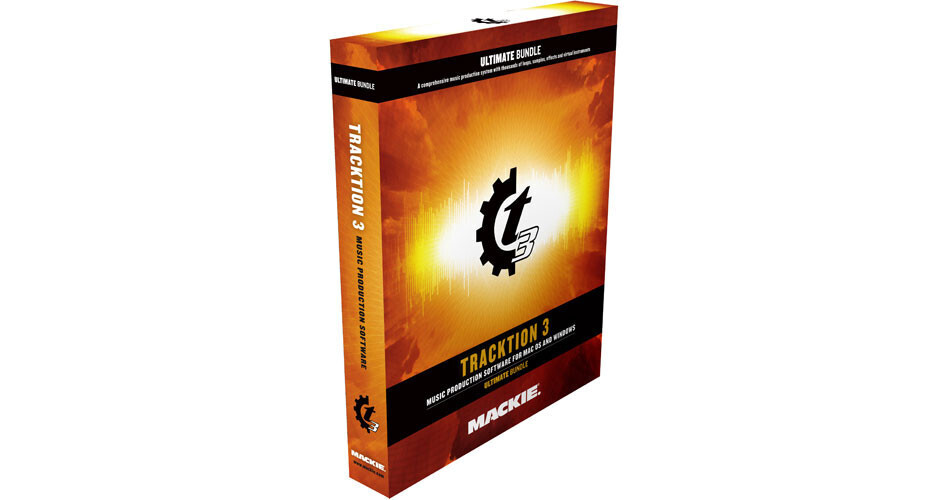
Mackie Tracktion 3 Ultimate Bundle

BH #MAT3U • MFR #TRACKTION 3 ULTIMATE BUND
Print
Mackie Tracktion 3 Ultimate Bundle
No Longer Available
No Store Display
Ask an Expert
800-606-6969

Mackie TRACKTION 3 ULTIMATE BUND Overview

Tracktion 3 Ultimate Bundle software from Mackie is an easy-to-use music production application that, nevertheless, contains everything needed to professionally record and mix music on a Mac or PC - without all the hassles and limitations of other multiple-page audio software.

The software's hallmark is a clean, single-screen interface and streamlined operation, whether recording tracks, MIDI programming, or mixing down songs. It offers rock-solid operation, VST and ReWire support, very low CPU usage, and functions under both Mac OSX and Windows XP operating systems. Tracktion 3 also provides more than 150 enhancements over the previous version of Tracktion.

The software is available in two versions. Both the Project and the Ultimate bundle contain the full version of Tracktion 3 software, and the same additional virtual instruments and sample software, differing only in level and the amount of associated sounds. An upgrade is available from Tracktion 2 and for Project Bundle owners who wish to get the full Ultimate Bundle.

RECORDING
Single Screen Interface
  • Uses a signal-flow paradigm for everything - inputs are on the left side of the screen - audio and MIDI clips are in the middle - effects and outputs are on the right
  • To record, the user has to simply drag the audio or MIDI instrument icon to a track and hit record
  • An "assign all inputs to consecutive tracks" function allows for recording from multiple inputs simultaneously
Unlimited Track Count
  • No predetermined limits on the number of tracks that can be recorded, or the number of effects used
  • Software takes full advantage of dual core/dual processor CPUs
Safe Record
  • With the feature enabled, recording won't stop until a customizable key command is entered
  • Perfect for recording live shows
Loop Recording
In addition to normal recording mode and punch-in mode, Tracktion includes "Loop Record Mode" which makes it easy to record multiple passes of audio or MIDI and compile the best of each into the perfect take
64-Bit/192kHz Capable Mix Engine
  • A High-Definition 64-bit Math mixing option improves headroom and eliminates distortion through the summing bus
  • Ready for 192kHz-compatible audio interfaces
COMPOSING
Loop Browser
Loop Browser allows for pulling up a huge variety of pre-recorded music loops in a wide range of file formats, including Recycle, Apple Loops and Acid
Pre-organizes loops by "instruments", "genres" and "descriptors" (single, ensemble, part, fill, acoustic, etc.) The search can be further narrowed by "key" (major, minor, both, neither,) and finally via a "search" field for searching via keywords
Time Stretching/Pitch Shifting
Allows for radically adjusting the tempo of various loops and samples - or even user recorded tracks - without degradation
Pitch Shifting allows for using instruments and samples that were originally played in other keys into the current project
Virtual Instruments
Includes comprehensive collection of virtual instruments and sample libraries from SampleTank, DrumCore, Garritan Personal Orchestra, Native Instruments KONTAKT Player, LinPlug Alpha 3 Classic Synth and Cronox 3 Sample Synth, the RM IV Drum Addiction, and more
MIDI Editor
Features a powerful-yet-streamlined MIDI editor, optimized for speed and ease of use, whether recording from a synthesizer, or doing detailed editing of a performance with the MIDI pencil tool
ReWire
Full ReWire 2.0 support for integration with applications like Ableton Live and Reason and other ReWire-supporting software
QuickTime
Supports QuickTime video playback for scoring to movie
EDITING
Audio Clips
Once audio is recorded or imported it is presented in the arrange window as an audio clip
Clips provide tools for editing them right at the top of each clip - no more going to drop-down menus for commands, or going somewhere else on the screen to do fades
Enhancements
Folder Tracks allow hiding and showing of groups of tracks in an edit, with support for nested folders
As a practical example, the user can lower the volume or change the panning of every element in a rhythm section, without having to go in and select each individual drum and bass sound
A "Marker Track" allows display of all markers in an edit. Markers can be treated as clips, much like audio and MIDI - they can be moved around, split, stretched and edited
MIXING
Filters
In Tracktion, the term "filter" applies to any effect, native or third party plug-in, virtual instrument, or anything else.
Filters can be copied, re-arranged, and applied to individual audio clips, groups of tracks, and more
Common types of Tracktion filters include Volume/Pan, Level Meter, 4-Band EQ, Auxiliary Send and Return, Effects, plus third-party VST plug-in and virtual instruments
Effects Plug-Ins
Includes a full-suite of native effects plug-ins, ranging from dynamics to modulation, reverb and more
Also supports commercially available third party VST and VSTi plug-ins
These plug-ins are available as filters to place on any track, group of tracks, individual audio clips, on groups of audio clips, or across the entire mix
Rack Filters
Allows for the simple creation of complex instrument and effects combinations, and then to use them as a group
A rack filter can be applied to a single track or many tracks, processing them simultaneously
Mix Automation
Enabled by dragging and dropping the "A" from a track on to any filter - the user can then choose from a list of automatable parameters
Automation is user editable. By using "Automation Record", automation moves can be captured while a session plays and then edited further
Track Freeze
Renders single and multiple tracks, with all their assorted audio files, effects and instruments, to a single file. This frees up the computer's CPU for additional tasks
Control Surface Support
Offers improved support for the Mackie Control Universal/Extender Pro and Mackie Control C4 Pro controllers, providing complete hands-on control of a full range of recording and mixing parameters - including plug-ins and virtual instruments
Also supports a wide range of third-party control surfaces including the Frontier Design Tranzport and Novation ReMOTE LE

Mackie TRACKTION 3 ULTIMATE BUND Specs

Software Type
Multi-track recording and mixing, MIDI sequencing
Audio Tracks
Unlimited (CPU dependent)
MIDI Tracks
Unlimited (CPU dependent)
Sends/Inserts per Track
Unlimited (CPU dependent)
Plug-In Support
VST
ReWire
Included Effects
Full-suite of native effects plug-ins, ranging from dynamics to modulation, reverb and more
Score Editor
No
MIDI Timing Resolution
Not specified by manufacturer
Movie Support
QuickTime
Sync Functions
MTC and MIDI clock
Supported Hardware
ASIO
Core Audio
System Requirements
Mac:
G4, G5, Intel 1GHz or better
OSX v10.4.8 or higher
512MB RAM
10GB free hard disc space
DVD drive for installation

PC:
Pentium/Athlon 1GHz or better
Windows XPbr>512MB RAM
10GB free hard disc space
DVD drive for installation

Specialties
Multi-processor/multi-core CPU support

Mackie TRACKTION 3 ULTIMATE BUND Reviews

See any errors on this page?
Whatever You Need, We've Got It