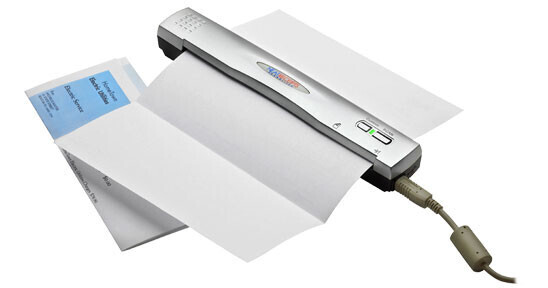
The NeatReceipts Scanalizer Portable Scanner is a tool that helps you stay organized by making it easy to scan and organize all of the paper in your life - from your mail and bills, to business cards, receipts and business expenses, to home warranties and insurance forms. Instead of sifting through boxes of documents, you can easily scan and navigate through organized digital folders.
The Scanalizer automatically sizes, crops, and rotates any scanned receipt or document, so that images appear upright in the software image viewer no matter how you scan them in. It scans quickly and easily with sheet feeding action, and scans documents in grayscale to keep file sizes down, but also supports scanning in color.
Compact and Portable
The lightweight, portable Scanalizer weighs less than one pound, measures only 10.8 x 1.6 x 1.3" and is powered by a single USB cord. It conveniently fits into your briefcase or laptop carrying case.
Organize your Receipts
Your receipts will be easy to find because the Scanalizer keeps track of purchases by vendor, date, expense category and even recognizes the last 4 digits of credit cards. It is perfect for the road warrior to quickly prepare expense reports that include copies of your receipts.
Expense Reports Made Easy
The Scanalizer helps you save and organize receipts for easy access. If you get reimbursed for business expenses, NeatReceipts software is the perfect tool for creating expense reports quickly and easily.
Organize Contacts
Capture your contact's name, title, address, and company information right off of a business card in color and sync it with Outlook, Plaxo or vCard. Plus you can clear off your desk and electronically manage documents such as meeting notes, invoices, contracts, and faxes.
Helps You with your Taxes
The Scanalizer simplifies tax preparation for home or home business with digital images of all your receipts, organized by their appropriate IRS categories, tax forms and schedules.
Advanced OCR Technology
The advanced Optical Character Recognition (OCR) software included with the Scanalizer extracts key information from your receipts and business cards and places it in corresponding fields on a spreadsheet.
- On receipts, the Scanalizer searches for the date, the amount, the vendor, payment type, and sales tax.
- On business cards, the software looks for important contact information like name, company, and address.
- NeatReceipts helps you organize information with customizable fields such as expense category, vendor, client, date range, and payment type. You can even rename any field in the software to reflect your own terminology.
- Scan and organize contracts, medical forms, financial statements, warranties, letters, articles, and recipes - even save them as PDFs.