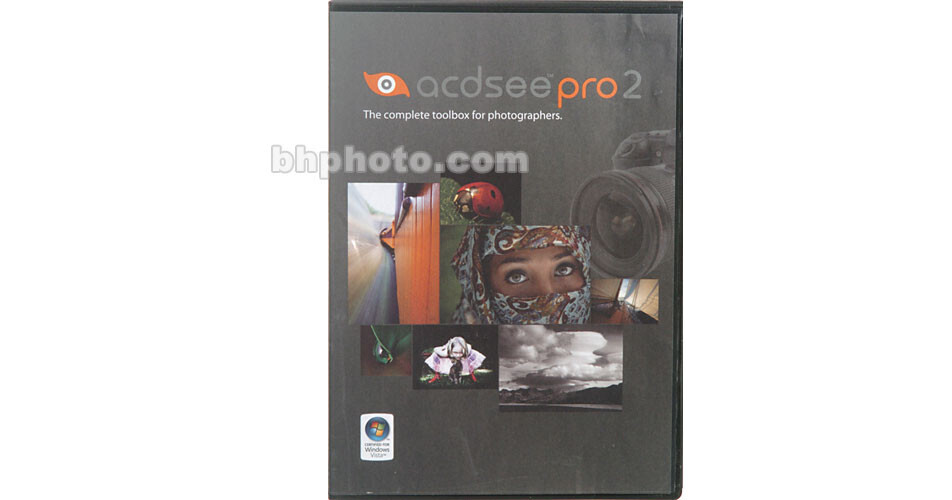
ACDSee Pro 2 Photo Manager

BH #ACACDP2PM • MFR #ACDPROBXEN
Print
ACDSee Pro 2 Photo Manager
Key Features
  • Fully Customizable
  • Compatible with 100 File Formats
  • RAW Image Processing
  • Protect and Archive
ACD Systems ACDSee Pro 2 Photo Manager software is a "one-stop" software package for viewing, processing, editing, cataloging, publishing and archiving digital images. Featuring next-generation workflow management and RAW processing, the capabilities of ACDSee Pro 2 leverage the power of today's digital SLR cameras and support an expanding variety of RAW-format files.

ACDSee Pro 2's expanded processing power and speed allows viewing and handling of large RAW files with the speed of smaller JPEGs. File manipulation is made easier with cutting and pasting of RAW photo settings, one-step rotating and cropping, and the software can provide for the recovery of up to two stops of lost highlight detail with the Highlights Recovery slider. Furthermore, RAW files can now be simultaneously exported to up to 14 different formats and multiple resolutions, with options to rename, resize and embed color profiles included in this time-saving operation.

Cataloging images is now even easier with ACDSee Pro 2's improved metadata features, including automated metadata-based file sorting capabilities, and read/write capabilities for XMP sidecar files and digital negatives (DNG). Enhanced editing is made possible through tools such as opacity and blending, channel mixer, and patent-pending shadow and highlight controls. Other key features in ACDSee Pro 2, which is Certified for Windows Vista, include uploading to online services like Flickr and advanced browsing capabilities such as "Group By," "Filter By" and "Events View."

More Details
No Longer Available
No Store Display
Ask an Expert
800-606-6969

ACDSee ACDSee Pro 2 Overview

ACD Systems ACDSee Pro 2 Photo Manager software is a "one-stop" software package for viewing, processing, editing, cataloging, publishing and archiving digital images. Featuring next-generation workflow management and RAW processing, the capabilities of ACDSee Pro 2 leverage the power of today's digital SLR cameras and support an expanding variety of RAW-format files.

ACDSee Pro 2's expanded processing power and speed allows viewing and handling of large RAW files with the speed of smaller JPEGs. File manipulation is made easier with cutting and pasting of RAW photo settings, one-step rotating and cropping, and the software can provide for the recovery of up to two stops of lost highlight detail with the Highlights Recovery slider. Furthermore, RAW files can now be simultaneously exported to up to 14 different formats and multiple resolutions, with options to rename, resize and embed color profiles included in this time-saving operation.

Cataloging images is now even easier with ACDSee Pro 2's improved metadata features, including automated metadata-based file sorting capabilities, and read/write capabilities for XMP sidecar files and digital negatives (DNG). Enhanced editing is made possible through tools such as opacity and blending, channel mixer, and patent-pending shadow and highlight controls. Other key features in ACDSee Pro 2, which is Certified for Windows Vista, include uploading to online services like Flickr and advanced browsing capabilities such as "Group By," "Filter By" and "Events View."

Quickly View and Browse Images
View, sort, cull and compare your photos in a fully customizable interface with the speed required by professional photographers. You'll get instant full screen viewing, and fast thumbnail browsing for more than 100 different file formats including JPEG, BMP, GIF, PSD, PNG, TIFF, TGA, RAW NEF, CRW, and much more. Even view your RAW files as quickly as your JPEGs.
Quick Search
Quickly retrieve photos using keywords, captions, file or folder names, or IPTC data, or find that one photo out of thousands using the Quick Search bar.
Visual Tagging
Sift through thousands of shots and identify the ones you want to keep using one-click Visual Tagging, and select your best shots using Image Compare to view up to four images at once in greater detail.
Import Effortlessly
Stay ahead of the volume from day one with powerful tools that automatically import, rename and categorize your photos whenever your cameras and storage devices are connected.
Catalog Your Photos
Manage your digital assets with powerful and flexible cataloguing options. Organize and find your photos by Windows file folder, IPTC/EXIF/XMP metadata, custom virtual categories, keywords, ratings and more. Plus you can read, write and create sidecar files for your RAW files that keep your images and data connected across systems and software.
Develop Your Images
Take total control of every aspect of your images - from white balance to sharpness - with state of the art RAW processing and advanced pixel-level editing, and, with background processing, continue your workflow while ACDSee Pro completes your non-destructive adjustments.
Improve Image Quality
Expose hidden details in dark and light areas with ACDSee Pro 2's patent pending Shadow/Highlights feature, and fix common photo defects such as blemishes, flares, lens scratches, and other imperfections with the Photo Repair tool. You can also fine tune specific areas of your image by using a selection tool to apply adjustments including blur, saturation and color to defined areas of your photos.
Present & Distribute Photos
Share selected shots effortlessly through e-mail, web galleries, slide shows and prints - ACDSee Pro 2's e-mail tool helps to optimize your images for delivery. Plus you can easily create contact sheets and high-quality prints with optimized print templates, or create stunning slide shows with transition effects and multiple audio tracks. Even add watermarks to your photographs to reflect your copyright.
Protect and Archive Your Work
Easily archive your collection to .zip folders, CD or DVD, and synchronize with your external hard drive - even synchronize multiple folders and schedule when the synchronizations occur. Furhtermore, you can protect and preserve your metadata by embedding it in industry-standard portable digital negative format (DNGs).

ACDSee ACDSee Pro 2 Specs

System & Software Requirements
Windows System ONLY
  • Intel Pentium III / AMD Athlon processor or equivalent (Pentium$ / Athlon XP recommended)
  • Windows 2000, XP and Vista
  • 512 MB RAM (1 GB RAM recommended)
  • 100 MB free hard drive space (1 GB recommended)
  • High Color display at 1024 x 768 resolution (1280 x 1024 recommended)
  • CD-ROM Drive (for software installation)
  • CD/DVD Burner (for creating CDs and DVDs)
  • Microsoft Internet Explorer 5.0.0 (6.0.0 recommended)
  • TiVo Desktop Software (to publish images to your TiVo)
  • Microsoft DirectX 9.0 (for DirectX file format support)
  • QuickTime 6.0 (for QuickTime file format support)
  • Ghostscript 8.0 (for PDF support)
  • Windows Media Player 9.0

ACDSee ACDSee Pro 2 Reviews

See any errors on this page?
Whatever You Need, We've Got It