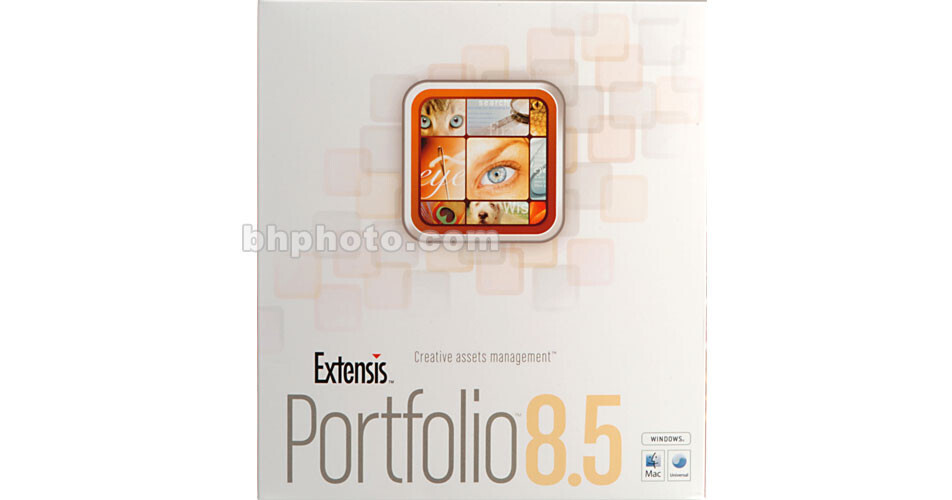
Extensis Portfolio 8.5 - Creative Asset Management for Macintosh

BH #EXP85M • MFR #FCE85000
Print
Extensis Portfolio 8.5 - Creative Asset Management  for Macintosh
Key Features
  • Visually Organize, Find & Share Files
  • Automatically Catalog Files
  • Manage File Metadata
  • Drag & Drop Files into Applications
Extensis Portfolio 8.5 is a powerful digital asset management software package that puts your files at your fingertips. It allows you to visually organize, sort and preview your complete library of digital assets - both online and offline, and its built-in automated features allow you to quickly embed metadata into, archive, and share your assets with partners, clients and vendors. From web to print, from comps to finished work, Portfolio's database-driven catalogs equip you with the power to effortlessly find, preview and repurpose all your files.

Portfolio's visual catalogs give you instant access to the information you need to find the right file fast, and Portfolio generates full-screen, low-res previews so you can select the correct image without having to hunt down originals, and it provides the option to create galleries (or subgroups of your catalog) for sorting and tracking assets through your workflow. The Portfolio Express palette allows you to search for, find, and drag-and-drop any cataloged file from within your creative application. Then Portfolio 8.5 even helps you publish your assets to static web pages to more easily share images and other files with clients.

More Details
No Longer Available
No Store Display
Ask an Expert
866-842-7675

Extensis FCE85000 Overview

Extensis Portfolio 8.5 is a powerful digital asset management software package that puts your files at your fingertips. It allows you to visually organize, sort and preview your complete library of digital assets - both online and offline, and its built-in automated features allow you to quickly embed metadata into, archive, and share your assets with partners, clients and vendors. From web to print, from comps to finished work, Portfolio's database-driven catalogs equip you with the power to effortlessly find, preview and repurpose all your files.

Portfolio's visual catalogs give you instant access to the information you need to find the right file fast, and Portfolio generates full-screen, low-res previews so you can select the correct image without having to hunt down originals, and it provides the option to create galleries (or subgroups of your catalog) for sorting and tracking assets through your workflow. The Portfolio Express palette allows you to search for, find, and drag-and-drop any cataloged file from within your creative application. Then Portfolio 8.5 even helps you publish your assets to static web pages to more easily share images and other files with clients.

New Features in Version 8.5
Extensis Portfolio 8.5 adds a number of new features to further streamline your workflow and expand system compatibility to your database operations.
  • Presets Palette - Save collections of metadata as a pre-set. Then, using the Presets Palette, quickly apply this to an entire selection of assets to drive processes and automate workflows.
  • Default Field Values - Set field values up front and save data-entry values that will be automatically applied to all assets as they enter Portfolio to ensure they start out the way you want. Or use Default Field Values to make sure every asset is appropriately credited, initiate processes, or apply important metadata that needs to be associated with all your assets.
  • Catalog Types - Select a Catalog Type to get up and running in an instant. Each new Catalog Type is designed for a specific usage, including search and metadata settings that are tuned to your needs. From simple cataloging of PDF files to sophisticated Project Sync workflows, Catalog Types will have you set up and running in no time.
  • Enhanced Digital Camera Support - Portfolio supports the most current, professional-level digital cameras, such as the Canon 1D Mark III. This upgrade adds support for RAW file formats from an expanded list of cameras, including the Nikon D40x, Olympus E-410, Olympus E-510, Olympus SP550Uz, Fuji S5 Pro and Panasonic DMC-FZ8.
  • Enhanced PDF and EPS Support - Portfolio 8.5 quickly generates high-quality thumbnails and previews from PDF and EPS documents, making it an ideal solution in PDF workflows. You can also view complex, multi-page PDF documents from within Portfolio on both Macs and Windows platforms.
Fast Cataloging
Fast cataloging quickly adds files to your Portfolio catalog in the background, allowing you to start working with them instantly.
Full Custom Sort
Drag and drop, reorder or sort items in galleries, SmartGalleries and disk folders. This information is retained separately for each user in a workgroup environment.
Scratchpad Galleries
Scratchpad galleries are temporary baskets used for sorting, editing and merging files from multiple galleries or searches into a single gallery. These can be used for printing, collecting or publishing.
Digital Camera Auto-Rotation
Portfolio automatically rotates thumbnails and previews from digital cameras that record the camera's orientation, streamlining photographers' post-shoot workflow.
Enhanced Item Properties
The properties dialog is now the one-stop location to find and edit any metadata. The most common information needed (such as file type, resolution and file size) has been consolidated to the first tab for faster viewing.
Leverage Previews
Portfolio's ability to use Screen Previews rather than the original files makes the process of finding and sharing your files - even those that are offline - much faster.
Manage Movie Metadata
Portfolio can read common metadata such as frame rate, duration and audio tracks from video files.
Custom XMP Read and CS File-Info Panels
Take advantage of the IPTC4XMP standard known as IPTC Core, used by Adobe Creative Suite 2 applications. This effectively extends Portfolio's custom fields into the most popular creative applications, allowing a two-way exchange of information.
SmartGalleries
Galleries (or subsets) in Portfolio can be set to automatically find any cataloged file that meets your pre-determined criteria. This ensures that your galleries are always updated without you having to lift a finger.
Express Palette
This floating palette makes the contents of your Portfolio catalogs instantly available within any application, at any time, via a global keyboard shortcut. Find, copy, open and use any file you've cataloged - without even launching and opening Portfolio. The palette displays thumbnails of each item in your catalog and its filename.
One-Click CD Publishing & Archiving
Collect files, create a catalog, add a copy of Portfolio Browser and burn a CD/DVD in one step. Collect original images or low-res JPEG previews for distribution. Automatically change paths of cataloged files to a destination disk, allowing you to move content offline without having to manually relink files
Built-in Image Conversion
Save time by converting cataloged images (individually or as a batch) to JPEG, TIFF, VFZ or PFZ format within Portfolio. Define resolution, size and color mode.
Roundtrip Metadata
Write Portfolio metadata (keywords, descriptions, custom field content, etc.) back into your image files, so the information travels with your files, independently of Portfolio. Includes EXIF, IPTC and XMP.
Saved Cataloging Options
Create multiple, automated workflows that do all the work of cataloging, keywording, renaming, even archiving for you. You can also save your cataloging option presets, so they can be used again at any time.
Full-Screen Previews
Create low-res JPEG previews up to 2,000 pixels in size and instantly view your files full-screen, no matter where they are stored.
Email or Burn Low-Res Previews
Portfolio makes it easy to email proofs to clients, partners and others by generating low-res JPEG previews and allowing you to email them directly within Portfolio. Also burn JPEG previews to a CD/DVD.
Web Page Creation Wizard
Portfolio dramatically simplifies the process of generating high-quality web content - even if you don't know HTML. For more robust web-publishing capabilities (including the ability to offer multiple concurrent connections).
Ready-to-Use EXIF Support
View or search EXIF data from digital cameras. Portfolio can extract the data by default, without set-up or configuration.
Wide Range of File Format Support
Portfolio is capable of cataloging any digital file. It also has the ability to generate and extract thumbnails, display screen previews, index text, and extract metadata from most standard graphic and video formats including Microsoft Word and Excel files in Windows. Portfolio can also provide full-screen previews from Adobe DNG RAW files, added support for current RAW files, and thumbnails and full-screen previews of Quark XPress documents.
Custom Views
Create professional custom views of your images with a rich variety of formatting options.
Contact Sheet Printing
Print customized contact sheets quickly and easily. Simply choose the number of images per page and Portfolio will size and arrange the images in a grid, ready for print.
Customizable Toolbar
Create a customized workspace by adding or removing buttons from the toolbar, placing frequently used commands right where you need them.
HTML Help, Video Tutorials, and Sample Catalogs
The answers are at your fingertips with Portfolio's searchable HTML-based help system. We even include new sample catalogs with pre-mapped custom fields and SmartGalleries for specific workflows - making it easier to customize Portfolio to your needs.

Extensis FCE85000 Specs

System & Software Requirements
Macintosh System ONLY
  • 1 GHz or faster G4, G5 or Intel Core processor(s)
  • Mac OS X (10.4.4 or higher)
  • 512MB available RAM
  • 500MB hard drive space
  • 1024x768 or larger display
  • Apple QuickTime v7 or higher
Note: Portfolio v8.5 is backwards compatible with Portfolio v6 - v8 catalogs. Users of earlier versions will need to update their catalogs to Portfolio v6 or v7 before opening them in Portfolio v8.5. Portfolio v7.0.4 or later NetPublish templates will also work directly in Portfolio v8.5. Portfolio v7 custom views and borders will be honored in updated catalogs.

Extensis FCE85000 Reviews

See any errors on this page?
Whatever You Need, We've Got It