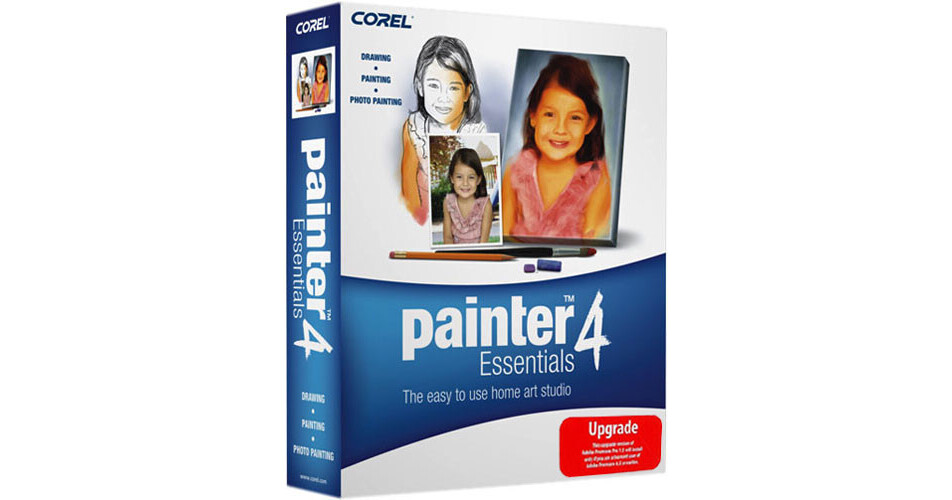
Corel Painter Essentials 4 (Upgrade)

BH #COPE4U • MFR #PE4ENPCMUG
Print
Corel Painter Essentials 4 (Upgrade)
Key Features
  • Easy-to-Use Home Art Studio
  • Extensive Brushes & Pallets
  • Autopainting Feature
  • Magic Wand Tool
Upgrade Version - to use this upgrade version of Corel Painter Essentials 4, which can be purchased at a significant savings over the full version, you will need to have a fully licensed version of aPrevious version of Corel Painter Essentials, Corel Paint Shop Pro (9, X, XI, X2 and higher) or Ulead PhotoImpact (10, X1)

Corel Painter Essentials 4 extends your creativity by helping you transform photos into painted works of art. Whether you're turning a photo into a painting, or sketching and painting on a blank canvas Corel Painter Essentials 4 makes it simple to work just like an artist. You can use one of the 90 brushes and mix paint to get the exact color you need. Plus, the brush strokes are just like the real thing.

Digital camera owners and anyone who enjoys taking photos can use Corel Painter Essentials 4 to find new ways to work with photographs and express their vision. For example, the Autopainting feature quickly and easily converts a photo into a painting. Then use the easy-to-access online services to have your masterpiece printed on a canvas, t-shirt, mug or other keepsake. Creating scrapbooks is also fun and rewarding with Corel Painter Essentials 4. Users can explore the many tools, brushes, paints and effects to add a whole other creative element to your scrapbooks.

More Details
No Longer Available
No Store Display
Ask an Expert
866-842-7675

Corel Painter Essentials 4 Overview

Upgrade Version - to use this upgrade version of Corel Painter Essentials 4, which can be purchased at a significant savings over the full version, you will need to have a fully licensed version of aPrevious version of Corel Painter Essentials, Corel Paint Shop Pro (9, X, XI, X2 and higher) or Ulead PhotoImpact (10, X1)

Corel Painter Essentials 4 extends your creativity by helping you transform photos into painted works of art. Whether you're turning a photo into a painting, or sketching and painting on a blank canvas Corel Painter Essentials 4 makes it simple to work just like an artist. You can use one of the 90 brushes and mix paint to get the exact color you need. Plus, the brush strokes are just like the real thing.

Digital camera owners and anyone who enjoys taking photos can use Corel Painter Essentials 4 to find new ways to work with photographs and express their vision. For example, the Autopainting feature quickly and easily converts a photo into a painting. Then use the easy-to-access online services to have your masterpiece printed on a canvas, t-shirt, mug or other keepsake. Creating scrapbooks is also fun and rewarding with Corel Painter Essentials 4. Users can explore the many tools, brushes, paints and effects to add a whole other creative element to your scrapbooks.

Create a Painting from a Photo
In just 3 simple steps you can convert a digital photo into a work of art. Open the photo you want to paint in the Source Image palette, choose one of the preset painting styles from the menus on the Auto-Painting Palette, then let new Smart Stroke technology create stunning paintingsâ¿¿with brush strokes that follow the form of your photo.
Tools You Need at Your Fingertips
The Drawing and Painting workspace is designed for simple and intuitive use. You can select one of the many brushes with the Brush Drawer, or go back to recently used brushes quickly with Brush History or organize your favorite brushes in one spot for easy access. Easily select paint colors with a single click on the Colors palette or even create new colors easily with the convenient Mixer palette. You can even select the "Paper Texture" so your images will look even more like watercolor or canvas paintings.
More Natural Media
RealBristle brushes authentically reproduce the natural movement of the artist's brush right down to the individual bristle, and an array of improved pens, such as the Scratchboard Tool and Smooth Edge Calligraphy, are perfect for inking comic books or doing calligraphy. Other Added brushes include Sumi-e, Charcoal, and even the Sargent brush which lets you paint in the style of master artist John Singer Sargent, plus an expanded Nozzle set for use with the Image Hose, and patterns for use with Pattern Pens have been added. Furthermore, the enhanced Brush Ghost gives you better control through unprecedented visual feedback of brushstroke behavior.
Magic Wand Tool
The Magic Wand tool makes it easier for you to select specific portions of a photo or painting.
Tablet Support
The redesigned workspaces feature larger icons, buttons and sliders that are easier to navigate with a tablet, and enhanced Support for Wacom products is provided so you can use Corel Painter Essentials 4 with any product in the entire Wacom line
Online Print Services
Order prints of your artwork on canvas, watercolor paper and other fine art materials directly from the File Menu.
Includes Video Tutorials
Free video tutorials by Painter master John Derry, combined with the tutorials printed in the user guide, make it easier than ever to get started - and get the results you want. Plus sample files for the guidebook and video tutorials are accessible directly from the File Menu.
Broad Compatibility
Universal binary support means that the Mac OS version of Corel Painter Essentials 4 is optimized for use with either Intel or PowerPC processors, plus you'll get full Windows Vista support. Furthermore, enhanced file compatibility means that Corel Painter Essentials 4 works with major photo-editing applications, such as Adobe Photoshop Elements, Adobe Photoshop, Corel Paint Shop Pro, and Ulead PhotoImpact.

Corel Painter Essentials 4 Specs

System & Software Requirements
Upgrade Version - to use this upgrade version of Corel Painter Essentials 4, which can be purchased at a significant savings over the full version, you will need to have a fully licensed version of aPrevious version of Corel Painter Essentials, Corel Paint Shop Pro (9, X, XI, X2 and higher) or Ulead PhotoImpact (10, X1)

Windows System

  • Pentium III, 700 MHz Processor or greater
  • Windows Vistaâ¿¢ or Windows XP (with latest Service Pack)
  • 256 MB RAM
  • 1 GB of Hard Drive space for installation
  • 24-bit color display with 1024 x 768 screen resolution
  • Mouse or Tablet
  • CD-ROM Drive
  • Adobe Acrobat Reader
  • Microsoft Internet Explorer 6 (or greater)
  • AdobeFlash Player version 7 or higher to view Training Videos

Macintosh System

  • Power Macintosh G4, 700 MHz Processor or greater
  • Mac OS X (10.4.x with latest revision)
  • 256 MB RAM
  • 1 GB of Hard Drive space for installation
  • 24-bit color display with 1024 x 768 screen resolution
  • Mouse or tablet
  • CD-ROM Drive
  • Adobe Acrobat Reader
  • Safari web browser
  • AdobeFlash Player version 7 or higher to view Training Videos

Corel Painter Essentials 4 Reviews

See any errors on this page?
Whatever You Need, We've Got It